• The MTN Mobile Money user has reached counter or balance limits, has insufficient funds or is missing permissions.
• MTN Exception: Account Holder with FRI Not Found
• Transaction id is invalid
• Decline - General decline of the card. No other information provided by the issuing bank. | • Customer either entered no or invalid PIN
• Mobile network not able to parse your request
• USSD session timeout
• Having strange characters (&\*!%@) in your description
• Ensure that the number provided matches the channel | | 4000 | Validation errors | Validation errors. Something is not quite right with this request. Please check again. | | 4070 | We're unable to complete this payment at the moment. Please try again later. Fees not set for given conditions. | Ensure you are passing the required minimum amount or contact your Hubtel relationship manager to setup fees for your account if error persists. | # Commission Services (/docs/api-documentation/payment-apis/commission-services) ##### Overview [#overview] The **Hubtel Commission Services API** is a set of developer tools and products that help businesses, financial organizations and individuals to facilitate bill payments, airtime top-ups and other digital services for customers.
##### Base Endpoint [#base-endpoint] All requests to the **Commission Services API** will be sent to the base URLs below with the corresponding parameter formats.
| Parameter | Value | | --------------------------- | ------------------------------------------------------------------------------------ | | BaseURL | [https://cs.hubtel.com/commissionservices](https://cs.hubtel.com/commissionservices) | | Disbursement Account Number | {'{Disbursement_Account_Number}'} | | ServiceID | {'{serviceID}'} | | Content Type | **JSON** |
Generic Commission Services Endpoint URL looks like this: ```js {BaseUrl}/{Disbursement_Account_Number}/{ServiceID} ```
Example: ```text https://cs.hubtel.com/commissionservices/11691/fdd76c884e614b1c8f669a3207b09a98 ```
##### ServiceIDs [#serviceids] | ServiceID | Description | | -------------------------------- | ---------------------- | | fdd76c884e614b1c8f669a3207b09a98 | MTN Airtime | | f4be83ad74c742e185224fdae1304800 | Telecel Airtime | | dae2142eb5a14c298eace60240c09e4b | AirtelTigo Airtime | | e6d6bac062b5499cb1ece1ac3d742a84 | ECG Prepaid & PostPaid | | b9a1aa246ba748f9ba01ca4cdbb3d1d3 | Telecel Broadband | | b230733cd56b4a0fad820e39f66bc27c | MTN Data | | fa27127ba039455da04a2ac8a1613e00 | Telecel Data | | 06abd92da459428496967612463575ca | AirtelTigo Data | | 297a96656b5846ad8b00d5d41b256ea7 | DSTV | | e6ceac7f3880435cb30b048e9617eb41 | GOtv | | a3ab78c84c6b4976b78a6f393e247a72 | Telecel Postpaid Bills | | 6c1e8a82d2e84feeb8bfd6be2790d71d | Ghana Water | | 6598652d34ea4112949c93c079c501ce | StarTimes TV |
##### Getting Started [#getting-started]
###### Understanding the Service Flow [#understanding-the-service-flow] The **Hubtel Sales API** allows you to integrate multiple functionalities into your applications. This document focuses on: * Commission Services endpoints: REST API to either query one of the service endpoints or make a bill payment. * Status Check API: REST API to check for the status of a Commissions Service transaction initiated previously after five (5) or more minutes of the transaction’s completion. It is mandatory to implement the Transaction Status Check API only for transactions that you do not receive a callback from Hubtel. The entire process is asynchronous. The figure below demonstrates the service flow using these two endpoints:
##### API Reference [#api-reference] The core services are broken down into **three** main kinds: **Airtime Top-ups**, **Data Bundles** and **Utility Payments**. The details of how to integrate with each of the services can be found below. It’s also **mandatory** to pass your **Disbursement Account Number** for every Commission Service request in the URL. Replace **“{'{Disbursement_Account_Number}'}”** in the endpoint "[https://cs.hubtel.com/commissionservices/\{'\{Disbursement_Account_Number}'}/](https://cs.hubtel.com/commissionservices/\{'\{Disbursement_Account_Number}'}/)" with your Disbursement Account Number. Find your **Disbursement Account Number** [here](/docs/get-started/programmable-api-keys?curr_idx=3).
##### Airtime Top-Ups [#airtime-top-ups] > **Note** > The maximum airtime top-up amount per request is **100 cedis**.
###### MTN Airtime Top-Up [#mtn-airtime-top-up] This endpoint is used to top up an MTN account with Airtime. | | | | ------------ | ------------------------------------------------------------------------------------------------------------------------------------------------------------------------------------------------------------------------------ | | API Endpoint | [https://cs.hubtel.com/commissionservices/\{'\{Disbursement_Account_Number}'}/fdd76c884e614b1c8f669a3207b09a98](https://cs.hubtel.com/commissionservices/\{'\{Disbursement_Account_Number}'}/fdd76c884e614b1c8f669a3207b09a98) | | Request Type | **POST** | | Content Type | **JSON** |
###### REQUEST PARAMETERS [#request-parameters] | Parameter | Type | Requirement | Description | | --------------- | ------ | ----------- | -------------------------------------------------------------------------------------------------------------- | | Destination | String | Mandatory | The destination account to receive the airtime value. | | Amount | Float | Mandatory | The airtime value to be sent during this transaction. **NB**: Only 2 decimal places is allowed **E.g.: 0.50**. | | CallbackUrl | String | Mandatory | Used to receive the callback for the transaction from Hubtel. See below for a sample callback. | | ClientReference | String | Mandatory | The reference number that is provided by the API user. |
###### RESPONSE PARAMETERS [#response-parameters] | Parameter | Type | Description | | --------------- | ------ | ----------------------------------------------------------------------------------------------- | | ResponseCode | String | The unique response code on the status of the transaction. | | Message | String | The description of the response received from the API call that is related to the ResponseCode. | | Data | Object | An object containing the required data response from the **API**. | | ClientReference | String | The reference number that was initially provided by the API user in the request payload. | | Amount | Float | The transaction amount, minus the charges/fees. | | TransactionId | String | The unique ID to identify a transaction. | | Meta | Object | Object that contains Commission key. | | Commission | String | The commission gained for the transaction. |
###### SAMPLE REQUEST [#sample-request] **HTTP** ```http POST /commissionservices/11691/fdd76c884e614b1c8f669a3207b09a98 HTTP/1.1 Host: cs.hubtel.com Accept: application/json Content-Type: application/json Authorization: Basic endjeOBiZHhza250fT3== { "Destination": "233246912184", "Amount": 0.5, "CallbackUrl": "https://webhook.site/fcad8efa-624b-44c8-a129-b1c01921191d", "ClientReference": "TestEVD01011" } ``` **cURL** ```bash curl --location 'https://cs.hubtel.com/commissionservices/11691/fdd76c884e614b1c8f669a3207b09a98' \ --header 'Content-Type: application/json' \ --header 'Authorization: Basic endjeOBiZHhza250fT3==' \ --data '{ "Destination": "233246912184", "Amount": 0.5, "CallbackUrl": "https://webhook.site/fcad8efa-624b-44c8-a129-b1c01921191d", "ClientReference": "TestEVD01011" }' ``` **PHP** ```php 'https://cs.hubtel.com/commissionservices/11691/fdd76c884e614b1c8f669a3207b09a98', CURLOPT_RETURNTRANSFER => true, CURLOPT_ENCODING => '', CURLOPT_MAXREDIRS => 10, CURLOPT_TIMEOUT => 0, CURLOPT_FOLLOWLOCATION => true, CURLOPT_HTTP_VERSION => CURL_HTTP_VERSION_1_1, CURLOPT_CUSTOMREQUEST => 'POST', CURLOPT_POSTFIELDS =>'{ "Destination": "233246912184", "Amount": 0.5, "CallbackUrl": "https://webhook.site/fcad8efa-624b-44c8-a129-b1c01921191d", "ClientReference": "TestEVD01011" }', CURLOPT_HTTPHEADER => array( 'Content-Type: application/json', 'Authorization: Basic endjeOBiZHhza250fT3==' ), )); $response = curl_exec($curl); curl_close($curl); echo $response; ``` **Python** ```bash import requests import json url = "https://cs.hubtel.com/commissionservices/11691/fdd76c884e614b1c8f669a3207b09a98" payload = json.dumps({ "Destination": "233246912184", "Amount": 0.5, "CallbackUrl": "https://webhook.site/fcad8efa-624b-44c8-a129-b1c01921191d", "ClientReference": "TestEVD01011" }) headers = { 'Content-Type': 'application/json', 'Authorization': 'Basic endjeOBiZHhza250fT3==' } response = requests.request("POST", url, headers=headers, data=payload) print(response.text) ``` **JS** ```javascript const myHeaders = new Headers(); myHeaders.append("Content-Type", "application/json"); myHeaders.append("Authorization", "Basic endjeOBiZHhza250fT3=="); const raw = JSON.stringify({ "Destination": "233246912184", "Amount": 0.5, "CallbackUrl": "https://webhook.site/fcad8efa-624b-44c8-a129-b1c01921191d", "ClientReference": "TestEVD01011" }); const requestOptions = { method: "POST", headers: myHeaders, body: raw, redirect: "follow" }; fetch("https://cs.hubtel.com/commissionservices/11691/fdd76c884e614b1c8f669a3207b09a98", requestOptions) .then((response) => response.text()) .then((result) => console.log(result)) .catch((error) => console.error(error)); ```
###### SAMPLE RESPONSE [#sample-response] ```js { "ResponseCode": "0001", "Message": "Transaction pending. Expect callback request for final state", "Data": { "ClientReference": "TestEVD01011", "Amount": 0.85, "TransactionId": "a50e003d8d8741d49a3a0dc677a7576b", "Meta": { "Commission": "0.05" } } } ```
###### Telecel Airtime Top-Up [#telecel-airtime-top-up] This endpoint is used to top up an Telecel account with Airtime. | | | | ------------ | ------------------------------------------------------------------------------------------------------------------------------------------------------------------------------------------------------------------------------ | | API Endpoint | [https://cs.hubtel.com/commissionservices/\{'\{Disbursement_Account_Number}'}/f4be83ad74c742e185224fdae1304800](https://cs.hubtel.com/commissionservices/\{'\{Disbursement_Account_Number}'}/f4be83ad74c742e185224fdae1304800) | | Request Type | **POST** | | Content Type | **JSON** |
###### REQUEST PARAMETERS [#request-parameters-1] | Parameter | Type | Requirement | Description | | --------------- | ------ | ----------- | ---------------------------------------------------------------------------------------------- | | Destination | String | Mandatory | The destination account to receive the airtime value. | | Amount | Float | Mandatory | The airtime value to be sent during this transaction. **Eg: 0.5** | | CallbackUrl | String | Mandatory | Used to receive the callback for the transaction from Hubtel. See below for a sample callback. | | ClientReference | String | Mandatory | The reference number that is provided by the API user. |
###### RESPONSE PARAMETERS [#response-parameters-1] | Parameter | Type | Description | | --------------- | ------ | ----------------------------------------------------------------------------------------------- | | ResponseCode | String | The unique response code on the status of the transaction. | | Message | String | The description of the response received from the API call that is related to the ResponseCode. | | Data | Object | An object containing the required data response from the **API**. | | ClientReference | String | The reference number that was initially provided by the API user in the request payload. | | Amount | Float | The transaction amount, minus the charges/fees | | TransactionId | String | The unique ID to identify a transaction. | | Meta | Object | Object that contains Commission key. | | Commission | String | The commission gained for the transaction. |
###### SAMPLE REQUEST [#sample-request-1] **HTTP** ```http POST /commissionservices/11691/f4be83ad74c742e185224fdae1304800 HTTP/1.1 Host: cs.hubtel.com Accept: application/json Content-Type: application/json Authorization: Basic endjeOBiZHhza250fT3== { "Destination": "233206439599", "Amount": 0.5, "CallbackUrl": "https://webhook.site/fcad8efa-624b-44c8-a129-b1c01921191d", "ClientReference": "TestEVD01021" } ``` **cURL** ```bash curl --location 'https://cs.hubtel.com/commissionservices/11684/f4be83ad74c742e185224fdae1304800' \ --header 'Content-Type: application/json' \ --header 'Authorization: Basic endjeOBiZHhza250fT3==' \ --data '{ "Destination": "233206439599", "Amount": 0.5, "CallbackUrl": "https://webhook.site/fcad8efa-624b-44c8-a129-b1c01921191d", "ClientReference": "TestEVD01021" }' ``` **PHP** ```php 'https://cs.hubtel.com/commissionservices/11684/f4be83ad74c742e185224fdae1304800', CURLOPT_RETURNTRANSFER => true, CURLOPT_ENCODING => '', CURLOPT_MAXREDIRS => 10, CURLOPT_TIMEOUT => 0, CURLOPT_FOLLOWLOCATION => true, CURLOPT_HTTP_VERSION => CURL_HTTP_VERSION_1_1, CURLOPT_CUSTOMREQUEST => 'POST', CURLOPT_POSTFIELDS =>'{ "Destination": "233206439599", "Amount": 0.5, "CallbackUrl": "https://webhook.site/fcad8efa-624b-44c8-a129-b1c01921191d", "ClientReference": "TestEVD01021" }', CURLOPT_HTTPHEADER => array( 'Content-Type: application/json', 'Authorization: Basic endjeOBiZHhza250fT3==' ), )); $response = curl_exec($curl); curl_close($curl); echo $response; ``` **Python** ```bash import requests import json url = "https://cs.hubtel.com/commissionservices/11684/f4be83ad74c742e185224fdae1304800" payload = json.dumps({ "Destination": "233206439599", "Amount": 0.5, "CallbackUrl": "https://webhook.site/fcad8efa-624b-44c8-a129-b1c01921191d", "ClientReference": "TestEVD01021" }) headers = { 'Content-Type': 'application/json', 'Authorization': 'Basic endjeOBiZHhza250fT3==' } response = requests.request("POST", url, headers=headers, data=payload) print(response.text) ``` **JS** ```javascript const myHeaders = new Headers(); myHeaders.append("Content-Type", "application/json"); myHeaders.append("Authorization", "Basic endjeOBiZHhza250fT3=="); const raw = JSON.stringify({ "Destination": "233206439599", "Amount": 0.5, "CallbackUrl": "https://webhook.site/fcad8efa-624b-44c8-a129-b1c01921191d", "ClientReference": "TestEVD01021" }); const requestOptions = { method: "POST", headers: myHeaders, body: raw, redirect: "follow" }; fetch("https://cs.hubtel.com/commissionservices/11684/f4be83ad74c742e185224fdae1304800", requestOptions) .then((response) => response.text()) .then((result) => console.log(result)) .catch((error) => console.error(error)); ```
###### SAMPLE RESPONSE [#sample-response-1] ```js { "ResponseCode": "0001", "Message": "Transaction pending. Expect callback request for final state", "Data": { "ClientReference": "TestEVD01021", "Amount": 0.85, "TransactionId": "0305e0d79b2048e5b57647d4acaff939", "Meta": { "Commission": "0.0280" } } } ```
###### AT Airtime Top-Up [#at-airtime-top-up] This endpoint is used to top up an AT account with Airtime. | | | | ------------ | ------------------------------------------------------------------------------------------------------------------------------------------------------------------------------------------------------------------------------ | | API Endpoint | [https://cs.hubtel.com/commissionservices/\{'\{Disbursement_Account_Number}'}/dae2142eb5a14c298eace60240c09e4b](https://cs.hubtel.com/commissionservices/\{'\{Disbursement_Account_Number}'}/dae2142eb5a14c298eace60240c09e4b) | | Request Type | **POST** | | Content Type | **JSON** |
###### REQUEST PARAMETERS [#request-parameters-2] | Parameter | Type | Requirement | Description | | --------------- | ------ | ----------- | ---------------------------------------------------------------------------------------------- | | Destination | String | Mandatory | The destination account to receive the airtime value. | | Amount | Float | Mandatory | The airtime value to be sent during this transaction. **Eg: 0.5** | | CallbackUrl | String | Mandatory | Used to receive the callback for the transaction from Hubtel. See below for a sample callback. | | ClientReference | String | Mandatory | The reference number that is provided by the API user. |
###### RESPONSE PARAMETERS [#response-parameters-2] | Parameter | Type | Description | | --------------- | ------ | ----------------------------------------------------------------------------------------------- | | ResponseCode | String | The unique response code on the status of the transaction. | | Message | String | The description of the response received from the API call that is related to the ResponseCode. | | Data | Object | An object containing the required data response from the **API**. | | ClientReference | String | The reference number that was initially provided by the API user in the request payload. | | Amount | Float | The transaction amount, minus the charges/fees. | | TransactionId | String | The unique ID to identify a transaction. | | Meta | Object | Object that contains Commission key. | | Commission | String | The commission gained for the transaction. |
###### SAMPLE REQUEST [#sample-request-2] **HTTP** ```http POST /commissionservices/11691/dae2142eb5a14c298eace60240c09e4b HTTP/1.1 Host: cs.hubtel.com Accept: application/json Content-Type: application/json Authorization: Basic endjeOBiZHhza250fT3== { "Destination": "233574126849", "Amount": 0.5, "CallbackUrl": "https://webhook.site/fcad8efa-624b-44c8-a129-b1c01921191d", "ClientReference": "TestEVD01027" } ``` **cURL** ```bash curl --location 'https://cs.hubtel.com/commissionservices/11691/dae2142eb5a14c298eace60240c09e4b' \ --header 'Content-Type: application/json' \ --header 'Authorization: Basic endjeOBiZHhza250fT3==' \ --data '{ "Destination": "233574126849", "Amount": 0.5, "CallbackUrl": "https://webhook.site/fcad8efa-624b-44c8-a129-b1c01921191d", "ClientReference": "TestEVD01027" }' ``` **PHP** ```php 'https://cs.hubtel.com/commissionservices/11691/dae2142eb5a14c298eace60240c09e4b', CURLOPT_RETURNTRANSFER => true, CURLOPT_ENCODING => '', CURLOPT_MAXREDIRS => 10, CURLOPT_TIMEOUT => 0, CURLOPT_FOLLOWLOCATION => true, CURLOPT_HTTP_VERSION => CURL_HTTP_VERSION_1_1, CURLOPT_CUSTOMREQUEST => 'POST', CURLOPT_POSTFIELDS =>'{ "Destination": "233574126849", "Amount": 0.5, "CallbackUrl": "https://webhook.site/fcad8efa-624b-44c8-a129-b1c01921191d", "ClientReference": "TestEVD01027" }', CURLOPT_HTTPHEADER => array( 'Content-Type: application/json', 'Authorization: Basic endjeOBiZHhza250fT3==' ), )); $response = curl_exec($curl); curl_close($curl); echo $response; ``` **Python** ```bash import requests import json url = "https://cs.hubtel.com/commissionservices/11691/dae2142eb5a14c298eace60240c09e4b" payload = json.dumps({ "Destination": "233574126849", "Amount": 0.5, "CallbackUrl": "https://webhook.site/fcad8efa-624b-44c8-a129-b1c01921191d", "ClientReference": "TestEVD01027" }) headers = { 'Content-Type': 'application/json', 'Authorization': 'Basic endjeOBiZHhza250fT3==' } response = requests.request("POST", url, headers=headers, data=payload) print(response.text) ``` **JS** ```javascript const myHeaders = new Headers(); myHeaders.append("Content-Type", "application/json"); myHeaders.append("Authorization", "Basic endjeOBiZHhza250fT3=="); const raw = JSON.stringify({ "Destination": "233574126849", "Amount": 0.5, "CallbackUrl": "https://webhook.site/fcad8efa-624b-44c8-a129-b1c01921191d", "ClientReference": "TestEVD01027" }); const requestOptions = { method: "POST", headers: myHeaders, body: raw, redirect: "follow" }; fetch("https://cs.hubtel.com/commissionservices/11691/dae2142eb5a14c298eace60240c09e4b", requestOptions) .then((response) => response.text()) .then((result) => console.log(result)) .catch((error) => console.error(error)); ```
###### SAMPLE RESPONSE [#sample-response-2] ```js { "ResponseCode": "0001", "Data": { "ClientReference": "TestEVD01027", "Amount": 0.85, "TransactionId": "a1579b60845444babfe13945660a679d", "Meta": { "Commission": "0.35" } } } ```
##### Data & Voice Bundle Services [#data--voice-bundle-services]
> **Note** > The data bundle packages are subject to change by the telco. Be sure to query the packages before initiating a top-up request.
###### MTN Data Bundle Query [#mtn-data-bundle-query] This queries the MTN Data bundle service for the available bundles which can be purchased for a specific number. | | | | ------------ | ------------------------------------------------------------------------------------------------------------------------------------------------------------------------------------------------------------------------------------------------------------------------------------------------------ | | API Endpoint | [https://cs.hubtel.com/commissionservices/\{'\{Disbursement_Account_Number}'}/b230733cd56b4a0fad820e39f66bc27c?destination=\{'\{RecipientNumber}'}](https://cs.hubtel.com/commissionservices/\{'\{Disbursement_Account_Number}'}/b230733cd56b4a0fad820e39f66bc27c?destination=\{'\{RecipientNumber}'}) | | Request Type | **GET** | | Content Type | **JSON** |
###### REQUEST PARAMETERS [#request-parameters-3] | Parameter | Type | Requirement | Description | | ----------- | ------ | ----------- | ----------------------------------------------------------------------------------------------------------------------------------------- | | Destination | String | Mandatory | The destination number which will be receiving the data bundle value. This parameter is to be placed in the URL. Not in the request body. |
###### RESPONSE PARAMETERS [#response-parameters-3] | Parameter | Type | Description | | ------------ | -------------- | --------------------------------------------------------------------------------------------------------------------- | | ResponseCode | String | The unique response code on the status of the transaction. | | Message | String | The description of the response received from the API call that is related to the ResponseCode. | | Label | String | The response label from the service provider. Usually the same as the message. | | Data | ArrayOfObjects | This is an Array of objects that show of different bundle packages | | Display | String | The display key for the bundle. | | Value | String | The value of the data bundle. The desired value will then be used in the request body of the MTN Data topup endpoint. | | Amount | Float | The transaction amount. The actual cost of the data bundle. |
###### SAMPLE REQUEST [#sample-request-3] **HTTP** ```http GET /commissionservices/11691/b230733cd56b4a0fad820e39f66bc27c?destination=233246912184 HTTP/1.1 Host: cs.hubtel.com Accept: application/json Content-Type: application/json Authorization: Basic endjeOBiZHhza250fT3== ``` **cURL** ```bash curl --location 'https://cs.hubtel.com/commissionservices/11691/b230733cd56b4a0fad820e39f66bc27c?destination=233246912184' \ --header 'Authorization: Basic endjeOBiZHhza250fT3==' ``` **PHP** ```php 'https://cs.hubtel.com/commissionservices/11691/b230733cd56b4a0fad820e39f66bc27c?destination=233246912184', CURLOPT_RETURNTRANSFER => true, CURLOPT_ENCODING => '', CURLOPT_MAXREDIRS => 10, CURLOPT_TIMEOUT => 0, CURLOPT_FOLLOWLOCATION => true, CURLOPT_HTTP_VERSION => CURL_HTTP_VERSION_1_1, CURLOPT_CUSTOMREQUEST => 'GET', CURLOPT_HTTPHEADER => array( 'Authorization: Basic endjeOBiZHhza250fT3==' ), )); $response = curl_exec($curl); curl_close($curl); echo $response; ``` **Python** ```bash import requests url = "https://cs.hubtel.com/commissionservices/11691/b230733cd56b4a0fad820e39f66bc27c?destination=233246912184" payload = {} headers = { 'Authorization': 'Basic endjeOBiZHhza250fT3==' } response = requests.request("GET", url, headers=headers, data=payload) print(response.text) ``` **JS** ```javascript const myHeaders = new Headers(); myHeaders.append("Authorization", "Basic endjeOBiZHhza250fT3=="); const requestOptions = { method: "GET", headers: myHeaders, redirect: "follow" }; fetch("https://cs.hubtel.com/commissionservices/11691/b230733cd56b4a0fad820e39f66bc27c?destination=233246912184", requestOptions) .then((response) => response.text()) .then((result) => console.log(result)) .catch((error) => console.error(error)); ```
###### SAMPLE RESPONSE [#sample-response-3] ```js { "ResponseCode": "0000", "Message": "Successful", "Label": "Successful", "Data": [ { "Display": "17.79MB", "Value": "data_bundle_1", "Amount": 0.5 }, { "Display": "Kokrokoo 400MB, 5am to 8am", "Value": "kokrokoo_bundle_1", "Amount": 1.24 }, { "Display": "35.57MB", "Value": "data_bundle_2", "Amount": 1.0 }, { "Display": "349.24MB", "Value": "data_bundle_3", "Amount": 3.0 }, { "Display": "718.91MB", "Value": "data_bundle_4", "Amount": 10.0 }, { "Display": "1.19GB", "Value": "flexi_data_bundle", "Amount": 20.0 }, { "Display": "2.38GB", "Value": "flexi_data_bundle", "Amount": 40.0 }, { "Display": "3.58GB", "Value": "flexi_data_bundle", "Amount": 60.0 }, { "Display": "4.77GB", "Value": "flexi_data_bundle", "Amount": 80.0 }, { "Display": "7.87GB", "Value": "flexi_data_bundle", "Amount": 100.0 }, { "Display": "9.44GB", "Value": "flexi_data_bundle", "Amount": 120.0 }, { "Display": "11.80GB", "Value": "flexi_data_bundle", "Amount": 150.0 }, { "Display": "26.50GB", "Value": "flexi_data_bundle", "Amount": 200.0 }, { "Display": "33.13GB", "Value": "flexi_data_bundle", "Amount": 250.0 }, { "Display": "39.62GB", "Value": "flexi_data_bundle", "Amount": 299.0 }, { "Display": "92.88GB", "Value": "flexi_data_bundle", "Amount": 350.0 }, { "Display": "Video 135.69MB", "Value": "video_bundle_1", "Amount": 1.0 }, { "Display": "Video 678.43MB", "Value": "video_bundle_2", "Amount": 5.0 }, { "Display": "Video 1.33GB", "Value": "video_bundle_3", "Amount": 10.0 }, { "Display": "Social Media 70.87MB", "Value": "social_media_bundle_1", "Amount": 1.0 }, { "Display": "Social Media 354.36MB", "Value": "social_media_bundle_2", "Amount": 5.0 }, { "Display": "Social Media 708.72MB", "Value": "social_media_bundle_3", "Amount": 10.0 } ] } ```
###### MTN Data Bundle Top-Up [#mtn-data-bundle-top-up] This endpoint is used to top up an MTN account with a data bundle. | | | | ------------ | ------------------------------------------------------------------------------------------------------------------------------------------------------------------------------------------------------------------------------ | | API Endpoint | [https://cs.hubtel.com/commissionservices/\{'\{Disbursement_Account_Number}'}/b230733cd56b4a0fad820e39f66bc27c](https://cs.hubtel.com/commissionservices/\{'\{Disbursement_Account_Number}'}/b230733cd56b4a0fad820e39f66bc27c) | | Request Type | **POST** | | Content Type | **JSON** |
###### REQUEST PARAMETERS [#request-parameters-4] | Parameter | Type | Requirement | Description | | --------------- | ------ | ----------- | -------------------------------------------------------------------------------------------------------------------------------------------------------------------------------------------------------------------------------------------------------------------------------- | | Destination | String | Mandatory | The destination account to receive the data bundle value. | | Amount | Float | Mandatory | The cost of the data bundle being purchased. This amount is known by querying for the available data bundles to purchase. | | CallbackUrl | String | Mandatory | Used to receive the callback for the transaction from Hubtel. See below for a sample callback. | | ClientReference | String | Mandatory | The reference number that is provided by the API user. | | Extradata | Object | Mandatory | This Object contains bundle name/key. | | Bundle | String | Mandatory | The desired bundle being purchased. This parameter is taken from the “value” response parameter on the MTN Data Bundle Query Endpoint. **Note:** If the Bundle and the amount do not correspond to what is taken from the Data Bundle Query endpoint, the transaction will fail. |
###### RESPONSE PARAMETERS [#response-parameters-4] | Parameter | Type | Description | | --------------- | ------ | ----------------------------------------------------------------------------------------------- | | ResponseCode | String | The unique response code on the status of the transaction. | | Message | String | The description of the response received from the API call that is related to the ResponseCode. | | Data | Object | This is an object that contains the parameters below. | | ClientReference | String | The reference number that was initially provided by the API user in the request payload. | | Amount | Float | The transaction amount, minus the charges/fees. | | TransactionId | String | The unique ID to identify a transaction. | | Meta | Object | This is an object that contains the Commission parameter. | | Commission | String | The commission gained for the transaction. |
###### SAMPLE REQUEST [#sample-request-4] **HTTP** ```http POST /commissionservices/11691/b230733cd56b4a0fad820e39f66bc27c HTTP/1.1 Host: cs.hubtel.com Accept: application/json Content-Type: application/json Authorization: Basic endjeOBiZHhza250fT3== { "Destination": "233246912184", "Amount": 0.5, "CallbackUrl": "https://webhook.site/fcad8efa-624b-44c8-a129-b1c01921191d", "ClientReference": "TestDATA01013", "Extradata": { "bundle": "data_bundle_1" } } ``` **cURL** ```bash curl --location 'https://cs.hubtel.com/commissionservices/11691/b230733cd56b4a0fad820e39f66bc27c' \ --header 'Content-Type: application/json' \ --header 'Authorization: Basic endjeOBiZHhza250fT3==' \ --data '{ "Destination": "233246912184", "Amount": 0.5, "CallbackUrl": "https://webhook.site/fcad8efa-624b-44c8-a129-b1c01921191d", "ClientReference": "TestDATA01013", "Extradata": { "bundle": "data_bundle_1" } }' ``` **PHP** ```php 'https://cs.hubtel.com/commissionservices/11691/b230733cd56b4a0fad820e39f66bc27c', CURLOPT_RETURNTRANSFER => true, CURLOPT_ENCODING => '', CURLOPT_MAXREDIRS => 10, CURLOPT_TIMEOUT => 0, CURLOPT_FOLLOWLOCATION => true, CURLOPT_HTTP_VERSION => CURL_HTTP_VERSION_1_1, CURLOPT_CUSTOMREQUEST => 'POST', CURLOPT_POSTFIELDS =>'{ "Destination": "233246912184", "Amount": 0.5, "CallbackUrl": "https://webhook.site/fcad8efa-624b-44c8-a129-b1c01921191d", "ClientReference": "TestDATA01013", "Extradata": { "bundle": "data_bundle_1" } }', CURLOPT_HTTPHEADER => array( 'Content-Type: application/json', 'Authorization: Basic endjeOBiZHhza250fT3==' ), )); $response = curl_exec($curl); curl_close($curl); echo $response; ``` **Python** ```bash import requests import json url = "https://cs.hubtel.com/commissionservices/11691/b230733cd56b4a0fad820e39f66bc27c" payload = json.dumps({ "Destination": "233246912184", "Amount": 0.5, "CallbackUrl": "https://webhook.site/fcad8efa-624b-44c8-a129-b1c01921191d", "ClientReference": "TestDATA01013", "Extradata": { "bundle": "data_bundle_1" } }) headers = { 'Content-Type': 'application/json', 'Authorization': 'Basic endjeOBiZHhza250fT3==' } response = requests.request("POST", url, headers=headers, data=payload) print(response.text) ``` **JS** ```javascript const myHeaders = new Headers(); myHeaders.append("Content-Type", "application/json"); myHeaders.append("Authorization", "Basic endjeOBiZHhza250fT3=="); const raw = JSON.stringify({ "Destination": "233246912184", "Amount": 0.5, "CallbackUrl": "https://webhook.site/fcad8efa-624b-44c8-a129-b1c01921191d", "ClientReference": "TestDATA01013", "Extradata": { "bundle": "data_bundle_1" } }); const requestOptions = { method: "POST", headers: myHeaders, body: raw, redirect: "follow" }; fetch("https://cs.hubtel.com/commissionservices/11691/b230733cd56b4a0fad820e39f66bc27c", requestOptions) .then((response) => response.text()) .then((result) => console.log(result)) .catch((error) => console.error(error)); ```
###### SAMPLE RESPONSE [#sample-response-4] ```js { "ResponseCode": "0001", "Message": "Transaction pending. Expect callback request for final state.", "Data": { "ClientReference": "TestDATA01013", "Amount": 0.5, "TransactionId": "5b40e2e40fd4441d80b69b352f3103c7", "Meta": { "Commission": "0.0198" } } } ``` ###### SAMPLE CALLBACK [#sample-callback] ```js { "ResponseCode": "0000", "Data": { "AmountDebited": 0.5, "TransactionId": "5b40e2e40fd4441d80b69b352f3103c7", "ClientReference": "TestDATA01013", "Description": "GHC 0.50 (data_bundle_1) has been sent to 233242825109 on January 24, 2024.", "ExternalTransactionId": "2024012416592042208544402", "Amount": 0.5, "Charges": 0, "Meta": { "Commission": "0.0198" }, "RecipientName": null } } ```
###### Telecel Data Query [#telecel-data-query] This queries the Telecel Data Bundle Service for the available bundles which can be purchased for a specific number. | | | | ------------ | ------------------------------------------------------------------------------------------------------------------------------------------------------------------------------------------------------------------------------------------------------------------------------------------------------ | | API Endpoint | [https://cs.hubtel.com/commissionservices/\{'\{Disbursement_Account_Number}'}/fa27127ba039455da04a2ac8a1613e00?destination=\{'\{RecipientNumber}'}](https://cs.hubtel.com/commissionservices/\{'\{Disbursement_Account_Number}'}/fa27127ba039455da04a2ac8a1613e00?destination=\{'\{RecipientNumber}'}) | | Request Type | **GET** | | Content Type | **JSON** |
###### REQUEST PARAMETERS [#request-parameters-5] | Parameter | Type | Requirement | Description | | ----------- | ------ | ----------- | ----------------------------------------------------------------------------------------------------------------------------------------- | | Destination | String | Mandatory | The destination number which will be receiving the data bundle value. This parameter is to be placed in the URL. Not in the request body. |
###### RESPONSE PARAMETERS [#response-parameters-5] | Parameter | Type | Description | | ------------ | -------------- | ------------------------------------------------------------------------------------------------------------------------- | | ResponseCode | String | The unique response code on the status of the transaction. | | Message | String | The description of the response received from the API call that is related to the ResponseCode. | | Label | String | The response label from the service provider. Usually the same as the message. | | Data | ArrayOfObjects | This is an Array of objects that show of different bundle packages. | | Display | String | The display key for the bundle. | | Value | String | The value of the data bundle. The desired value will then be used in the request body of the Telecel Data topup endpoint. | | Amount | Float | The transaction amount. The actual cost of the data bundle. |
###### SAMPLE REQUEST [#sample-request-5] **HTTP** ```http GET /commissionservices/11691/fa27127ba039455da04a2ac8a1613e00?destination=233206439599 HTTP/1.1 Host: cs.hubtel.com Accept: application/json Content-Type: application/json Authorization: Basic endjeOBiZHhza250fT3== ``` **cURL** ```bash curl --location 'https://cs.hubtel.com/commissionservices/11691/fa27127ba039455da04a2ac8a1613e00?destination=233206439599' \ --header 'Authorization: Basic endjeOBiZHhza250fT3==' ``` **PHP** ```php 'https://cs.hubtel.com/commissionservices/11691/fa27127ba039455da04a2ac8a1613e00?destination=233206439599', CURLOPT_RETURNTRANSFER => true, CURLOPT_ENCODING => '', CURLOPT_MAXREDIRS => 10, CURLOPT_TIMEOUT => 0, CURLOPT_FOLLOWLOCATION => true, CURLOPT_HTTP_VERSION => CURL_HTTP_VERSION_1_1, CURLOPT_CUSTOMREQUEST => 'GET', CURLOPT_HTTPHEADER => array( 'Authorization: Basic endjeOBiZHhza250fT3==' ), )); $response = curl_exec($curl); curl_close($curl); echo $response; ``` **Python** ```bash import requests url = "https://cs.hubtel.com/commissionservices/11691/fa27127ba039455da04a2ac8a1613e00?destination=233206439599" payload = {} headers = { 'Authorization': 'Basic endjeOBiZHhza250fT3==' } response = requests.request("GET", url, headers=headers, data=payload) print(response.text) ``` **JS** ```javascript const myHeaders = new Headers(); myHeaders.append("Authorization", "Basic endjeOBiZHhza250fT3=="); const requestOptions = { method: "GET", headers: myHeaders, redirect: "follow" }; fetch("https://cs.hubtel.com/commissionservices/11691/fa27127ba039455da04a2ac8a1613e00?destination=233206439599", requestOptions) .then((response) => response.text()) .then((result) => console.log(result)) .catch((error) => console.error(error)); ```
###### SAMPLE RESPONSE [#sample-response-5] ```js { "ResponseCode": "0000", "Message": "Successful", "Label": "Successful", "Data": [ { "Display": " Dual Recharge", "Value": " 5.7 GB", "Amount": 50.0 }, { "Display": "Chat Monthly", "Value": "2 GB", "Amount": 20.0 }, { "Display": "Starter Monthly", "Value": "560 MB", "Amount": 10.0 }, { "Display": " Streamer Weekly", "Value": "460 MB", "Amount": 5.0 }, { "Display": "Browser Daily", "Value": "61 MB", "Amount": 1.0 }, { "Display": " Starter Daily", "Value": "25 MB", "Amount": 0.5 } ] } ```
###### Telecel Data Bundle Top-Up [#telecel-data-bundle-top-up] This endpoint is used to top up a Telecel account with a data bundle. | | | | ------------ | ------------------------------------------------------------------------------------------------------------------------------------------------------------------------------------------------------------------------------ | | API Endpoint | [https://cs.hubtel.com/commissionservices/\{'\{Disbursement_Account_Number}'}/fa27127ba039455da04a2ac8a1613e00](https://cs.hubtel.com/commissionservices/\{'\{Disbursement_Account_Number}'}/fa27127ba039455da04a2ac8a1613e00) | | Request Type | **POST** | | Content Type | **JSON** |
###### REQUEST PARAMETERS [#request-parameters-6] | Parameter | Type | Requirement | Description | | --------------- | ------ | ----------- | -------------------------------------------------------------------------------------------------------------------------------------------------------------------------------------------------------------------------------------------------------------------------------- | | Destination | String | Mandatory | The destination account to receive the data bundle value. | | Amount | Float | Mandatory | The cost of the data bundle being purchased. This amount is known by querying for the available data bundles to purchase. | | CallbackUrl | String | Mandatory | Used to receive the callback for the transaction from Hubtel. See below for a sample callback. | | ClientReference | String | Mandatory | The reference number that is provided by the API user. | | Extradata | Object | Mandatory | This Object contains bundle name/key. | | Bundle | String | Mandatory | The desired bundle being purchased. This parameter is taken from the “value” response parameter on the MTN Data Bundle Query Endpoint. **Note:** If the Bundle and the amount do not correspond to what is taken from the Data Bundle Query endpoint, the transaction will fail. |
###### RESPONSE PARAMETERS [#response-parameters-6] | Parameter | Type | Description | | --------------- | ------ | ----------------------------------------------------------------------------------------------- | | ResponseCode | String | The unique response code on the status of the transaction. | | Message | String | The description of the response received from the API call that is related to the ResponseCode. | | ClientReference | String | The reference number that was initially provided by the API user in the request payload. | | Amount | Float | The transaction amount, minus the charges/fees. | | TransactionId | String | The unique ID to identify a transaction. | | Commission | String | The commission gained for the transaction. |
###### SAMPLE REQUEST [#sample-request-6] **HTTP** ```http POST /commissionservices/11691/fa27127ba039455da04a2ac8a1613e00 HTTP/1.1 Host: cs.hubtel.com Accept: application/json Content-Type: application/json Authorization: Basic endjeOBiZHhza250fT3== { "Destination": "233206439419", "Amount": 0.5, "CallbackUrl": "https://webhook.site/fcad8efa-624b-44c8-a129-b1c01921191d", "ClientReference": "TestDATA01025", "Extradata": { "bundle": "25 MB" } } ``` **cURL** ```bash curl --location 'https://cs.hubtel.com/commissionservices/11691/fa27127ba039455da04a2ac8a1613e00' \ --header 'Content-Type: application/json' \ --header 'Authorization: Basic endjeOBiZHhza250fT3==' \ --data '{ "Destination": "233206439419", "Amount": 0.5, "CallbackUrl": "https://webhook.site/fcad8efa-624b-44c8-a129-b1c01921191d", "ClientReference": "TestDATA01025", "Extradata": { "bundle": "25 MB" } }' ``` **PHP** ```php 'https://cs.hubtel.com/commissionservices/11691/fa27127ba039455da04a2ac8a1613e00', CURLOPT_RETURNTRANSFER => true, CURLOPT_ENCODING => '', CURLOPT_MAXREDIRS => 10, CURLOPT_TIMEOUT => 0, CURLOPT_FOLLOWLOCATION => true, CURLOPT_HTTP_VERSION => CURL_HTTP_VERSION_1_1, CURLOPT_CUSTOMREQUEST => 'POST', CURLOPT_POSTFIELDS =>'{ "Destination": "233206439419", "Amount": 0.5, "CallbackUrl": "https://webhook.site/fcad8efa-624b-44c8-a129-b1c01921191d", "ClientReference": "TestDATA01025", "Extradata": { "bundle": "25 MB" } }', CURLOPT_HTTPHEADER => array( 'Content-Type: application/json', 'Authorization: Basic endjeOBiZHhza250fT3==' ), )); $response = curl_exec($curl); curl_close($curl); echo $response; ``` **Python** ```bash import requests import json url = "https://cs.hubtel.com/commissionservices/11691/fa27127ba039455da04a2ac8a1613e00" payload = json.dumps({ "Destination": "233206439419", "Amount": 0.5, "CallbackUrl": "https://webhook.site/fcad8efa-624b-44c8-a129-b1c01921191d", "ClientReference": "TestDATA01025", "Extradata": { "bundle": "25 MB" } }) headers = { 'Content-Type': 'application/json', 'Authorization': 'Basic endjeOBiZHhza250fT3==' } response = requests.request("POST", url, headers=headers, data=payload) print(response.text) ``` **JS** ```javascript const myHeaders = new Headers(); myHeaders.append("Content-Type", "application/json"); myHeaders.append("Authorization", "Basic endjeOBiZHhza250fT3=="); const raw = JSON.stringify({ "Destination": "233206439419", "Amount": 0.5, "CallbackUrl": "https://webhook.site/fcad8efa-624b-44c8-a129-b1c01921191d", "ClientReference": "TestDATA01025", "Extradata": { "bundle": "25 MB" } }); const requestOptions = { method: "POST", headers: myHeaders, body: raw, redirect: "follow" }; fetch("https://cs.hubtel.com/commissionservices/11691/fa27127ba039455da04a2ac8a1613e00", requestOptions) .then((response) => response.text()) .then((result) => console.log(result)) .catch((error) => console.error(error)); ```
###### SAMPLE RESPONSE [#sample-response-6] ```js { "ResponseCode": "0001", "Message": "Transaction pending. Expect callback request for final state", "Data": { "ClientReference": "TestDATA01025", "Amount": 1, "TransactionId": " 558625e7f8c94feb82ddf50cb33bc557", "Meta": { "Commission": "0.0140" } } } ``` ###### SAMPLE CALLBACK [#sample-callback-1] ```js { "ResponseCode": "0000", "Data": { "AmountDebited": 1, "TransactionId": "d28c20baebdc44f19be7b62c922ac9c6", "ClientReference": "TestDATAwithkaks", "Description": "OK : ", "ExternalTransactionId": "767732a31701457c99bfcfad773fbedd", "Amount": 1, "Charges": 0, "Meta": { "Commission": "0.0269" }, "RecipientName": null } } ```
###### Telecel Broadband Query [#telecel-broadband-query] This queries the Telecel Broadband service to get the details of a Broadband account. | | | | ------------ | ------------------------------------------------------------------------------------------------------------------------------------------------------------------------------------------------------------------------------------------------------------------------------------------------------ | | API Endpoint | [https://cs.hubtel.com/commissionservices/\{'\{Disbursement_Account_Number}'}/b9a1aa246ba748f9ba01ca4cdbb3d1d3?destination=\{'\{RecipientNumber}'}](https://cs.hubtel.com/commissionservices/\{'\{Disbursement_Account_Number}'}/b9a1aa246ba748f9ba01ca4cdbb3d1d3?destination=\{'\{RecipientNumber}'}) | | Request Type | **GET** | | Content Type | **JSON** |
###### REQUEST PARAMETERS [#request-parameters-7] | Parameter | Type | Requirement | Description | | ----------- | ------ | ----------- | -------------------------------------------------------------------- | | Destination | String | Mandatory | The landline number on the broadband account. **E.g.:** "0302450262" |
###### RESPONSE PARAMETERS [#response-parameters-7] | Parameter | Type | Description | | ------------ | -------------- | ------------------------------------------------------------------------------------------------------------------------------------------------ | | ResponseCode | String | The unique response code on the status of the transaction. | | Message | String | The description of the response received from the API call that is related to the ResponseCode. | | Label | String | The response label from the service provider. Usually the same as the message. | | Data | ArrayOfObjects | This is an Array of objects that contains info on the account. | | Display | String | The display key for the account detail. Eg: name, account, etc. | | Value | String | This shows the actual account detail of the “Display” parameter. E.g: the Account name (John Manu) is shown under a display key of value “name”. | | Amount | Float | The amount. This parameter is usually zero. |
###### SAMPLE REQUEST [#sample-request-7] **HTTP** ```http GET /commissionservices/11691/b9a1aa246ba748f9ba01ca4cdbb3d1d3?destination=0302450262 HTTP/1.1 Host: cs.hubtel.com Accept: application/json Content-Type: application/json Authorization: Basic endjeOBiZHhza250fT3== ``` **cURL** ```bash curl --location 'https://cs.hubtel.com/commissionservices/11691/b9a1aa246ba748f9ba01ca4cdbb3d1d3?destination=0302450262' \ --header 'Authorization: Basic endjeOBiZHhza250fT3==' ``` **PHP** ```php 'https://cs.hubtel.com/commissionservices/11691/b9a1aa246ba748f9ba01ca4cdbb3d1d3?destination=0302450262', CURLOPT_RETURNTRANSFER => true, CURLOPT_ENCODING => '', CURLOPT_MAXREDIRS => 10, CURLOPT_TIMEOUT => 0, CURLOPT_FOLLOWLOCATION => true, CURLOPT_HTTP_VERSION => CURL_HTTP_VERSION_1_1, CURLOPT_CUSTOMREQUEST => 'GET', CURLOPT_HTTPHEADER => array( 'Authorization: Basic endjeOBiZHhza250fT3==' ), )); $response = curl_exec($curl); curl_close($curl); echo $response; ``` **Python** ```bash import requests url = "https://cs.hubtel.com/commissionservices/11691/b9a1aa246ba748f9ba01ca4cdbb3d1d3?destination=0302450262" payload = {} headers = { 'Authorization': 'Basic endjeOBiZHhza250fT3==' } response = requests.request("GET", url, headers=headers, data=payload) print(response.text) ``` **JS** ```javascript const myHeaders = new Headers(); myHeaders.append("Authorization", "Basic endjeOBiZHhza250fT3=="); const requestOptions = { method: "GET", headers: myHeaders, redirect: "follow" }; fetch("https://cs.hubtel.com/commissionservices/11691/b9a1aa246ba748f9ba01ca4cdbb3d1d3?destination=0302450262", requestOptions) .then((response) => response.text()) .then((result) => console.log(result)) .catch((error) => console.error(error)); ```
###### SAMPLE RESPONSE [#sample-response-7] ```js { "ResponseCode": "0000", "Message": "Successful", "Label": "", "Data": [ { "Display": "name", "Value": "BOATENG PHILIP NANA BEDIAKO", "Amount": 0.0 }, { "Display": "amountDue", "Value": "0.00", "Amount": 0.0 }, { "Display": "account", "Value": "0302450262", "Amount": 0.0 } ] } ```
###### Telecel Broadband Top-Up [#telecel-broadband-top-up] This endpoint is used to top up a Telecel broadband account. | | | | ------------ | ------------------------------------------------------------------------------------------------------------------------------------------------------------------------------------------------------------------------------ | | API Endpoint | [https://cs.hubtel.com/commissionservices/\{'\{Disbursement_Account_Number}'}/b9a1aa246ba748f9ba01ca4cdbb3d1d3](https://cs.hubtel.com/commissionservices/\{'\{Disbursement_Account_Number}'}/b9a1aa246ba748f9ba01ca4cdbb3d1d3) | | Request Type | **POST** | | Content Type | **JSON** |
###### REQUEST PARAMETERS [#request-parameters-8] | Parameter | Type | Requirement | Description | | --------------- | ------ | ----------- | ---------------------------------------------------------------------------------------------- | | Destination | String | Mandatory | The landline number on the broadband account. **E.g.:** "0302450262" | | Amount | Float | Mandatory | The top-up amount. | | CallbackUrl | String | Mandatory | Used to receive the callback for the transaction from Hubtel. See below for a sample callback. | | ClientReference | String | Mandatory | A unique string identifying the transaction. | | Extradata | Object | Mandatory | This Object contains bundle name/key. | | Bundle | String | Mandatory | The broadband number. |
###### RESPONSE PARAMETERS [#response-parameters-8] | Parameter | Type | Description | | --------------- | ------ | ----------------------------------------------------------------------------------------------- | | ResponseCode | String | The unique response code on the status of the transaction. | | Message | String | The description of the response received from the API call that is related to the ResponseCode. | | ClientReference | String | The reference number that was initially provided by the API user in the request payload. | | Amount | Float | The transaction amount, minus the charges/fees. | | TransactionId | String | The unique ID to identify a transaction. | | Commission | String | The commission gained for the transaction. |
###### SAMPLE REQUEST [#sample-request-8] **HTTP** ```http POST /commissionservices/11691/b9a1aa246ba748f9ba01ca4cdbb3d1d3 HTTP/1.1 Host: cs.hubtel.com Accept: application/json Content-Type: application/json Authorization: Basic endjeOBiZHhza250fT3== { "Destination": "0302450262", "Amount": 1.0, "CallbackUrl": "https://webhook.site/fcad8efa-624b-44c8-a129-b1c01921191d", "ClientReference": "567680374084840678", "Extradata": { "bundle": "P0444101" } } ``` **cURL** ```bash curl --location 'https://cs.hubtel.com/commissionservices/11691/b9a1aa246ba748f9ba01ca4cdbb3d1d3' \ --header 'Content-Type: application/json' \ --header 'Authorization: Basic endjeOBiZHhza250fT3==' \ --data '{ "Destination": "0302450262", "Amount": 1.0, "CallbackUrl": "https://webhook.site/58787f8f-7020-4f1b-824f-8f1c7b038a97", "ClientReference": "567680374084840678", "Extradata": { "bundle": "P0444101" } }' ``` **PHP** ```php 'https://cs.hubtel.com/commissionservices/11691/b9a1aa246ba748f9ba01ca4cdbb3d1d3', CURLOPT_RETURNTRANSFER => true, CURLOPT_ENCODING => '', CURLOPT_MAXREDIRS => 10, CURLOPT_TIMEOUT => 0, CURLOPT_FOLLOWLOCATION => true, CURLOPT_HTTP_VERSION => CURL_HTTP_VERSION_1_1, CURLOPT_CUSTOMREQUEST => 'POST', CURLOPT_POSTFIELDS =>'{ "Destination": "0302450262", "Amount": 1.0, "CallbackUrl": "https://webhook.site/58787f8f-7020-4f1b-824f-8f1c7b038a97", "ClientReference": "567680374084840678", "Extradata": { "bundle": "P0444101" } }', CURLOPT_HTTPHEADER => array( 'Content-Type: application/json', 'Authorization: Basic endjeOBiZHhza250fT3==' ), )); $response = curl_exec($curl); curl_close($curl); echo $response; ``` **Python** ```bash import requests import json url = "https://cs.hubtel.com/commissionservices/11691/b9a1aa246ba748f9ba01ca4cdbb3d1d3" payload = json.dumps({ "Destination": "0302450262", "Amount": 1, "CallbackUrl": "https://webhook.site/58787f8f-7020-4f1b-824f-8f1c7b038a97", "ClientReference": "567680374084840678", "Extradata": { "bundle": "P0444101" } }) headers = { 'Content-Type': 'application/json', 'Authorization': 'Basic endjeOBiZHhza250fT3==' } response = requests.request("POST", url, headers=headers, data=payload) print(response.text) ``` **JS** ```javascript const myHeaders = new Headers(); myHeaders.append("Content-Type", "application/json"); myHeaders.append("Authorization", "Basic endjeOBiZHhza250fT3=="); const raw = JSON.stringify({ "Destination": "0302450262", "Amount": 1, "CallbackUrl": "https://webhook.site/58787f8f-7020-4f1b-824f-8f1c7b038a97", "ClientReference": "567680374084840678", "Extradata": { "bundle": "P0444101" } }); const requestOptions = { method: "POST", headers: myHeaders, body: raw, redirect: "follow" }; fetch("https://cs.hubtel.com/commissionservices/11691/b9a1aa246ba748f9ba01ca4cdbb3d1d3", requestOptions) .then((response) => response.text()) .then((result) => console.log(result)) .catch((error) => console.error(error)); ```
###### SAMPLE RESPONSE [#sample-response-8] ```js { "ResponseCode": "0001", "Message": "Transaction pending. Expect callback request for final state.", "Data": { "ClientReference": "567680374084840678", "Amount": 1.0, "TransactionId": "f12b0054fe884769910e187cac833ba1", "Meta": { "Commission": "0.0000" } } } ``` ###### SAMPLE CALLBACK [#sample-callback-2] ```js { "ResponseCode": "0000", "Data": { "AmountDebited": 1, "TransactionId": "f12b0054fe884769910e187cac833ba1", "ClientReference": "567680374084840678", "Description": "Status: ADSL[0302450262] Successful; Other Details: 0#09FG08211340576120512#1.00#2.00Operation successfully.; Reference: 09FG08211340576120512", "ExternalTransactionId": "09FG08211340576120512", "Amount": 1, "Charges": 0, "Meta": { "Commission": "0.0000" }, "RecipientName": null } } ```
###### AT Data Bundle Query [#at-data-bundle-query] This queries the AT Data Bundle Service for the available bundles which can be purchased for a specific number. | | | | ------------ | ------------------------------------------------------------------------------------------------------------------------------------------------------------------------------------------------------------------------------------------------------------------------------------------------------ | | API Endpoint | [https://cs.hubtel.com/commissionservices/\{'\{Disbursement_Account_Number}'}/06abd92da459428496967612463575ca?destination=\{'\{RecipientNumber}'}](https://cs.hubtel.com/commissionservices/\{'\{Disbursement_Account_Number}'}/06abd92da459428496967612463575ca?destination=\{'\{RecipientNumber}'}) | | Request Type | **GET** | | Content Type | **JSON** |
###### REQUEST PARAMETERS [#request-parameters-9] | Parameter | Type | Requirement | Description | | ----------- | ------ | ----------- | ----------------------------------------------------------------------------------------------------------------------------------------- | | Destination | String | Mandatory | The destination number which will be receiving the data bundle value. This parameter is to be placed in the URL. Not in the request body. |
###### RESPONSE PARAMETERS [#response-parameters-9] | Parameter | Type | Description | | ------------ | -------------- | --------------------------------------------------------------------------------------------------------------------- | | ResponseCode | String | The unique response code on the status of the transaction. | | Message | String | The description of the response received from the API call that is related to the ResponseCode. | | Label | String | The response label from the service provider. Usually the same as the message. | | Data | ArrayOfObjects | This is an Array of objects that show of different bundle packages | | Display | String | The display key for the bundle. | | Value | String | The value of the data bundle. The desired value will then be used in the request body of the AT Data top-up endpoint. | | Amount | Float | The transaction amount. The actual cost of the data bundle. |
###### SAMPLE REQUEST [#sample-request-9] **HTTP** ```http GET /commissionservices/11691/06abd92da459428496967612463575ca?destination=233273833933 HTTP/1.1 Host: cs.hubtel.com Accept: application/json Content-Type: application/json Authorization: Basic endjeOBiZHhza250fT3== ``` **cURL** ```bash curl --location 'https://cs.hubtel.com/commissionservices/11691/06abd92da459428496967612463575ca?destination=233273833933' \ --header 'Authorization: Basic endjeOBiZHhza250fT3==' ``` **PHP** ```php 'https://cs.hubtel.com/commissionservices/11691/06abd92da459428496967612463575ca?destination=233273833933', CURLOPT_RETURNTRANSFER => true, CURLOPT_ENCODING => '', CURLOPT_MAXREDIRS => 10, CURLOPT_TIMEOUT => 0, CURLOPT_FOLLOWLOCATION => true, CURLOPT_HTTP_VERSION => CURL_HTTP_VERSION_1_1, CURLOPT_CUSTOMREQUEST => 'GET', CURLOPT_HTTPHEADER => array( 'Authorization: Basic endjeOBiZHhza250fT3==' ), )); $response = curl_exec($curl); curl_close($curl); echo $response; ``` **Python** ```bash import requests url = "https://cs.hubtel.com/commissionservices/11691/06abd92da459428496967612463575ca?destination=233273833933" payload = {} headers = { 'Authorization': 'Basic endjeOBiZHhza250fT3==' } response = requests.request("GET", url, headers=headers, data=payload) print(response.text) ``` **JS** ```javascript const myHeaders = new Headers(); myHeaders.append("Authorization", "Basic endjeOBiZHhza250fT3=="); const requestOptions = { method: "GET", headers: myHeaders, redirect: "follow" }; fetch("https://cs.hubtel.com/commissionservices/11691/06abd92da459428496967612463575ca?destination=233273833933", requestOptions) .then((response) => response.text()) .then((result) => console.log(result)) .catch((error) => console.error(error)); ```
###### SAMPLE RESPONSE [#sample-response-9] ```js { "ResponseCode": "0000", "Message": "Successful", "Label": "Select bundle", "Data": [ { "Display": "80MB Bundle (GHS 1)", "Value": "DATA1", "Amount": 1.0 }, { "Display": "200MB Bundle (GHS 2", "Value": "DATA2", "Amount": 2.0 }, { "Display": "650MB Bundle (GHS 5)", "Value": "DATA5", "Amount": 5.0 }, { "Display": "2GB Bundle (GHS 10)", "Value": "DATA10", "Amount": 10.0 }, { "Display": "5GB Bundle (GHS 20)", "Value": "DATA20", "Amount": 20.0 }, { "Display": "11GB Bundle (GHS 50)", "Value": "DATA50", "Amount": 50.0 } ] } ```
###### AT Data Bundle Top-Up [#at-data-bundle-top-up] This endpoint is used to top up a AT account with a data bundle. | | | | ------------ | ------------------------------------------------------------------------------------------------------------------------------------------------------------------------------------------------------------------------------ | | API Endpoint | [https://cs.hubtel.com/commissionservices/\{'\{Disbursement_Account_Number}'}/06abd92da459428496967612463575ca](https://cs.hubtel.com/commissionservices/\{'\{Disbursement_Account_Number}'}/06abd92da459428496967612463575ca) | | Request Type | **POST** | | Content Type | **JSON** |
###### REQUEST PARAMETERS [#request-parameters-10] | Parameter | Type | Requirement | Description | | --------------- | ------ | ----------- | ------------------------------------------------------------------------------------------------------------------------------------------------------------------------------------------------------------------------------------------------------------------------------------- | | Destination | String | Mandatory | The destination account to receive the data bundle value. | | Amount | Float | Mandatory | The cost of the data bundle being purchased. This amount is known by querying for the available data bundles to purchase. | | CallbackUrl | String | Mandatory | Used to receive the callback for the transaction from Hubtel. See below for a sample callback. | | ClientReference | String | Mandatory | The reference number that is provided by the API user. | | Extradata | Object | Mandatory | This Object contains bundle name/key. | | Bundle | String | Mandatory | The desired bundle being purchased. This parameter is taken from the “value” response parameter on the MTN Data Bundle Query Endpoint. **Note that:** if the Bundle and the amount do not correspond to what is taken from the Data Bundle Query endpoint, the transaction will fail. |
###### RESPONSE PARAMETERS [#response-parameters-10] | Parameter | Type | Description | | --------------- | ------ | ----------------------------------------------------------------------------------------------- | | ResponseCode | String | The unique response code on the status of the transaction. | | Message | String | The description of the response received from the API call that is related to the ResponseCode. | | ClientReference | String | The reference number that was initially provided by the API user in the request payload. | | Amount | Float | The transaction amount, minus the charges/fees. | | TransactionId | String | The unique ID to identify a transaction. | | Commission | String | The commission gained for the transaction. |
###### SAMPLE REQUEST [#sample-request-10] **HTTP** ```http POST /commissionservices/11691/06abd92da459428496967612463575ca HTTP/1.1 Host: cs.hubtel.com Accept: application/json Content-Type: application/json Authorization: Basic endjeOBiZHhza250fT3== { "Destination": "233273833933", "Amount": 50, "CallbackUrl": "https://webhook.site/fcad8efa-624b-44c8-a129-b1c01921191d", "ClientReference": "TestDATA01090", "Extradata": { "bundle": "DATA50", } } ``` **cURL** ```bash curl --location 'https://cs.hubtel.com/commissionservices/11691/b9a1aa246ba748f9ba01ca4cdbb3d1d3' \ --header 'Content-Type: application/json' \ --header 'Authorization: Basic endjeOBiZHhza250fT3==' \ --data '{ "Destination": "233273833933", "Amount": 50, "CallbackUrl": "https://webhook.site/fcad8efa-624b-44c8-a129-b1c01921191d", "ClientReference": "TestDATA01090", "Extradata": { "bundle": "DATA50" } }' ``` **PHP** ```php 'https://cs.hubtel.com/commissionservices/11691/b9a1aa246ba748f9ba01ca4cdbb3d1d3', CURLOPT_RETURNTRANSFER => true, CURLOPT_ENCODING => '', CURLOPT_MAXREDIRS => 10, CURLOPT_TIMEOUT => 0, CURLOPT_FOLLOWLOCATION => true, CURLOPT_HTTP_VERSION => CURL_HTTP_VERSION_1_1, CURLOPT_CUSTOMREQUEST => 'POST', CURLOPT_POSTFIELDS =>'{ "Destination": "233273833933", "Amount": 50, "CallbackUrl": "https://webhook.site/fcad8efa-624b-44c8-a129-b1c01921191d", "ClientReference": "TestDATA01090", "Extradata": { "bundle": "DATA50" } }', CURLOPT_HTTPHEADER => array( 'Content-Type: application/json', 'Authorization: Basic endjeOBiZHhza250fT3==' ), )); $response = curl_exec($curl); curl_close($curl); echo $response; ``` **Python** ```bash import requests import json url = "https://cs.hubtel.com/commissionservices/11691/b9a1aa246ba748f9ba01ca4cdbb3d1d3" payload = json.dumps({ "Destination": "233273833933", "Amount": 50, "CallbackUrl": "https://webhook.site/fcad8efa-624b-44c8-a129-b1c01921191d", "ClientReference": "TestDATA01090", "Extradata": { "bundle": "DATA50" } }) headers = { 'Content-Type': 'application/json', 'Authorization': 'Basic endjeOBiZHhza250fT3==' } response = requests.request("POST", url, headers=headers, data=payload) print(response.text) ``` **JS** ```javascript const myHeaders = new Headers(); myHeaders.append("Content-Type", "application/json"); myHeaders.append("Authorization", "Basic endjeOBiZHhza250fT3=="); const raw = JSON.stringify({ "Destination": "233273833933", "Amount": 50, "CallbackUrl": "https://webhook.site/fcad8efa-624b-44c8-a129-b1c01921191d", "ClientReference": "TestDATA01090", "Extradata": { "bundle": "DATA50" } }); const requestOptions = { method: "POST", headers: myHeaders, body: raw, redirect: "follow" }; fetch("https://cs.hubtel.com/commissionservices/11691/b9a1aa246ba748f9ba01ca4cdbb3d1d3", requestOptions) .then((response) => response.text()) .then((result) => console.log(result)) .catch((error) => console.error(error)); ```
###### SAMPLE RESPONSE [#sample-response-10] ```js { "ResponseCode": "0001", "Message": "Transaction pending. Expect callback request for final state", "Data": { "ClientReference": "TestDATA01090", "Amount": 50, "TransactionId": " 6bf810b8f7d5424a973165b36cc1817e", "Meta": { "Commission": "0.0560" } } } ``` ###### SAMPLE CALLBACK [#sample-callback-3] ```js { "ResponseCode": "0000", "Data": { "AmountDebited": 50, "TransactionId": "d880a1a9cdb64e6b861f06b51b4f7504", "ClientReference": "TestDATA2024Ka", "Description": "Operation successful.", "ExternalTransactionId": "999000002777764224", "Amount": 50, "Charges": 0, "Meta": { "Commission": "0.0333" }, "RecipientName": null } } ```
##### Utility Bill Payments [#utility-bill-payments]
###### DSTV Account Query [#dstv-account-query] This queries the DSTV service to get the details of a DSTV account. | | | | ------------ | -------------------------------------------------------------------------------------------------------------------------------------------------------------------------------------------------------------------------------------------------------------------------------------------------- | | API Endpoint | [https://cs.hubtel.com/commissionservices/\{'\{Disbursement_Account_Number}'}/297a96656b5846ad8b00d5d41b256ea7?destination=\{'\{AccountNumber}'}](https://cs.hubtel.com/commissionservices/\{'\{Disbursement_Account_Number}'}/297a96656b5846ad8b00d5d41b256ea7?destination=\{'\{AccountNumber}'}) | | Request Type | **GET** | | Content Type | **JSON** |
###### REQUEST PARAMETERS [#request-parameters-11] | Parameter | Type | Requirement | Description | | ----------- | ------ | ----------- | ------------------------ | | Destination | String | Mandatory | The DSTV account number. |
###### RESPONSE PARAMETERS [#response-parameters-11] | Parameter | Type | Description | | ------------ | -------------- | ----------------------------------------------------------------------------------------------------------------------------------------------- | | ResponseCode | String | The unique response code on the status of the transaction. | | Message | String | The description of the response received from the API call that is related to the ResponseCode. | | Label | String | The response label from the service provider. Usually the same as the message. | | Data | ArrayOfObjects | This is an Array of objects that contains info on the account. | | Display | String | The display key for the account detail. Eg: name, account, etc. | | Value | String | This shows the actual account detail of the “Display” parameter. Eg: the Account name (John Manu) is shown under a display key of value “name”. | | Amount | Float | The amount. This parameter is usually zero. |
###### SAMPLE REQUEST [#sample-request-11] **HTTP** ```http GET /commissionservices/11691/297a96656b5846ad8b00d5d41b256ea7?destination=7029864396 HTTP/1.1 Host: cs.hubtel.com Accept: application/json Content-Type: application/json Authorization: Basic endjeOBiZHhza250fT3== ``` **cURL** ```bash curl --location 'https://cs.hubtel.com/commissionservices/11691/297a96656b5846ad8b00d5d41b256ea7?destination=7029864396' \ --header 'Authorization: Basic endjeOBiZHhza250fT3==' ``` **PHP** ```php 'https://cs.hubtel.com/commissionservices/11691/297a96656b5846ad8b00d5d41b256ea7?destination=7029864396', CURLOPT_RETURNTRANSFER => true, CURLOPT_ENCODING => '', CURLOPT_MAXREDIRS => 10, CURLOPT_TIMEOUT => 0, CURLOPT_FOLLOWLOCATION => true, CURLOPT_HTTP_VERSION => CURL_HTTP_VERSION_1_1, CURLOPT_CUSTOMREQUEST => 'GET', CURLOPT_HTTPHEADER => array( 'Authorization: Basic endjeOBiZHhza250fT3==' ), )); $response = curl_exec($curl); curl_close($curl); echo $response; ``` **Python** ```bash import requests url = "https://cs.hubtel.com/commissionservices/11691/297a96656b5846ad8b00d5d41b256ea7?destination=7029864396" payload = {} headers = { 'Authorization': 'Basic endjeOBiZHhza250fT3==' } response = requests.request("GET", url, headers=headers, data=payload) print(response.text) ``` **JS** ```javascript const myHeaders = new Headers(); myHeaders.append("Authorization", "Basic endjeOBiZHhza250fT3=="); const requestOptions = { method: "GET", headers: myHeaders, redirect: "follow" }; fetch("https://cs.hubtel.com/commissionservices/11691/297a96656b5846ad8b00d5d41b256ea7?destination=7029864396", requestOptions) .then((response) => response.text()) .then((result) => console.log(result)) .catch((error) => console.error(error)); ```
###### SAMPLE RESPONSE [#sample-response-11] ```js { "ResponseCode": "0000", "Message": "Successful", "Label": "", "Data": [ { "Display": "name", "Value": "John Barnes", "Amount": 0.0 }, { "Display": "amountDue", "Value": "0.00", "Amount": 0.0 }, { "Display": "account", "Value": "7029864396", "Amount": 0.0 } ] } ```
###### DSTV Bill Payment [#dstv-bill-payment] This endpoint is used to top up a DSTV account with any specified amount. | | | | ------------ | ------------------------------------------------------------------------------------------------------------------------------------------------------------------------------------------------------------------------------ | | API Endpoint | [https://cs.hubtel.com/commissionservices/\{'\{Disbursement_Account_Number}'}/297a96656b5846ad8b00d5d41b256ea7](https://cs.hubtel.com/commissionservices/\{'\{Disbursement_Account_Number}'}/297a96656b5846ad8b00d5d41b256ea7) | | Request Type | **POST** | | Content Type | **JSON** |
###### REQUEST PARAMETERS [#request-parameters-12] | Parameter | Type | Requirement | Description | | --------------- | ------ | ----------- | ---------------------------------------------------------------------------------------------- | | Destination | String | Mandatory | The DSTV account number. | | Amount | Float | Mandatory | The top-up amount. **NB**: Only 2 decimal places is allowed **E.g.: 0.50**. | | CallbackUrl | String | Mandatory | Used to receive the callback for the transaction from Hubtel. See below for a sample callback. | | ClientReference | String | Mandatory | The reference number that is provided by the API user. |
###### RESPONSE PARAMETERS [#response-parameters-12] | Parameter | Type | Description | | --------------- | ------ | ----------------------------------------------------------------------------------------------- | | ResponseCode | String | The unique response code on the status of the transaction. | | Message | String | The description of the response received from the API call that is related to the ResponseCode. | | ClientReference | String | The reference number that was initially provided by the API user in the request payload. | | Amount | Float | The transaction amount, minus the charges/fees. | | TransactionId | String | The unique ID to identify a transaction. | | Meta | Object | Object that contains Commission key | | Commission | String | The commission gained for the transaction. |
###### SAMPLE REQUEST [#sample-request-12] **HTTP** ```http POST /commissionservices/11691/297a96656b5846ad8b00d5d41b256ea7 HTTP/1.1 Host: cs.hubtel.com Accept: application/json Content-Type: application/json Authorization: Basic endjeOBiZHhza250fT3== { "Destination": "7029864396", "Amount": 50, "CallbackUrl": "https://webhook.site/fcad8efa-624b-44c8-a129-b1c01921191d", "ClientReference": "TestTV0101" } ``` **cURL** ```bash curl --location 'https://cs.hubtel.com/commissionservices/11691/297a96656b5846ad8b00d5d41b256ea7' \ --header 'Content-Type: application/json' \ --header 'Authorization: Basic endjeOBiZHhza250fT3==' \ --data '{ "Destination": "7029864396", "Amount": 50, "CallbackUrl": "https://webhook.site/fcad8efa-624b-44c8-a129-b1c01921191d", "ClientReference": "TestTV0101" }' ``` **PHP** ```php 'https://cs.hubtel.com/commissionservices/11691/297a96656b5846ad8b00d5d41b256ea7', CURLOPT_RETURNTRANSFER => true, CURLOPT_ENCODING => '', CURLOPT_MAXREDIRS => 10, CURLOPT_TIMEOUT => 0, CURLOPT_FOLLOWLOCATION => true, CURLOPT_HTTP_VERSION => CURL_HTTP_VERSION_1_1, CURLOPT_CUSTOMREQUEST => 'POST', CURLOPT_POSTFIELDS =>'{ "Destination": "7029864396", "Amount": 50, "CallbackUrl": "https://webhook.site/fcad8efa-624b-44c8-a129-b1c01921191d", "ClientReference": "TestTV0101" }', CURLOPT_HTTPHEADER => array( 'Content-Type: application/json', 'Authorization: Basic endjeOBiZHhza250fT3==' ), )); $response = curl_exec($curl); curl_close($curl); echo $response; ``` **Python** ```bash import requests import json url = "https://cs.hubtel.com/commissionservices/11691/297a96656b5846ad8b00d5d41b256ea7" payload = json.dumps({ "Destination": "7029864396", "Amount": 50, "CallbackUrl": "https://webhook.site/fcad8efa-624b-44c8-a129-b1c01921191d", "ClientReference": "TestTV0101" }) headers = { 'Content-Type': 'application/json', 'Authorization': 'Basic endjeOBiZHhza250fT3==' } response = requests.request("POST", url, headers=headers, data=payload) print(response.text) ``` **JS** ```javascript const myHeaders = new Headers(); myHeaders.append("Content-Type", "application/json"); myHeaders.append("Authorization", "Basic endjeOBiZHhza250fT3=="); const raw = JSON.stringify({ "Destination": "7029864396", "Amount": 50, "CallbackUrl": "https://webhook.site/fcad8efa-624b-44c8-a129-b1c01921191d", "ClientReference": "TestTV0101" }); const requestOptions = { method: "POST", headers: myHeaders, body: raw, redirect: "follow" }; fetch("https://cs.hubtel.com/commissionservices/11691/297a96656b5846ad8b00d5d41b256ea7", requestOptions) .then((response) => response.text()) .then((result) => console.log(result)) .catch((error) => console.error(error)); ```
###### SAMPLE RESPONSE [#sample-response-12] ```js { "ResponseCode": "0001", "Message": "Transaction pending. Expect callback request for final state", "Data": { "ClientReference": "TestTV0101", "Amount": 50, "TransactionId": "9c6d65a2a7834759b44919a1621b80fd", "Meta": { "Commission": "0.3500" } } } ``` ###### SAMPLE CALLBACK [#sample-callback-4] ```js { "ResponseCode": "0000", "Data": { "AmountDebited": 50, "TransactionId": "9c6d65a2a7834759b44919a1621b80fd", "ClientReference": "TestTV0101", "Description": "Status: DSTV[7038632593] Successful; Other Details: Approved or completed successfully; Reference: 09FG05151003161426526", "ExternalTransactionId": "09FG05151003161426526", "Amount": 50, "Charges": 0, "Meta": { "Commission": "0.35" }, "RecipientName": null } } ```
###### GoTV Account Query [#gotv-account-query] This queries the GoTV service to get the details of a DSTV account. | | | | ------------ | -------------------------------------------------------------------------------------------------------------------------------------------------------------------------------------------------------------------------------------------------------------------------------------------------- | | API Endpoint | [https://cs.hubtel.com/commissionservices/\{'\{Disbursement_Account_Number}'}/e6ceac7f3880435cb30b048e9617eb41?destination=\{'\{AccountNumber}'}](https://cs.hubtel.com/commissionservices/\{'\{Disbursement_Account_Number}'}/e6ceac7f3880435cb30b048e9617eb41?destination=\{'\{AccountNumber}'}) | | Request Type | **GET** | | Content Type | **JSON** |
###### REQUEST PARAMETERS [#request-parameters-13] | Parameter | Type | Requirement | Description | | ----------- | ------ | ----------- | ------------------------ | | Destination | String | Mandatory | The GoTV account number. |
###### RESPONSE PARAMETERS [#response-parameters-13] | Parameter | Type | Description | | ------------ | -------------- | ----------------------------------------------------------------------------------------------------------------------------------------------- | | ResponseCode | String | The unique response code on the status of the transaction. | | Message | String | The description of the response received from the API call that is related to the ResponseCode. | | Label | String | The response label from the service provider. Usually the same as the message. | | Data | ArrayOfObjects | This is an Array of objects that contains info on the account. | | Display | String | The display key for the account detail. Eg: name, account, etc. | | Value | String | This shows the actual account detail of the “Display” parameter. Eg: the Account name (John Manu) is shown under a display key of value “name”. | | Amount | Float | The amount. This parameter is usually zero. |
###### SAMPLE REQUEST [#sample-request-13] **HTTP** ```http GET /commissionservices/11691/e6ceac7f3880435cb30b048e9617eb41?destination= 7032371505 HTTP/1.1 Host: cs.hubtel.com Accept: application/json Content-Type: application/json Authorization: Basic endjeOBiZHhza250fT3== ``` **cURL** ```bash curl --location 'https://cs.hubtel.com/commissionservices/11691/e6ceac7f3880435cb30b048e9617eb41?destination=7032371505' \ --header 'Authorization: Basic endjeOBiZHhza250fT3==' ``` **PHP** ```php 'https://cs.hubtel.com/commissionservices/11691/e6ceac7f3880435cb30b048e9617eb41?destination=7032371505', CURLOPT_RETURNTRANSFER => true, CURLOPT_ENCODING => '', CURLOPT_MAXREDIRS => 10, CURLOPT_TIMEOUT => 0, CURLOPT_FOLLOWLOCATION => true, CURLOPT_HTTP_VERSION => CURL_HTTP_VERSION_1_1, CURLOPT_CUSTOMREQUEST => 'GET', CURLOPT_HTTPHEADER => array( 'Authorization: Basic endjeOBiZHhza250fT3==' ), )); $response = curl_exec($curl); curl_close($curl); echo $response; ``` **Python** ```bash import requests url = "https://cs.hubtel.com/commissionservices/11691/e6ceac7f3880435cb30b048e9617eb41?destination=7032371505" payload = {} headers = { 'Authorization': 'Basic endjeOBiZHhza250fT3==' } response = requests.request("GET", url, headers=headers, data=payload) print(response.text) ``` **JS** ```javascript const myHeaders = new Headers(); myHeaders.append("Authorization", "Basic endjeOBiZHhza250fT3=="); const requestOptions = { method: "GET", headers: myHeaders, redirect: "follow" }; fetch("https://cs.hubtel.com/commissionservices/11691/e6ceac7f3880435cb30b048e9617eb41?destination=7032371505", requestOptions) .then((response) => response.text()) .then((result) => console.log(result)) .catch((error) => console.error(error)); ```
###### SAMPLE RESPONSE [#sample-response-13] ```js { "ResponseCode": "0000", "Message": "Successful", "Label": "", "Data": [ { "Display": "name", "Value": "Senya Duku", "Amount": 0.0 }, { "Display": "amountDue", "Value": "-201.00", "Amount": 0.0 }, { "Display": "account", "Value": "7032371505", "Amount": 0.0 } ] } ```
###### GoTV Bill Payment [#gotv-bill-payment] This endpoint is used to top up a GoTV account with any specified amount. | | | | ------------ | ------------------------------------------------------------------------------------------------------------------------------------------------------------------------------------------------------------------------------ | | API Endpoint | [https://cs.hubtel.com/commissionservices/\{'\{Disbursement_Account_Number}'}/e6ceac7f3880435cb30b048e9617eb41](https://cs.hubtel.com/commissionservices/\{'\{Disbursement_Account_Number}'}/e6ceac7f3880435cb30b048e9617eb41) | | Request Type | **POST** | | Content Type | **JSON** |
###### REQUEST PARAMETERS [#request-parameters-14] | Parameter | Type | Requirement | Description | | --------------- | ------ | ----------- | ---------------------------------------------------------------------------------------------- | | Destination | String | Mandatory | The GoTv account number. | | Amount | Float | Mandatory | The top-up amount. **NB**: Only 2 decimal places is allowed **E.g.: 0.50**. | | CallbackUrl | String | Mandatory | Used to receive the callback for the transaction from Hubtel. See below for a sample callback. | | ClientReference | String | Mandatory | The reference number that is provided by the API user. |
###### RESPONSE PARAMETERS [#response-parameters-14] | Parameter | Type | Description | | --------------- | ------ | ----------------------------------------------------------------------------------------------- | | ResponseCode | String | The unique response code on the status of the transaction. | | Message | String | The description of the response received from the API call that is related to the ResponseCode. | | ClientReference | String | The reference number that was initially provided by the API user in the request payload. | | Amount | Float | The transaction amount, minus the charges/fees | | TransactionId | String | The unique ID to identify a transaction. | | Meta | Object | Object that contains Commission key | | Commission | String | The commission gained for the transaction. |
###### SAMPLE REQUEST [#sample-request-14] **HTTP** ```http POST /commissionservices/11691/e6ceac7f3880435cb30b048e9617eb41 HTTP/1.1 Host: cs.hubtel.com Accept: application/json Content-Type: application/json Authorization: Basic endjeOBiZHhza250fT3== { "Destination": "7032371505", "Amount": 50, "CallbackUrl": "https://webhook.site/fcad8efa-624b-44c8-a129-b1c01921191d", "ClientReference": "TestTV0106", } ``` **cURL** ```bash curl --location 'https://cs.hubtel.com/commissionservices/11691/297a96656b5846ad8b00d5d41b256ea7' \ --header 'Content-Type: application/json' \ --header 'Authorization: Basic endjeOBiZHhza250fT3==' \ --data '{ "Destination": "7032371505", "Amount": 50, "CallbackUrl": "https://webhook.site/fcad8efa-624b-44c8-a129-b1c01921191d", "ClientReference": "TestTV0106" }' ``` **PHP** ```php 'https://cs.hubtel.com/commissionservices/11691/297a96656b5846ad8b00d5d41b256ea7', CURLOPT_RETURNTRANSFER => true, CURLOPT_ENCODING => '', CURLOPT_MAXREDIRS => 10, CURLOPT_TIMEOUT => 0, CURLOPT_FOLLOWLOCATION => true, CURLOPT_HTTP_VERSION => CURL_HTTP_VERSION_1_1, CURLOPT_CUSTOMREQUEST => 'POST', CURLOPT_POSTFIELDS =>'{ "Destination": "7032371505", "Amount": 50, "CallbackUrl": "https://webhook.site/fcad8efa-624b-44c8-a129-b1c01921191d", "ClientReference": "TestTV0106" }', CURLOPT_HTTPHEADER => array( 'Content-Type: application/json', 'Authorization: Basic endjeOBiZHhza250fT3==' ), )); $response = curl_exec($curl); curl_close($curl); echo $response; ``` **Python** ```bash import requests import json url = "https://cs.hubtel.com/commissionservices/11691/297a96656b5846ad8b00d5d41b256ea7" payload = json.dumps({ "Destination": "7032371505", "Amount": 50, "CallbackUrl": "https://webhook.site/fcad8efa-624b-44c8-a129-b1c01921191d", "ClientReference": "TestTV0106" }) headers = { 'Content-Type': 'application/json', 'Authorization': 'Basic endjeOBiZHhza250fT3==' } response = requests.request("POST", url, headers=headers, data=payload) print(response.text) ``` **JS** ```javascript const myHeaders = new Headers(); myHeaders.append("Content-Type", "application/json"); myHeaders.append("Authorization", "Basic endjeOBiZHhza250fT3=="); const raw = JSON.stringify({ "Destination": "7032371505", "Amount": 50, "CallbackUrl": "https://webhook.site/fcad8efa-624b-44c8-a129-b1c01921191d", "ClientReference": "TestTV0106" }); const requestOptions = { method: "POST", headers: myHeaders, body: raw, redirect: "follow" }; fetch("https://cs.hubtel.com/commissionservices/11691/297a96656b5846ad8b00d5d41b256ea7", requestOptions) .then((response) => response.text()) .then((result) => console.log(result)) .catch((error) => console.error(error)); ```
###### SAMPLE RESPONSE [#sample-response-14] ```js { "ResponseCode": "0001", "Message": "Transaction pending. Expect callback request for final state", "Data": { "ClientReference": "TestTV0106", "Amount": 50.0, "TransactionId": "9c6d65a2a7834759b44919a1621b80fd", "Meta": { "Commission": "0.3500" } } } ``` ###### SAMPLE CALLBACK [#sample-callback-5] ```js { "ResponseCode": "0000", "Data": { "AmountDebited": 50, "TransactionId": "f871040095cd46ca9389f1b447d80c5e", "ClientReference": "TestTV0106", "Description": "Status: DSTV[7032371505] Successful; Other Details: Approved or completed successfully; Reference: 09FG05151017535304132", "ExternalTransactionId": "09FG05151017535304132", "Amount": 50.0, "Charges": 0, "Meta": { "Commission": "0.3500" }, "RecipientName": null } } ```
###### StarTimes TV Account Query [#startimes-tv-account-query] This queries the StarTimes TV service to get the details of a DSTV account. | | | | ------------ | -------------------------------------------------------------------------------------------------------------------------------------------------------------------------------------------------------------------------------------------------------------------------------------------------- | | API Endpoint | [https://cs.hubtel.com/commissionservices/\{'\{Disbursement_Account_Number}'}/6598652d34ea4112949c93c079c501ce?destination=\{'\{AccountNumber}'}](https://cs.hubtel.com/commissionservices/\{'\{Disbursement_Account_Number}'}/6598652d34ea4112949c93c079c501ce?destination=\{'\{AccountNumber}'}) | | Request Type | **GET** | | Content Type | **JSON** |
###### REQUEST PARAMETERS [#request-parameters-15] | Parameter | Type | Requirement | Description | | ----------- | ------ | ----------- | -------------------------------- | | Destination | String | Mandatory | The StarTimes TV account number. |
###### RESPONSE PARAMETERS [#response-parameters-15] | Parameter | Type | Description | | ------------ | -------------- | ---------------------------------------------------------------------------------------------------------------------------------------------- | | ResponseCode | String | The unique response code on the status of the transaction. | | Message | String | The description of the response received from the API call that is related to the ResponseCode. | | Label | String | The response label from the service provider. Usually the same as the message. | | Data | ArrayOfObjects | This is an Array of objects that contains info on the account. | | Display | String | The key that holds several details about the account. E.g.: name, account number and bouquet. | | Value | String | This shows the actual account detail of the “Display” parameter. Eg: the Account name (John Nti) is shown under a display key of value “name”. | | Amount | Float | The amount being paid for in this transaction. As this is a Query endpoint and not a POST endpoint, this parameter will usually be empty. |
###### SAMPLE REQUEST [#sample-request-15] **HTTP** ```http GET /commissionservices/11691/6598652d34ea4112949c93c079c501ce?destination=02190617357 HTTP/1.1 Host: cs.hubtel.com Accept: application/json Content-Type: application/json Authorization: Basic endjeOBiZHhza250fT3== ``` **cURL** ```bash curl --location 'https://cs.hubtel.com/commissionservices/11691/6598652d34ea4112949c93c079c501ce?destination=02190617357' \ --header 'Authorization: Basic endjeOBiZHhza250fT3==' ``` **PHP** ```php 'https://cs.hubtel.com/commissionservices/11691/6598652d34ea4112949c93c079c501ce?destination=02190617357', CURLOPT_RETURNTRANSFER => true, CURLOPT_ENCODING => '', CURLOPT_MAXREDIRS => 10, CURLOPT_TIMEOUT => 0, CURLOPT_FOLLOWLOCATION => true, CURLOPT_HTTP_VERSION => CURL_HTTP_VERSION_1_1, CURLOPT_CUSTOMREQUEST => 'GET', CURLOPT_HTTPHEADER => array( 'Authorization: Basic endjeOBiZHhza250fT3==' ), )); $response = curl_exec($curl); curl_close($curl); echo $response; ``` **Python** ```bash import requests url = "https://cs.hubtel.com/commissionservices/11691/6598652d34ea4112949c93c079c501ce?destination=02190617357" payload = {} headers = { 'Authorization': 'Basic endjeOBiZHhza250fT3==' } response = requests.request("GET", url, headers=headers, data=payload) print(response.text) ``` **JS** ```javascript const myHeaders = new Headers(); myHeaders.append("Authorization", "Basic endjeOBiZHhza250fT3=="); const requestOptions = { method: "GET", headers: myHeaders, redirect: "follow" }; fetch("https://cs.hubtel.com/commissionservices/11691/6598652d34ea4112949c93c079c501ce?destination=02190617357", requestOptions) .then((response) => response.text()) .then((result) => console.log(result)) .catch((error) => console.error(error)); ```
###### SAMPLE RESPONSE [#sample-response-15] ```js { "ResponseCode": "0000", "Message": "Successful", "Label": "Successful", "Data": [ { "Display": "Name", "Value": "Joe Nti", "Amount": 0.0 }, { "Display": "Account Number", "Value": "02190617357", "Amount": 0.0 }, { "Display": "Bouquet", "Value": "DTH_Super ", "Amount": 0.0 } ] } ```
###### StarTimes TV Bill Payment [#startimes-tv-bill-payment] This endpoint is used to top up a StartTimes TV account with any specified amount. | | | | ------------ | ------------------------------------------------------------------------------------------------------------------------------------------------------------------------------------------------------------------------------ | | API Endpoint | [https://cs.hubtel.com/commissionservices/\{'\{Disbursement_Account_Number}'}/6598652d34ea4112949c93c079c501ce](https://cs.hubtel.com/commissionservices/\{'\{Disbursement_Account_Number}'}/6598652d34ea4112949c93c079c501ce) | | Request Type | **POST** | | Content Type | **JSON** |
###### REQUEST PARAMETERS [#request-parameters-16] | Parameter | Type | Requirement | Description | | --------------- | ------ | ----------- | ---------------------------------------------------------------------------------------------- | | Destination | String | Mandatory | The StarTimes TV account number. | | Amount | Float | Mandatory | The top-up amount. **NB**: Only 2 decimal places is allowed **E.g.: 0.50**. | | CallbackUrl | String | Mandatory | Used to receive the callback for the transaction from Hubtel. See below for a sample callback. | | ClientReference | String | Mandatory | The reference number that is provided by the API user. |
###### RESPONSE PARAMETERS [#response-parameters-16] | Parameter | Type | Description | | --------------- | ------ | ----------------------------------------------------------------------------------------------- | | ResponseCode | String | The unique response code on the status of the transaction. | | Message | String | The description of the response received from the API call that is related to the ResponseCode. | | ClientReference | String | The reference number that was initially provided by the API user in the request payload. | | Amount | Float | The transaction amount. **NB**: Only 2 decimal places is allowed **E.g.: 0.50**. | | TransactionId | String | The unique ID to identify a transaction. | | Meta | Object | Object that contains Commission key | | Commission | String | The commission gained for the transaction. |
###### SAMPLE REQUEST [#sample-request-16] **HTTP** ```http POST /commissionservices/11691/6598652d34ea4112949c93c079c501ce HTTP/1.1 Host: cs.hubtel.com Accept: application/json Content-Type: application/json Authorization: Basic endjeOBiZHhza250fT3== { "Destination": "02190617357", "Amount": 50, "CallbackUrl": "https://webhook.site/fcad8efa-624b-44c8-a129-b1c01921191d", "ClientReference": "TestTV0108", } ``` **cURL** ```bash curl --location 'https://cs.hubtel.com/commissionservices/11691/6598652d34ea4112949c93c079c501ce' \ --header 'Content-Type: application/json' \ --header 'Authorization: Basic endjeOBiZHhza250fT3==' \ --data '{ "Destination": "02190617357", "Amount": 50, "CallbackUrl": "https://webhook.site/fcad8efa-624b-44c8-a129-b1c01921191d", "ClientReference": "TestTV0108", }' ``` **PHP** ```php 'https://cs.hubtel.com/commissionservices/11691/6598652d34ea4112949c93c079c501ce', CURLOPT_RETURNTRANSFER => true, CURLOPT_ENCODING => '', CURLOPT_MAXREDIRS => 10, CURLOPT_TIMEOUT => 0, CURLOPT_FOLLOWLOCATION => true, CURLOPT_HTTP_VERSION => CURL_HTTP_VERSION_1_1, CURLOPT_CUSTOMREQUEST => 'POST', CURLOPT_POSTFIELDS =>'{ "Destination": "02190617357", "Amount": 50, "CallbackUrl": "https://webhook.site/fcad8efa-624b-44c8-a129-b1c01921191d", "ClientReference": "TestTV0108", }', CURLOPT_HTTPHEADER => array( 'Content-Type: application/json', 'Authorization: Basic endjeOBiZHhza250fT3==' ), )); $response = curl_exec($curl); curl_close($curl); echo $response; ``` **Python** ```bash import requests import json url = "https://cs.hubtel.com/commissionservices/11691/6598652d34ea4112949c93c079c501ce" payload = json.dumps({ "Destination": "02190617357", "Amount": 50, "CallbackUrl": "https://webhook.site/fcad8efa-624b-44c8-a129-b1c01921191d", "ClientReference": "TestTV0108" }) headers = { 'Content-Type': 'application/json', 'Authorization': 'Basic endjeOBiZHhza250fT3==' } response = requests.request("POST", url, headers=headers, data=payload) print(response.text) ``` **JS** ```javascript const myHeaders = new Headers(); myHeaders.append("Content-Type", "application/json"); myHeaders.append("Authorization", "Basic endjeOBiZHhza250fT3=="); const raw = JSON.stringify({ "Destination": "02190617357", "Amount": 50, "CallbackUrl": "https://webhook.site/fcad8efa-624b-44c8-a129-b1c01921191d", "ClientReference": "TestTV0108" }); const requestOptions = { method: "POST", headers: myHeaders, body: raw, redirect: "follow" }; fetch("https://cs.hubtel.com/commissionservices/11691/6598652d34ea4112949c93c079c501ce", requestOptions) .then((response) => response.text()) .then((result) => console.log(result)) .catch((error) => console.error(error)); ```
###### SAMPLE RESPONSE [#sample-response-16] ```js { "ResponseCode": "0001", "Message": "Transaction pending. Expect callback request for final state", "Data": { "ClientReference": "TestTV0108", "Amount": 50.0, "TransactionId": "0bf810b8f7d5424a973165b36cc1817e", "Meta": { "Commission": "0.3500" } } } ``` ###### SAMPLE CALLBACK [#sample-callback-6] ```js { "ResponseCode": "0000", "Data": { "AmountDebited": 50, "TransactionId": "0bf810b8f7d5424a973165b36cc1817e", "ClientReference": "TestTV0108", "Description": "Payment made was Successfully", "ExternalTransactionId": "2000020594", "Amount": 50, "Charges": 0, "Meta": { "Commission": "0.3500" }, "RecipientName": null } } ```
###### ECG Meter Query [#ecg-meter-query] This queries the list of Meters linked to a mobile number via the ECG Power App. | | | | ------------ | ------------------------------------------------------------------------------------------------------------------------------------------------------------------------------------------------------------------------------------------------------------------------------------------------------------ | | API Endpoint | [https://cs.hubtel.com/commissionservices/\{'\{Disbursement_Account_Number}'}/e6d6bac062b5499cb1ece1ac3d742a84?destination=\{'\{MobilePhone_Number}'}](https://cs.hubtel.com/commissionservices/\{'\{Disbursement_Account_Number}'}/e6d6bac062b5499cb1ece1ac3d742a84?destination=\{'\{MobilePhone_Number}'}) | | Request Type | **GET** | | Content Type | **JSON** |
###### REQUEST PARAMETERS [#request-parameters-17] | Parameter | Type | Requirement | Description | | ----------- | ------ | ----------- | ------------------------------------------------------------------------------------ | | Destination | String | Mandatory | The mobile number linked to a particular ECG meter whose details need to be checked. |
###### RESPONSE PARAMETERS [#response-parameters-17] | Parameter | Type | Description | | ------------ | -------------- | ----------------------------------------------------------------------------------------------- | | ResponseCode | String | The unique response code on the status of the transaction. | | Message | String | The description of the response received from the API call that is related to the ResponseCode. | | Label | String | The response label from the service provider. Usually the same as the message. | | Data | ArrayOfObjects | This is an Array of objects that contains info about the meter. | | Display | String | The key that holds several details about the meter. Eg: name, account, etc. | | Value | String | This shows the Meter Number. | | Amount | Float | The outstanding amount to be paid on the meter. |
###### SAMPLE REQUEST [#sample-request-17] **HTTP** ```http GET /commissionservices/11691/e6d6bac062b5499cb1ece1ac3d742a84?destination=233541312238 HTTP/1.1 Host: cs.hubtel.com Accept: application/json Content-Type: application/json Authorization: Basic endjeOBiZHhza250fT3== ``` **cURL** ```bash curl --location 'https://cs.hubtel.com/commissionservices/11691/e6d6bac062b5499cb1ece1ac3d742a84?destination=233541312238' \ --header 'Authorization: Basic endjeOBiZHhza250fT3==' ``` **PHP** ```php 'https://cs.hubtel.com/commissionservices/11691/e6d6bac062b5499cb1ece1ac3d742a84?destination=233541312238', CURLOPT_RETURNTRANSFER => true, CURLOPT_ENCODING => '', CURLOPT_MAXREDIRS => 10, CURLOPT_TIMEOUT => 0, CURLOPT_FOLLOWLOCATION => true, CURLOPT_HTTP_VERSION => CURL_HTTP_VERSION_1_1, CURLOPT_CUSTOMREQUEST => 'GET', CURLOPT_HTTPHEADER => array( 'Authorization: Basic endjeOBiZHhza250fT3==' ), )); $response = curl_exec($curl); curl_close($curl); echo $response; ``` **Python** ```bash import requests url = "https://cs.hubtel.com/commissionservices/11691/e6d6bac062b5499cb1ece1ac3d742a84?destination=233541312238" payload = {} headers = { 'Authorization': 'Basic endjeOBiZHhza250fT3==' } response = requests.request("GET", url, headers=headers, data=payload) print(response.text) ``` **JS** ```javascript const myHeaders = new Headers(); myHeaders.append("Authorization", "Basic endjeOBiZHhza250fT3=="); const requestOptions = { method: "GET", headers: myHeaders, redirect: "follow" }; fetch("https://cs.hubtel.com/commissionservices/11691/e6d6bac062b5499cb1ece1ac3d742a84?destination=233541312238", requestOptions) .then((response) => response.text()) .then((result) => console.log(result)) .catch((error) => console.error(error)); ```
###### SAMPLE RESPONSE [#sample-response-17] ```js { "ResponseCode": "0000", "Message": "Successful", "Label": "Successful", "Data": [ { "Display": " THOMAS ANANE (G131099826)", "Value": " G131099826", "Amount": -1.1432 }, { "Display": " ADEMAU LYDIA (24911947992)", "Value": " 24911947992", "Amount": 0 } ] } ```
###### ECG Meter Top-Up [#ecg-meter-top-up] This endpoint is used to top up a Meter (PostPaid or Prepaid). | | | | ------------ | ------------------------------------------------------------------------------------------------------------------------------------------------------------------------------------------------------------------------------ | | API Endpoint | [https://cs.hubtel.com/commissionservices/\{'\{Disbursement_Account_Number}'}/e6d6bac062b5499cb1ece1ac3d742a84](https://cs.hubtel.com/commissionservices/\{'\{Disbursement_Account_Number}'}/e6d6bac062b5499cb1ece1ac3d742a84) | | Request Type | **POST** | | Content Type | **JSON** |
###### REQUEST PARAMETERS [#request-parameters-18] | Parameter | Type | Requirement | Description | | --------------- | ------ | ----------- | ---------------------------------------------------------------------------------------------- | | Destination | String | Mandatory | The mobile phone number linked to a particular ECG Meter. | | Amount | Float | Mandatory | The amount to be topped up on the meter. | | CallbackUrl | String | Mandatory | Used to receive the callback for the transaction from Hubtel. See below for a sample callback. | | ClientReference | String | Mandatory | The reference number that is provided by the API user. | | Extradata | Object | Mandatory | This Object contains the bundle. | | Bundle | String | Mandatory | This is the actual Meter Number or Account Number for which the Topup is to be done. |
> **Note** > This endpoint will link the phone number to the meter if that has not already been done. > Please ensure that this is your intended action. For **POSTPAID** meters, pass the account number in the bundle parameter.
###### RESPONSE PARAMETERS [#response-parameters-18] | Parameter | Type | Description | | --------------- | ------ | ----------------------------------------------------------------------------------------------- | | ResponseCode | String | The unique response code on the status of the transaction. | | Message | String | The description of the response received from the API call that is related to the ResponseCode. | | ClientReference | String | The reference number that was initially provided by the API user in the request payload. | | Amount | Float | The transaction amount. | | TransactionId | String | The unique ID to identify a transaction. | | Meta | Object | Object that contains Commission key | | Commission | String | The commission gained for the transaction. |
###### SAMPLE REQUEST [#sample-request-18] **HTTP** ```http POST /commissionservices/11691/e6d6bac062b5499cb1ece1ac3d742a84 HTTP/1.1 Host: cs.hubtel.com Accept: application/json Content-Type: application/json Authorization: Basic endjeOBiZHhza250fT3== { "Destination": "233541312238", "Amount": 1, "CallbackUrl": "https://webhook.site/fcad8efa-624b-44c8-a129-b1c01921191d", "ClientReference": "TestDATA2022052105", "Extradata": { "bundle": "P09137104" } } ``` **cURL** ```bash curl --location 'https://cs.hubtel.com/commissionservices/11691/e6d6bac062b5499cb1ece1ac3d742a84' \ --header 'Content-Type: application/json' \ --header 'Authorization: Basic endjeOBiZHhza250fT3==' \ --data '{ "Destination": "233541312238", "Amount": 1, "CallbackUrl": "https://webhook.site/fcad8efa-624b-44c8-a129-b1c01921191d", "ClientReference": "TestDATA2022052105", "Extradata": { "bundle": "P09137104" } }' ``` **PHP** ```php 'https://cs.hubtel.com/commissionservices/11691/e6d6bac062b5499cb1ece1ac3d742a84', CURLOPT_RETURNTRANSFER => true, CURLOPT_ENCODING => '', CURLOPT_MAXREDIRS => 10, CURLOPT_TIMEOUT => 0, CURLOPT_FOLLOWLOCATION => true, CURLOPT_HTTP_VERSION => CURL_HTTP_VERSION_1_1, CURLOPT_CUSTOMREQUEST => 'POST', CURLOPT_POSTFIELDS =>'{ "Destination": "233541312238", "Amount": 1, "CallbackUrl": "https://webhook.site/fcad8efa-624b-44c8-a129-b1c01921191d", "ClientReference": "TestDATA2022052105", "Extradata": { "bundle": "P09137104" } }', CURLOPT_HTTPHEADER => array( 'Content-Type: application/json', 'Authorization: Basic endjeOBiZHhza250fT3==' ), )); $response = curl_exec($curl); curl_close($curl); echo $response; ``` **Python** ```bash import requests import json url = "https://cs.hubtel.com/commissionservices/11691/e6d6bac062b5499cb1ece1ac3d742a84" payload = json.dumps({ "Destination": "233541312238", "Amount": 1, "CallbackUrl": "https://webhook.site/fcad8efa-624b-44c8-a129-b1c01921191d", "ClientReference": "TestDATA2022052105", "Extradata": { "bundle": "P09137104" } }) headers = { 'Content-Type': 'application/json', 'Authorization': 'Basic endjeOBiZHhza250fT3==' } response = requests.request("POST", url, headers=headers, data=payload) print(response.text) ``` **JS** ```javascript const myHeaders = new Headers(); myHeaders.append("Content-Type", "application/json"); myHeaders.append("Authorization", "Basic endjeOBiZHhza250fT3=="); const raw = JSON.stringify({ "Destination": "233541312238", "Amount": 1, "CallbackUrl": "https://webhook.site/fcad8efa-624b-44c8-a129-b1c01921191d", "ClientReference": "TestDATA2022052105", "Extradata": { "bundle": "P09137104" } }); const requestOptions = { method: "POST", headers: myHeaders, body: raw, redirect: "follow" }; fetch("https://cs.hubtel.com/commissionservices/11691/e6d6bac062b5499cb1ece1ac3d742a84", requestOptions) .then((response) => response.text()) .then((result) => console.log(result)) .catch((error) => console.error(error)); ```
###### SAMPLE RESPONSE [#sample-response-18] ```js { "ResponseCode": "0001", "Message": "Transaction pending. Expect callback request for final state", "Data": { "ClientReference": " TestDATA2022052105", "Amount": 1, "TransactionId": " 6bf810b8f7d5424a973165b36cc1817e", "Meta": { "Commission": "0.0171" } } } ``` ###### SAMPLE CALLBACK [#sample-callback-7] ```js { "ResponseCode": "0000", "Data": { "AmountDebited": 1, "TransactionId": "6bf810b8f7d5424a973165b36cc1817e", "ClientReference": "TestDATA2022052105", "Description": "success", "ExternalTransactionId": "7289775", "Amount": 1, "Charges": 0, "Meta": { "Commission": "0.0171" }, "RecipientName": null } } ```
###### Ghana Water Meter Query [#ghana-water-meter-query] This queries the Ghana Water service to get the details of a Ghana Water Company Ltd account. | | | | ------------ | ------------------------------------------------------------------------------------------------------------------------------------------------------------------------------------------------------------------------------------------------------------------------------------------------------------------------------------------------------ | | API Endpoint | [https://cs.hubtel.com/commissionservices/\{'\{Disbursement_Account_Number}'}/6c1e8a82d2e84feeb8bfd6be2790d71d?destination=\{'\{MeterNumber}'}\&mobile=\{'\{phoneNumber}'}](https://cs.hubtel.com/commissionservices/\{'\{Disbursement_Account_Number}'}/6c1e8a82d2e84feeb8bfd6be2790d71d?destination=\{'\{MeterNumber}'}\&mobile=\{'\{phoneNumber}'}) | | Request Type | **GET** | | Content Type | **JSON** |
###### REQUEST PARAMETERS [#request-parameters-19] | Parameter | Type | Requirement | Description | | ----------- | ------ | ----------- | ------------------------------- | | Destination | String | Mandatory | The meter number to be queried. | | mobile | String | Mandatory | The customer's phone number. |
###### RESPONSE PARAMETERS [#response-parameters-19] | Parameter | Type | Description | | ------------ | -------------- | ------------------------------------------------------------------------------------------------------------------------------------------------------- | | ResponseCode | String | The unique response code on the status of the transaction. | | Message | String | The description of the response code received from the response payload. | | Label | String | The response label from the service provider. Usually the same as the message. | | Data | ArrayOfObjects | This is an Array of objects that contains info on the account. | | Display | String | The display key for the account detail. E.g.: name, amount, sessionID etc. **Note: The sessionID is unique per request.** | | Value | String | This shows the actual account detail of the “Display” parameter. E.g.: the Account name (Amakye Frempong) is shown under a display key of value “name”. | | Amount | Float | The amount, this parameter is usually zero. |
###### SAMPLE REQUEST [#sample-request-19] **HTTP** ```http GET /commissionservices/11691/6c1e8a82d2e84feeb8bfd6be2790d71d?destination=091019010006&mobile=233242825109 HTTP/1.1 Host: cs.hubtel.com Accept: application/json Content-Type: application/json Authorization: Basic endjeOBiZHhza250fT3== ``` **cURL** ```bash curl --location 'https://cs.hubtel.com/commissionservices/11691/6c1e8a82d2e84feeb8bfd6be2790d71d?destination=091019010006&mobile=233242825109' \ --header 'Authorization: Basic endjeOBiZHhza250fT3==' ``` **PHP** ```php 'https://cs.hubtel.com/commissionservices/11691/6c1e8a82d2e84feeb8bfd6be2790d71d?destination=091019010006&mobile=233242825109', CURLOPT_RETURNTRANSFER => true, CURLOPT_ENCODING => '', CURLOPT_MAXREDIRS => 10, CURLOPT_TIMEOUT => 0, CURLOPT_FOLLOWLOCATION => true, CURLOPT_HTTP_VERSION => CURL_HTTP_VERSION_1_1, CURLOPT_CUSTOMREQUEST => 'GET', CURLOPT_HTTPHEADER => array( 'Authorization: Basic endjeOBiZHhza250fT3==' ), )); $response = curl_exec($curl); curl_close($curl); echo $response; ``` **Python** ```bash import requests url = "https://cs.hubtel.com/commissionservices/11691/6c1e8a82d2e84feeb8bfd6be2790d71d?destination=091019010006&mobile=233242825109" payload = {} headers = { 'Authorization': 'Basic endjeOBiZHhza250fT3==' } response = requests.request("GET", url, headers=headers, data=payload) print(response.text) ``` **JS** ```javascript const myHeaders = new Headers(); myHeaders.append("Authorization", "Basic endjeOBiZHhza250fT3=="); const requestOptions = { method: "GET", headers: myHeaders, redirect: "follow" }; fetch("https://cs.hubtel.com/commissionservices/11691/6c1e8a82d2e84feeb8bfd6be2790d71d?destination=091019010006&mobile=233242825109", requestOptions) .then((response) => response.text()) .then((result) => console.log(result)) .catch((error) => console.error(error)); ```
###### SAMPLE RESPONSE [#sample-response-19] ```js { "ResponseCode": "0000", "Message": "Successful", "Label": "Successful", "Data": [ { "Display": "name", "Value": "AMAKYE FREMPONG", "Amount": 0.0 }, { "Display": "amountDue", "Value": "371.89", "Amount": 371.89 }, { "Display": "sessionId", "Value": "3792660ccf0e687b64cdb3f776fd6e368ca4260d", "Amount": 0.0 } ] } ```
###### Ghana Water Meter Top-Up [#ghana-water-meter-top-up] This enables you to top-up your Ghana Water Company Ltd account. | | | | ------------ | ------------------------------------------------------------------------------------------------------------------------------------------------------------------------------------------------------------------------------ | | API Endpoint | [https://cs.hubtel.com/commissionservices/\{'\{Disbursement_Account_Number}'}/6c1e8a82d2e84feeb8bfd6be2790d71d](https://cs.hubtel.com/commissionservices/\{'\{Disbursement_Account_Number}'}/6c1e8a82d2e84feeb8bfd6be2790d71d) | | Request Type | **POST** | | Content Type | **JSON** |
###### REQUEST PARAMETERS [#request-parameters-20] | Parameter | Type | Requirement | Description | | --------------- | ------ | ----------- | ---------------------------------------------------------------------------------------------- | | Destination | String | Mandatory | The customer's phone number. | | Amount | Float | Mandatory | This is the top-up amount. **NB**: Only 2 decimal places is allowed **E.g.: 0.50**. | | ExtraData | Object | Mandatory | This Object contains the customer’s phone number, customer’s e-mail, and the session ID. | | Bundle | String | Mandatory | This is the meter account number | | E-mail | String | Mandatory | The customer’s email address. | | SessionID | String | Mandatory | Generated from meter query. This is unique per transaction. | | CallbackUrl | String | Mandatory | Used to receive the callback for the transaction from Hubtel. See below for a sample callback. | | ClientReference | String | Mandatory | The unique reference number that is provided by the API user. |
###### RESPONSE PARAMETERS [#response-parameters-20] | Parameter | Type | Description | | --------------- | ------ | ----------------------------------------------------------------------------------------------- | | ResponseCode | String | The unique response code on the status of the transaction. | | Message | String | The description of the response received from the API call that is related to the ResponseCode. | | Data | Object | This is an Object that contain details of top-up initiated. | | ClientReference | String | The reference number that was initially provided by the API user in the request payload. | | Amount | Float | The transaction amount, minus the charges/fees. | | TransactionId | String | The unique ID to identify a transaction. | | Meta | Object | This object contains details of the commission charged. | | Commission | String | The commission gained for the transaction. |
###### SAMPLE REQUEST [#sample-request-20] **HTTP** ```http POST /commissionservices/11691/6c1e8a82d2e84feeb8bfd6be2790d71d HTTP/1.1 Host: cs.hubtel.com Accept: application/json Content-Type: application/json Authorization: Basic endjeOBiZHhza250fT3== { "Destination": "233548359582", "Amount": 1, "Extradata": { "bundle": "080706070056", "Email": "username@example.com", "SessionId": "e7a113dd2f8b08b85a149d3db40854de2f13410b" }, "CallbackUrl": "https://webhook.site/b630fc60-8041-470c-b13e-ee69ef15b2c2", "ClientReference": "275438fce23f4983b9583abdf0ded9c7e" } ``` **cURL** ```bash curl --location 'https://cs.hubtel.com/commissionservices/11691/6c1e8a82d2e84feeb8bfd6be2790d71d' \ --header 'Content-Type: application/json' \ --header 'Authorization: Basic endjeOBiZHhza250fT3==' \ --data-raw '{ "Destination": "233548359582", "Amount": 1, "Extradata": { "bundle": "080706070056", "Email": "username@example.com", "SessionId": "e7a113dd2f8b08b85a149d3db40854de2f13410b" }, "CallbackUrl": "https://webhook.site/b630fc60-8041-470c-b13e-ee69ef15b2c2", "ClientReference": "275438fce23f4983b9583abdf0ded9c7e" }' ``` **PHP** ```php 'https://cs.hubtel.com/commissionservices/11691/6c1e8a82d2e84feeb8bfd6be2790d71d', CURLOPT_RETURNTRANSFER => true, CURLOPT_ENCODING => '', CURLOPT_MAXREDIRS => 10, CURLOPT_TIMEOUT => 0, CURLOPT_FOLLOWLOCATION => true, CURLOPT_HTTP_VERSION => CURL_HTTP_VERSION_1_1, CURLOPT_CUSTOMREQUEST => 'POST', CURLOPT_POSTFIELDS =>'{ "Destination": "233548359582", "Amount": 1, "Extradata": { "bundle": "080706070056", "Email": "username@example.com", "SessionId": "e7a113dd2f8b08b85a149d3db40854de2f13410b" }, "CallbackUrl": "https://webhook.site/b630fc60-8041-470c-b13e-ee69ef15b2c2", "ClientReference": "275438fce23f4983b9583abdf0ded9c7e" }', CURLOPT_HTTPHEADER => array( 'Content-Type: application/json', 'Authorization: Basic endjeOBiZHhza250fT3==' ), )); $response = curl_exec($curl); curl_close($curl); echo $response; ``` **Python** ```bash import requests import json url = "https://cs.hubtel.com/commissionservices/11691/6c1e8a82d2e84feeb8bfd6be2790d71d" payload = json.dumps({ "Destination": "233548359582", "Amount": 1, "Extradata": { "bundle": "080706070056", "Email": "username@example.com", "SessionId": "e7a113dd2f8b08b85a149d3db40854de2f13410b" }, "CallbackUrl": "https://webhook.site/b630fc60-8041-470c-b13e-ee69ef15b2c2", "ClientReference": "275438fce23f4983b9583abdf0ded9c7e" }) headers = { 'Content-Type': 'application/json', 'Authorization': 'Basic endjeOBiZHhza250fT3==' } response = requests.request("POST", url, headers=headers, data=payload) print(response.text) ``` **JS** ```javascript const myHeaders = new Headers(); myHeaders.append("Content-Type", "application/json"); myHeaders.append("Authorization", "Basic endjeOBiZHhza250fT3=="); const raw = JSON.stringify({ "Destination": "233548359582", "Amount": 1, "Extradata": { "bundle": "080706070056", "Email": "username@example.com", "SessionId": "e7a113dd2f8b08b85a149d3db40854de2f13410b" }, "CallbackUrl": "https://webhook.site/b630fc60-8041-470c-b13e-ee69ef15b2c2", "ClientReference": "275438fce23f4983b9583abdf0ded9c7e" }); const requestOptions = { method: "POST", headers: myHeaders, body: raw, redirect: "follow" }; fetch("https://cs.hubtel.com/commissionservices/11691/6c1e8a82d2e84feeb8bfd6be2790d71d", requestOptions) .then((response) => response.text()) .then((result) => console.log(result)) .catch((error) => console.error(error)); ```
###### SAMPLE RESPONSE [#sample-response-20] ```js { "ResponseCode": "0001", "Message": "Transaction pending. Expect callback request for final state.", "Data": { "ClientReference": "509e21d2b1104036a64ca44b30613f1ftestt", "Amount": 1.0, "TransactionId": "7304f27f559a4680a912ce7ec19e6d2a", "Meta": { "Commission": "0.0070" } } } ``` ###### SAMPLE CALLBACK [#sample-callback-8] ```js { "ResponseCode": "0000", "Data": { "AmountDebited": 1, "TransactionId": "7b4ada5714754d8bb8150712fd837ed9", "ClientReference": "509e21d2b1104036a64ca44b30613f1ftesttt", "Description": "Success", "ExternalTransactionId": "050a9435954148e1b4e3bd112a7bc4802cee8886", "Amount": 1, "Charges": 0, "Meta": { "Commission": "0.0007" }, "RecipientName": null } } ```
##### Transaction Status Check [#transaction-status-check] It is **mandatory** to implement the **Transaction Status Check API** as it allows merchants to check for the status of a receive money transaction **in rare instances** where a merchant does not receive the final status of the transaction **after five (5) minutes** from Hubtel. To check a transaction status, send an HTTP **GET** request to the below URL **with either one or more unique transaction identifiers** as parameters. It is also **mandatory** to parse your **Collection Account Number** for Status Check requests in the endpoint. Find your **Collection Account Number** [here](/docs/get-started/programmable-api-keys?curr_idx=3).
| | | | ------------ | -------------------------------------------------------------------------------------------------------------------------------------------------------------------------------- | | API Endpoint | [https://api-txnstatus.hubtel.com/transactions/\{'\{Collection_Account_Number}'}/status](https://api-txnstatus.hubtel.com/transactions/\{'\{Collection_Account_Number}'}/status) | | Request Type | **GET** | | Content Type | **JSON** |
###### REQUEST PARAMETERS [#request-parameters-21] | Parameter | Type | Requirement | Description | | -------------------- | ------ | --------------------- | ------------------------------------------------------------------------ | | clientReference | String | Mandatory (preferred) | The clientReference of the transaction specified in the request payload. | | hubtelTransactionId | String | Optional | TransactionId from Hubtel after successful receive money request. | | networkTransactionId | String | Optional | The transaction reference from the mobile money provider. | > **Note** > Although either one of the unique transaction identifiers above could be passed as parameters, > **clientReference** is recommended to be used often.
###### SAMPLE REQUEST [#sample-request-21] **HTTP** ```http GET /transactions/11684/status?clientReference=TestAirt HTTP/1.1 Host: api-txnstatus.hubtel.com Authorization: Basic endjeOBiZHhza250fT3== ``` **cURL** ```bash curl --location 'https://api-txnstatus.hubtel.com/transactions/11684/status?clientReference=TestAirt' \ --header 'Authorization: Basic endjeOBiZHhza250fT3==' ``` **PHP** ```php 'https://api-txnstatus.hubtel.com/transactions/11684/status?clientReference=TestAirt', CURLOPT_RETURNTRANSFER => true, CURLOPT_ENCODING => '', CURLOPT_MAXREDIRS => 10, CURLOPT_TIMEOUT => 0, CURLOPT_FOLLOWLOCATION => true, CURLOPT_HTTP_VERSION => CURL_HTTP_VERSION_1_1, CURLOPT_CUSTOMREQUEST => 'GET', CURLOPT_HTTPHEADER => array( 'Authorization: Basic endjeOBiZHhza250fT3==' ), )); $response = curl_exec($curl); curl_close($curl); echo $response; ``` **Python** ```bash import requests url = "https://api-txnstatus.hubtel.com/transactions/11684/status?clientReference=TestAirt" payload = {} headers = { 'Authorization': 'Basic endjeOBiZHhza250fT3==' } response = requests.request("GET", url, headers=headers, data=payload) print(response.text) ``` **JS** ```javascript const myHeaders = new Headers(); myHeaders.append("Authorization", "Basic endjeOBiZHhza250fT3=="); const requestOptions = { method: "GET", headers: myHeaders, redirect: "follow" }; fetch("https://api-txnstatus.hubtel.com/transactions/11684/status?clientReference=TestAirt", requestOptions) .then((response) => response.text()) .then((result) => console.log(result)) .catch((error) => console.error(error)); ```
###### RESPONSE PARAMETERS [#response-parameters-21] | Parameter | Type | Description | | --------------------- | ------- | ---------------------------------------------------------------------------------------------------------- | | message | String | The description of response received from the Commission Services API that is related to the ResponseCode. | | responseCode | String | The response code of the API after the request. | | data | Object | An object containing the required data response from the Commission Services API. | | date | String | Date of the transaction | | status | String | Status of the transaction i.e.: **Paid** or **Unpaid** | | transactionId | String | The unique ID used to identify a Hubtel transaction (**from Hubtel**). | | externalTransactionId | String | The transaction reference from the mobile money provider (**from Telco**). | | paymentMethod | String | The mode of payment | | clientReference | String | The reference ID that is initially provided by the client/API user in the request payload. (from merchant) | | currencycode | String | Currency of the transaction; could be **null** | | amount | Float | The transaction amount. | | charges | Float | The charge/fee for the transaction. | | amountAfterCharges | Float | The transaction amount after charges/fees deduction. | | isFulfilled | Boolean | Whether service was fulfilled; could be **null** |
###### SAMPLE RESPONSE (Success) [#sample-response-success] ```js { "message": "Successful", "responseCode": "0000", "data": { "date": "2024-01-15T21:28:17.3234841Z", "status": "Paid", "transactionId": "9a7304855d8a4041917509bb46be7050", "externalTransactionId": null, "paymentMethod": "cash", "clientReference": "TestAirt", "currencyCode": null, "amount": 1.0, "charges": 0.0, "amountAfterCharges": 1.0, "isFulfilled": true } } ``` ###### SAMPLE RESPONSE (Failed) [#sample-response-failed] ```js { { "message": "Successful", "responseCode": "0000", "data": { "date": "2024-01-15T21:58:21.1918103Z", "status": "Unpaid", "transactionId": "f35e5ec1ee984c4b85b310ad969db776", "externalTransactionId": null, "paymentMethod": "cash", "clientReference": "testECGr", "currencyCode": null, "amount": 1.0, "charges": 0.0, "amountAfterCharges": 1.0, "isFulfilled": false } } } ```
##### Response Codes [#response-codes] The Hubtel Commission Services API uses standard HTTP error reporting. Successful requests return HTTP status codes in the 2xx. Failed requests return status codes in 4xx and 5xx. Error responses are included in the JSON response body, which contains information about the error. You can also find Error Responses in the Final Callbacks. > **Note** > Response Codes which are not **0000** should be considered as FAILED. | Response Code | Description | Required Action | | ------------- | ---------------------------------------------------------------------------------------------------- | -------------------------------------------------------------------------------------------------------------------------------------------------------------------------------------------------------------- | | 0000 | The transaction has been processed successfully. | None | | 0001 | Transaction pending. Expect callback request for final state | None | | 0005 | There was an HTTP failure/exception. | The transaction state is not known. Please contact your Retail Systems Engineer to confirm the status of this transaction. | | 2000 | General Failure Error | | | 2001 | General Failure Error | Usually, check the description of the response callback. It gives the actual error. Eg: The receiving user is not registered in the system. Or the Bundle is invalid | | 4000 | An error occured. Kindly try again later/ missing mobile value. An error occured during verification | Kindly check to ensure you are parsing the correct parameters. | | 4010 | Validation Errors | A required request parameter might have been left empty, invalid or omitted. | | 4101 | Authorization for request is denied/could not find prepaid account | Ensure that you're providing the correct Basic Auth key for the Authorization header. Also ensure you’re passing your Disbursement Account Number in the endpoint | | 4103 | Permission denied | You are not allowed to perform this transaction. Kindly ensure your API keys are accurate. | | 4075 | Insufficient prepaid balance. | You don't have enough funds in your Disbursement Account to render this service to your customers. You can top-up your Disbursement Account by transferring funds from your available balance or bank deposit. |
# Direct Debit Money (/docs/api-documentation/payment-apis/direct-debit-money) ##### Overview [#overview] The **Hubtel Sales API** allows you to sell goods and services online, in-store and on mobile. With a single integration, you can: 1. Accept mobile money payments on your application, sell services in-store, online and on mobile as well as process all your sales on your Hubtel account. 2. Send money to your customers. This API can be used to provide a range of services including: processing e-commerce payments, mobile banking, bulk payments and more. You can also accept payments for goods and services into your account. The following provides an overview of the **Direct Debit API** endpoints for interacting programmatically within your application.
###### Available Channels [#available-channels] The following are the available channels through which a merchant can **directly debit** money from a Mobile Money wallet into their Hubtel Merchant Account. | Mobile Money Provider | Channel Name | | --------------------- | ---------------------------- | | MTN Ghana | **mtn-gh-direct-debit** | | Telecel Ghana | **vodafone-gh-direct-debit** |
##### Getting Started [#getting-started]
###### Business IP Whitelisting [#business-ip-whitelisting] You must share your public IP address with your Retail System Engineer for whitelisting. > **Note** > All API Endpoints are live and only requests from whitelisted IP(s) can reach these endpoints shared in this reference. > > Requests from IP addresses that have not been whitelisted will return a **403 Forbidden** error response or a **timeout**. > > We permit a maximum of 4 IP addresses per service.
###### Understanding the Service Flow [#understanding-the-service-flow] The Hubtel Direct Debit API service consist of **two (2) main** flows which are used together to setup a direct debit on a mobile wallet. The **last one (1)** is used to check transaction status of a debit transaction. These are: * Direct Debit Preapproval Process: This process allows you to gain customer authorization by the customer’s involvement through either USSD prompt authorization or an OTP code. This is a one-time process for a mobile wallet per a Merchant account. Preapproval has 3 sub-processes. * Direct Debit Charge API: This allows you to directly debit a mobile wallet without any OTP or Mobile Money PIN. This is only successful when preapproval process is completed by customer for your Hubtel merchant account. * Transaction Status Check API: REST API to check for the status of any debit transaction initiated after five (5) or more minutes of the debit transaction’s completion. It is mandatory to implement the Transaction Status Check API only for transactions that you do not receive a callback from Hubtel.
##### API Reference [#api-reference] Direct Debit Preapproval Process allows you to gain customer authorization by the customer’s involvement through an OTP code and a PIN confirmation. The preapproval process has **three sub-processes** which ensure completion of a preapproval. > **Note** > The preapproval process must be completed once for every mobile wallet you want to directly debit.
##### Initiate Process [#initiate-process] To initiate a Direct Debit transaction, send an HTTP **POST** request to the below URL with the required parameters. It is also **mandatory** to pass your **Collection Account Number** for Direct Debit requests in the endpoint. Find your **Collection Account Number** [here](/docs/get-started/programmable-api-keys?curr_idx=3).
| | | | ------------ | -------------------------------------------------------------------------------------------------------------------------------------------------------------------------------------------------------------- | | API Endpoint | [https://preapproval.hubtel.com/api/v2/merchant/\{'\{Collection_Account_Number}'}/preapproval/initiate](https://preapproval.hubtel.com/api/v2/merchant/\{'\{Collection_Account_Number}'}/preapproval/initiate) | | Request Type | **POST** | | Content Type | **JSON** |
###### REQUEST PARAMETERS [#request-parameters] | Parameter | Type | Requirement | Description | | ----------------- | ------ | ----------- | ----------------------------------------------------------------------------------------------------------------------------------------------------------------------- | | clientReferenceId | String | Mandatory | The reference provided by the API user and must be **unique for every transaction** and preferably be **alphanumeric** characters. Maximum length is **36 characters**. | | CustomerMsisdn | String | Mandatory | The customer’s mobile money number. This should be in the international format without plus(+). **E.g.: "233249111411"** | | channel | String | Mandatory | The mobile money channel provider. Available channels are: **mtn-gh-direct-debit**, **vodafone-gh-direct-debit** | | callbackUrl | String | Mandatory | The URL expected to receive callback on the final status of a payment from Hubtel. | > **Note** > Kindly note that a **clientReference** must never be duplicated for any transaction.
###### SAMPLE REQUEST [#sample-request] **HTTP** ```http POST /api/v2/merchant/11684/preapproval/initiate HTTP/1.1 Host: preapproval.hubtel.com Accept: application/json Content-Type: application/json Authorization: Basic endjeOBiZHhza250fT3== Cache-Control: no-cache { "clientReferenceId": "3jL2KlUy3vt21debitC", "customerMsisdn": "233200000000", "channel": "vodafone-gh-direct-debit", "callbackUrl": "https://webhook.site/b503d1a9-e726-f315254a6ede" } ``` **cURL** ```bash curl --location 'https://preapproval.hubtel.com/api/v2/merchant/11684/preapproval/initiate' \ --header 'Content-Type: application/json' \ --header 'Authorization: Basic endjeOBiZHhza250fT3==' \ --data '{ "clientReferenceId": "3jL2KlUy3vt21debitC", "customerMsisdn": "233200000000", "channel": "vodafone-gh-direct-debit", "callbackUrl": "https://webhook.site/b503d1a9-e726-f315254a6ede" }' ``` **PHP** ```php 'https://preapproval.hubtel.com/api/v2/merchant/11684/preapproval/initiate', CURLOPT_RETURNTRANSFER => true, CURLOPT_ENCODING => '', CURLOPT_MAXREDIRS => 10, CURLOPT_TIMEOUT => 0, CURLOPT_FOLLOWLOCATION => true, CURLOPT_HTTP_VERSION => CURL_HTTP_VERSION_1_1, CURLOPT_CUSTOMREQUEST => 'POST', CURLOPT_POSTFIELDS =>'{ "clientReferenceId": "3jL2KlUy3vt21debitC", "customerMsisdn": "233200000000", "channel": "vodafone-gh-direct-debit", "callbackUrl": "https://webhook.site/b503d1a9-e726-f315254a6ede" }', CURLOPT_HTTPHEADER => array( 'Content-Type: application/json', 'Authorization: Basic endjeOBiZHhza250fT3==' ), )); $response = curl_exec($curl); curl_close($curl); echo $response; ``` **Python** ```bash import requests import json url = "https://preapproval.hubtel.com/api/v2/merchant/11684/preapproval/initiate" payload = json.dumps({ "clientReferenceId": "3jL2KlUy3vt21debitC", "customerMsisdn": "233200000000", "channel": "vodafone-gh-direct-debit", "callbackUrl": "https://webhook.site/b503d1a9-e726-f315254a6ede" }) headers = { 'Content-Type': 'application/json', 'Authorization': 'Basic endjeOBiZHhza250fT3==' } response = requests.request("POST", url, headers=headers, data=payload) print(response.text) ``` **JS** ```javascript const myHeaders = new Headers(); myHeaders.append("Content-Type", "application/json"); myHeaders.append("Authorization", "Basic endjeOBiZHhza250fT3=="); const raw = JSON.stringify({ "clientReferenceId": "3jL2KlUy3vt21debitC", "customerMsisdn": "233200000000", "channel": "vodafone-gh-direct-debit", "callbackUrl": "https://webhook.site/b503d1a9-e726-f315254a6ede" }); const requestOptions = { method: "POST", headers: myHeaders, body: raw, redirect: "follow" }; fetch("https://preapproval.hubtel.com/api/v2/merchant/11684/preapproval/initiate", requestOptions) .then((response) => response.text()) .then((result) => console.log(result)) .catch((error) => console.error(error)); ```
###### RESPONSE PARAMETERS [#response-parameters] | Parameter | Type | Description | | ------------------- | ------ | ----------------------------------------------------------------------------------------------------------------------------------------------------- | | message | String | The description of response received from the Direct Debit API that is related to the ResponseCode. | | responseCode | String | The unique response code on the status of the transaction. | | data | Object | An object containing the required data response from the API. | | hubtelPreApprovalId | String | The verification preapproval ID which is received in the initiate process response. | | clientReferenceId | String | The reference provided by the API user and must be **unique** and **preferably** be **alphanumeric** characters. Maximum length is **36 characters**. | | verificationType | String | The verification type; can be **USSD** or **OTP**. | | otpPrefix | String | First part of **OTP** sent to customer; **null** when verificationType is **USSD**. | | preapprovalStatus | String | Status of the preapproval eg: **APPROVED**, **REJECTED**, **PENDING** (will eventually have final status). |
###### SAMPLE INITIATE PROCESS RESPONSE (USSD) [#sample-initiate-process-response-ussd] ```js { "message": "Request received! Pending preapproval", "responseCode": "2000", "data": { "hubtelPreApprovalId": "5f20092321d54eefb974dbfea6de5c34", "clientReferenceId": "3jL2KlUy3vt21debitC", "verificationType": "USSD", "otpPrefix": null, "preapprovalStatus": "PENDING" } } ``` ###### SAMPLE INITIATE PROCESS RESPONSE (OTP) [#sample-initiate-process-response-otp] ```js { "message": "Request received! Pending preapproval", "responseCode": "2000", "data": { "hubtelPreApprovalId": "5f20092321d54eefb974dbfea6de5c34", "clientReferenceId": "3jL2KlUy3vt21debitC", "verificationType": "OTP", "otpPrefix": "HNRM", "preapprovalStatus": "PENDING" } } ```
##### Verify Process [#verify-process] The next process is to verify or authorize a preapproval request after initiate process request is made. This comes in two forms **USSD** or **OTP** which is **not selectable**. ###### USSD [#ussd] This verificationType is for a number which is new. For verifying Preapproval, the number receives a **USSD prompt** which the number must approve to confirm authorization. **_OTP verification is to be skipped_**. > **Note** > For MTN numbers, all pending requests are accessible in the preapprovals list on **\*170#**. Your customers can use this feature in case they do not get a prompt after a preapproval request. Steps; > > 1. Dial **\*170#** > 2. Navigate to **6. My Wallet** > 3. Choose **3. My Approvals** > 4. Select **2. PreApprovals** > 5. Approve
###### OTP [#otp] This verificationType is for a number which has **already been preapproved** by another Merchant. In this case, the number gets an OTP with a 4-digit code you’ll need in verifying the customer. To verify an **OTP**, send an HTTP **POST** request to the below URL with the required parameters: | | | | ------------ | ---------------------------------------------------------------------------------------------------------------------------------------------------------------------------------------------------------------- | | API Endpoint | [https://preapproval.hubtel.com/api/v2/merchant/\{'\{Collection_Account_Number}'}/preapproval/verifyotp](https://preapproval.hubtel.com/api/v2/merchant/\{'\{Collection_Account_Number}'}/preapproval/verifyotp) | | Request Type | **POST** | | Content Type | **JSON** |
###### REQUEST PARAMETERS [#request-parameters-1] | Parameter | Type | Requirement | Description | | ------------------- | ------ | ----------- | -------------------------------------------------------------------------------------------------------------------------------------------------------------------------------------------- | | customerMsisdn | String | Mandatory | The customer’s mobile money number. This should be in the international format without plus(+). **E.g.: "233249111411"** | | hubtelPreApprovalId | String | Mandatory | The verification preapproval ID which is received in the initiate process response. | | clientReferenceId | String | Mandatory | The reference provided by the API user and must be **unique for every transaction** and preferably be **alphanumeric** characters. Maximum length is **36 characters**. | | otpCode | String | Mandatory | The OTP code used for verification. It consists of the four letter otpPrefix received in the initiate process response and the four digit OTP code sent to the customer. **Eg:"RTYE-9231"**. |
###### SAMPLE VERIFY OTP REQUEST [#sample-verify-otp-request] **HTTP** ```http POST /api/v2/merchant/11684/preapproval/verifyotp HTTP/1.1 Host: preapproval.hubtel.com Accept: application/json Content-Type: application/json Authorization: Basic endjeOBiZHhza250fT3== Cache-Control: no-cache { "customerMsisdn": "233200000000", "hubtelPreApprovalId": "5f20092321d54eefb974dbfea6de5c34", "clientReferenceId": "3jL2KlUy3vt21debitC", "otpCode": "HNRM-8852" } ``` **cURL** ```bash curl --location 'https://preapproval.hubtel.com/api/v2/merchant/11684/preapproval/verifyotp' \ --header 'Content-Type: application/json' \ --header 'Authorization: Basic endjeOBiZHhza250fT3==' \ --data '{ "customerMsisdn": "233200000000", "hubtelPreApprovalId": "5f20092321d54eefb974dbfea6de5c34", "clientReferenceId": "3jL2KlUy3vt21debitC", "otpCode": "HNRM-8852" }' ``` **PHP** ```php 'https://preapproval.hubtel.com/api/v2/merchant/11684/preapproval/verifyotp', CURLOPT_RETURNTRANSFER => true, CURLOPT_ENCODING => '', CURLOPT_MAXREDIRS => 10, CURLOPT_TIMEOUT => 0, CURLOPT_FOLLOWLOCATION => true, CURLOPT_HTTP_VERSION => CURL_HTTP_VERSION_1_1, CURLOPT_CUSTOMREQUEST => 'POST', CURLOPT_POSTFIELDS =>'{ "customerMsisdn": "233200000000", "hubtelPreApprovalId": "5f20092321d54eefb974dbfea6de5c34", "clientReferenceId": "3jL2KlUy3vt21debitC", "otpCode": "HNRM-8852" }', CURLOPT_HTTPHEADER => array( 'Content-Type: application/json', 'Authorization: Basic endjeOBiZHhza250fT3==' ), )); $response = curl_exec($curl); curl_close($curl); echo $response; ``` **Python** ```bash import requests import json url = "https://preapproval.hubtel.com/api/v2/merchant/11684/preapproval/verifyotp" payload = json.dumps({ "customerMsisdn": "233200000000", "hubtelPreApprovalId": "5f20092321d54eefb974dbfea6de5c34", "clientReferenceId": "3jL2KlUy3vt21debitC", "otpCode": "HNRM-8852" }) headers = { 'Content-Type': 'application/json', 'Authorization': 'Basic endjeOBiZHhza250fT3==' } response = requests.request("POST", url, headers=headers, data=payload) print(response.text) ``` **JS** ```javascript const myHeaders = new Headers(); myHeaders.append("Content-Type", "application/json"); myHeaders.append("Authorization", "Basic endjeOBiZHhza250fT3=="); const raw = JSON.stringify({ "customerMsisdn": "233200000000", "hubtelPreApprovalId": "5f20092321d54eefb974dbfea6de5c34", "clientReferenceId": "3jL2KlUy3vt21debitC", "otpCode": "HNRM-8852" }); const requestOptions = { method: "POST", headers: myHeaders, body: raw, redirect: "follow" }; fetch("https://preapproval.hubtel.com/api/v2/merchant/11684/preapproval/verifyotp", requestOptions) .then((response) => response.text()) .then((result) => console.log(result)) .catch((error) => console.error(error)); ``` ###### SAMPLE VERIFY OTP RESPONSE [#sample-verify-otp-response] ```js { "message": "OTP Verified! Pending preapproval", "responseCode": "2000", "data": { "hubtelPreApprovalId": "5f20092321d54eefb974dbfea6de5c34", "preapprovalStatus": "PENDING" } } ```
##### Preapproval Callback [#preapproval-callback] Since the Preapproval Process has an **asynchronous flow** on all networks, Hubtel mandatory sends callback payload to the callbackURL specified in the Initiate Process for their final status. Hence the callback URL you specified in the Initiate Process request should be implemented to listen for HTTP **POST** payload from Hubtel.
###### SAMPLE CALLBACK (Approved) [#sample-callback-approved] ```js { "CustomerMsisdn": "233200000000", "VerificationType": "USSD", "PreapprovalStatus": "APPROVED", "HubtelPreapprovalId": "5f20092321d54eefb974dbfea6de5c34", "ClientReferenceId": "3jL2KlUy3vt21debitC", "CreatedAt": "2022-11-14T21:08:16.7533466Z" } ``` ###### SAMPLE CALLBACK (Failed) [#sample-callback-failed] ```js { "CustomerMsisdn": "233200000000", "VerificationType": "OTP", "PreapprovalStatus": "FAILED", "HubtelPreapprovalId": "5f20092321d54eefb974dbfea6de5c34", "ClientReferenceId": "3jL2KlUy3vt21debitC", "CreatedAt": "2022-11-14T21:08:16.7533466Z" } ```
##### Preapproval Status Check [#preapproval-status-check] In rare instances where callback was not received due to timeout or for double confirmation, the Preapproval Status Check can be called. To check a preapproval status, send an HTTP **GET** request to the below URL with the required parameters in the endpoint. Find your **Collection Account Number** [here](/docs/get-started/programmable-api-keys?curr_idx=3). | | | | ------------ | -------------------------------------------------------------------------------------------------------------------------------------------------------------------------------------------------------------------------------------------------------------- | | API Endpoint | [https://preapproval.hubtel.com/api/v2/merchant/\{'\{Collection_Account_Number}'}/preapproval/\{'\{clientReferenceId}'}/status](https://preapproval.hubtel.com/api/v2/merchant/\{'\{Collection_Account_Number}'}/preapproval/\{'\{clientReferenceId}'}/status) | | Request Type | **GET** | | Content Type | **JSON** |
###### SAMPLE PREAPPROVAL STATUS CHECK REQUEST [#sample-preapproval-status-check-request] **HTTP** ```http GET /api/v2/merchant/11684/preapproval/3jL2KlUy3vt21debitC/status HTTP/1.1 Host: preapproval.hubtel.com Accept: application/json Content-Type: application/json Authorization: Basic endjeOBiZHhza250fT3= Cache-Control: no-cache ``` **cURL** ```bash curl --location 'https://preapproval.hubtel.com/api/v2/merchant/11684/preapproval/3jL2KlUy3vt21debitC/status' \ --header 'Authorization: Basic endjeOBiZHhza250fT3==' ``` **PHP** ```php 'https://preapproval.hubtel.com/api/v2/merchant/11684/preapproval/3jL2KlUy3vt21debitC/status', CURLOPT_RETURNTRANSFER => true, CURLOPT_ENCODING => '', CURLOPT_MAXREDIRS => 10, CURLOPT_TIMEOUT => 0, CURLOPT_FOLLOWLOCATION => true, CURLOPT_HTTP_VERSION => CURL_HTTP_VERSION_1_1, CURLOPT_CUSTOMREQUEST => 'GET', CURLOPT_HTTPHEADER => array( 'Authorization: Basic endjeOBiZHhza250fT3==' ), )); $response = curl_exec($curl); curl_close($curl); echo $response; ``` **Python** ```bash import requests url = "https://preapproval.hubtel.com/api/v2/merchant/11684/preapproval/3jL2KlUy3vt21debitC/status" payload = {} headers = { 'Authorization': 'Basic endjeOBiZHhza250fT3==' } response = requests.request("GET", url, headers=headers, data=payload) print(response.text) ``` **JS** ```javascript const myHeaders = new Headers(); myHeaders.append("Authorization", "Basic endjeOBiZHhza250fT3=="); const requestOptions = { method: "GET", headers: myHeaders, redirect: "follow" }; fetch("https://preapproval.hubtel.com/api/v2/merchant/11684/preapproval/3jL2KlUy3vt21debitC/status", requestOptions) .then((response) => response.text()) .then((result) => console.log(result)) .catch((error) => console.error(error)); ```
###### RESPONSE PARAMETERS [#response-parameters-1] | Parameter | Type | Description | | ------------------- | ------ | ----------------------------------------------------------------------------------------------------------------------------------------------------- | | message | String | The description of response received from the **Direct Debit API** that is related to the ResponseCode. | | responseCode | String | The unique response code on the status of the transaction. | | data | Object | An object containing the required data response from the **Preapproval Process**. | | customerMsisdn | String | The customer’s mobile money number. This should be in the international format without plus(+). **E.g.: "233249111411"** | | verificationType | String | The channel used for preapproval/verification. **E.g.: USSD**, **OTP**. | | preapprovalStatus | String | Status of the preapproval eg: **APPROVED**, **FAILED**, **EXPIRED**. | | hubtelPreApprovalId | String | The verification preapproval ID which is received in the initiate process response. | | clientReferenceId | String | The reference provided by the API user and must be **unique** and **preferably** be **alphanumeric** characters. Maximum length is **36 characters**. | | createdAt | String | Date and time preapproval was initiated. |
###### SAMPLE PREAPPROVAL STATUS CHECK RESPONSE [#sample-preapproval-status-check-response] ```js { "message": "Success", "code": "2000", "data": { "customerMsisdn": "233546335113", "verificationType": "USSD", "preapprovalStatus": "APPROVED", "hubtelPreapprovalId": "5f20092321d54eefb974dbfea6de5c34", "clientReferenceId": "3jL2KlUy3vt21debitC", "createdAt": "2023-08-11T18:18:55.6439374Z" } } ```
##### Cancel Preapproval [#cancel-preapproval] In instances where the need arises to revoke a customer's authorization or preapproval, there is the option to call the Cancel Preapproval. To cancel preapproval, send an HTTP **GET** request to the below URL with the required parameters in the endpoint. Find your **Collection Account Number** [here](/docs/get-started/programmable-api-keys?curr_idx=3). | | | | ------------ | -------------------------------------------------------------------------------------------------------------------------------------------------------------------------------------------------------------------------------------------------------- | | API Endpoint | [https://preapproval.hubtel.com/api/v2/merchant/\{'\{Collection_Account_Number}'}/preapproval/\{'\{customerMsisdn}'}/cancel](https://preapproval.hubtel.com/api/v2/merchant/\{'\{Collection_Account_Number}'}/preapproval/\{'\{customerMsisdn}'}/cancel) | | Request Type | **GET** | | Content Type | **JSON** |
###### SAMPLE CANCEL PREAPPROVAL REQUEST [#sample-cancel-preapproval-request] **HTTP** ```http GET /api/v2/merchant/11684/preapproval/233200000000/cancel HTTP/1.1 Host: preapproval.hubtel.com Accept: application/json Content-Type: application/json Authorization: Basic endjeOBiZHhza250fT3== Cache-Control: no-cache ``` **cURL** ```bash curl --location 'https://preapproval.hubtel.com/api/v2/merchant/11684/preapproval/233200000000/cancel' \ --header 'Authorization: Basic endjeOBiZHhza250fT3==' ``` **PHP** ```php 'https://preapproval.hubtel.com/api/v2/merchant/11684/preapproval/233200000000/cancel', CURLOPT_RETURNTRANSFER => true, CURLOPT_ENCODING => '', CURLOPT_MAXREDIRS => 10, CURLOPT_TIMEOUT => 0, CURLOPT_FOLLOWLOCATION => true, CURLOPT_HTTP_VERSION => CURL_HTTP_VERSION_1_1, CURLOPT_CUSTOMREQUEST => 'GET', CURLOPT_HTTPHEADER => array( 'Authorization: Basic endjeOBiZHhza250fT3==' ), )); $response = curl_exec($curl); curl_close($curl); echo $response; ``` **Python** ```bash import requests url = "https://preapproval.hubtel.com/api/v2/merchant/11684/preapproval/233200000000/cancel" payload = {} headers = { 'Authorization': 'Basic endjeOBiZHhza250fT3==' } response = requests.request("GET", url, headers=headers, data=payload) print(response.text) ``` **JS** ```javascript const myHeaders = new Headers(); myHeaders.append("Authorization", "Basic endjeOBiZHhza250fT3=="); const requestOptions = { method: "GET", headers: myHeaders, redirect: "follow" }; fetch("https://preapproval.hubtel.com/api/v2/merchant/11684/preapproval/233200000000/cancel", requestOptions) .then((response) => response.text()) .then((result) => console.log(result)) .catch((error) => console.error(error)); ```
###### RESPONSE PARAMETERS [#response-parameters-2] | Parameter | Type | Description | | ------------ | ------ | -------------------------------------------------------------------------------------------------------------- | | message | String | The description of response received from the **Cancel Preapproval API** that is related to the response code. | | responseCode | String | The unique response code on the status of the transaction. | | data | Object | A Boolean value related to the response code from the **Preapproval Process**. |
###### SAMPLE CANCEL PREAPPROVAL RESPONSE [#sample-cancel-preapproval-response] ```js { "message": "Successfully cancelled preapproval for customer 233548359582 and business gershon", "responseCode": "2000", "data": true } ``` ##### Reactivate Preapproval [#reactivate-preapproval] In instances where the need arises to activate preapproval after the customer cancels, the Reactivate Preapproval API can be called. To reactivate preapproval, send an HTTP **POST** request to the below URL with the required parameters. Find your **Collection Account Number** [here](/docs/get-started/programmable-api-keys?curr_idx=3). | | | | ------------ | ------------------------------------------------------------------------------------------------------------------------------------------------------------------------------------------------------------------ | | API Endpoint | [https://preapproval.hubtel.com/api/v2/merchant/\{'\{Collection_Account_Number}'}/preapproval/reactivate](https://preapproval.hubtel.com/api/v2/merchant/\{'\{Collection_Account_Number}'}/preapproval/reactivate) | | Request Type | **POST** | | Content Type | **JSON** |
###### REQUEST PARAMETERS [#request-parameters-2] | Parameter | Type | Description | | -------------- | ------ | ------------------------------------------------------------------------------------------------------------------------ | | callbackUrl | String | The URL expected to receive callback payload of Preapproval Status. | | customerMsisdn | String | The customer’s mobile money number. This should be in the international format without plus(+). **E.g.: "233249111411"** |
###### SAMPLE REACTIVATE PREAPPROVAL REQUEST [#sample-reactivate-preapproval-request] **HTTP** ```http POST /api/v2/merchant/11684/preapproval/reactivate HTTP/1.1 Host: preapproval.hubtel.com Accept: application/json Content-Type: application/json Authorization: Basic endjeOBiZHhza250fT3= Cache-Control: no-cache { "callbackUrl": "https://webhook.site/b503d1af9-e726-f315254a6ede", "customerMsisdn": "233200000000", } ``` **cURL** ```bash curl --location 'https://preapproval.hubtel.com/api/v2/merchant/11684/preapproval/reactivate' \ --header 'Content-Type: application/json' \ --header 'Authorization: Basic endjeOBiZHhza250fT3==' \ --data '{ "callbackUrl": "https://webhook.site/b503d1af9-e726-f315254a6ede", "customerMsisdn": "233200000000" }' ``` **PHP** ```php 'https://preapproval.hubtel.com/api/v2/merchant/11684/preapproval/reactivate', CURLOPT_RETURNTRANSFER => true, CURLOPT_ENCODING => '', CURLOPT_MAXREDIRS => 10, CURLOPT_TIMEOUT => 0, CURLOPT_FOLLOWLOCATION => true, CURLOPT_HTTP_VERSION => CURL_HTTP_VERSION_1_1, CURLOPT_CUSTOMREQUEST => 'POST', CURLOPT_POSTFIELDS =>'{ "callbackUrl": "https://webhook.site/b503d1af9-e726-f315254a6ede", "customerMsisdn": "233200000000" }', CURLOPT_HTTPHEADER => array( 'Content-Type: application/json', 'Authorization: Basic endjeOBiZHhza250fT3==' ), )); $response = curl_exec($curl); curl_close($curl); echo $response; ``` **Python** ```bash import requests import json url = "https://preapproval.hubtel.com/api/v2/merchant/11684/preapproval/reactivate" payload = json.dumps({ "callbackUrl": "https://webhook.site/b503d1af9-e726-f315254a6ede", "customerMsisdn": "233200000000" }) headers = { 'Content-Type': 'application/json', 'Authorization': 'Basic endjeOBiZHhza250fT3==' } response = requests.request("POST", url, headers=headers, data=payload) print(response.text) ``` **JS** ```javascript const myHeaders = new Headers(); myHeaders.append("Content-Type", "application/json"); myHeaders.append("Authorization", "Basic endjeOBiZHhza250fT3=="); const raw = JSON.stringify({ "callbackUrl": "https://webhook.site/b503d1af9-e726-f315254a6ede", "customerMsisdn": "233200000000" }); const requestOptions = { method: "POST", headers: myHeaders, body: raw, redirect: "follow" }; fetch("https://preapproval.hubtel.com/api/v2/merchant/11684/preapproval/reactivate", requestOptions) .then((response) => response.text()) .then((result) => console.log(result)) .catch((error) => console.error(error)); ```
###### RESPONSE PARAMETERS [#response-parameters-3] | Parameter | Type | Description | | ------------------- | ------ | ----------------------------------------------------------------------------------------------------------------------------------------------------- | | message | String | The description of response received from the Direct Debit API that is related to the ResponseCode. | | responseCode | String | The unique response code on the status of the transaction. | | data | Object | An object containing the required data response from the API. | | hubtelPreApprovalId | String | The verification preapproval ID which is received in the initiate process response. | | clientReferenceId | String | The reference provided by the API user and must be **unique** and **preferably** be **alphanumeric** characters. Maximum length is **36 characters**. | | verificationType | String | The verification type; can be **USSD** or **OTP**. | | otpPrefix | String | First part of **OTP** sent to customer; **null** when verificationType is **USSD**. | | preapprovalStatus | String | Status of the preapproval eg: **APPROVED**, **REJECTED**, **PENDING** (will eventually have final status). |
###### SAMPLE REACTIVATE PREAPPROVAL RESPONSE [#sample-reactivate-preapproval-response] ```js { "message": "Request received! Pending preapproval", "responseCode": "2000", "data": { "hubtelPreApprovalId": "5f20092321d54eefb974dbfea6de5c34", "clientReferenceId": "3jL2KlUy3vt21debitC", "verificationType": "OTP", "otpPrefix": "GNCC", "preapprovalStatus": "PENDING" } } ```
##### Direct Debit Charge [#direct-debit-charge] This allows you to directly debit a mobile wallet without any OTP or Mobile Money PIN. **This is only successful when the preapproval process is completed by the customer for your Hubtel merchant account**. Note that the flow for charging mobile subscribers differs across the various Telco networks. To initiate a Debit Charge transaction, send an HTTP **POST** request to the below URL with the required parameters. It is also **mandatory** to pass your **Collection Account Number** for Direct Debit requests in the endpoint. Find your **Collection Account Number** [here](/docs/get-started/programmable-api-keys?curr_idx=3). | | | | ------------ | -------------------------------------------------------------------------------------------------------------------------------------------------------------------------------------------------------------- | | API Endpoint | [https://rmp.hubtel.com/merchantaccount/merchants/\{'\{Collection_Account_Number}'}receive/mobilemoney](https://rmp.hubtel.com/merchantaccount/merchants/\{'\{Collection_Account_Number}'}receive/mobilemoney) | | Request Type | POST | | Content Type | JSON |
###### REQUEST PARAMETERS [#request-parameters-3] | Parameter | Type | Requirement | Description | | ------------------ | ------ | ----------- | ----------------------------------------------------------------------------------------------------------------------------------------------------------------------- | | CustomerName | String | Optional | The name on the customer’s mobile money wallet. | | CustomerMsisdn | String | Mandatory | The customer’s mobile money number. This should be in the international format. **E.g.: "233249111411"** | | CustomerEmail | String | Optional | Email of customer. | | Channel | String | Mandatory | The mobile money channel provider. Available channels are: **mtn-gh-direct-debit**, **vodafone-gh-direct-debit**. | | Amount | Float | Mandatory | Amount of money to be debited during this transaction. **NB**: Only 2 decimal places is allowed **E.g.: 0.50**. | | PrimaryCallbackURL | String | Mandatory | The URL expected to receive callback on the final status of a payment from Hubtel. | | Description | String | Mandatory | A brief description of the transaction. | | ClientReference | String | Mandatory | The reference provided by the API user and must be **unique for every transaction** and preferably be **alphanumeric** characters. Maximum length is **36 characters**. | > **Note** > Kindly note that a **clientReference** must never be duplicated for any transaction.
###### SAMPLE DEBIT CHARGE REQUEST [#sample-debit-charge-request] **HTTP** ```http POST /merchantaccount/merchants/11684/receive/mobilemoney HTTP/1.1 Host: rmp.hubtel.com Accept: application/json Content-Type: application/json Authorization: Basic endjeOBiZHhza250fT3== Cache-Control: no-cache { "CustomerName": "Joe Doe", "CustomerMsisdn": "233200000000", "CustomerEmail": "username@example.com", "Channel": "vodafone-gh-direct-debit", "Amount": 0.8, "PrimaryCallbackUrl": "https://webhook.site/b503d1a9-e726-f315254a6ede", "Description": "Union Dues", "ClientReference": "3jL2KlUy3vt21" } ``` **cURL** ```bash curl --location 'https://rmp.hubtel.com/merchantaccount/merchants/11684/receive/mobilemoney' \ --header 'Content-Type: application/json' \ --header 'Authorization: Basic endjeOBiZHhza250fT3==' \ --data '{ "CustomerName": "Joe Doe", "CustomerMsisdn": "233200000000", "CustomerEmail": "username@example.com", "Channel": "vodafone-gh-direct-debit", "Amount": 0.8, "PrimaryCallbackUrl": "https://webhook.site/b503d1a9-e726-f315254a6ede", "Description": "Union Dues", "ClientReference": "3jL2KlUy3vt21" }' ``` **PHP** ```php 'https://rmp.hubtel.com/merchantaccount/merchants/11684/receive/mobilemoney', CURLOPT_RETURNTRANSFER => true, CURLOPT_ENCODING => '', CURLOPT_MAXREDIRS => 10, CURLOPT_TIMEOUT => 0, CURLOPT_FOLLOWLOCATION => true, CURLOPT_HTTP_VERSION => CURL_HTTP_VERSION_1_1, CURLOPT_CUSTOMREQUEST => 'POST', CURLOPT_POSTFIELDS =>'{ "CustomerName": "Joe Doe", "CustomerMsisdn": "233200000000", "CustomerEmail": "username@example.com", "Channel": "vodafone-gh-direct-debit", "Amount": 0.8, "PrimaryCallbackUrl": "https://webhook.site/b503d1a9-e726-f315254a6ede", "Description": "Union Dues", "ClientReference": "3jL2KlUy3vt21" }', CURLOPT_HTTPHEADER => array( 'Content-Type: application/json', 'Authorization: Basic endjeOBiZHhza250fT3==' ), )); $response = curl_exec($curl); curl_close($curl); echo $response; ``` **Python** ```bash import requests import json url = "https://rmp.hubtel.com/merchantaccount/merchants/11684/receive/mobilemoney" payload = json.dumps({ "CustomerName": "Joe Doe", "CustomerMsisdn": "233200000000", "CustomerEmail": "username@example.com", "Channel": "vodafone-gh-direct-debit", "Amount": 0.8, "PrimaryCallbackUrl": "https://webhook.site/b503d1a9-e726-f315254a6ede", "Description": "Union Dues", "ClientReference": "3jL2KlUy3vt21" }) headers = { 'Content-Type': 'application/json', 'Authorization': 'Basic endjeOBiZHhza250fT3==' } response = requests.request("POST", url, headers=headers, data=payload) print(response.text) ``` **JS** ```javascript const myHeaders = new Headers(); myHeaders.append("Content-Type", "application/json"); myHeaders.append("Authorization", "Basic endjeOBiZHhza250fT3=="); const raw = JSON.stringify({ "CustomerName": "Joe Doe", "CustomerMsisdn": "233200000000", "CustomerEmail": "username@example.com", "Channel": "vodafone-gh-direct-debit", "Amount": 0.8, "PrimaryCallbackUrl": "https://webhook.site/b503d1a9-e726-f315254a6ede", "Description": "Union Dues", "ClientReference": "3jL2KlUy3vt21" }); const requestOptions = { method: "POST", headers: myHeaders, body: raw, redirect: "follow" }; fetch("https://rmp.hubtel.com/merchantaccount/merchants/11684/receive/mobilemoney", requestOptions) .then((response) => response.text()) .then((result) => console.log(result)) .catch((error) => console.error(error)); ```
###### RESPONSE PARAMETERS [#response-parameters-4] | Parameter | Type | Description | | ------------------ | ------ | -------------------------------------------------------------------------------------------------------------- | | Message | String | The description of response received from the API that is related to the ResponseCode. | | ResponseCode | String | The unique response code on the status of the transaction. | | Data | Object | An object containing the required data response from the API. | | TransactionId | String | The unique ID used to identify a Hubtel transaction (**from Hubtel**). | | Description | String | The description initially provided by API user in the request payload. | | ClientReference | String | The reference ID that is initially provided by the client/API user in the request payload (**from merchant**). | | Amount | Float | The transaction amount. | | Charges | Float | The charge/fee for the transaction. | | AmountAfterCharges | Float | The transaction amount after charges/fees deduction. | | AmountCharged | Float | The actual amount that is charged from the customer’s mobile money wallet. | | DeliveryFee | Float | The delivery fee of the transaction is normally zero (0.0). |
###### SAMPLE RESPONSE [#sample-response] ```js { "Message": "Transaction pending. Expect callback request for final state", "ResponseCode": "0001", "Data": { "TransactionId": "09f84e20a283942e807128e8c21d08d6", "Description": "Union Dues", "ClientReference": "3jL2KlUy3vt21", "Amount": 0.8, "Charges": 0.05, "AmountAfterCharges": 0.8, "AmountCharged": 0.85, "DeliveryFee": 0.0 } } ```
##### Direct Debit Charge Callback [#direct-debit-charge-callback] The **Direct Debit Charge API** mandatorily sends a payload to callbackURL provided in each request. The callback payload determines **final status** of a pending transaction response i.e.; transaction with **0001** ResponseCode. The callback URL you specified in the Direct Debit request should be implemented to listen for an HTTP **POST** payload from Hubtel. Debit Charge request has an **asynchronous flow** on all networks. This means that the final status of a transaction cannot be determined immediately after the request. It may take some time (usually less than 30 seconds). Hence, it is **paramount** and **required** to implement a HTTP callback on your server to be able to receive **final status** of each transaction.
> **Note** > Businesses that want to add an extra layer of security to ensure callbacks reach their endpoint securely can whitelist Hubtel’s callback IP address: **18.202.122.131**
###### SAMPLE CALLBACK (Successful) [#sample-callback-successful] ```js { "ResponseCode": "0000", "Message": "success", "Data": { "Amount": 0.8, "Charges": 0.05, "AmountAfterCharges": 0.8, "Description": " The Vodafone Cash payment has been approved and processed successfully", "ClientReference": "3jL2KlUy3vt21", "TransactionId": "09f84e20a283942e807128e8c21d08d6", "ExternalTransactionId": "2116938399", "AmountCharged": 0.85, "OrderId": "09f84e20a283942e807128e8c21d08d6", "PaymentDate": "2024-05-14T00:44:57.5142719Z" } } ```
###### SAMPLE CALLBACK (Failed) [#sample-callback-failed-1] ```js { "ResponseCode": "2001", "Message": "failed", "Data": { "Amount": 0.8, "Charges": 0.05, "AmountAfterCharges": 0.8, "Description": "FAILED", "ClientReference": "3jL2KlUy3vt21", "TransactionId": "09f84e20a283942e807128e8c21d08d6", "ExternalTransactionId": "2116938399", "AmountCharged": 0.85, "OrderId": "09f84e20a283942e807128e8c21d08d6", "PaymentDate": "2024-05-14T00:44:57.5142719Z" } } ```
##### Transaction Status Check [#transaction-status-check] It is **mandatory** to implement the **Transaction Status Check API** as it allows merchants to check for the status of a transaction in rare instances where a merchant does not receive the final status of the transaction from Hubtel **after five (5) minutes**. To check the status of a transaction, send an HTTP **GET** request to the below URL, with either one or more unique transaction identifiers as parameters. It is also **mandatory** to parse your **Collection Account Number** for Status Check requests in the endpoint. Find your **Collection Account Number** [here](/docs/get-started/programmable-api-keys?curr_idx=3). > **Note** > Only requests from whitelisted IP(s) can reach the endpoint. Requests from IP addresses that have not been whitelisted will return a **403 Forbidden** error response or a **timeout**. Submit your public IP(s) to your Retail Systems Engineer to be whitelisted. > > We permit a maximum of 4 IP addresses per service.
| | | | ------------ | -------------------------------------------------------------------------------------------------------------------------------------------------------------------------------- | | API Endpoint | [https://api-txnstatus.hubtel.com/transactions/\{'\{Collection_Account_Number}'}/status](https://api-txnstatus.hubtel.com/transactions/\{'\{Collection_Account_Number}'}/status) | | Request Type | **GET** | | Content Type | **JSON** |
###### REQUEST PARAMETERS [#request-parameters-4] | Parameter | Type | Requirement | Description | | -------------------- | ------ | --------------------- | ------------------------------------------------------------------------- | | clientReference | String | Mandatory (preferred) | The client reference of the transaction specified in the request payload. | | hubtelTransactionId | String | Optional | Transaction ID from Hubtel after successful payment. | | networkTransactionId | String | Optional | The transaction reference from the mobile money provider. | > **Note** > Although either one of the unique transaction identifiers above could be passed as parameters, > **clientReference** is recommended to be used often.
###### SAMPLE REQUEST [#sample-request-1] **HTTP** ```http GET /transactions/11684/status?clientReference=3jL2KlUy3vt21 HTTP/1.1 Host: api-txnstatus.hubtel.com Authorization: Basic QmdfaWghe22NU6bXVhaHdpYW8pfQ== ``` **cURL** ```bash curl --location 'https://api-txnstatus.hubtel.com/transactions/11684/status?clientReference=3jL2KlUy3vt21' \ --header 'Authorization: Basic QmdfaWghe22NU6bXVhaHdpYW8pfQ==' ``` **PHP** ```php 'https://api-txnstatus.hubtel.com/transactions/11684/status?clientReference=3jL2KlUy3vt21', CURLOPT_RETURNTRANSFER => true, CURLOPT_ENCODING => '', CURLOPT_MAXREDIRS => 10, CURLOPT_TIMEOUT => 0, CURLOPT_FOLLOWLOCATION => true, CURLOPT_HTTP_VERSION => CURL_HTTP_VERSION_1_1, CURLOPT_CUSTOMREQUEST => 'GET', CURLOPT_HTTPHEADER => array( 'Authorization: Basic QmdfaWghe22NU6bXVhaHdpYW8pfQ==' ), )); $response = curl_exec($curl); curl_close($curl); echo $response; ``` **Python** ```bash import requests url = "https://api-txnstatus.hubtel.com/transactions/11684/status?clientReference=3jL2KlUy3vt21" payload = {} headers = { 'Authorization': 'Basic QmdfaWghe22NU6bXVhaHdpYW8pfQ==' } response = requests.request("GET", url, headers=headers, data=payload) print(response.text) ``` **JS** ```javascript const myHeaders = new Headers(); myHeaders.append("Authorization", "Basic QmdfaWghe22NU6bXVhaHdpYW8pfQ=="); const requestOptions = { method: "GET", headers: myHeaders, redirect: "follow" }; fetch("https://api-txnstatus.hubtel.com/transactions/11684/status?clientReference=3jL2KlUy3vt21", requestOptions) .then((response) => response.text()) .then((result) => console.log(result)) .catch((error) => console.error(error)); ```
###### RESPONSE PARAMETERS [#response-parameters-5] | Parameter | Type | Description | | --------------------- | ------- | -------------------------------------------------------------------------------------------------------------- | | message | String | The description of response received from the API that is related to the ResponseCode. | | responseCode | String | The response code of the API after the request. | | data | Object | An object containing the required data response from the API. | | date | String | Date of the transaction. | | status | String | Status of the transaction i.e.: **Paid**, **Unpaid** or **Refunded**. | | transactionId | String | The unique ID used to identify a Hubtel transaction (**from Hubtel**). | | externalTransactionId | String | The transaction reference from the mobile money provider (**from Telco**). | | paymentMethod | String | The mode of payment. | | clientReference | String | The reference ID that is initially provided by the client/API user in the request payload (**from merchant**). | | currencycode | String | Currency of the transaction; could be **null**. | | amount | Float | The transaction amount. | | charges | Float | The charge/fee for the transaction. | | amountAfterCharges | Float | The transaction amount after charges/fees deduction. | | isFulfilled | Boolean | Whether service was fulfilled; could be **null**. |
###### SAMPLE RESPONSE (Paid) [#sample-response-paid] ```js { "message": "Successful", "responseCode": "0000", "data": { "date": "2024-04-25T21:45:48.4740964Z", "status": "Paid", "transactionId": "7fd01221faeb41469daec7b3561bddc5", "externalTransactionId": "0000006824852622", "paymentMethod": "mobilemoney", "clientReference": "3jL2KlUy3vt21", "currencyCode": null, "amount": 0.1, "charges": 0.02, "amountAfterCharges": 0.08, "isFulfilled": null } } ``` ###### SAMPLE RESPONSE (Unpaid) [#sample-response-unpaid] ```js { "message": "Successful", "responseCode": "0000", "data": { "date": "2024-04-25T21:45:48.4740964Z", "status": "Unpaid", "transactionId": "7fd01221faeb41469daec7b3561bddc5", "externalTransactionId": "0000006824852622", "paymentMethod": "mobilemoney", "clientReference": "3jL2KlUy3vt21", "currencyCode": null, "amount": 0.1, "charges": 0.02, "amountAfterCharges": 0.08, "isFulfilled": null } } ```
##### Response Codes [#response-codes] The Hubtel Sales API uses standard HTTP error reporting. Successful requests return HTTP status codes in the 2xx. Failed requests return status codes in 4xx and 5xx. Response codes are included in the JSON response body, which contain information about the response. | Response Code | Description | Required Action | | ------------- | ------------------------------------------------------------------------------------------------------------------------------------------------------------------------------------------------------------------------------------------------------------------------------------------------------------------------------ | ------------------------------------------------------------------------------------------------------------------------------------------------------------------------------------------------------------------------------------------- | | 0000 | The transaction has been processed successfully. | None | | 0001 | Request has been accepted. A callback will be sent on final state | None | | 2000 | • success
• Request received! Pending preapproval
• OTP Verified! Pending preapproval
• success, Customer is already preapproved | None | | 2001 | • The MTN Mobile Money user has reached counter or balance limits, has insufficient funds or is missing permissions.
• The Vodafone Cash failed
• Dear Customer, you have insufficient funds. Avail. Balance:#### 5 successive invalid transfers will lock your account. Thank you.
• Transaction id is invalid | • Mobile network not able to parse your request
• USSD session timeout
• Having strange characters (&\*!%@) in your description
• Ensure that the number provided matches the channel | | 4000 | Validation errors | Validation errors. Something is not quite right with this request. Please check again. | | 4070 | We're unable to complete this payment at the moment. Please try again later. Fees not set for given conditions. | Ensure you are passing the required minimum amount or contact your Hubtel relationship manager to setup fees for your account if error persists. | | 4101 | • The business you're trying to pay isn't fully set up to receive payments at the moment. Please try again later
• Supplied API keys does not have "mobilemoney-receive-direct" in scopes.
• Client request keys do not match API keys on business | • Contact your Retail Systems Engineer to enable Receive Money Scopes
• Ensure that you're providing the correct Basic Auth key for the Authorization header and ensure you’re passing your Collection Account Number in the endpoint. | | 4103 | • Permission denied.
• Sorry, your account is not allowed to transact on this channel | Contact your Retail Systems Engineer | | 4204 | Preapproval request failed! Please try again. | Inspect your request and try again |
# Direct Receive Money (/docs/api-documentation/payment-apis/direct-receive-money) ##### Overview [#overview] The **Hubtel Sales API** allows you to sell goods and services online, instore and on mobile. With a single integration, you can: 1. Accept mobile money payments on your application, sell services in-store, online and on mobile as well as process all your sales on your Hubtel account. 2. Send money to your customers. This API can be used to provide a range of services including processing e-commerce payments, mobile banking, bulk payments and more. You can also accept payments for goods and services into your account. The following provides an overview of the **Receive Money API** endpoints for interacting programmatically within your application. > **Note** > Businesses are required to implement a security feature for this API in order to prevent individuals from receiving unsolicited prompts. > > This security feature may be: > > 1. Only registered users can make payments and before payment initiation, they > cannot edit their numbers.
> **OR** > 2. Send OTP to unregistered users to confirm the numbers before proceeding to > initiate payment.
###### Available Channels [#available-channels] The following are the available channels through which a merchant can **receive mobile money** into a Hubtel Merchant Account. | Mobile Money Provider | Channel Name | | --------------------- | --------------- | | MTN Ghana | **mtn-gh** | | Telecel Ghana | **vodafone-gh** | | AirtelTigo Ghana | **tigo-gh** |
##### Getting Started [#getting-started]
###### Business IP Whitelisting [#business-ip-whitelisting] You must share your public IP address with your Retail System Engineer for whitelisting. > **Note** > All API Endpoints are live and only requests from whitelisted IP(s) can reach these endpoints shared in this reference. > > Requests from IP addresses that have not been whitelisted will return a **403 Forbidden** error response or a **timeout**. > > We permit a maximum of 4 IP addresses per service.
###### Understanding the Service Flow [#understanding-the-service-flow] The **Hubtel Sales API** allows you to integrate multiple functionalities into your applications. This document focuses on: * Direct Receive Money API: REST API to receive money directly into your Hubtel Merchant Account from a Mobile Money Wallet for all available networks. * Transaction Status Check API: REST API to check for the status of any debit transaction initiated after five (5) or more minutes of the debit transaction’s completion. It is mandatory to implement the Transaction Status Check API only for transactions that you do not receive a callback from Hubtel. The entire process is asynchronous. The figure below demonstrates the service flow using these two endpoints:
##### API Reference [#api-reference] Direct Receive Money allows you to accept direct mobile money payments into your Hubtel Merchant Account. Note that the flow for charging mobile subscribers differs across the various Telco networks. To initiate a Receive Money transaction, send an HTTP **POST** request to the below URL with the required parameters. It is also **mandatory** to pass your **Collection Account Number** for Receive Money requests in the endpoint. Find your **Collection Account Number** [here](/docs/get-started/programmable-api-keys?curr_idx=3).
| | | | ------------ | ---------------------------------------------------------------------------------------------------------------------------------------------------------------------------------------------------------------- | | API Endpoint | [https://rmp.hubtel.com/merchantaccount/merchants/\{'\{Collection_Account_Number}'}/receive/mobilemoney](https://rmp.hubtel.com/merchantaccount/merchants/\{'\{Collection_Account_Number}'}/receive/mobilemoney) | | Request Type | **POST** | | Content Type | **JSON** |
###### REQUEST PARAMETERS [#request-parameters] | Parameter | Type | Requirement | Description | | ------------------ | ------ | ----------- | ----------------------------------------------------------------------------------------------------------------------------------------------------------------------- | | CustomerName | String | Optional | The name on the customer’s mobile money wallet. | | CustomerMsisdn | String | Mandatory | The customer’s mobile money number. This should be in the international format. **E.g.: "233249111411"** | | CustomerEmail | String | Optional | Email of customer. | | Channel | String | Mandatory | The mobile money channel provider. Available channels are: **mtn-gh**, **vodafone-gh**, **tigo-gh**. | | Amount | Float | Mandatory | Amount of money to be debited during this transaction. **NB**: Only 2 decimal places is allowed **E.g.: 0.50**. | | PrimaryCallbackURL | String | Mandatory | URL used to receive callback payload of Receive Money transactions from Hubtel. | | Description | String | Mandatory | A brief description of the transaction. | | ClientReference | String | Mandatory | The reference provided by the API user and must be **unique for every transaction** and preferably be **alphanumeric** characters. Maximum length is **36 characters**. | > **Note** > Kindly note that a **clientReference** must never be duplicated for any transaction.
###### SAMPLE REQUEST [#sample-request] **HTTP** ```http POST /merchantaccount/merchants/11684/receive/mobilemoney HTTP/1.1 Host: rmp.hubtel.com Accept: application/json Content-Type: application/json Authorization: Basic endjeOBiZHhza250fT3== Cache-Control: no-cache { "CustomerName": "Joe Doe", "CustomerMsisdn": "233200000000", "CustomerEmail": "username@example.com", "Channel": "vodafone-gh", "Amount": 0.8, "PrimaryCallbackUrl": "https://webhook.site/b503d1a9-e726-f315254a6ede", "Description": "Union Dues", "ClientReference": "3jL2KlUy3vt21" } ``` **cURL** ```bash curl --location 'https://rmp.hubtel.com/merchantaccount/merchants/11684/receive/mobilemoney' \ --header 'Content-Type: application/json' \ --header 'Authorization: Basic endjeOBiZHhza250fT3==' \ --data '{ "CustomerName": "Joe Doe", "CustomerMsisdn": "233200000000", "CustomerEmail": "username@example.com", "Channel": "vodafone-gh", "Amount": 0.8, "PrimaryCallbackUrl": "https://webhook.site/b503d1a9-e726-f315254a6ede", "Description": "Union Dues", "ClientReference": "3jL2KlUy3vt21" }' ``` **PHP** ```php 'https://rmp.hubtel.com/merchantaccount/merchants/11684/receive/mobilemoney', CURLOPT_RETURNTRANSFER => true, CURLOPT_ENCODING => '', CURLOPT_MAXREDIRS => 10, CURLOPT_TIMEOUT => 0, CURLOPT_FOLLOWLOCATION => true, CURLOPT_HTTP_VERSION => CURL_HTTP_VERSION_1_1, CURLOPT_CUSTOMREQUEST => 'POST', CURLOPT_POSTFIELDS =>'{ "CustomerName": "Joe Doe", "CustomerMsisdn": "233200000000", "CustomerEmail": "username@example.com", "Channel": "vodafone-gh", "Amount": 0.8, "PrimaryCallbackUrl": "https://webhook.site/b503d1a9-e726-f315254a6ede", "Description": "Union Dues", "ClientReference": "3jL2KlUy3vt21" }', CURLOPT_HTTPHEADER => array( 'Content-Type: application/json', 'Authorization: Basic endjeOBiZHhza250fT3==' ), )); $response = curl_exec($curl); curl_close($curl); echo $response; ``` **Python** ```bash import requests import json url = "https://rmp.hubtel.com/merchantaccount/merchants/11684/receive/mobilemoney" payload = json.dumps({ "CustomerName": "Joe Doe", "CustomerMsisdn": "233200000000", "CustomerEmail": "username@example.com", "Channel": "vodafone-gh", "Amount": 0.8, "PrimaryCallbackUrl": "https://webhook.site/b503d1a9-e726-f315254a6ede", "Description": "Union Dues", "ClientReference": "3jL2KlUy3vt21" }) headers = { 'Content-Type': 'application/json', 'Authorization': 'Basic endjeOBiZHhza250fT3==' } response = requests.request("POST", url, headers=headers, data=payload) print(response.text) ``` **JS** ```javascript const myHeaders = new Headers(); myHeaders.append("Content-Type", "application/json"); myHeaders.append("Authorization", "Basic endjeOBiZHhza250fT3=="); const raw = JSON.stringify({ "CustomerName": "Joe Doe", "CustomerMsisdn": "233200000000", "CustomerEmail": "username@example.com", "Channel": "vodafone-gh", "Amount": 0.8, "PrimaryCallbackUrl": "https://webhook.site/b503d1a9-e726-f315254a6ede", "Description": "Union Dues", "ClientReference": "3jL2KlUy3vt21" }); const requestOptions = { method: "POST", headers: myHeaders, body: raw, redirect: "follow" }; fetch("https://rmp.hubtel.com/merchantaccount/merchants/11684/receive/mobilemoney", requestOptions) .then((response) => response.text()) .then((result) => console.log(result)) .catch((error) => console.error(error)); ```
###### RESPONSE PARAMETERS [#response-parameters] | Parameter | Type | Description | | --------------------- | ------ | -------------------------------------------------------------------------------------------------------------- | | Message | String | The description of response received from the Receive Money API that is related to the ResponseCode. | | ResponseCode | String | The unique response code on the status of the transaction. | | Data | Object | An object containing the required data response from the API. | | Amount | Float | The transaction amount. | | Charges | Float | The charge/fee for the transaction. | | AmountAfterCharges | Float | The transaction amount after charges/fees deduction. | | AmountCharged | Float | The actual amount that is charged from the customer’s mobile money wallet. | | Description | String | The description initially provided by API user in the request payload. | | ClientReference | String | The reference ID that is initially provided by the client/API user in the request payload (**from merchant**). | | TransactionId | String | The unique ID used to identify a Hubtel transaction (**from Hubtel**). | | ExternalTransactionId | String | The transaction reference from the mobile money provider (**from Telco**). | | OrderID | String | The unique ID used to identify a transaction order. | | DeliveryFee | Float | The delivery fee of the transaction is normally zero (0.0). |
###### SAMPLE RESPONSE [#sample-response] ```js { "Message": "Transaction pending. Expect callback request for final state", "ResponseCode": "0001", "Data": { "TransactionId": "09f84e20a283942e807128e8c21d08d6", "Description": "Union Dues", "ClientReference": "3jL2KlUy3vt21", "Amount": 0.8, "Charges": 0.05, "AmountAfterCharges": 0.8, "AmountCharged": 0.85, "DeliveryFee": 0.0 } } ```
##### Receive Money Callback [#receive-money-callback] The **Hubtel Receive Money API** mandatorily sends a payload to the callbackURL provided in each request. The callback payload determines **final status** of a pending transaction response i.e.; transaction with **0001** ResponseCode. The callback URL you specified in the Receive Money request should be implemented to listen for an HTTP **POST** payload from Hubtel. To process a **Receive Money** request, customer **approval** is required to transfer money from their mobile money account to your Hubtel Merchant Account. Consequently, the transaction flow is **asynchronous**. This means the **final status** of a transaction is not immediately available and may take up to 30 seconds to be confirmed. Therefore, it is **crucial** to implement an HTTP callback on your server to receive the **final transaction status**.
> **Note** > Businesses that want to add an extra layer of security to ensure callbacks reach their endpoint securely can whitelist Hubtel’s callback IP address: **18.202.122.131**
###### SAMPLE CALLBACK (Successful) [#sample-callback-successful] ```js { "ResponseCode": "0000", "Message": "success", "Data": { "Amount": 0.8, "Charges": 0.05, "AmountAfterCharges": 0.8, "Description": " The Vodafone Cash payment has been approved and processed successfully", "ClientReference": "3jL2KlUy3vt21", "TransactionId": "09f84e20a283942e807128e8c21d08d6", "ExternalTransactionId": "2116938399", "AmountCharged": 0.85, "OrderId": "09f84e20a283942e807128e8c21d08d6", "PaymentDate": "2024-05-14T00:44:57.5142719Z" } } ```
###### SAMPLE CALLBACK (Failed) [#sample-callback-failed] ```js { "ResponseCode": "2001", "Message": "failed", "Data": { "Amount": 0.8, "Charges": 0.05, "AmountAfterCharges": 0.8, "Description": "FAILED", "ClientReference": "3jL2KlUy3vt21", "TransactionId": "09f84e20a283942e807128e8c21d08d6", "ExternalTransactionId": "2116938399", "AmountCharged": 0.85, "OrderId": "09f84e20a283942e807128e8c21d08d6", "PaymentDate": "2024-05-14T00:44:57.5142719Z" } } ```
##### Transaction Status Check [#transaction-status-check] It is **mandatory** to implement the **Transaction Status Check API** as it allows merchants to check for the status of a transaction in rare instances where a merchant does not receive the final status of the transaction from Hubtel **after five (5) minutes**. To check the status of a transaction, send an HTTP **GET** request to the below URL, with either one or more unique transaction identifiers as parameters. It is also **mandatory** to parse your **Collection Account Number** for Status Check requests in the endpoint. Find your **Collection Account Number** [here](/docs/get-started/programmable-api-keys?curr_idx=3). > **Note** > Only requests from whitelisted IP(s) can reach the endpoint. Requests from IP addresses that have not been whitelisted will return a **403 Forbidden** error response or a **timeout**. Submit your public IP(s) to your Retail Systems Engineer to be whitelisted.
| | | | ------------ | -------------------------------------------------------------------------------------------------------------------------------------------------------------------------------- | | API Endpoint | [https://api-txnstatus.hubtel.com/transactions/\{'\{Collection_Account_Number}'}/status](https://api-txnstatus.hubtel.com/transactions/\{'\{Collection_Account_Number}'}/status) | | Request Type | **GET** | | Content Type | **JSON** |
###### REQUEST PARAMETERS [#request-parameters-1] | Parameter | Type | Requirement | Description | | -------------------- | ------ | --------------------- | ------------------------------------------------------------------------- | | clientReference | String | Mandatory (preferred) | The client reference of the transaction specified in the request payload. | | hubtelTransactionId | String | Optional | Transaction ID from Hubtel after successful payment. | | networkTransactionId | String | Optional | The transaction reference from the mobile money provider. | > **Note** > Although either one of the unique transaction identifiers above could be passed as parameters, > **clientReference** is recommended to be used often.
###### SAMPLE REQUEST [#sample-request-1] **HTTP** ```http GET /transactions/11684/status?clientReference=3jL2KlUy3vt21 HTTP/1.1 Host: api-txnstatus.hubtel.com Authorization: Basic QmdfaWghe22NU6bXVhaHdpYW8pfQ== ``` **cURL** ```bash curl --location 'https://api-txnstatus.hubtel.com/transactions/11684/status?clientReference=3jL2KlUy3vt21' \ --header 'Authorization: Basic QmdfaWghe22NU6bXVhaHdpYW8pfQ==' ``` **PHP** ```php 'https://api-txnstatus.hubtel.com/transactions/11684/status?clientReference=3jL2KlUy3vt21', CURLOPT_RETURNTRANSFER => true, CURLOPT_ENCODING => '', CURLOPT_MAXREDIRS => 10, CURLOPT_TIMEOUT => 0, CURLOPT_FOLLOWLOCATION => true, CURLOPT_HTTP_VERSION => CURL_HTTP_VERSION_1_1, CURLOPT_CUSTOMREQUEST => 'GET', CURLOPT_HTTPHEADER => array( 'Authorization: Basic QmdfaWghe22NU6bXVhaHdpYW8pfQ==' ), )); $response = curl_exec($curl); curl_close($curl); echo $response; ``` **Python** ```bash import requests url = "https://api-txnstatus.hubtel.com/transactions/11684/status?clientReference=3jL2KlUy3vt21" payload = {} headers = { 'Authorization': 'Basic QmdfaWghe22NU6bXVhaHdpYW8pfQ==' } response = requests.request("GET", url, headers=headers, data=payload) print(response.text) ``` **JS** ```javascript const myHeaders = new Headers(); myHeaders.append("Authorization", "Basic QmdfaWghe22NU6bXVhaHdpYW8pfQ=="); const requestOptions = { method: "GET", headers: myHeaders, redirect: "follow" }; fetch("https://api-txnstatus.hubtel.com/transactions/11684/status?clientReference=3jL2KlUy3vt21", requestOptions) .then((response) => response.text()) .then((result) => console.log(result)) .catch((error) => console.error(error)); ```
###### RESPONSE PARAMETERS [#response-parameters-1] | Parameter | Type | Description | | --------------------- | ------- | -------------------------------------------------------------------------------------------------------------- | | message | String | The description of response received from the API that is related to the ResponseCode. | | responseCode | String | The response code of the API after the request. | | data | Object | An object containing the required data response from the API. | | date | String | Date of the transaction | | status | String | Status of the transaction i.e.: **Paid**, **Unpaid** or **Refunded**. | | transactionId | String | The unique ID used to identify a Hubtel transaction (**from Hubtel**). | | externalTransactionId | String | The transaction reference from the mobile money provider (**from Telco**). | | paymentMethod | String | The mode of payment. | | clientReference | String | The reference ID that is initially provided by the client/API user in the request payload (**from merchant**). | | currencycode | String | Currency of the transaction; could be **null**. | | amount | Float | The transaction amount. | | charges | Float | The charge/fee for the transaction. | | amountAfterCharges | Float | The transaction amount after charges/fees deduction. | | isFulfilled | Boolean | Whether service was fulfilled; could be **null**. |
###### SAMPLE RESPONSE (Paid) [#sample-response-paid] ```js { "message": "Successful", "responseCode": "0000", "data": { "date": "2024-04-25T21:45:48.4740964Z", "status": "Paid", "transactionId": "7fd01221faeb41469daec7b3561bddc5", "externalTransactionId": "0000006824852622", "paymentMethod": "mobilemoney", "clientReference": "3jL2KlUy3vt21", "currencyCode": null, "amount": 0.1, "charges": 0.02, "amountAfterCharges": 0.08, "isFulfilled": null } } ``` ###### SAMPLE RESPONSE (Unpaid) [#sample-response-unpaid] ```js { "message": "Successful", "responseCode": "0000", "data": { "date": "2024-04-25T21:45:48.4740964Z", "status": "Unpaid", "transactionId": "7fd01221faeb41469daec7b3561bddc5", "externalTransactionId": "0000006824852622", "paymentMethod": "mobilemoney", "clientReference": "3jL2KlUy3vt21", "currencyCode": null, "amount": 0.1, "charges": 0.02, "amountAfterCharges": 0.08, "isFulfilled": null } } ```
##### Response Codes [#response-codes] The Hubtel Sales API uses standard HTTP error reporting. Successful requests return HTTP status codes in the 2xx. Failed requests return status codes in 4xx and 5xx. Response codes are included in the JSON response body, which contain information about the response. | Response Code | Description | Required Action | | ------------- | ----------------------------------------------------------------------------------------------------------------------------------------------------------------------------------------------------------------------------------------------------------------------------------------------------------------------------------------------------------------------------------------------------------------------------------------- | ----------------------------------------------------------------------------------------------------------------------------------------------------------------------------------------------------------------------------------------------------- | | 0000 | The transaction has been processed successfully. | None | | 0001 | Request has been accepted. A callback will be sent on final state | None | | 2001 | • The MTN Mobile Money user has reached counter or balance limits, has insufficient funds or is missing permissions.
• The Vodafone Cash failed
• You entered the wrong PIN. Please try again
• Dear Customer, you have insufficient funds. Avail. Balance:#### 5 successive invalid transfers will lock your account. Thank you.
• MTN Exception: Account Holder with FRI Not Found
• Transaction id is invalid | • Customer either entered no or invalid PIN
• Mobile network not able to parse your request
• USSD session timeout
• Having strange characters (&\*!%@) in your description
• Ensure that the number provided matches the channel | | 4000 | Validation errors | Validation errors. Something is not quite right with this request. Please check again. | | 4070 | We're unable to complete this payment at the moment. Please try again later. Fees not set for given conditions. | Ensure you are passing the required minimum amount or contact your Hubtel relationship manager to setup fees for your account if error persists. | | 4101 | • The business you're trying to pay isn't fully set up to receive payments at the moment. Please try again later
• Supplied API keys does not have "mobilemoney-receive-direct" in scopes.
• Client request keys do not match API keys on business | • Contact your Retail Systems Engineer to enable Receive Money Scopes
• Ensure that you're providing the correct Basic Auth key for the Authorization header and ensure you’re passing your Collection Account Number in the endpoint. | | 4103 | • Permission denied.
• Sorry, your account is not allowed to transact on this channel | Contact your Retail Systems Engineer |
# Direct Send Money (/docs/api-documentation/payment-apis/direct-send-money) ##### Overview [#overview] The **Hubtel Sales API** allows you to sell goods and services online, instore and on mobile. With a single integration, you can: 1. Accept mobile money payments on your application, sell services in-store, online and on mobile as well as process all your sales on your Hubtel account. 2. Send money to your customers. This API can be used to provide a range of services including: processing e-commerce payments, mobile banking, bulk payments and more. You can also accept payments for goods and services into your account. The following provides an overview of the **Send Money API** endpoints for interacting programmatically within your application.
###### Available Channels [#available-channels] The following are the available channels through which a merchant can **send mobile money** from a Hubtel Merchant Account. | Mobile Money Provider | Channel Name | | --------------------- | --------------- | | MTN Ghana | **mtn-gh** | | Telecel Ghana | **vodafone-gh** | | AirtelTigo Ghana | **tigo-gh** |
##### Getting Started [#getting-started]
###### Business IP Whitelisting [#business-ip-whitelisting] You must share your public IP address with your Retail System Engineer for whitelisting. > **Note** > All API Endpoints are live and only requests from whitelisted IP(s) can reach these endpoints shared in this reference. > > Requests from IP addresses that have not been whitelisted will return a **403 Forbidden** error response or a **timeout**. > > We permit a maximum of 4 IP addresses per service.
###### Understanding the Service Flow [#understanding-the-service-flow] The **Hubtel Sales API** allows you to integrate multiple functionalities into your applications. This document focuses on: * Direct Send Money API: REST API to send money to any mobile money wallet for all networks. * Transaction Status Check API: REST API to check for the status of a send money transaction initiated previously after after five (5) or more minutes of the transaction’s completion. It is mandatory to implement the Transaction Status Check API only for transactions that you do not receive a callback from Hubtel. The entire process is asynchronous. The figure below demonstrates the service flow using these two endpoints:
##### API Reference [#api-reference] Direct Send Money allows you to send money to a Mobile Money wallet. You need to have **enough balance** in your **Disbursement Account** to use this functionality. You can fund your Disbursement Account online [here](https://bo.hubtel.com/app/money/accounts) or by transferring money from your Hubtel Collection Account. **Kindly contact your Account / Relationship Manager for more info**. To initiate a Send Money transaction, send an HTTP **POST** request to the below URL with the required parameters. It is also **mandatory** to pass your **Disbursement Account Number** for Send Money requests in the endpoint. Find your **Disbursement Account Number** [here](/docs/get-started/programmable-api-keys?curr_idx=3).
| | | | ------------ | -------------------------------------------------------------------------------------------------------------------------------------------------------------------------------------- | | API Endpoint | [https://smp.hubtel.com/api/merchants/\{'\{Disbursement_Account_Number}'}/send/mobilemoney](https://smp.hubtel.com/api/merchants/\{'\{Disbursement_Account_Number}'}/send/mobilemoney) | | Request Type | **POST** | | Content Type | **JSON** |
###### REQUEST PARAMETERS [#request-parameters] | Parameter | Type | Requirement | Description | | ------------------ | ------ | ----------- | ----------------------------------------------------------------------------------------------------------------------------------------------------------------------- | | RecipientName | String | Mandatory | The name on the recipient’s mobile money wallet. Recipient msisdn can be used instead if name is unknown. | | RecipientMsisdn | String | Mandatory | The recipient’s mobile money number. This should be in the international format. **E.g.: "233249111411"** | | CustomerEmail | String | Optional | Email of mobile money recipient.. | | Channel | String | Mandatory | The mobile money channel provider. Available channels are: **mtn-gh**, **vodafone-gh**, **tigo-gh**. | | Amount | Float | Mandatory | Amount of money to be sent during this transaction. **NB**: Only 2 decimal places is allowed **E.g.: 0.50**. | | PrimaryCallbackURL | String | Mandatory | URL expected to receive callback payload of Send Money transactions from Hubtel. Callbacks are sent for transactions with **0001** response code. | | Description | String | Mandatory | A brief description of the transaction. | | ClientReference | String | Mandatory | The reference provided by the API user and must be **unique for every transaction** and preferably be **alphanumeric** characters. Maximum length is **36 characters**. | > **Note** > Kindly note that a **clientReference** must never be duplicated for any transaction.
###### SAMPLE REQUEST [#sample-request] **HTTP** ```http POST /api/merchants/11691/send/mobilemoney HTTP/1.1 Host: smp.hubtel.com Accept: application/json Content-Type: application/json Authorization: Basic endjeOBiZHhza250fT3== Cache-Control: no-cache { "RecipientName": "Joe Doe", "RecipientMsisdn": "233200000000", "CustomerEmail": "username@example.com", "Channel": "vodafone-gh", "Amount": 10.0, "PrimaryCallbackURL": "https://webhook.site/b503d1a9-e726-f315254a6ede", "Description": "Union Dues", "ClientReference": "25335r45pch53544044" } ``` **cURL** ```bash curl --location 'https://smp.hubtel.com/api/merchants/11691/send/mobilemoney' \ --header 'Content-Type: application/json' \ --header 'Authorization: Basic endjeOBiZHhza250fT3==' \ --data-raw '{ "RecipientName": "Joe Doe", "RecipientMsisdn": "233200000000", "CustomerEmail": "username@example.com", "Channel": "vodafone-gh", "Amount": 10.0, "PrimaryCallbackURL": "https://webhook.site/b503d1a9-e726-f315254a6ede", "Description": "Union Dues", "ClientReference": "25335r45pch53544044" }' ``` **PHP** ```php 'https://smp.hubtel.com/api/merchants/11691/send/mobilemoney', CURLOPT_RETURNTRANSFER => true, CURLOPT_ENCODING => '', CURLOPT_MAXREDIRS => 10, CURLOPT_TIMEOUT => 0, CURLOPT_FOLLOWLOCATION => true, CURLOPT_HTTP_VERSION => CURL_HTTP_VERSION_1_1, CURLOPT_CUSTOMREQUEST => 'POST', CURLOPT_POSTFIELDS =>'{ "RecipientName": "Joe Doe", "RecipientMsisdn": "233200000000", "CustomerEmail": "username@example.com", "Channel": "vodafone-gh", "Amount": 10.0, "PrimaryCallbackURL": "https://webhook.site/b503d1a9-e726-f315254a6ede", "Description": "Union Dues", "ClientReference": "25335r45pch53544044" }', CURLOPT_HTTPHEADER => array( 'Content-Type: application/json', 'Authorization: Basic endjeOBiZHhza250fT3==' ), )); $response = curl_exec($curl); curl_close($curl); echo $response; ``` **Python** ```bash import requests import json url = "https://smp.hubtel.com/api/merchants/11691/send/mobilemoney" payload = json.dumps({ "RecipientName": "Joe Doe", "RecipientMsisdn": "233200000000", "CustomerEmail": "username@example.com", "Channel": "vodafone-gh", "Amount": 10.0, "PrimaryCallbackURL": "https://webhook.site/b503d1a9-e726-f315254a6ede", "Description": "Union Dues", "ClientReference": "25335r45pch53544044" }) headers = { 'Content-Type': 'application/json', 'Authorization': 'Basic endjeOBiZHhza250fT3==' } response = requests.request("POST", url, headers=headers, data=payload) print(response.text) ``` **JS** ```javascript const myHeaders = new Headers(); myHeaders.append("Content-Type", "application/json"); myHeaders.append("Authorization", "Basic endjeOBiZHhza250fT3=="); const raw = JSON.stringify({ "RecipientName": "Joe Doe", "RecipientMsisdn": "233200000000", "CustomerEmail": "username@example.com", "Channel": "vodafone-gh", "Amount": 10, "PrimaryCallbackURL": "https://webhook.site/b503d1a9-e726-f315254a6ede", "Description": "Union Dues", "ClientReference": "25335r45pch53544044" }); const requestOptions = { method: "POST", headers: myHeaders, body: raw, redirect: "follow" }; fetch("https://smp.hubtel.com/api/merchants/11691/send/mobilemoney", requestOptions) .then((response) => response.text()) .then((result) => console.log(result)) .catch((error) => console.error(error)); ```
###### RESPONSE PARAMETERS [#response-parameters] | Parameter | Type | Description | | --------------------- | ------ | -------------------------------------------------------------------------------------------------------------- | | ResponseCode | String | The unique response code on the status of the transaction. | | Data | Object | An object containing the required data response from the API. | | AmountDebited | Float | The actual amount that is charged from your Disbursement Account before transaction is completed. | | Charges | Float | The charge/fee for the transaction. | | Amount | Float | Amount to be sent during the transaction. | | Description | String | The description of the ResponseCode received from the request. | | ClientReference | String | The reference ID that is initially provided by the client/API user in the request payload (**from merchant**). | | TransactionId | String | The unique ID used to identify a Hubtel transaction (**from Hubtel**). | | ExternalTransactionId | String | The transaction reference from the mobile money provider (**from Telco**). | | Meta | Object | Some metadata about transaction. Could be null. | | RecipientName | String | The name of the recipient of the transaction before the transaction is complete. Could be null. |
###### SAMPLE RESPONSE [#sample-response] ```js { "ResponseCode": "0001", "Data": { "AmountDebited": 0.0, "TransactionId": "8a545e5c7357714b80b65f76", "Description": "Your request has been accepted. We will notify you when the transaction is completed.", "ClientReference": "25335r45pch53544044", "ExternalTransactionId": "", "Amount": 10.0, "Charges": 0.0, "Meta": null, "RecipientName": null } } ```
##### Send Money Callback [#send-money-callback] The **Hubtel Send Money API** mandatorily sends a payload to the callbackURL provided in each request. The callback payload determines **final status** of a pending transaction response i.e.; transaction with 0001 ResponseCode. The callback URL you specified in the Receive Money request should be implemented to listen for an HTTP **POST** payload from Hubtel. Sending money to a mobile money wallet has an **asynchronous flow** on all networks. This means that the final status of a transaction cannot be determined immediately after a request. It may take some time (usually less than 30 seconds). Hence, it is **paramount** and **required** to implement an HTTP callback on your server to be able to receive the **final status** of each transaction.
> **Note** > Businesses that want to add an extra layer of security to ensure callbacks reach their endpoint securely can whitelist Hubtel’s callback IP address: **18.202.122.131**
###### SAMPLE CALLBACK (Successful) [#sample-callback-successful] ```js { "ResponseCode": "0000", "Data": { "AmountDebited": 10.1, "TransactionId": "8a545e5c7357714b80b65f76", "ClientReference": "25335r45pch53544044", "Description": "The MTN Mobile Money payment has been approved and processed successfully.", "ExternalTransactionId": "6654233478", "Amount": 10.0, "Charges": 0.10, "Meta": null, "RecipientName": "John Doe" } } ```
###### SAMPLE CALLBACK (Failed) [#sample-callback-failed] ```js { "ResponseCode": "4075", "Data": { "AmountDebited": 14.0, "TransactionId": "813723564a42bdb516392edf2ead5c", "ClientReference": "dfb4B863C4C69", "Description": "Insufficient prepaid balance.", "ExternalTransactionId": null, "Amount": 13.5, "Charges": 0.5, "Meta": null, "RecipientName": "233241234567" } } ```
##### Send Money Status Check [#send-money-status-check] It is **mandatory** to implement the **Send Money Transaction Status Check API** as it allows merchants to check for the status of a send money transaction in rare instances where a merchant does not receive the final status of the transaction **after five (5) minutes** from Hubtel. To check a send money transaction status, send an HTTP **GET** request to the below URL with either one or more unique transaction identifiers as parameters. It is also **mandatory** to parse your **Disbursement Account Number** for Status Check requests in the endpoint. Find your **Disbursement Account Number** [here](/docs/get-started/programmable-api-keys?curr_idx=3). > **Note** > Only requests from whitelisted IP(s) can reach the endpoint. Requests from IP addresses that have not been whitelisted will return a **403 Forbidden** error response or a **timeout**. Submit your public IP(s) to your Retail Systems Engineer to be whitelisted. > > We permit a maximum of 4 IP addresses per service.
| | | | ------------ | ------------------------------------------------------------------------------------------------------------------------------------------------------------------------------------------------ | | API Endpoint | [https://smrsc.hubtel.com/api/merchants/\{'\{Disbursement_Account_Number}'}/transactions/status](https://smrsc.hubtel.com/api/merchants/\{'\{Disbursement_Account_Number}'}/transactions/status) | | Request Type | **GET** | | Content Type | **JSON** |
###### REQUEST PARAMETERS [#request-parameters-1] | Parameter | Type | Requirement | Description | | -------------------- | ------ | --------------------- | ------------------------------------------------------------------------ | | clientReference | String | Mandatory (preferred) | The clientReference of the transaction specified in the request payload. | | hubtelTransactionId | String | Optional | TransactionId from Hubtel after successful send money request. | | networkTransactionId | String | Optional | The transaction reference from the mobile money provider. | > **Note** > Although either one of the unique transaction identifiers above could be passed as parameters, > **clientReference** is recommended to be used often.
###### SAMPLE REQUEST [#sample-request-1] **HTTP** ```http GET /api/merchants/11691/transactions/status?clientReference=3jL2KlUy3vt21 HTTP/1.1 Host: smrsc.hubtel.com Authorization: Basic QmdfaWghe22NU6bXVhaHdpYW8pfQ== ``` **cURL** ```bash curl --location 'https://smrsc.hubtel.com/api/merchants/11691/transactions/status?clientReference=3jL2KlUy3vt21' \ --header 'Authorization: Basic QmdfaWghe22NU6bXVhaHdpYW8pfQ==' ``` **PHP** ```php 'https://smrsc.hubtel.com/api/merchants/11691/transactions/status?clientReference=3jL2KlUy3vt21', CURLOPT_RETURNTRANSFER => true, CURLOPT_ENCODING => '', CURLOPT_MAXREDIRS => 10, CURLOPT_TIMEOUT => 0, CURLOPT_FOLLOWLOCATION => true, CURLOPT_HTTP_VERSION => CURL_HTTP_VERSION_1_1, CURLOPT_CUSTOMREQUEST => 'GET', CURLOPT_HTTPHEADER => array( 'Authorization: Basic QmdfaWghe22NU6bXVhaHdpYW8pfQ==' ), )); $response = curl_exec($curl); curl_close($curl); echo $response; ``` **Python** ```bash import requests url = "https://smrsc.hubtel.com/api/merchants/11691/transactions/status?clientReference=3jL2KlUy3vt21" payload = {} headers = { 'Authorization': 'Basic QmdfaWghe22NU6bXVhaHdpYW8pfQ==' } response = requests.request("GET", url, headers=headers, data=payload) print(response.text) ``` **JS** ```javascript const myHeaders = new Headers(); myHeaders.append("Authorization", "Basic QmdfaWghe22NU6bXVhaHdpYW8pfQ=="); const requestOptions = { method: "GET", headers: myHeaders, redirect: "follow" }; fetch("https://smrsc.hubtel.com/api/merchants/11691/transactions/status?clientReference=3jL2KlUy3vt21", requestOptions) .then((response) => response.text()) .then((result) => console.log(result)) .catch((error) => console.error(error)); ```
###### SAMPLE RESPONSE [#sample-response-1] ```js { "ResponseCode": "success", "Data": { "TransactionId": "09f84e20a283942e807128e8c21d0303", "networkTransactionId": "142116938399", "Amount": 0.8, "Fees": 0.010, "ClientReference": "3jL2KlUy3vt21", "Channel": "vodafone-gh", "CustomerNumber": "233200000000", "transactionStatus": "success", "CreatedAt": "2021-08-23 11:31:06" } } ```
##### Response Codes [#response-codes] The Hubtel Sales API uses standard HTTP error reporting. Successful requests return HTTP status codes in the 2xx. Failed requests return status codes in 4xx and 5xx. Response codes are included in the JSON response body, which contain information about the response. | Response Code | Description | Required Action | | ------------- | --------------------------------------------------------------------------------------------------------------------------------------------------------------------------------------------------------------------------------------------------------------------------------------------------------------------------------------------------------------- | ----------------------------------------------------------------------------------------------------------------------------------------------------------------------------------------------------- | | 0000 | The transaction has been processed successfully. | None | | 0001 | Request has been accepted. A callback will be sent on final state | None | | 2001 | Transaction failed due to an error with the Payment Processor. Please review your request or retry in a few minutes
Unable to verify if this is a valid Mobile Money Number. Please try again in a few minutes.
Transaction not honoured.Denied by Rule : do not honour : HT-S0001 : Ensures there are no duplicates in Client Reference | Inspect your request and try again later. | | 3050 | Mobile Number is not registered for Mobile Payment. | Ensure to pass the appropriate payment channel. | | 4000 | Validation errors | Validation errors. Something is not quite right with this request. Please check again. | | 4075 | Insufficient prepaid balance | You don't have enough funds in your Disbursement Account to send money to your customers. You can top-up your Disbursement Account by transferring funds from your available balance or bank deposit. | | 5000 | Something went wrong while processing this request. Please try again later. We're working to resolve this. | Inspect your request and try again or contact your Retail Systems Engineer for support |
# Direct Send-To-Bank (/docs/api-documentation/payment-apis/direct-send-to-bank) ##### Overview [#overview] The **Hubtel Sales API** allows you to sell goods and services online, instore and on mobile. With a single integration, you can: 1. Accept mobile money payments on your application, sell services in-store, online and on mobile as well as process all your sales on your Hubtel account. 2. Send money to your customers. This API can be used to provide a wide array of services including: processing e-commerce payments, mobile banking, bulk payments and more. You can also accept payments for goods and services into your account. The following provides an overview of the **Send-To-Bank API** endpoints for interacting programmatically within your application.
###### Available Channels [#available-channels] The following are the **available Bank channels** through which a merchant can **send money** from a Hubtel Account to a Bank Account Number. | Bank Channel | BankCode | | ----------------------------- | -------- | | STANDARD CHARTERED BANK | 300302 | | ABSA BANK GHANA LIMITED | 300303 | | GCB BANK LIMITED | 300304 | | NATIONAL INVESTMENT BANK | 300305 | | ARB APEX BANK LIMITED | 300306 | | AGRICULTURAL DEVELOPMENT BANK | 300307 | | UNIVERSAL MERCHANT BANK | 300309 | | REPUBLIC BANK LIMITED | 300310 | | ZENITH BANK GHANA LTD | 300311 | | ECOBANK GHANA LTD | 300312 | | CAL BANK LIMITED | 300313 | | FIRST ATLANTIC BANK | 300316 | | PRUDENTIAL BANK LTD | 300317 | | STANBIC BANK | 300318 | | FIRST BANK OF NIGERIA | 300319 | | BANK OF AFRICA | 300320 | | GUARANTY TRUST BANK | 300322 | | FIDELITY BANK LIMITED | 300323 | | SAHEL - SAHARA BANK (BSIC) | 300324 | | UNITED BANK OF AFRICA | 300325 | | ACCESS BANK LTD | 300329 | | CONSOLIDATED BANK GHANA | 300331 | | FIRST NATIONAL BANK | 300334 | | GHL BANK | 300362 |
##### Getting Started [#getting-started]
###### Business IP Whitelisting [#business-ip-whitelisting] You must share your public IP address with your Retail System Engineer for whitelisting. > **Note** > All API Endpoints are live and only requests from whitelisted IP(s) can reach these endpoints shared in this reference. > > Requests from IP addresses that have not been whitelisted will return a **403 Forbidden** error response or a **timeout**. > > We permit a maximum of 4 IP addresses per service.
###### Understanding the Service Flow [#understanding-the-service-flow] The **Hubtel Sales API** allows you to integrate multiple functionalities into your applications. This document focuses on: * Direct Send-To-Bank API: EST API to send money to a bank account number of any available bank channels. * Transaction Status Check API: REST API to check for the status of a Send-To-Bank transaction initiated previously after after five (5) or more minutes of the transaction’s completion. It is mandatory to implement the Transaction Status Check API only for transactions that you do not receive a callback from Hubtel. The entire process is asynchronous. The figure below demonstrates the service flow using these two endpoints:
##### API Reference [#api-reference] Direct Send-To-Bank allows you to send money to all available banks on the GhIPSS network. See list of available banks [here](/docs/api-documentation/payment-apis/direct-send-to-bank#available-channels). You need to have **enough balance** in your **Disbursement Account** to use this functionality. You can fund your Disbursement Account online [here](https://bo.hubtel.com/app/money/accounts) or by transferring money from your Hubtel Collection Account. **Kindly contact your Relationship Manager for more info**. To initiate a Send-To-Bank transaction, send an HTTP **POST** request to the below URL with the required parameters. It is also **mandatory** to pass your **Disbursement Account Number** and **BankCode** for the actually bank.
| | | | ------------ | ---------------------------------------------------------------------------------------------------------------------------------------------------------------------------------------------------------------- | | API Endpoint | [https://smp.hubtel.com/api/merchants/\{'\{Disbursement_Account_Number}'}/send/bank/gh/\{'\{BankCode}'}](https://smp.hubtel.com/api/merchants/\{'\{Disbursement_Account_Number}'}/send/bank/gh/\{'\{BankCode}'}) | | Request Type | **POST** | | Content Type | **JSON** | > **Note** > Before proceeding, do the following; > > * Replace the {'{BankCode}'} in the above endpoint with recipient’s bank code. Refer to bank > codes on [here](/docs/api-documentation/payment-apis/direct-send-to-bank#available-channels). > > * Replace the “{'{Disbursement_Account_Number}'}” in the above endpoint with your Hubtel Disbursement Account Number before proceeding. Find your **Disbursement Account Number** [here](/docs/get-started/programmable-api-keys?curr_idx=3).
###### REQUEST PARAMETERS [#request-parameters] | Parameter | Type | Requirement | Description | | -------------------- | ------ | ----------- | ----------------------------------------------------------------------------------------------------------------------------------------------------------------------- | | Amount | Float | Mandatory | Amount of money to be sent during this transaction. **NB**: Only 2 decimal places is allowed **E.g.: 0.50**. | | PrimaryCallbackURL | String | Mandatory | URL expected to receive callback payload of Send-to-Bank transactions from Hubtel. Callbacks are sent for transactions with **0001** response code. | | Description | String | Mandatory | A brief description of the transaction. | | BankAccountNumber | String | Mandatory | The recipient’s bank account number. | | BankAccountName | String | Optional | The name linked to the provided bank account. | | RecipientPhoneNumber | String | Optional | The recipient’s mobile money number. **Eg: ”233249111411”** | | BankName | String | Optional | The name of recipient’s bank. Refer [here](/docs/api-documentation/payment-apis/direct-send-to-bank#available-channels). | | BankBranch | String | Optional | The recipient’s bank branch. | | BankBranchCode | String | Optional | Branch Code of recipient’s bank. String can be empty. | | ClientReference | String | Mandatory | The reference provided by the API user and must be **unique for every transaction** and preferably be **alphanumeric** characters. Maximum length is **36** characters. |
> **Note** > ClientReference must never be duplicated for any transaction and Optional Parameters can be empty.
###### SAMPLE REQUEST [#sample-request] **HTTP** ```http POST /api/merchants/11691/send/bank/gh/300311 HTTP/1.1 Host: smp.hubtel.com Accept: application/json Content-Type: application/json Authorization: Basic endjeOBiZHhza250fT3== Cache-Control: no-cache { "Amount": 10.0, "BankName": "", "BankBranch": "", "BankBranchCode": "", "BankAccountNumber": "4XXXXXXXXX", "BankAccountName": "", "ClientReference": "sendToBank101", "PrimaryCallbackUrl": "https://webhook.site/b503d1a9-e726-f315254a6ede", "Description": "Test Deposit", "RecipientPhoneNumber": "" } ``` **cURL** ```bash curl --location 'https://smp.hubtel.com/api/merchants/11691/send/bank/gh/300311' \ --header 'Content-Type: application/json' \ --header 'Authorization: Basic endjeOBiZHhza250fT3==' \ --data '{ "Amount": 10.0, "BankName": "", "BankBranch": "", "BankBranchCode": "", "BankAccountNumber": "4XXXXXXXXX", "BankAccountName": "", "ClientReference": "sendToBank101", "PrimaryCallbackUrl": "https://webhook.site/b503d1a9-e726-f315254a6ede", "Description": "Test Deposit", "RecipientPhoneNumber": "" }' ``` **PHP** ```php 'https://smp.hubtel.com/api/merchants/11691/send/bank/gh/300311', CURLOPT_RETURNTRANSFER => true, CURLOPT_ENCODING => '', CURLOPT_MAXREDIRS => 10, CURLOPT_TIMEOUT => 0, CURLOPT_FOLLOWLOCATION => true, CURLOPT_HTTP_VERSION => CURL_HTTP_VERSION_1_1, CURLOPT_CUSTOMREQUEST => 'POST', CURLOPT_POSTFIELDS =>'{ "Amount": 10.0, "BankName": "", "BankBranch": "", "BankBranchCode": "", "BankAccountNumber": "4XXXXXXXXX", "BankAccountName": "", "ClientReference": "sendToBank101", "PrimaryCallbackUrl": "https://webhook.site/b503d1a9-e726-f315254a6ede", "Description": "Test Deposit", "RecipientPhoneNumber": "" }', CURLOPT_HTTPHEADER => array( 'Content-Type: application/json', 'Authorization: Basic endjeOBiZHhza250fT3==' ), )); $response = curl_exec($curl); curl_close($curl); echo $response; ``` **Python** ```bash import requests import json url = "https://smp.hubtel.com/api/merchants/11691/send/bank/gh/300311" payload = json.dumps({ "Amount": 10.0, "BankName": "", "BankBranch": "", "BankBranchCode": "", "BankAccountNumber": "4XXXXXXXXX", "BankAccountName": "", "ClientReference": "sendToBank101", "PrimaryCallbackUrl": "https://webhook.site/b503d1a9-e726-f315254a6ede", "Description": "Test Deposit", "RecipientPhoneNumber": "" }) headers = { 'Content-Type': 'application/json', 'Authorization': 'Basic endjeOBiZHhza250fT3==' } response = requests.request("POST", url, headers=headers, data=payload) print(response.text) ``` **JS** ```javascript const myHeaders = new Headers(); myHeaders.append("Content-Type", "application/json"); myHeaders.append("Authorization", "Basic endjeOBiZHhza250fT3=="); const raw = JSON.stringify({ "Amount": 10.0, "BankName": "", "BankBranch": "", "BankBranchCode": "", "BankAccountNumber": "4XXXXXXXXX", "BankAccountName": "", "ClientReference": "sendToBank101", "PrimaryCallbackUrl": "https://webhook.site/b503d1a9-e726-f315254a6ede", "Description": "Test Deposit", "RecipientPhoneNumber": "" }); const requestOptions = { method: "POST", headers: myHeaders, body: raw, redirect: "follow" }; fetch("https://smp.hubtel.com/api/merchants/11691/send/bank/gh/300311", requestOptions) .then((response) => response.text()) .then((result) => console.log(result)) .catch((error) => console.error(error)); ```
###### RESPONSE PARAMETERS [#response-parameters] | Parameter | Type | Description | | --------------------- | ------ | -------------------------------------------------------------------------------------------------------------- | | ResponseCode | String | The unique response code on the status of the transaction. | | Data | Object | An object containing the required data response from the **Send-To-Bank API.** | | AmountDebited | Float | The actual amount that is charged from your Disbursement Account before transaction is completed. | | Charges | Float | The charge/fee for the transaction. | | Amount | Float | Amount to be sent during the transaction. | | Description | String | The description of the ResponseCode received from the request. | | ClientReference | String | The reference ID that is initially provided by the client/API user in the request payload (**from merchant**). | | TransactionId | String | The unique ID used to identify a Hubtel transaction (**from Hubtel**). | | ExternalTransactionId | String | The transaction reference from the upstream provider. | | Meta | Object | Some metadata about transaction. Could be **null**. | | RecipientName | String | The name of the recipient of the transaction before the transaction is complete. Could be **null**. |
###### SAMPLE RESPONSE [#sample-response] ```js { "ResponseCode": "0001", "Data": { "AmountDebited": 0.0, "TransactionId": "367121386447", "Description": "Your request has been accepted. We will notify you when the transaction is completed.", "ClientReference": "sendToBank101", "ExternalTransactionId": "", "Amount": 10.0, "Charges": 0.0, "Meta": null, "RecipientName": null } } ```
##### Send-To-Bank Callback [#send-to-bank-callback] The **Hubtel Send-To-Bank API** mandatorily sends a payload to the callbackURL provided in each request. The callback payload determines **final status** of a pending transaction response i.e.; transaction with **0001** ResponseCode. The callback URL you specified in the Send-To-Bank request should be implemented to listen for an HTTP **POST** payload from Hubtel. Sending money to a bank account number has an **asynchronous flow** on all available banks. This means that the final status of a transaction cannot be determined immediately after a request. Hence, it is **paramount** and **required** to implement an HTTP callback on your server to be able to receive the **final status** of each transaction.
> **Note** > Businesses that want to add an extra layer of security to ensure callbacks reach their endpoint securely can whitelist Hubtel’s callback IP address: **18.202.122.131**
###### SAMPLE CALLBACK (Successful) [#sample-callback-successful] ```js { "ResponseCode": "0000", "Data": { "AmountDebited": 10.1, "TransactionId": "367121386447", "ExternalTransactionId": "367121386447", "Description": " The Instant Bank Request has been processed successfully", "ClientReference": "sendToBank101", "Amount": 10.0, "Charges": 0.10, "Meta": null, "RecipientName": "Joe Doe" } } ```
###### SAMPLE CALLBACK (Failed) [#sample-callback-failed] ```js { "ResponseCode": "4075", "Data": { "AmountDebited": 10.1, "TransactionId": "9933e637066a406dba1a8b255b928b44", "ClientReference": "sendToBank102", "Description": "Insufficient prepaid balance.", "ExternalTransactionId": null, "Amount": 10, "Charges": 0.1, "Meta": null, "RecipientName": null } } ```
##### Send-To-Bank Transaction Status Check API [#send-to-bank-transaction-status-check-api] It is **mandatory** to implement the **Send-To-Bank Transaction Status Check API** as it allows merchants to check for the status of a send money transaction in rare instances where a merchant does not receive the final status of the transaction **after five (5) minutes** from Hubtel. To check a send money transaction status, send an HTTP **GET** request to the below URL **with either one or more unique transaction identifiers** as parameters. It is also **mandatory** to parse your **Disbursement Account Number** for Status Check requests in the endpoint. Find your **Disbursement Account Number** [here](/docs/get-started/programmable-api-keys?curr_idx=3). > **Note** > Only requests from whitelisted IP(s) can reach the endpoint. Requests from IP addresses that have not been whitelisted will return a **403 Forbidden** error response or a **timeout**. Submit your public IP(s) to your Retail Systems Engineer to be whitelisted. > > We permit a maximum of 4 IP addresses per service.
| | | | ------------ | ------------------------------------------------------------------------------------------------------------------------------------------------------------------------------------------------ | | API Endpoint | [https://smrsc.hubtel.com/api/merchants/\{'\{Disbursement_Account_Number}'}/transactions/status](https://smrsc.hubtel.com/api/merchants/\{'\{Disbursement_Account_Number}'}/transactions/status) | | Request Type | **GET** | | Content Type | **JSON** |
###### REQUEST PARAMETERS [#request-parameters-1] | Parameter | Type | Requirement | Description | | -------------------- | ------ | --------------------- | ------------------------------------------------------------------------ | | clientReference | String | Mandatory (preferred) | The clientReference of the transaction specified in the request payload. | | hubtelTransactionId | String | Optional | TransactionId from Hubtel after successful send money request. | | networkTransactionId | String | Optional | The transaction reference from the mobile money provider. | > **Note** > Although either one of the unique transaction identifiers above could be passed as parameters, > **clientReference** is recommended to be used often.
###### SAMPLE REQUEST [#sample-request-1] **HTTP** ```http GET /api/merchants/11691/transactions/status?clientReference=sendToBank101 HTTP/1.1 Host: smrsc.hubtel.com Authorization: Basic QmdfaWghe22NU6bXVhaHdpYW8pfQ== ``` **cURL** ```bash curl --location 'https://smrsc.hubtel.com/api/merchants/11691/transactions/status?clientReference=sendToBank101' \ --header 'Authorization: Basic QmdfaWghe22NU6bXVhaHdpYW8pfQ==' ``` **PHP** ```php 'https://smrsc.hubtel.com/api/merchants/11691/transactions/status?clientReference=sendToBank101', CURLOPT_RETURNTRANSFER => true, CURLOPT_ENCODING => '', CURLOPT_MAXREDIRS => 10, CURLOPT_TIMEOUT => 0, CURLOPT_FOLLOWLOCATION => true, CURLOPT_HTTP_VERSION => CURL_HTTP_VERSION_1_1, CURLOPT_CUSTOMREQUEST => 'GET', CURLOPT_HTTPHEADER => array( 'Authorization: Basic QmdfaWghe22NU6bXVhaHdpYW8pfQ==' ), )); $response = curl_exec($curl); curl_close($curl); echo $response; ``` **Python** ```bash import requests url = "https://smrsc.hubtel.com/api/merchants/11691/transactions/status?clientReference=sendToBank101" payload = {} headers = { 'Authorization': 'Basic QmdfaWghe22NU6bXVhaHdpYW8pfQ==' } response = requests.request("GET", url, headers=headers, data=payload) print(response.text) ``` **JS** ```javascript const myHeaders = new Headers(); myHeaders.append("Authorization", "Basic QmdfaWghe22NU6bXVhaHdpYW8pfQ=="); const requestOptions = { method: "GET", headers: myHeaders, redirect: "follow" }; fetch("https://smrsc.hubtel.com/api/merchants/11691/transactions/status?clientReference=sendToBank101", requestOptions) .then((response) => response.text()) .then((result) => console.log(result)) .catch((error) => console.error(error)); ``` ###### SAMPLE RESPONSE (Successful) [#sample-response-successful] ```js { "ResponseCode": "success", "Data": { "TransactionId": "367121386447", "networkTransactionId": "367121386447", "Amount": 0.8, "fees": 0.010, "ClientReference": "sendToBank101", "Channel": "gip-gh", "CustomerNumber": "233546335113", "Description": "TestSendToBankDeposit", "transactionStatus": "success", "CreatedAt": "2022-08-23 11:31:06" } } ``` ###### SAMPLE RESPONSE (Failed) [#sample-response-failed] ```js { "ResponseCode": "success", "Data": { "TransactionId": "9933e637066a406dba1a8b255b928b44", "networkTransactionId": null, "Amount": 10.0, "fees": 0.1, "ClientReference": "sendToBank102", "Channel": "gip-gh", "customerNumber": "233200585542", "Description": "TestSendToBankDeposit", "transactionStatus": "failed", "CreatedAt": "2024-08-01 08:30:53" } } ```
##### Response Codes [#response-codes] The Hubtel Sales API uses standard HTTP error reporting. Successful requests return HTTP status codes in the 2xx. Failed requests return status codes in 4xx and 5xx. Response codes are included in the JSON response body, which contain information about the response. | Response Code | Description | Required Action | | ------------- | ------------------------------------------------------------------------------------------------------------------------------------------------- | ----------------------------------------------------------------------------------------------------------------------------------------------------------------------------------------------------- | | 0000 | The transaction has been processed successfully. | None | | 0001 | Request has been accepted. A callback will be sent on final state | None | | 2001 | Transaction failed due to an error with the Payment Processor. Please review your request or retry in a few minutes
Name check failed | • Inspect your request and try again later.
• Invalid bank account details or GhIPSS processing error | | 3050 | Mobile Number is not registered for Mobile Payment. | Ensure to pass the appropriate payment channel. | | 4000 | Validation errors | Validation errors. Something is not quite right with this request. Please check again. | | 4075 | Insufficient prepaid balance | You don't have enough funds in your Disbursement Account to send money to your customers. You can top-up your Disbursement Account by transferring funds from your available balance or bank deposit. | | 5000 | Something went wrong while processing this request. Please try again later. We're working to resolve this. | Inspect your request and try again or contact your Retail Systems Engineer for support | # Payment APIs (/docs/api-documentation/payment-apis) Choose a payment API for your integration.
With a single integration, you can accept one-time, installment, and automated debit payments on your application. Provide the customer's debit details and Hubtel will manage the scheduling and processing of payments. The following provides an overview of the REST API endpoints for interacting programmatically with the Hubtel Invoicing API within your application.
##### Getting Started [#getting-started]
###### Understanding the Service Flow [#understanding-the-service-flow] The Hubtel Invoicing API includes two main API endpoints which can be used to create an invoice. They are: * Simple Invoice: This endpoint allows you to create an invoice for your customer to make a full one-time payment. Available payment channels include mobile money, debit/credit card and G-Money. * Pay In Installments: This endpoint allows you to create an invoice for your customer to make payment for the total amount, either in full or through partial payments. * Repeat Invoice: This endpoint allows you to create an invoice for your customer to make repeat payments until the specified due date.
##### API Reference [#api-reference]
##### Simple Invoice [#simple-invoice] To initiate a Simple Invoice request, send an HTTP **POST** request to the below URL with the required parameters. It’s also mandatory to pass your **Collection Account Number** for Simple Invoice requests in the endpoint. Find your **Collection Account Number** [here](/docs/get-started/programmable-api-keys?curr_idx=3).
| | | | ------------ | -------------------------------------------------------------------------------------------------------------------------------------------------------------------------------- | | API Endpoint | [https://invoicing.hubtel.com/api/v2.0/invoice/\{'\{Collection_Account_Number}'}/simple](https://invoicing.hubtel.com/api/v2.0/invoice/\{'\{Collection_Account_Number}'}/simple) | | Request Type | **POST** | | Content Type | **JSON** |
###### REQUEST PARAMETERS [#request-parameters] | Parameter | Type | Requirement | Description | | ------------------- | -------------- | ----------- | ------------------------------------------------------------------------------------------------------------------------ | | invoiceNumber | String | Mandatory | The invoice number associated with the invoice. It must not be empty and should be a maximum of 20 characters in length. | | dueDate | DateTime | Mandatory | This refers to the due date for payment in ISO 8601 format. **E.g. "2027-12-31T23:59:59Z"** | | createdBy | String | Mandatory | This refers to the person or staff creating the invoice. | | customerName | String | Optional | The name of the customer. | | customerPhoneNumber | String | Mandatory | The phone number of the customer. Customer will receive invoice via this number. | | customerEmail | String | Optional | This refers to the email of the customer. Customer will receive invoice via this email. | | note | String | Optional | This is a brief description of the invoice. | | items | ArrayOfObjects | Mandatory | This helps create the invoice. | | discounts | ArrayOfObjects | Optional | Discounts to apply to the invoice. | | fees | ArrayOfObjects | Optional | Fees to apply to the invoice. | | appliedTaxes | ArrayOfObjects | Optional | Taxes to apply to the invoice. | | callbackUrl | String | Mandatory | The callback URL expected to receive the final status of the payment. |
###### Items Object [#items-object] | Parameter | Type | Requirement | Description | | ----------- | ------ | ----------- | ----------------------------------------- | | description | String | Optional | Item description. | | quantity | Number | Mandatory | Item quantity. Must be at least `1`. | | unitPrice | Number | Mandatory | Item unit price. Must be at least `0.01`. | ###### Discounts Object [#discounts-object] | Parameter | Type | Requirement | Description | | --------- | ------- | ----------- | ----------------------------------------------------------------------------------------------------------------------------------------- | | name | String | Mandatory | Discount name. | | value | Number | Mandatory | Discount value. Must be at least `0.01`. Flat discounts must not exceed the invoice subtotal. Percentage discounts must not exceed `100`. | | isFlat | Boolean | Mandatory | `true` when `value` is a fixed amount. `false` when `value` is a percentage. | ###### Fees Object [#fees-object] | Parameter | Type | Requirement | Description | | --------- | ------- | ----------- | -------------------------------------------------------------------------------------- | | name | String | Mandatory | Fee name. | | value | Number | Mandatory | Fee value. Must be greater than `0`. Percentage fees must be between `0.01` and `100`. | | isFlat | Boolean | Mandatory | `true` when `value` is a fixed amount. `false` when `value` is a percentage. | ###### Applied Taxes Object [#applied-taxes-object] | Parameter | Type | Requirement | Description | | --------- | ------- | ----------- | --------------------------------------------------------------------------------------- | | name | String | Mandatory | Tax name. | | value | Number | Mandatory | Tax value. Must be greater than `0`. Percentage taxes must be between `0.01` and `100`. | | isFlat | Boolean | Mandatory | `true` when `value` is a fixed amount. `false` when `value` is a percentage. | ###### RESPONSE PARAMETERS [#response-parameters] | Parameter | Type | Description | | ---------- | ------------- | -------------------------------------------------------------------------- | | message | String | A brief message indicating the success or failure of the invoice creation. | | code | Number | The status code | | Data | ArrayOfObject | An object containing the required data response from the Invoicing API. | | InvoiceId | String | A unique identifier for the generated invoice | | paymentUrl | String | Payments can be made via this URL. |
###### SAMPLE REQUEST [#sample-request] **HTTP** ```http POST /api/v2.0/invoice/11684/simple HTTP/1.1 Host: invoicing.hubtel.com Accept: application/json Content-Type: application/json Authorization: Basic endjeOBiZHhza24== Cache-Control: no-cache { "invoiceNumber": "12345", "dueDate": "2026-06-02T23:59:59Z", "createdBy": "John", "customerName": "John", "customerPhoneNumber": "233555654321", "customerEmail": "username@domain.com", "note": "Test simple invoice", "items": [ { "description": "Item", "quantity": 1, "unitPrice": 1 } ], "discounts": [ { "name": "Discount", "value": 1, "isFlat": false } ], "fees": [ { "name": "Fee", "value": 2.00, "isFlat": true } ], "appliedTaxes": [ { "name": "Tax", "value": 1, "isFlat": false } ], "callbackUrl": "https://webhook.site/4636d303-1234-440f-9920-68e34f43ebf9" } ``` **cURL** ```bash curl --location 'https://invoicing.hubtel.com/api/v2.0/invoice/11684/simple' \ --header 'Content-Type: application/json' \ --header 'Authorization: Basic endjeOBiZHhza24==' \ --data-raw '{ "invoiceNumber": "12345", "dueDate": "2026-06-02T23:59:59Z", "createdBy": "John", "customerName": "John", "customerPhoneNumber": "233555654321", "customerEmail": "username@domain.com", "note": "Test simple invoice", "items": [ { "description": "Item", "quantity": 1, "unitPrice": 1 } ], "discounts": [ { "name": "Discount", "value": 1, "isFlat": false } ], "fees": [ { "name": "Fee", "value": 2.00, "isFlat": true } ], "appliedTaxes": [ { "name": "Tax", "value": 1, "isFlat": false } ], "callbackUrl": "https://webhook.site/4636d303-1234-440f-9920-68e34f43ebf9" }' ``` **PHP** ```php 'https://invoicing.hubtel.com/api/v2.0/invoice/11684/simple', CURLOPT_RETURNTRANSFER => true, CURLOPT_ENCODING => '', CURLOPT_MAXREDIRS => 10, CURLOPT_TIMEOUT => 0, CURLOPT_FOLLOWLOCATION => true, CURLOPT_HTTP_VERSION => CURL_HTTP_VERSION_1_1, CURLOPT_CUSTOMREQUEST => 'POST', CURLOPT_POSTFIELDS =>'{ "invoiceNumber": "12345", "dueDate": "2026-06-02T23:59:59Z", "createdBy": "John", "customerName": "John", "customerPhoneNumber": "233555654321", "customerEmail": "username@domain.com", "note": "Test simple invoice", "items": [ { "description": "Item", "quantity": 1, "unitPrice": 1 } ], "discounts": [ { "name": "Discount", "value": 1, "isFlat": false } ], "fees": [ { "name": "Fee", "value": 2.00, "isFlat": true } ], "appliedTaxes": [ { "name": "Tax", "value": 1, "isFlat": false } ], "callbackUrl": "https://webhook.site/4636d303-1234-440f-9920-68e34f43ebf9" }', CURLOPT_HTTPHEADER => array( 'Content-Type: application/json', 'Authorization: Basic endjeOBiZHhza24==' ), )); $response = curl_exec($curl); curl_close($curl); echo $response; ``` **Python** ```bash import requests import json url = "https://invoicing.hubtel.com/api/v2.0/invoice/11684/simple" payload = json.dumps({ "invoiceNumber": "12345", "dueDate": "2026-06-02T23:59:59Z", "createdBy": "John", "customerName": "John", "customerPhoneNumber": "233555654321", "customerEmail": "username@domain.com", "note": "Test simple invoice", "items": [ { "description": "Item", "quantity": 1, "unitPrice": 1 } ], "discounts": [ { "name": "Discount", "value": 1, "isFlat": False } ], "fees": [ { "name": "Fee", "value": 2, "isFlat": True } ], "appliedTaxes": [ { "name": "Tax", "value": 1, "isFlat": False } ], "callbackUrl": "https://webhook.site/4636d303-1234-440f-9920-68e34f43ebf9" }) headers = { 'Content-Type': 'application/json', 'Authorization': 'Basic endjeOBiZHhza24==' } response = requests.request("POST", url, headers=headers, data=payload) print(response.text) ``` **JS** ```javascript const myHeaders = new Headers(); myHeaders.append("Content-Type", "application/json"); myHeaders.append("Authorization", "Basic endjeOBiZHhza24=="); const raw = JSON.stringify({ "invoiceNumber": "12345", "dueDate": "2026-06-02T23:59:59Z", "createdBy": "John", "customerName": "John", "customerPhoneNumber": "233555654321", "customerEmail": "username@domain.com", "note": "Test simple invoice", "items": [ { "description": "Item", "quantity": 1, "unitPrice": 1 } ], "discounts": [ { "name": "Discount", "value": 1, "isFlat": false } ], "fees": [ { "name": "Fee", "value": 2, "isFlat": true } ], "appliedTaxes": [ { "name": "Tax", "value": 1, "isFlat": false } ], "callbackUrl": "https://webhook.site/4636d303-1234-440f-9920-68e34f43ebf9" }); const requestOptions = { method: "POST", headers: myHeaders, body: raw, redirect: "follow" }; fetch("https://invoicing.hubtel.com/api/v2.0/invoice/11684/simple", requestOptions) .then((response) => response.text()) .then((result) => console.log(result)) .catch((error) => console.error(error)); ```
###### SAMPLE RESPONSE [#sample-response] ```js { "message": "Invoice has been created.", "code": 201, "data": { "invoiceId": "pY3HfCTXZb", "paymentUrl": "https://approval.biz/pY3HfCTXZb" } } ```
##### Callback [#callback] You will need to implement a callback endpoint on your server to receive payment and order notification statuses. ###### SAMPLE CALLBACK (successful) [#sample-callback-successful] ```js { "Status": "Successful", "ResponseCode": "0000", "Data": { "AmountPaid": 1, "InvoiceId": "pY3HfCTXZb", "ReceiptNumber": "748f4a9f0d664369899a74c820d95c21", "Description": "The MTN Mobile Money payment has been approved and processed successfully.", "PaymentMethod": "mobilemoney", "PaymentChannel": "mtn-gh", "PayeePhoneNumber": "233555654321", "PaymentDetailId": "f41ce50e-a966-4bf6-87b6-869065736f01" } } ```
###### SAMPLE CALLBACK (failed) [#sample-callback-failed] ```js { "Status": "Failed", "ResponseCode": "0001", "Data": { "AmountPaid": 1, "InvoiceId": "CddHP6ze87", "ReceiptNumber": "0bf49eede470421985e079e22aee43d4", "Description": "The MTN Mobile Money user has reached counter or balance limits, has insufficient funds or is missing permissions", "PaymentMethod": "mobilemoney", "PaymentChannel": "mtn-gh", "PayeePhoneNumber": "233555654321", "PaymentDetailId": "529f61a2-cdad-42bc-87fb-12d919f048be" } } ```
> **Note** > Businesses that want to add an extra layer of security to ensure callbacks reach their endpoint securely can whitelist Hubtel’s callback IP addresses: 18.202.122.131
##### Repeat Invoice [#repeat-invoice] To initiate a Repeat Invoice request, send an HTTP **POST** request to the below URL with the required parameters. It's also mandatory to pass your **Collection Account Number** in the endpoint. Find your **Collection Account Number** [here](/docs/get-started/programmable-api-keys?curr_idx=3).
| | | | ------------ | -------------------------------------------------------------------------------------------------------------------------------------------------------------------------------- | | API Endpoint | [https://invoicing.hubtel.com/api/v2.0/invoice/\{'\{Collection_Account_Number}'}/repeat](https://invoicing.hubtel.com/api/v2.0/invoice/\{'\{Collection_Account_Number}'}/repeat) | | Request Type | **POST** | | Content Type | **JSON** |
###### REQUEST PARAMETERS [#request-parameters-1] | Parameter | Type | Requirement | Description | | ------------------- | -------------- | ----------- | ------------------------------------------------------------------------------------------------------------------------ | | invoiceNumber | String | Mandatory | The invoice number associated with the invoice. It must not be empty and should be a maximum of 20 characters in length. | | dueDate | DateTime | Mandatory | This refers to the due date for payment in ISO 8601 format. **E.g. "2027-12-31T23:59:59Z"** | | createdBy | String | Mandatory | This refers to the person or staff creating the invoice. | | customerName | String | Optional | The name of the customer. | | customerPhoneNumber | String | Mandatory | The phone number of the customer. Customer will receive invoice via this number. | | customerEmail | String | Optional | This refers to the email of the customer. Customer will receive invoice via this email. | | note | String | Optional | This is a brief description of the invoice. | | items | ArrayOfObjects | Mandatory | This helps create the invoice. | | frequency | String | Mandatory | Repeat frequency. Allowed values are `Daily`, `Weekly`, `Monthly`, and `Yearly`. | | shouldBeAutoDebited | Boolean | Mandatory | Set to `true` for auto-debit repeat invoices. Set to `false` for non-auto-debit repeat invoices. | | discounts | ArrayOfObjects | Optional | Discounts to apply to the invoice. | | fees | ArrayOfObjects | Optional | Fees to apply to the invoice. | | appliedTaxes | ArrayOfObjects | Optional | Taxes to apply to the invoice. | | callbackUrl | String | Mandatory | The callback URL expected to receive the final status of the payment. |
###### Items Object [#items-object-1] | Parameter | Type | Requirement | Description | | ----------- | ------ | ----------- | ----------------------------------------- | | description | String | Optional | Item description. | | quantity | Number | Mandatory | Item quantity. Must be at least `1`. | | unitPrice | Number | Mandatory | Item unit price. Must be at least `0.01`. | ###### Discounts Object [#discounts-object-1] | Parameter | Type | Requirement | Description | | --------- | ------- | ----------- | ----------------------------------------------------------------------------------------------------------------------------------------- | | name | String | Mandatory | Discount name. | | value | Number | Mandatory | Discount value. Must be at least `0.01`. Flat discounts must not exceed the invoice subtotal. Percentage discounts must not exceed `100`. | | isFlat | Boolean | Mandatory | `true` when `value` is a fixed amount. `false` when `value` is a percentage. | ###### Fees Object [#fees-object-1] | Parameter | Type | Requirement | Description | | --------- | ------- | ----------- | -------------------------------------------------------------------------------------- | | name | String | Mandatory | Fee name. | | value | Number | Mandatory | Fee value. Must be greater than `0`. Percentage fees must be between `0.01` and `100`. | | isFlat | Boolean | Mandatory | `true` when `value` is a fixed amount. `false` when `value` is a percentage. | ###### Applied Taxes Object [#applied-taxes-object-1] | Parameter | Type | Requirement | Description | | --------- | ------- | ----------- | --------------------------------------------------------------------------------------- | | name | String | Mandatory | Tax name. | | value | Number | Mandatory | Tax value. Must be greater than `0`. Percentage taxes must be between `0.01` and `100`. | | isFlat | Boolean | Mandatory | `true` when `value` is a fixed amount. `false` when `value` is a percentage. |
###### RESPONSE PARAMETERS [#response-parameters-1] | Parameter | Type | Description | | ---------- | ------------- | -------------------------------------------------------------------------- | | message | String | A brief message indicating the success or failure of the invoice creation. | | code | Number | The status code | | Data | ArrayOfObject | An object containing the required data response from the Invoicing API. | | InvoiceId | String | A unique identifier for the generated invoice | | paymentUrl | String | Payments can be made via this URL. |
###### SAMPLE REQUEST [#sample-request-1] **HTTP** ```http POST /api/v2.0/invoice/11684/repeat HTTP/1.1 Host: invoicing.hubtel.com Accept: application/json Content-Type: application/json Authorization: Basic endjeOBiZHhza24== Cache-Control: no-cache { "invoiceNumber": "12345", "dueDate": "2026-06-02T23:59:59Z", "createdBy": "John", "customerName": "John", "customerPhoneNumber": "233555654321", "customerEmail": "username@domain.com", "note": "Test repeat invoice", "items": [ { "description": "Item", "quantity": 1, "unitPrice": 1 } ], "frequency": "Daily", "shouldBeAutoDebited": false, "discounts": [ { "name": "Discount", "value": 1, "isFlat": false } ], "fees": [ { "name": "Fee", "value": 2.00, "isFlat": true } ], "appliedTaxes": [ { "name": "Tax", "value": 1, "isFlat": false } ], "callbackUrl": "https://webhook.site/4636d303-1234-440f-9920-68e34f43ebf9" } ``` **cURL** ```bash curl --location 'https://invoicing.hubtel.com/api/v2.0/invoice/11684/repeat' \ --header 'Content-Type: application/json' \ --header 'Authorization: Basic endjeOBiZHhza24==' \ --data-raw '{ "invoiceNumber": "12345", "dueDate": "2026-06-02T23:59:59Z", "createdBy": "John", "customerName": "John", "customerPhoneNumber": "233555654321", "customerEmail": "username@domain.com", "note": "Test repeat invoice", "items": [ { "description": "Item", "quantity": 1, "unitPrice": 1 } ], "frequency": "Daily", "shouldBeAutoDebited": false, "discounts": [ { "name": "Discount", "value": 1, "isFlat": false } ], "fees": [ { "name": "Fee", "value": 2.00, "isFlat": true } ], "appliedTaxes": [ { "name": "Tax", "value": 1, "isFlat": false } ], "callbackUrl": "https://webhook.site/4636d303-1234-440f-9920-68e34f43ebf9" }' ``` **PHP** ```php 'https://invoicing.hubtel.com/api/v2.0/invoice/11684/repeat', CURLOPT_RETURNTRANSFER => true, CURLOPT_ENCODING => '', CURLOPT_MAXREDIRS => 10, CURLOPT_TIMEOUT => 0, CURLOPT_FOLLOWLOCATION => true, CURLOPT_HTTP_VERSION => CURL_HTTP_VERSION_1_1, CURLOPT_CUSTOMREQUEST => 'POST', CURLOPT_POSTFIELDS =>'{ "invoiceNumber": "12345", "dueDate": "2026-06-02T23:59:59Z", "createdBy": "John", "customerName": "John", "customerPhoneNumber": "233555654321", "customerEmail": "username@domain.com", "note": "Test repeat invoice", "items": [ { "description": "Item", "quantity": 1, "unitPrice": 1 } ], "frequency": "Daily", "shouldBeAutoDebited": false, "discounts": [ { "name": "Discount", "value": 1, "isFlat": false } ], "fees": [ { "name": "Fee", "value": 2.00, "isFlat": true } ], "appliedTaxes": [ { "name": "Tax", "value": 1, "isFlat": false } ], "callbackUrl": "https://webhook.site/4636d303-1234-440f-9920-68e34f43ebf9" }', CURLOPT_HTTPHEADER => array( 'Content-Type: application/json', 'Authorization: Basic endjeOBiZHhza24==' ), )); $response = curl_exec($curl); curl_close($curl); echo $response; ``` **Python** ```bash import requests import json url = "https://invoicing.hubtel.com/api/v2.0/invoice/11684/repeat" payload = json.dumps({ "invoiceNumber": "12345", "dueDate": "2026-06-02T23:59:59Z", "createdBy": "John", "customerName": "John", "customerPhoneNumber": "233555654321", "customerEmail": "username@domain.com", "note": "Test repeat invoice", "items": [ { "description": "Item", "quantity": 1, "unitPrice": 1 } ], "frequency": "Daily", "shouldBeAutoDebited": false, "discounts": [ { "name": "Discount", "value": 1, "isFlat": False } ], "fees": [ { "name": "Fee", "value": 2, "isFlat": True } ], "appliedTaxes": [ { "name": "Tax", "value": 1, "isFlat": False } ], "callbackUrl": "https://webhook.site/4636d303-1234-440f-9920-68e34f43ebf9" }) headers = { 'Content-Type': 'application/json', 'Authorization': 'Basic endjeOBiZHhza24==' } response = requests.request("POST", url, headers=headers, data=payload) print(response.text) ``` **JS** ```javascript const myHeaders = new Headers(); myHeaders.append("Content-Type", "application/json"); myHeaders.append("Authorization", "Basic endjeOBiZHhza24=="); const raw = JSON.stringify({ "invoiceNumber": "12345", "dueDate": "2026-06-02T23:59:59Z", "createdBy": "John", "customerName": "John", "customerPhoneNumber": "233555654321", "customerEmail": "username@domain.com", "note": "Test repeat invoice", "items": [ { "description": "Item", "quantity": 1, "unitPrice": 1 } ], "frequency": "Daily", "shouldBeAutoDebited": false, "discounts": [ { "name": "Discount", "value": 1, "isFlat": false } ], "fees": [ { "name": "Fee", "value": 2, "isFlat": true } ], "appliedTaxes": [ { "name": "Tax", "value": 1, "isFlat": false } ], "callbackUrl": "https://webhook.site/4636d303-1234-440f-9920-68e34f43ebf9" }); const requestOptions = { method: "POST", headers: myHeaders, body: raw, redirect: "follow" }; fetch("https://invoicing.hubtel.com/api/v2.0/invoice/11684/repeat", requestOptions) .then((response) => response.text()) .then((result) => console.log(result)) .catch((error) => console.error(error)); ```
###### SAMPLE RESPONSE [#sample-response-1] ```js { "message": "Invoice has been created.", "code": 201, "data": { "invoiceId": "pY3HfCTXZb", "paymentUrl": "https://approval.biz/pY3HfCTXZb" } } ```
##### Callback [#callback-1] You will need to implement a callback endpoint on your server to receive payment and order notification statuses. ###### SAMPLE CALLBACK (successful) [#sample-callback-successful-1] ```js { "Status": "Successful", "ResponseCode": "0000", "Data": { "AmountPaid": 1, "InvoiceId": "pY3HfCTXZb", "ReceiptNumber": "748f4a9f0d664369899a74c820d95c21", "Description": "The MTN Mobile Money payment has been approved and processed successfully.", "PaymentMethod": "mobilemoney", "PaymentChannel": "mtn-gh", "PayeePhoneNumber": "233555654321", "PaymentDetailId": "f41ce50e-a966-4bf6-87b6-869065736f01" } } ```
###### SAMPLE CALLBACK (failed) [#sample-callback-failed-1] ```js { "Status": "Failed", "ResponseCode": "0001", "Data": { "AmountPaid": 1, "InvoiceId": "CddHP6ze87", "ReceiptNumber": "0bf49eede470421985e079e22aee43d4", "Description": "The MTN Mobile Money user has reached counter or balance limits, has insufficient funds or is missing permissions", "PaymentMethod": "mobilemoney", "PaymentChannel": "mtn-gh", "PayeePhoneNumber": "233555654321", "PaymentDetailId": "529f61a2-cdad-42bc-87fb-12d919f048be" } } ```
> **Note** > Businesses that want to add an extra layer of security to ensure callbacks reach their endpoint securely can whitelist Hubtel’s callback IP addresses: 18.202.122.131
##### Transaction Status Check [#transaction-status-check] It is **mandatory** to implement the **Transaction Status Check API** as it allows merchants to check for the status of a transaction in rare instances where a merchant does not receive the final status of the transaction from Hubtel **after five (5) minutes**. To check the status of a transaction, send an HTTP **GET** request to the below URL, with the invoiceID as a parameters. It’s also mandatory to pass your **Collection Account Number** for Status Check requests in the endpoint. Find your **Collection Account Number** [here](/docs/get-started/programmable-api-keys?curr_idx=3).
| | | | ------------ | -------------------------------------------------------------------------------------------------------------------------------------------------------------------------------------------------------------------------------- | | API Endpoint | [https://invoicing.hubtel.com/api/v2.0/invoice/\{'\{Collection_Account_Number}'}/\{'\{invoiceId}'}/status-check](https://invoicing.hubtel.com/api/v2.0/invoice/\{'\{Collection_Account_Number}'}/\{'\{invoiceId}'}/status-check) | | Request Type | **GET** | | Content Type | **JSON** |
###### SAMPLE REQUEST [#sample-request-2] **HTTP** ```http GET api/v2.0/invoice/11684/CddHP6ze87/status-check HTTP/1.1 Host: invoicing.hubtel.com Authorization: Basic endjeOBiZHhza24== ``` **cURL** ```bash curl --location 'https://invoicing.hubtel.com/api/v2.0/invoice/11684/CddHP6ze87/status-check' \ --header 'Authorization: Basic endjeOBiZHhza24==' ``` **PHP** ```php 'https://invoicing.hubtel.com/api/v2.0/invoice/11684/CddHP6ze87/status-check', CURLOPT_RETURNTRANSFER => true, CURLOPT_ENCODING => '', CURLOPT_MAXREDIRS => 10, CURLOPT_TIMEOUT => 0, CURLOPT_FOLLOWLOCATION => true, CURLOPT_HTTP_VERSION => CURL_HTTP_VERSION_1_1, CURLOPT_CUSTOMREQUEST => 'GET', CURLOPT_HTTPHEADER => array( 'Authorization: Basic endjeOBiZHhza24==' ), )); $response = curl_exec($curl); curl_close($curl); echo $response; ``` **Python** ```bash import requests url = "https://invoicing.hubtel.com/api/v2.0/invoice/11684/CddHP6ze87/status-check" payload = {} headers = { 'Authorization': 'Basic endjeOBiZHhza24==' } response = requests.request("GET", url, headers=headers, data=payload) print(response.text) ``` **JS** ```javascript const myHeaders = new Headers(); myHeaders.append("Authorization", "Basic endjeOBiZHhza24=="); const requestOptions = { method: "GET", headers: myHeaders, redirect: "follow" }; fetch("https://invoicing.hubtel.com/api/v2.0/invoice/11684/CddHP6ze87/status-check", requestOptions) .then((response) => response.text()) .then((result) => console.log(result)) .catch((error) => console.error(error)); ```
###### RESPONSE PARAMETERS [#response-parameters-2] | Parameter | Type | Description | | ------------- | ------------- | --------------------------------------------------------------------------------------- | | message | String | The description of response received from the API that is related to the response code. | | code | String | The response code of the API after the request. | | data | Object | An object containing the required data response from the API. | | status | String | Status of the transaction i.e.: **Fully Paid**, **Partially Paid** or **Not Paid**. | | payments | ArrayOfObject | Provides details about individual transactions. | | id | String | The unique ID used to identify a Hubtel transaction. | | amountPaid | Float | The amount paid. | | amountDue | Float | The total amount the customer is expected to pay. | | paymentMethod | String | This refers to the payment method used. | | status | String | Indicates whether a particular transaction is **Paid**, **Pending** or **Failed**. | | paymentDate | DateTime | This refers to the date the payment was made. | | orderId | Float | Another identifier for the payment. It can be **null**. | | receiptNumber | String | The receipt Number associated with the payment. It can be **null**. |
###### SAMPLE RESPONSE (Paid) [#sample-response-paid] ```js { "message": "Success", "code": 200, "data": { "status": "Fully Paid", "payments": [ { "id": "f41ce50e-a966-4bf6-87b6-869065736f01", "amountPaid": 1.00, "amountDue": 1, "paymentMethod": "mobilemoney", "status": "Paid", "paymentDate": "2026-06-01T13:28:49.456255", "orderId": "6cf9a542-7fff-459f-afcf-a4b42207e7d2", "receiptNumber": "748f4a9f0d664369899a74c820d95c21" } ] } } ``` ###### SAMPLE RESPONSE (Unpaid) [#sample-response-unpaid] ```js { "message": "Success", "code": 200, "data": { "status": "Not Paid", "paymentDetails": [ { "id": "53243fca-64e1-4525-9861-2998d4d65f7f", "amountPaid": 0, "amountDue": 1, "paymentMethod": null, "status": "Pending", "paymentDate": "0001-01-01T00:00:00", "orderId": null, "receiptNumber": null }, { "id": "e75511bc-bfeb-48d5-8376-478dc81dea9b", "amountPaid": 1.0, "amountDue": 1, "paymentMethod": "mobilemoney", "status": "Failed", "paymentDate": "2026-06-01T13:27:15.342735", "orderId": "91695f47-d3d6-4ab5-bb21-97f63d5b35c1", "receiptNumber": "b9ab09a04ec54cdd87e75f9409149c54" } ] } } ```
##### Response Codes [#response-codes] The Hubtel Sales API uses standard HTTP error reporting. Successful requests return HTTP status codes in the 2xx. Failed requests return status codes in 4xx and 5xx. Response codes are included in the JSON response body, which contain information about the response. | Response Code | Description | Required Action | | ------------- | ------------------------------------------------------------------------------------------------------------------- | ------------------------------------------------------------------------------------------------------------------------------------------------------------------------------------------------------------------------------------------------------------------------------------------------------------------------ | | 0000 | The transaction has been processed successfully. | None | | 0001 | The transaction failed. | None | | 0005 | There was an HTTP failure/exception when reaching the payment partner | The transaction state is not known. Please contact your Retail Systems Engineer to confirm the status of this transaction. | | 2001 | Transaction failed due to an error with the Payment Processor. Please review your request or retry in a few minutes | • Customer either entered no or invalid PIN
• Mobile network not able to parse your request
• USSD session timeout
• Having strange characters (&\*!%@) in your description | | 2100 | The request failed as the customer's phone is switched off. | None | | 2101 | The transaction failed as the PIN entered by the Airtel Money customer is invalid | None | | 2102 | The Airtel Money user has insufficient funds in wallet to make this payment | None | | 2103 | The mobile number specified is not registered on Airtel Money | None | | 2050 | The MTN Mobile Money user has insufficient funds in wallet to make this payment. | Customer has to top up mobile money wallet with funds more than the amount being charged. | | 2051 | The mobile number provided is not registered on MTN Mobile Money | Ensure that the mobile number is registered on the MTN channel. | | 2152 | The mobile number specified is not registered on Tigo cash. | None | | 2153 | The amount specified is more than the maximum allowed by Tigo Cash | None | | 2154 | The amount specified is more than the maximum daily limit allowed by Tigo Cash. | None | | 2200 | The recipient specified is not registered on Vodafone Cash. | None | | 2201 | The customer specified is not registered on Vodafone Cash. | None | | 3008 | The customer specified is not registered on Vodafone Cash. | The payment channel has been disabled on your account. Ensure you have uploaded your business registration documents for your account to be duly verified. Contact your Retail Systems Engineer with your Merchant Account Number if you are receiving this error even though you have provided the necessary documents. | | 3009 | Merchant account is not available. | Check to confirm if your merchant account number is valid. | | 3012 | You have insufficient funds in your Merchant Account | Amount is less than funds in merchant account. | | 3013 | Amount specified is less than the fees. | The amount you are charging is less than the fee. | | 3022 | Merchant account has been registered on this channel, but the channel has not been activated. | None | | 3024 | Specified Channel Provider is invalid | The selected payment channel is invalid. | | 4000 | Validation errors | Validation errors. Something is not quite right with this request. Please check again. | | 4075 | Insufficient prepaid balance | You don't have enough funds in your Disbursement Account to send money to your customers. You can top-up your Disbursement Account by transferring funds from your available balance or bank deposit. | | 4080 | Insufficient available balance | None | | 4101 | Authorization for request is denied | Ensure that you're providing the correct Basic Auth key for the Authorization header. Also ensure you’re passing your Collection Account Number in the endpoint. | | 4103 | Permission denied | You are not allowed to perform this transaction. Kindly ensure your API keys are accurate. | | 4105 | Authenticated Hubtel organization is not owner of specified account number. | There's a mismatch of the Merchant Account number and the Basic Authorization key. Ensure your API keys are from the same Unity account as the Merchant Account. | | 4505 | Transaction has already been refunded | None |
# Online Checkout (/docs/api-documentation/payment-apis/online-checkout) ##### Overview [#overview] The **Online Checkout API** allows merchants to accept online payment for goods and services using: * Mobile Money * Bank Card * Wallet (Hubtel, G-Money) * GhQR * Cash / Cheque
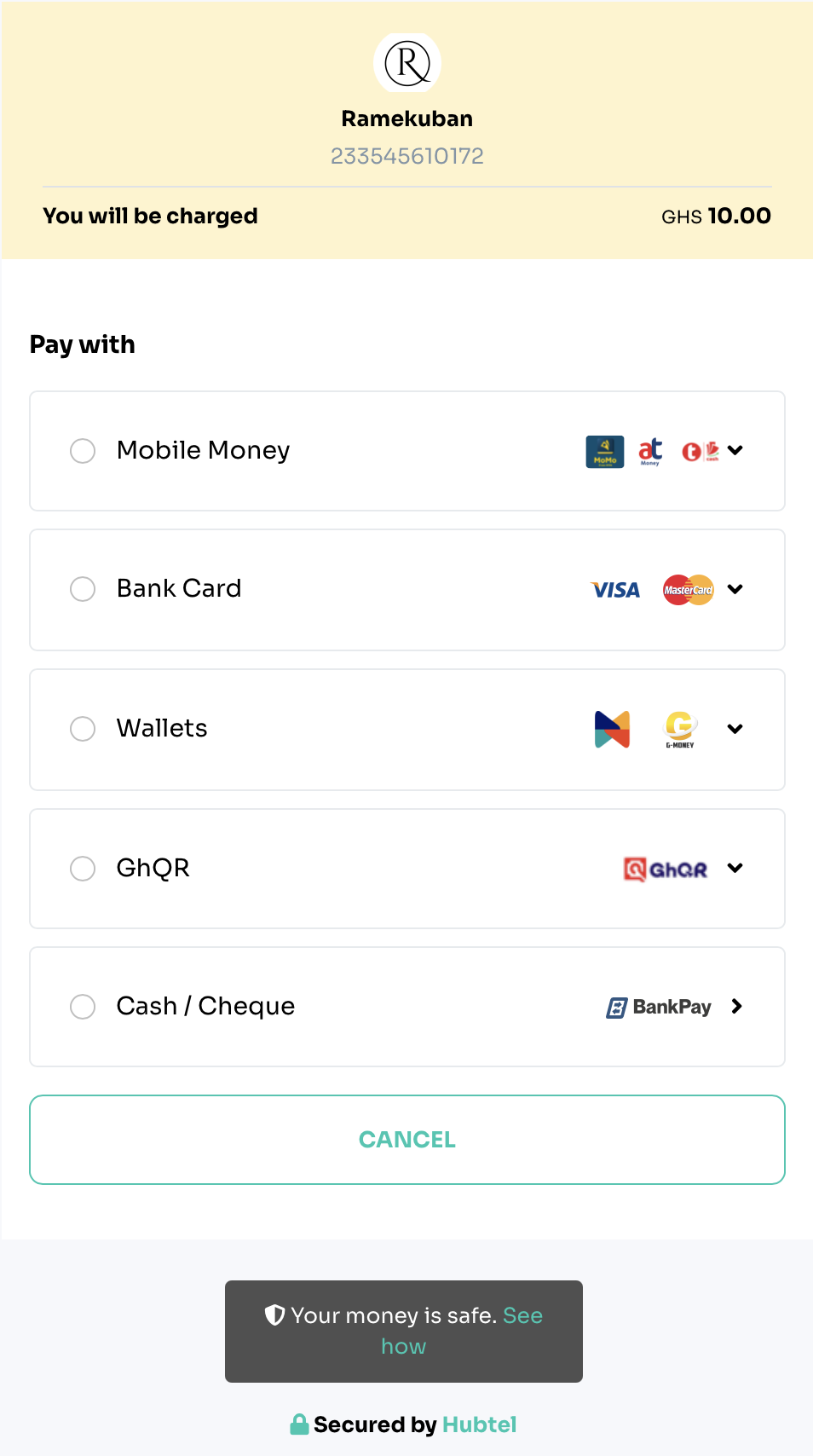
This API offers RESTful endpoints that integrate online payments into any application. You may implement the Hubtel Online Checkout to: * Redirect to the Hubtel Website to take payment - Redirect Checkout * Take payment on your own website - Onsite Checkout
##### Redirect Checkout - How it Works [#redirect-checkout---how-it-works] 1. A customer arrives on your website and clicks on a pay button. 2. The customer is redirected to the Hubtel checkout page. 3. The customer selects how they wish to pay. 4. The customer verifies their identity by inputting their mobile number to receive an OTP. 5. When payment is completed, a success or failure notification is presented to the customer. 6. The customer is finally redirected back to your website via your return URL.
API Request Flow
##### Onsite Checkout - How It Works [#onsite-checkout---how-it-works] 1. A customer arrives on your website and clicks on a pay button. 2. Your website loads up the Hubtel Payment page within your website preferably in an iframe. 3. The customer selects how they wish to make payment. 4. The customer verifies their identity by entering their mobile number to receive an OTP or scanning a QR Code with their Hubtel app. 5. When payment is completed, a success or failure notification is presented to the customer.
API Request Flow
> **Note** > In instances where a merchant does not receive the final status of the transaction **after five (5) minutes** from Hubtel, it is **mandatory** to perform a status check using the Transaction Status Check API to determine the final status of the transaction.
##### API Reference [#api-reference] The **Online Checkout API** allows merchants to accept online payment for goods and services. To initiate a transaction, send an HTTP **POST** request to the below URL with the required parameters.
| | | | ------------ | ---------------------------------------------------------------------------------------------- | | API Endpoint | [https://payproxyapi.hubtel.com/items/initiate](https://payproxyapi.hubtel.com/items/initiate) | | Request Type | **POST** | | Content Type | **JSON** |
###### REQUEST PARAMETERS [#request-parameters] | Parameter | Type | Requirement | Description | | --------------------- | ------ | ----------- | -------------------------------------------------------------------------------------------------------------------------------------------- | | totalAmount | Float | Mandatory | Specifies the total amount expected to be paid for the items being purchased. **NB**: Only 2 decimal places is allowed **E.g.: 0.50**. | | description | String | Mandatory | A brief description about the item to be purchased. Special characters are not accepted. | | callbackUrl | String | Mandatory | The callback URL expected to receive the final status of the payment. | | returnUrl | String | Mandatory | The merchant website URL where the customer should be redirected to after payment. | | merchantAccountNumber | String | Mandatory | This refers to the merchant's **Collection Account Number**. Find yours [here](/docs/get-started/programmable-api-keys?curr_idx=3). | | cancellationUrl | String | Mandatory | The merchant website URL where the customer should be redirected to after cancellation. | | clientReference | String | Mandatory | A unique string identifying the transaction. Useful for reference purposes. It cannot be empty but must have a **maximum of 32 characters**. | | payeeName | String | Optional | This refers to the name of the Payee. | | payeeMobileNumber | String | Optional | This refers to the mobile number of the Payee. | | payeeEmail | String | Optional | This refers to the Email of the Payee. |
###### RESPONSE PARAMETERS [#response-parameters] | Parameter | Type | Description | | ----------------- | ------ | -------------------------------------------------------------------------------------------- | | checkoutUrl | String | A payee should be redirected to this link to make payment. | | checkoutId | String | Unique hubtel reference for the transaction. | | clientReference | String | This is a unique string identifying the transaction. Same as what was passed in the request. | | checkoutDirectUrl | String | A payee can make payment on the same page the request was made from with this URL. |
###### SAMPLE REQUEST [#sample-request] **HTTP** ```http POST https://payproxyapi.hubtel.com/items/initiate Host: payproxyapi.hubtel.com Accept: application/json Content-Type: application/json Authorization: Basic endjeOBiZHhza24= Cache-Control: no-cache { "totalAmount": 100, "description": "Book Shop Checkout", "callbackUrl": "https://webhook.site/8b4bbd0a-5f98-4b3d-abbe-b9b49767f7d5", "returnUrl": "http://hubtel.com/online", "merchantAccountNumber": "11684", "cancellationUrl": "http://hubtel.com/online", "clientReference": "inv0012" } ``` **cURL** ```bash curl --location 'https://payproxyapi.hubtel.com/items/initiate' \ --header 'Content-Type: application/json' \ --header 'Authorization: Basic endjeOBiZHhza24=' \ --data '{ "totalAmount": 100, "description": "Book Shop Checkout", "callbackUrl": "https://webhook.site/8b4bbd0a-5f98-4b3d-abbe-b9b49767f7d5", "returnUrl": "http://hubtel.com/online", "merchantAccountNumber": "11684", "cancellationUrl": "http://hubtel.com/online", "clientReference": "inv0012" }' ``` **PHP** ```php 'https://payproxyapi.hubtel.com/items/initiate', CURLOPT_RETURNTRANSFER => true, CURLOPT_ENCODING => '', CURLOPT_MAXREDIRS => 10, CURLOPT_TIMEOUT => 0, CURLOPT_FOLLOWLOCATION => true, CURLOPT_HTTP_VERSION => CURL_HTTP_VERSION_1_1, CURLOPT_CUSTOMREQUEST => 'POST', CURLOPT_POSTFIELDS =>'{ "totalAmount": 100, "description": "Book Shop Checkout", "callbackUrl": "https://webhook.site/8b4bbd0a-5f98-4b3d-abbe-b9b49767f7d5", "returnUrl": "http://hubtel.com/online", "merchantAccountNumber": "11684", "cancellationUrl": "http://hubtel.com/online", "clientReference": "inv0012" }', CURLOPT_HTTPHEADER => array( 'Content-Type: application/json', 'Authorization: Basic endjeOBiZHhza24=' ), )); $response = curl_exec($curl); curl_close($curl); echo $response; ``` **Python** ```bash import requests import json url = "https://payproxyapi.hubtel.com/items/initiate" payload = json.dumps({ "totalAmount": 100, "description": "Book Shop Checkout", "callbackUrl": "https://webhook.site/8b4bbd0a-5f98-4b3d-abbe-b9b49767f7d5", "returnUrl": "http://hubtel.com/online", "merchantAccountNumber": "11684", "cancellationUrl": "http://hubtel.com/online", "clientReference": "inv0012" }) headers = { 'Content-Type': 'application/json', 'Authorization': 'Basic endjeOBiZHhza24=' } response = requests.request("POST", url, headers=headers, data=payload) print(response.text) ``` **JS** ```javascript const myHeaders = new Headers(); myHeaders.append("Content-Type", "application/json"); myHeaders.append("Authorization", "Basic endjeOBiZHhza24="); const raw = JSON.stringify({ "totalAmount": 100, "description": "Book Shop Checkout", "callbackUrl": "https://webhook.site/8b4bbd0a-5f98-4b3d-abbe-b9b49767f7d5", "returnUrl": "http://hubtel.com/online", "merchantAccountNumber": "11684", "cancellationUrl": "http://hubtel.com/online", "clientReference": "inv0012" }); const requestOptions = { method: "POST", headers: myHeaders, body: raw, redirect: "follow" }; fetch("https://payproxyapi.hubtel.com/items/initiate", requestOptions) .then((response) => response.text()) .then((result) => console.log(result)) .catch((error) => console.error(error)); ```
###### SAMPLE RESPONSE [#sample-response] ```js { "responseCode": "0000", "status": "Success", "data": { "checkoutUrl": "https://pay.hubtel.com/7569a11e8b784f21baa9443b3fce31ed", "checkoutId": "7569a11e8b784f21baa9443b3fce31ed", "clientReference": "inv0012", "message": "", "checkoutDirectUrl": "https://pay.hubtel.com/7569a11e8b784f21baa9443b3fce31ed/direct" } } ```
##### Checkout Callback [#checkout-callback] You will need to implement a callback endpoint on your server to receive payment and order notification statuses.
> **Note** > Businesses that want to add an extra layer of security to ensure callbacks reach their endpoint securely can whitelist Hubtel’s callback IP address: **108.129.40.25**
###### SAMPLE CALLBACK [#sample-callback] ```js { "ResponseCode": "0000", "Status": "Success", "Data": { "CheckoutId": "59e2fbbff4e443b98e09346881ac7e9a", "SalesInvoiceId": "e96ccfb4746045bba13f425bd573a31c", "ClientReference": "Kaks545253", "Status": "Success", "Amount": 0.5, "CustomerPhoneNumber": "233242825109", "PaymentDetails": { "MobileMoneyNumber": "233242825109", "PaymentType": "mobilemoney", "Channel": "mtn-gh" }, "Description": "The MTN Mobile Money payment has been approved and processed successfully." } } ```
##### Transaction Status Check [#transaction-status-check] It is **mandatory** to implement the **Transaction Status Check API** as it allows merchants to check for the status of a transaction in rare instances where a merchant does not receive the final status of the transaction from Hubtel **after five (5) minutes**. To check the status of a transaction, send an HTTP **GET** request to the below URL, with either one or more unique transaction identifiers as parameters. It is also **mandatory** to parse your **Collection Account Number** for Status Check requests in the endpoint. Find your **Collection Account Number** [here](/docs/get-started/programmable-api-keys?curr_idx=3). > **Note** > Only requests from whitelisted IP(s) can reach the endpoint. Requests from IP addresses that have not been whitelisted will return a **403 Forbidden** error response or a **timeout**. Submit your public IP(s) to your Retail Systems Engineer to be whitelisted. > > We permit a maximum of 4 IP addresses per service.
| | | | ------------ | -------------------------------------------------------------------------------------------------------------------------------------------------------------------------------- | | API Endpoint | [https://api-txnstatus.hubtel.com/transactions/\{'\{Collection_Account_Number}'}/status](https://api-txnstatus.hubtel.com/transactions/\{'\{Collection_Account_Number}'}/status) | | Request Type | **GET** | | Content Type | **JSON** |
###### REQUEST PARAMETERS [#request-parameters-1] | Parameter | Type | Requirement | Description | | -------------------- | ------ | --------------------- | ------------------------------------------------------------------------- | | clientReference | String | Mandatory (preferred) | The client reference of the transaction specified in the request payload. | | hubtelTransactionId | String | Optional | Transaction ID from Hubtel after successful payment. | | networkTransactionId | String | Optional | The transaction reference from the mobile money provider. | > **Note** > Although either one of the unique transaction identifiers above could be passed as parameters, > **clientReference** is recommended to be used often.
###### SAMPLE REQUEST [#sample-request-1] **HTTP** ```http GET /transactions/11684/status?clientReference=inv0012 HTTP/1.1 Host: api-txnstatus.hubtel.com Authorization: Basic endjeOBiZHhza24== ``` **cURL** ```bash curl --location 'https://api-txnstatus.hubtel.com/transactions/11684/status?clientReference=inv0012' \ --header 'Authorization: Basic endjeOBiZHhza24==' ``` **PHP** ```php 'https://api-txnstatus.hubtel.com/transactions/11684/status?clientReference=inv0012', CURLOPT_RETURNTRANSFER => true, CURLOPT_ENCODING => '', CURLOPT_MAXREDIRS => 10, CURLOPT_TIMEOUT => 0, CURLOPT_FOLLOWLOCATION => true, CURLOPT_HTTP_VERSION => CURL_HTTP_VERSION_1_1, CURLOPT_CUSTOMREQUEST => 'GET', CURLOPT_HTTPHEADER => array( 'Authorization: Basic endjeOBiZHhza24==' ), )); $response = curl_exec($curl); curl_close($curl); echo $response; ``` **Python** ```bash import requests url = "https://api-txnstatus.hubtel.com/transactions/11684/status?clientReference=inv0012" payload = {} headers = { 'Authorization': 'Basic endjeOBiZHhza24==' } response = requests.request("GET", url, headers=headers, data=payload) print(response.text) ``` **JS** ```javascript const myHeaders = new Headers(); myHeaders.append("Authorization", "Basic endjeOBiZHhza24=="); const requestOptions = { method: "GET", headers: myHeaders, redirect: "follow" }; fetch("https://api-txnstatus.hubtel.com/transactions/11684/status?clientReference=inv0012", requestOptions) .then((response) => response.text()) .then((result) => console.log(result)) .catch((error) => console.error(error)); ```
###### RESPONSE PARAMETERS [#response-parameters-1] | Parameter | Type | Description | | --------------------- | ------- | -------------------------------------------------------------------------------------------------------------- | | message | String | The description of response received from the API that is related to the ResponseCode. | | responseCode | String | The response code of the API after the request. | | data | Object | An object containing the required data response from the API. | | date | String | Date of the transaction | | status | String | Status of the transaction i.e.: **Paid**, **Unpaid** or **Refunded**. | | transactionId | String | The unique ID used to identify a Hubtel transaction (**from Hubtel**). | | externalTransactionId | String | The transaction reference from the mobile money provider (**from Telco**). | | paymentMethod | String | The mode of payment. | | clientReference | String | The reference ID that is initially provided by the client/API user in the request payload (**from merchant**). | | currencycode | String | Currency of the transaction; could be **null**. | | amount | Float | The transaction amount. | | charges | Float | The charge/fee for the transaction. | | amountAfterCharges | Float | The transaction amount after charges/fees deduction. | | isFulfilled | Boolean | Whether service was fulfilled; could be **null**. |
###### SAMPLE RESPONSE (Paid) [#sample-response-paid] ```js { "message": "Successful", "responseCode": "0000", "data": { "date": "2024-04-25T21:45:48.4740964Z", "status": "Paid", "transactionId": "7fd01221faeb41469daec7b3561bddc5", "externalTransactionId": "0000006824852622", "paymentMethod": "mobilemoney", "clientReference": "inv0012", "currencyCode": null, "amount": 0.1, "charges": 0.02, "amountAfterCharges": 0.08, "isFulfilled": null } } ``` ###### SAMPLE RESPONSE (Unpaid) [#sample-response-unpaid] ```js { "message": "Successful", "responseCode": "0000", "data": { "date": "2024-04-25T21:45:48.4740964Z", "status": "Unpaid", "transactionId": "7fd01221faeb41469daec7b3561bddc5", "externalTransactionId": "0000006824852622", "paymentMethod": "mobilemoney", "clientReference": "inv0012", "currencyCode": null, "amount": 0.1, "charges": 0.02, "amountAfterCharges": 0.08, "isFulfilled": null } } ```
##### Response Codes [#response-codes] The Hubtel Sales API uses standard HTTP error reporting. Successful requests return HTTP status codes in the 2xx. Failed requests return status codes in 4xx and 5xx. Response codes are included in the JSON response body, which contain information about the response. | Response Code | Description | Required Action | | ------------- | ----------------------------------------------------------------------------------------------------------------------------------------------------------------------------------------------------------------------------------------------------------------------------------------------------------------------------------------------------------------------------------------------------------------------------------------- | ----------------------------------------------------------------------------------------------------------------------------------------------------------------------------------------------------------------------------------------------------- | | 0000 | This ResponseCode in the initial response means the request has been accepted, you can proceed with the transaction with any of the URLs provided in this initial response. | None | | 0000 | This ResponseCode in the callback means the transaction has been processed successfully. | None | | 0005 | There was an HTTP failure/exception when reaching the payment partner | The transaction state is not known. Please contact your Retail Systems Engineer to confirm the status of this transaction. | | 2001 | • Transaction failed due to an error with the Payment Processor. Please review your request or retry in a few minutes
• The MTN Mobile Money user has reached counter or balance limits, has insufficient funds or is missing permissions.
• MTN Exception: Account Holder with FRI Not Found
• Transaction id is invalid
• Decline - General decline of the card. No other information provided by the issuing bank. | • Customer either entered no or invalid PIN
• Mobile network not able to parse your request
• USSD session timeout
• Having strange characters (&\*!%@) in your description
• Ensure that the number provided matches the channel | | 4000 | Validation errors | Validation errors. Something is not quite right with this request. Please check again. | | 4070 | We're unable to complete this payment at the moment. Please try again later. Fees not set for given conditions. | Ensure you are passing the required minimum amount or contact your Hubtel relationship manager to setup fees for your account if error persists. |
# Recurring Invoice (/docs/api-documentation/payment-apis/recurring-invoice) ##### Overview [#overview] The **Hubtel Recurring Invoice** API allows you to setup and receive recurring payments from your customers for services provided using mobile money. With a single integration, you can accept recurring mobile money payments on your application. All you need is to provide the customer debit details and Hubtel will handle the scheduling and the various debit deductions. The following provides an overview of the REST API endpoints for interacting programmatically with the Hubtel Recurring Invoice API within your application.
###### Available Channels [#available-channels] The following are the available channels through which you can setup and receive recurring payments from your customers. | Mobile Money Provider | Channel Name | | --------------------- | ------------------- | | MTN Ghana | **mtn_gh_rec** | | Telecel Ghana | **vodafone_gh_rec** |
##### Getting Started [#getting-started]
###### Business IP Whitelisting [#business-ip-whitelisting] You must share your public IP address with your Retail System Engineer for whitelisting. > **Note** > All API Endpoints are live and only requests from whitelisted IP(s) can reach these endpoints shared in this reference. > > Requests from IP addresses that have not been whitelisted will return a **403 Forbidden** error response or a **timeout**. > > We permit a maximum of 4 IP addresses per service.
###### Understanding the Service Flow [#understanding-the-service-flow] The Hubtel Recurring Invoice service includes two main API endpoints which are used together to setup a recurring payment invoice. They are: * Create Invoice Endpoint: This allows you to create a recurring payment invoice on a customer wallet. The invoice will stay in a temporary state until the verification is done. This step initiates the invoice creation process. * Verify Invoice Endpoint: This allows you to verify the invoice with the customer involvement through an OTP code. This completes the invoice creation process. The entire process is asynchronous. The figure below shows the process of creating and verifying a Recurring Payment Invoice using these two endpoints:
The table below describes the process for creating and verifying a Recurring Payment Invoice: | Step | Description | | ---- | ---------------------------------------------------------------------------------------------------------------------------------------------- | | 1 | Your App sends an Invoice Creation request to Hubtel. | | 2 | Hubtel performs authentication on request and sends response to your App with a unique identifier (*RecurringInvoiceId*) | | 3 | Hubtel sends verification OTP code to customer number to provide to third party (your app). | | 4 | Your App sends an Invoice Verification request to Hubtel with the customer OTP code and unique identifier (*RecurringInvoiceId*) | | 5 | Hubtel performs authentication by initiating a prompt for the customer to approve and sends a response to Your App. | | 6 | Hubtel goes to Mobile Money provider (with customer confirmation) to perform the initial debit on the customer's wallet. | | 7 | After the first payment is taken, a callback is sent to your App based on the provided URL. | | 8 | Whenever the invoice is due (scheduled time), a direct debit is made on the customer's mobile money wallet and a callback is sent to your App. |
> **Note** > For MTN numbers, all pending requests are accessible in the preapprovals list on **\*170#**. Your customers can use this feature in case they do not get a prompt after a preapproval request. Steps; > > 1. Dial **\*170#** > 2. Navigate to **6. My Wallet** > 3. Choose **3. My Approvals** > 4. Select **2. PreApprovals** > 5. Approve
##### API Reference [#api-reference]
##### Create Invoice API [#create-invoice-api] To initiate a Create Invoice request, send an HTTP **POST** request to the below URL with the required parameters. It’s also mandatory to pass your **Collection Account Number** for Create Invoice requests in the endpoint. Find your **Collection Account Number** [here](/docs/get-started/programmable-api-keys?curr_idx=3).
| | | | ------------ | ---------------------------------------------------------------------------------------------------------------------------------------------------------------------- | | API Endpoint | [https://rip.hubtel.com/api/proxy/\{'\{Collection_Account_Number}'}/create-invoice](https://rip.hubtel.com/api/proxy/\{'\{Collection_Account_Number}'}/create-invoice) | | Request Type | **POST** | | Content Type | **JSON** |
###### REQUEST PARAMETERS [#request-parameters] | Parameter | Type | Requirement | Description | | -------------------- | ------ | ----------- | --------------------------------------------------------------------------------------------------------------------------------------------------------------------------------------------------------------------------------------------------------------------------------------------------------------------------------------------------------------------------------------------------------------------------------------------------------------------------------------------------------------------- | | orderDate | String | Mandatory | The date the recurring invoice is created. It is a timestamp **preferably** in ISO 8601 format YYYYMM-DDThh:mm:ss **Eg: “2022-01-28T08:57:00”** | | invoiceEndDate | String | Mandatory | The date the recurring invoice is supposed to end. It is a timestamp **preferably** in ISO 8601 format YYYY-MM-DDThh:mm:ss **Eg: “2022-01-31T08:57:00”** | | Description | String | Mandatory | A brief description of the transaction. You can specify the use of the transaction in this. **Eg: “My recurring service”** | | startTime | String | Mandatory | The time of day when the debit would be taken whenever it is due. Format is hh:mm **Eg:”10:00”** | | paymentInterval | String | Mandatory | The interval between payments for the customer. The possible options are:
• **“DAILY”** – This means the customer will be debited every day.
• **“WEEKLY”** – This means the customer will be debited every week (7 days).
• **“MONTHLY”** – This means the customer will be debited on the first day of every month.
• **“QUARTERLY”** – This means the customer will be debited every Quarter (3 months).
• **“YEARLY”** – This means the customer will be debited every Year (12 months). | | customerMobileNumber | String | Mandatory | The customer’s mobile money number. This should be in the international format. **Eg: “233249111411”** | | paymentOption | String | Mandatory | The payment option which the customer selects to pay for. Currently, the available options are: **“MobileMoney”**. | | Channel | String | Mandatory | The mobile money channel provider. Currently the available channels are:
• **“mtn_gh_rec”** – This is for payments using an MTN mobile money wallet.
• **“vodafone_gh_rec”** – This is for payments using a Vodafone mobile money wallet.
• **“hubtel_gh”** – This is for payments using a hubtel wallet. | | customerName | String | Optional | The name of the customer. | | recurringAmount | Float | Mandatory | The amount of money which will be debited from the customer wallet whenever the invoice is due. | | totalAmount | Float | Mandatory | The total amount to be debited from the customer wallet. Currently pass the same value as the recurringAmount. | | initialAmount | Float | Mandatory | The amount to be debited from the customer wallet for the first payment. This can be different from the recurringAmount. | | Currency | String | Mandatory | The currency of the transaction. | | callbackUrl | String | Mandatory | A URL used to receive the callback for successful invoice creation and debit. All subsequent debit callbacks are also sent to this same URL. |
###### RESPONSE PARAMETERS [#response-parameters] | Parameter | Type | Description | | ------------------ | ---------- | -------------------------------------------------------------------------------------------------------------------------------------------- | | ResponseCode | String | The unique response code on the status of the transaction. | | Message | String | The message accompanying the response code. This gives a brief description of the response from the API. | | **Data** | **Object** | **An object containing the required data response from the API.** | | recurringInvoiceId | String | The unique ID used to identify a recurring invoice. This ID will be used anytime a debit is done on the customer wallet for this invoice. | | requestId | String | The verification request ID which is to be used in the Verify Invoice request payload. | | verificationType | String | The verification type; can be **USSD** or **OTP**. | | otpPrefix | String | A **4 letter word** prefix which is to be used together with the actual OTP code send to the customer in the Verify Invoice request payload. |
###### SAMPLE CREATE INVOICE REQUEST FOR MTN [#sample-create-invoice-request-for-mtn] **HTTP** ```http POST /api/proxy/11684/create-invoice HTTP/1.1 Host: rip.hubtel.com Accept: application/json Content-Type: application/json Authorization: Basic endjeOBiZHhza250fT3== Cache-Control: no-cache { "orderDate": "2022-01-28T08:57:00", "invoiceEndDate": "2022-01-31T08:57:00", "description": "My recurring service", "startTime": "14:00", "paymentInterval": "DAILY", "customerMobileNumber": "233240000000", "paymentOption": "MobileMoney", "channel": "mtn_gh_rec", "customerName": "Joe Doe", "recurringAmount": 0.10, "totalAmount": 0.10, "initialAmount": 0.10, "currency": "GHS", "callbackUrl": "https://webhook.site/b503d1a9-e726-f315254a6ede" } ``` **cURL** ```bash curl --location 'https://rip.hubtel.com/api/proxy/11684/create-invoice' \ --header 'Content-Type: application/json' \ --header 'Authorization: Basic endjeOBiZHhza250fT3==' \ --data '{ "orderDate": "2022-01-28T08:57:00", "invoiceEndDate": "2022-01-31T08:57:00", "description": "My recurring service", "startTime": "14:00", "paymentInterval": "DAILY", "customerMobileNumber": "233240000000", "paymentOption": "MobileMoney", "channel": "mtn_gh_rec", "customerName": "Joe Doe", "recurringAmount": 0.10, "totalAmount": 0.10, "initialAmount": 0.10, "currency": "GHS", "callbackUrl": "https://webhook.site/b503d1a9-e726-f315254a6ede" }' ``` **PHP** ```php 'https://rip.hubtel.com/api/proxy/11684/create-invoice', CURLOPT_RETURNTRANSFER => true, CURLOPT_ENCODING => '', CURLOPT_MAXREDIRS => 10, CURLOPT_TIMEOUT => 0, CURLOPT_FOLLOWLOCATION => true, CURLOPT_HTTP_VERSION => CURL_HTTP_VERSION_1_1, CURLOPT_CUSTOMREQUEST => 'POST', CURLOPT_POSTFIELDS =>'{ "orderDate": "2022-01-28T08:57:00", "invoiceEndDate": "2022-01-31T08:57:00", "description": "My recurring service", "startTime": "14:00", "paymentInterval": "DAILY", "customerMobileNumber": "233240000000", "paymentOption": "MobileMoney", "channel": "mtn_gh_rec", "customerName": "Joe Doe", "recurringAmount": 0.10, "totalAmount": 0.10, "initialAmount": 0.10, "currency": "GHS", "callbackUrl": "https://webhook.site/b503d1a9-e726-f315254a6ede" }', CURLOPT_HTTPHEADER => array( 'Content-Type: application/json', 'Authorization: Basic endjeOBiZHhza250fT3==' ), )); $response = curl_exec($curl); curl_close($curl); echo $response; ``` **Python** ```bash import requests import json url = "https://rip.hubtel.com/api/proxy/11684/create-invoice" payload = json.dumps({ "orderDate": "2022-01-28T08:57:00", "invoiceEndDate": "2022-01-31T08:57:00", "description": "My recurring service", "startTime": "14:00", "paymentInterval": "DAILY", "customerMobileNumber": "233240000000", "paymentOption": "MobileMoney", "channel": "mtn_gh_rec", "customerName": "Joe Doe", "recurringAmount": 0.1, "totalAmount": 0.1, "initialAmount": 0.1, "currency": "GHS", "callbackUrl": "https://webhook.site/b503d1a9-e726-f315254a6ede" }) headers = { 'Content-Type': 'application/json', 'Authorization': 'Basic endjeOBiZHhza250fT3==' } response = requests.request("POST", url, headers=headers, data=payload) print(response.text) ``` **JS** ```javascript const myHeaders = new Headers(); myHeaders.append("Content-Type", "application/json"); myHeaders.append("Authorization", "Basic endjeOBiZHhza250fT3=="); const raw = JSON.stringify({ "orderDate": "2022-01-28T08:57:00", "invoiceEndDate": "2022-01-31T08:57:00", "description": "My recurring service", "startTime": "14:00", "paymentInterval": "DAILY", "customerMobileNumber": "233240000000", "paymentOption": "MobileMoney", "channel": "mtn_gh_rec", "customerName": "Joe Doe", "recurringAmount": 0.1, "totalAmount": 0.1, "initialAmount": 0.1, "currency": "GHS", "callbackUrl": "https://webhook.site/b503d1a9-e726-f315254a6ede" }); const requestOptions = { method: "POST", headers: myHeaders, body: raw, redirect: "follow" }; fetch("https://rip.hubtel.com/api/proxy/11684/create-invoice", requestOptions) .then((response) => response.text()) .then((result) => console.log(result)) .catch((error) => console.error(error)); ```
###### SAMPLE CREATE INVOICE REQUEST FOR TELECEL [#sample-create-invoice-request-for-telecel] **HTTP** ```http POST /api/proxy/11684/create-invoice HTTP/1.1 Host: rip.hubtel.com Accept: application/json Content-Type: application/json Authorization: Basic endjeOBiZHhza250fT3== Cache-Control: no-cache { "orderDate": "2022-01-28T08:57:00", "invoiceEndDate": "2022-01-31T08:57:00", "description": "My recurring service", "startTime": "14:00", "paymentInterval": "DAILY", "customerMobileNumber": "233200010000", "paymentOption": "MobileMoney", "channel": "vodafone_gh_rec", "customerName": "Joe Doe", "recurringAmount": 0.10, "totalAmount": 0.10, "initialAmount": 0.10, "currency": "GHS", "callbackUrl": "https://webhook.site/b503d1a9-e726-f315254a6ede" } ``` **cURL** ```bash curl --location 'https://rip.hubtel.com/api/proxy/11684/create-invoice' \ --header 'Content-Type: application/json' \ --header 'Authorization: Basic endjeOBiZHhza250fT3==' \ --data '{ "orderDate": "2022-01-28T08:57:00", "invoiceEndDate": "2022-01-31T08:57:00", "description": "My recurring service", "startTime": "14:00", "paymentInterval": "DAILY", "customerMobileNumber": "233200010000", "paymentOption": "MobileMoney", "channel": "vodafone_gh_rec", "customerName": "Joe Doe", "recurringAmount": 0.10, "totalAmount": 0.10, "initialAmount": 0.10, "currency": "GHS", "callbackUrl": "https://webhook.site/b503d1a9-e726-f315254a6ede" }' ``` **PHP** ```php 'https://rip.hubtel.com/api/proxy/11684/create-invoice', CURLOPT_RETURNTRANSFER => true, CURLOPT_ENCODING => '', CURLOPT_MAXREDIRS => 10, CURLOPT_TIMEOUT => 0, CURLOPT_FOLLOWLOCATION => true, CURLOPT_HTTP_VERSION => CURL_HTTP_VERSION_1_1, CURLOPT_CUSTOMREQUEST => 'POST', CURLOPT_POSTFIELDS =>'{ "orderDate": "2022-01-28T08:57:00", "invoiceEndDate": "2022-01-31T08:57:00", "description": "My recurring service", "startTime": "14:00", "paymentInterval": "DAILY", "customerMobileNumber": "233200010000", "paymentOption": "MobileMoney", "channel": "vodafone_gh_rec", "customerName": "Joe Doe", "recurringAmount": 0.10, "totalAmount": 0.10, "initialAmount": 0.10, "currency": "GHS", "callbackUrl": "https://webhook.site/b503d1a9-e726-f315254a6ede" }', CURLOPT_HTTPHEADER => array( 'Content-Type: application/json', 'Authorization: Basic endjeOBiZHhza250fT3==' ), )); $response = curl_exec($curl); curl_close($curl); echo $response; ``` **Python** ```bash import requests import json url = "https://rip.hubtel.com/api/proxy/11684/create-invoice" payload = json.dumps({ "orderDate": "2022-01-28T08:57:00", "invoiceEndDate": "2022-01-31T08:57:00", "description": "My recurring service", "startTime": "14:00", "paymentInterval": "DAILY", "customerMobileNumber": "233200010000", "paymentOption": "MobileMoney", "channel": "vodafone_gh_rec", "customerName": "Joe Doe", "recurringAmount": 0.1, "totalAmount": 0.1, "initialAmount": 0.1, "currency": "GHS", "callbackUrl": "https://webhook.site/b503d1a9-e726-f315254a6ede" }) headers = { 'Content-Type': 'application/json', 'Authorization': 'Basic endjeOBiZHhza250fT3==' } response = requests.request("POST", url, headers=headers, data=payload) print(response.text) ``` **JS** ```javascript const myHeaders = new Headers(); myHeaders.append("Content-Type", "application/json"); myHeaders.append("Authorization", "Basic endjeOBiZHhza250fT3=="); const raw = JSON.stringify({ "orderDate": "2022-01-28T08:57:00", "invoiceEndDate": "2022-01-31T08:57:00", "description": "My recurring service", "startTime": "14:00", "paymentInterval": "DAILY", "customerMobileNumber": "233200010000", "paymentOption": "MobileMoney", "channel": "vodafone_gh_rec", "customerName": "Joe Doe", "recurringAmount": 0.1, "totalAmount": 0.1, "initialAmount": 0.1, "currency": "GHS", "callbackUrl": "https://webhook.site/b503d1a9-e726-f315254a6ede" }); const requestOptions = { method: "POST", headers: myHeaders, body: raw, redirect: "follow" }; fetch("https://rip.hubtel.com/api/proxy/11684/create-invoice", requestOptions) .then((response) => response.text()) .then((result) => console.log(result)) .catch((error) => console.error(error)); ```
###### SAMPLE RESPONSE [#sample-response] ```js { "responseCode": "0001", "message": "Your request has been processed successfully.", "data": { "recurringInvoiceId": "0f84e20a2839482e807128e8c21d08d6", "requestId": "a6487bc44eae44849fd80326a0dd802a", "otpPrefix": "OQDM" } } ```
##### Verify Invoice API [#verify-invoice-api] To send a Verify Invoice request, send an HTTP **POST** request to the below URL with the required parameters: | | | | ------------ | -------------------------------------------------------------------------------------------------- | | API Endpoint | [https://rip.hubtel.com/api/proxy/verify-invoice](https://rip.hubtel.com/api/proxy/verify-invoice) | | Request Type | **POST** | | Content Type | **JSON** |
###### REQUEST PARAMETERS [#request-parameters-1] | Parameter | Type | Requirement | Description | | ------------------ | ------ | ----------- | ------------------------------------------------------------------------------------------------------------------------------------------------------------------------------------------ | | recurringInvoiceId | String | Mandatory | The unique ID used to identify the recurring invoice being verified. It is taken from the create invoice response. | | requestId | String | Mandatory | The verification request ID which is received in the create invoice response. | | otpCode | String | Mandatory | The OTP code used for verification. It consists of the four letter otpPrefix received in the create invoice response and the four digit OTP code sent to the customer. **Eg: ”RTYE-9231”** |
###### RESPONSE PARAMETERS [#response-parameters-1] | Parameter | Type | Description | | ------------------ | ---------- | ----------------------------------------------------------------------------------------------------------------------------------------- | | responseCode | String | The unique response code on the status of the transaction. | | message | String | The message accompanying the response code. This gives a brief description of the response from the API. | | **data** | **Object** | **An object containing the required data response from the API.** | | recurringInvoiceId | String | The unique ID used to identify a recurring invoice. This ID will be used anytime a debit is done on the customer wallet for this invoice. |
###### SAMPLE VERIFY INVOICE REQUEST [#sample-verify-invoice-request] **HTTP** ```http POST /api/proxy/verify-invoice HTTP/1.1 Host: rip.hubtel.com Accept: application/json Content-Type: application/json Authorization: Basic endjeOBiZHhza250fT3== Cache-Control: no-cache { "recurringInvoiceId": "0f84e20a2839482e807128e8c21d08d6", "requestId": "a6487bc44eae44849fd80326a0dd802a", "otpCode": "OQDM-9514" } ``` **cURL** ```bash curl --location 'https://rip.hubtel.com/api/proxy/verify-Invoice' \ --header 'Content-Type: application/json' \ --header 'Authorization: Basic endjeOBiZHhza250fT3==' \ --data '{ "recurringInvoiceId": "0f84e20a2839482e807128e8c21d08d6", "requestId": "a6487bc44eae44849fd80326a0dd802a", "otpCode": "OQDM-9514" }' ``` **PHP** ```php 'https://rip.hubtel.com/api/proxy/verify-Invoice', CURLOPT_RETURNTRANSFER => true, CURLOPT_ENCODING => '', CURLOPT_MAXREDIRS => 10, CURLOPT_TIMEOUT => 0, CURLOPT_FOLLOWLOCATION => true, CURLOPT_HTTP_VERSION => CURL_HTTP_VERSION_1_1, CURLOPT_CUSTOMREQUEST => 'POST', CURLOPT_POSTFIELDS =>'{ "recurringInvoiceId": "0f84e20a2839482e807128e8c21d08d6", "requestId": "a6487bc44eae44849fd80326a0dd802a", "otpCode": "OQDM-9514" }', CURLOPT_HTTPHEADER => array( 'Content-Type: application/json', 'Authorization: Basic endjeOBiZHhza250fT3==' ), )); $response = curl_exec($curl); curl_close($curl); echo $response; ``` **Python** ```bash import requests import json url = "https://rip.hubtel.com/api/proxy/verify-Invoice" payload = json.dumps({ "recurringInvoiceId": "0f84e20a2839482e807128e8c21d08d6", "requestId": "a6487bc44eae44849fd80326a0dd802a", "otpCode": "OQDM-9514" }) headers = { 'Content-Type': 'application/json', 'Authorization': 'Basic endjeOBiZHhza250fT3==' } response = requests.request("POST", url, headers=headers, data=payload) print(response.text) ``` **JS** ```javascript const myHeaders = new Headers(); myHeaders.append("Content-Type", "application/json"); myHeaders.append("Authorization", "Basic endjeOBiZHhza250fT3=="); const raw = JSON.stringify({ "recurringInvoiceId": "0f84e20a2839482e807128e8c21d08d6", "requestId": "a6487bc44eae44849fd80326a0dd802a", "otpCode": "OQDM-9514" }); const requestOptions = { method: "POST", headers: myHeaders, body: raw, redirect: "follow" }; fetch("https://rip.hubtel.com/api/proxy/verify-Invoice", requestOptions) .then((response) => response.text()) .then((result) => console.log(result)) .catch((error) => console.error(error)); ```
###### SAMPLE RESPONSE [#sample-response-1] ```js { "responseCode": "0001", "message": "Your request has been processed successfully. You will receive a callback on the final status shortly.", "data": { "recurringInvoiceId": "0f84e20a2839482e807128e8c21d08d6" } } ```
##### Callback [#callback] When you provide a callback URL in your invoice creation request, you will be sent a callback on the final state of the invoice as well as the final state of all payments made on that invoice. This means the callback URL you specify should be implemented to listen for an HTTP **POST** payload from Hubtel. Recurring invoice creation requires a **one-time approval** from the customer in order for money to move from the mobile money wallet into your Hubtel Account. As a result, invoice creation has an asynchronous flow on all networks. This also means that the final status of an invoice cannot be determined immediately after the request. It may take some time (usually less than 10 minutes). So you're required to implement an HTTP callback on your server to be able to receive final status of the transaction.
> **Note** > Businesses that want to add an extra layer of security to ensure callbacks reach their endpoint securely can whitelist Hubtel’s callback IP address: **34.241.57.109**
###### SAMPLE CALLBACK (Successful) [#sample-callback-successful] ```js { "ResponseCode": "0000", "Message": "Success", "Data": { "OrderId": "1d0e06bc689c4de2bb87a54829a89640", "Description": "My recurring service", "RecurringInvoiceId": "8ae267e31af748d4934b0420be6f47f0", "TransactionId": "5814152092296267804084", "ClientReference": "8ae267e31af748d4934b0420be6f47f0", "ExternalTransactionId": "5814152092296267804084", "OrderDate": "2020-02-10 09:58:00", "InvoiceEndDate": "2021-10-14 12:00:00", "CustomerMobileNumber": "233246912184", "Charges": 0.01, "AmountAfterCharges": 0.19, "AmountCharged": 0.20, "Amount": 0.20, "InitialAmount": 0.20, "RecurringAmount": 0.10 } } ```
###### SAMPLE CALLBACK (Failed) [#sample-callback-failed] ```js { "ResponseCode": "2001", "Message": "Failed", "Data": { "OrderId": "1d0e06bc689c4de2bb87a54829a89640", "Description": "My recurring service", "RecurringInvoiceId": "8ae267e31af748d4934b0420be6f47f0", "TransactionId": "5814152092296267804084", "ClientReference": "8ae267e31af748d4934b0420be6f47f0", "ExternalTransactionId": null, "OrderDate": "2020-02-10 09:58:00", "InvoiceEndDate": "2021-10-14 12:00:00", "CustomerMobileNumber": "233246912184", "Charges": 0.01, "AmountAfterCharges": 0.19, "AmountCharged": 0.20, "Amount": 0.20, "InitialAmount": 0.20, "RecurringAmount": 0.10 } } ```
##### Cancel Invoice API [#cancel-invoice-api] To send a Cancel Invoice request, send an HTTP **DELETE** request to the below URL with the required parameters: It’s also **mandatory** to pass your **Collection Account Number** for Cancel Invoice requests in the endpoint. Find your **Collection Account Number** [here](/docs/get-started/programmable-api-keys?curr_idx=3).
| | | | ------------ | ---------------------------------------------------------------------------------------------------------------------------------------------------------------------------------------------------------------------------- | | API Endpoint | [https://rip.hubtel.com/api/proxy/\{'\{Collection_Account_Number}'}/cancel-invoice/\{'\{recurringInvoiceId}'}](https://rip.hubtel.com/api/proxy/\{'\{Collection_Account_Number}'}/cancel-invoice/\{'\{recurringInvoiceId}'}) | | Request Type | **DELETE** | | Content Type | **JSON** |
###### REQUEST PARAMETERS [#request-parameters-2] | Parameter | Type | Requirement | Description | | ------------------ | ------ | ----------- | ------------------------------------------------------------------------------------------------------------------ | | recurringInvoiceId | String | Mandatory | The unique ID used to identify the recurring invoice being verified. It is taken from the create invoice response. |
###### RESPONSE PARAMETERS [#response-parameters-2] | Parameter | Type | Description | | ------------ | ------ | -------------------------------------------------------------------------------------------------------- | | ResponseCode | String | The unique response code on the status of the transaction. | | Message | String | The message accompanying the response code. This gives a brief description of the response from the API. |
###### SAMPLE CANCEL INVOICE HTTP REQUEST [#sample-cancel-invoice-http-request] **HTTP** ```http DELETE /api/proxy/11684/cancel-invoice/0f84e20a2839482e807128e8c21d08d6 HTTP/1.1 Host: rip.hubtel.com Accept: application/json Content-Type: application/json Authorization: Basic endjeOBiZHhza250f3== Cache-Control: no-cache ``` **cURL** ```bash curl --location --request DELETE 'https://rip.hubtel.com/api/proxy/11684/cancel-invoice/0f84e20a2839482e807128e8c21d08d6' \ --header 'Authorization: Basic endjeOBiZHhza250f3==' ``` **PHP** ```php 'https://rip.hubtel.com/api/proxy/11684/cancel-invoice/0f84e20a2839482e807128e8c21d08d6', CURLOPT_RETURNTRANSFER => true, CURLOPT_ENCODING => '', CURLOPT_MAXREDIRS => 10, CURLOPT_TIMEOUT => 0, CURLOPT_FOLLOWLOCATION => true, CURLOPT_HTTP_VERSION => CURL_HTTP_VERSION_1_1, CURLOPT_CUSTOMREQUEST => 'DELETE', CURLOPT_HTTPHEADER => array( 'Authorization: Basic endjeOBiZHhza250f3==' ), )); $response = curl_exec($curl); curl_close($curl); echo $response; ``` **Python** ```bash import requests url = "https://rip.hubtel.com/api/proxy/11684/cancel-invoice/0f84e20a2839482e807128e8c21d08d6" payload = {} headers = { 'Authorization': 'Basic endjeOBiZHhza250f3==' } response = requests.request("DELETE", url, headers=headers, data=payload) print(response.text) ``` **JS** ```javascript const myHeaders = new Headers(); myHeaders.append("Authorization", "Basic endjeOBiZHhza250fT3=="); const requestOptions = { method: "DELETE", headers: myHeaders, redirect: "follow" }; fetch("https://rip.hubtel.com/api/proxy/11684/cancel-invoice/0f84e20a2839482e807128e8c21d08d6", requestOptions) .then((response) => response.text()) .then((result) => console.log(result)) .catch((error) => console.error(error)); ```
###### SAMPLE CANCEL INVOICE RESPONSE [#sample-cancel-invoice-response] ```js { "responseCode": "0000", "message": "Your request has been processed successfully" } ```
###### SAMPLE CALLBACK FOR CANCEL INVOICE [#sample-callback-for-cancel-invoice] ```js { "ResponseCode": "0005", "Message": "The Repeat Payment Invoice has been Deactivated Successfully", "Data": { "OrderId": null, "Description": "My recurring service", "RecurringInvoiceId": "8ae267e31af748d4934b0420be6f47f0", "TransactionId": "", "ClientReference": "", "ExternalTransactionId": "", "OrderDate": "2020-02-10 09:58:00", "InvoiceEndDate": "2021-10-14 12:00:00", "CustomerMobileNumber": "233246912184", "Charges": 0.01, "AmountAfterCharges": 0.19, "AmountCharged": 0.20, "Amount": 0.20, "InitialAmount": 0.20, "RecurringAmount": 0.10 } } ```
##### Response Codes [#response-codes] The Hubtel Sales API uses standard HTTP error reporting. Successful requests return HTTP status codes in the 2xx. Failed requests return status codes in 4xx and 5xx. Response codes are included in the JSON response body, which contain information about the response. | Response Code | Description | | ------------- | --------------------------------------------------------------------------------------------------------------------------- | | 0000 | The transaction was successful. (final status) | | 0001 | Pending State. The transaction has been processed successfully. A callback will be sent on the final state. | | 0005 | There was an HTTP failure/exception when reaching the payment partner or Successful Invoice Cancellation. | | 2001 | The transaction failed. Either because the approval failed with the network provider or because the initial payment failed. | | 4000 | Validation Errors. Something is not quite right with this request. Please check and try again. | | 4101 | Authorization for request is denied. | | 4103 | Permission denied |
# Programmable Services (/docs/api-documentation/programmable-services) Expose and manage services on USSD and Hubtel channels.
###### How to integrate the API [#how-to-integrate-the-api] To integrate the Programmable Services API, follow these three simple steps: 1. **Develop a USSD application.** Using the Programmable Services API Reference [here](/docs/api-documentation/programmable-services/ussd-documentation#api-reference), develop and host your application. 2. **Add your service to your Hubtel account** To add your service, click [here](/docs/api-documentation/programmable-services/manage-services) and provide your service interaction and service fulfilment URLs. Scroll down for further clarification on these URLs. 3. **Link to USSD code** After adding the service, request a USSD code and attach the service you have created to the code. > **Note** > Attaching the service to the USSD code can only be done on the Merchant Dashboard.
##### Core Features Of The Programmable Services API [#core-features-of-the-programmable-services-api]
###### Business IP Whitelisting [#business-ip-whitelisting] You must share your public IP address with your Retail System Engineer for whitelisting. > **Note** > The service fulfillment callback endpoint is not public hence an IP whitelisting will be required before you can send a service fulfillment callback to Hubtel. > > Also, Businesses seeking to add an extra layer of security to their service fulfillment payloads from Hubtel can whitelist Hubtel’s service fulfillment IP addresses: **52.50.116.54**, **18.202.122.131**, **52.31.15.68**.
##### API Reference [#api-reference] The Hubtel Programmable Services API pushes service requests to the service URLs you specify for that service in your Hubtel Account. Your application will need to respond to the Push Service Request which has been outlined in the reference below. Please see the expected response below.
###### PUSH REQUEST [#push-request] This is the request which Hubtel will send to your Service Interaction URL when a user dials your USSD code or selects your service on the Hubtel App or Web Mall.
| Parameter | Type | Description | | ----------- | ------ | -------------------------------------------------------------------------------------------------------------------------------------------------------------------------------------------------------------------------------------------------------------------------------------------------- | | Type | String | This stipulates the type of G.S request. Possible values are: “Initiation” – Indicates the beginning of a session (first message in the session). “Response” – indicates the subsequent response in an already existing session. “Timeout” – indicates that the session was cancelled by the user. | | Message | String | Represents the actual text entered by the User. For USSD Channels, this will represent the USSD string entered by the subscriber during initiation. | | ServiceCode | String | This represents either the USSD shortcode dialed. eg: "**711\*2**". | | Operator | String | This indicates the network operator of the user. Possible values are: "**tigo**", "**airtel**", "**mtn**", "**vodafone**". | | ClientState | String | It represents data that the service application asked the API to send from the previous request. This data is only sent in the current request and is then discarded. | | Mobile | String | This represents the phone number of the user dialing the code or selecting the service. | | SessionId | String | This represents a unique identifier for the current programmable service session. | | Sequence | Int | Indicates the position of the current message in the session. | | Platform | String | This represents the actual platform channel being used for the Programmable service session. Possible values: "**USSD**", "**Webstore**", "**Hubtel-App**". **Note**: Betting companies wishing to be on the Hubtel App and Webstore must make provisions to handle all three platforms. |
###### RESPONSE PARAMETERS [#response-parameters] This is the response your application is expected to provide to the push request from Hubtel. | Parameter | Type | Requirement | Description | | ----------- | ------ | ----------- | ------------------------------------------------------------------------------------------------------------------------------------------------------------------------------------------------------------------------------------------------------------------------------------------------------------------------------------------------------------------------------------------------------------------------------------------------------------------------------------------------------------------------------------- | | SessionId | String | Mandatory | This represents a unique identifier for the current Programmable services session. | | Type | String | Mandatory | This stipulates the type of response from the application. Possible values are: “response” – indicates the subsequent response in an already existing session. “release” – indicates that the application is ending the session. “AddToCart” – indicates that the application is ending the session for the data to be sent to checkout for payment. | | Message | String | Mandatory | Represents the actual text to be shown to a USSD User. A “\n” represents a new line in the text. Options are connoted by text. Eg: “\n1. Confirm”. | | Mask | String | Optional | Indicates that the current message is masked. | | Item | Object | Optional | Contains data that is sent during the AddToCart type response for payment from the User. For other response types, it must be empty. | | ServiceCode | String | Optional | Can be used to pass back the service code by the Service Application. | | Label | String | Mandatory | Represents the title message which will be displayed to a user using the Web or Mobile channels. It is meant to provide a richer user experience for such channels. | | DataType | String | Mandatory | Represents the data type which can be used by the Web or Mobile Channels for a richer user experience. These data types can be: “display”: this is used when a message is to be displayed. “input”: this is used when an input is required of the user. | | FieldType | Object | Mandatory | "text" - This gives a simple text box and allows the user to type with an alphanumeric keyboad when using mobile. "phone" - This allows the user to type in a phone number with all needed validations. "email" - This allows the User to type in an email address with an email keyboard. "number" - This allows the User to type in a whole number with a numeric keyboard. "decimal" - This gives a Numeric keyboard and allows for the user to type in a decimal number. , "textarea" - This shows a big text field for the user. | | Sequence | Int | Optional | Indicates the position of the current message in the session. | | ClientState | String | Optional | It represents data that the service application asked the API to send from the previous request. This data is only sent in the current request and is then discarded. | > **Note** > Do not include special characters in the **Message** parameter of your response body (**E.g.** É) > > The error message, **"The response from the provider of this service is invalid. Error: UUE"**, indicates that the response body from your Service Interaction URL is not in the expected format.
##### Sample USSD flow [#sample-ussd-flow]
###### SAMPLE REQUEST FROM HUBTEL [#sample-request-from-hubtel] ```js { "Type": "Initiation", "Mobile": "233200585542", "SessionId": "3c796dac28174f739de4262d08409c51", "ServiceCode": "713", "Message": "*713#", "Operator": "vodafone", "Sequence": 1, "ClientState": "", "Platform": "USSD" } ```
###### SAMPLE RESPONSE FROM YOUR APP [#sample-response-from-your-app] ```js { "SessionId": "3c796dac28174f739de4262d08409c51", "Type": "response", "Message": "Welcome to RSE Inc.\n1. Buy Airtime & Data\n3. Send Money\n6. My Balance\n", "Label": "Welcome page", "ClientState": "100", "DataType": "input", "FieldType": "text" } ```
###### SAMPLE REQUEST FROM HUBTEL [#sample-request-from-hubtel-1] ```js { "Type": "Response", "Mobile": "233200585542", "SessionId": "3c796dac28174f739de4262d08409c51", "ServiceCode": "713", "Message": "2", "Operator": "vodafone", "Sequence": 2, "ClientState": "100", "Platform": "USSD" } ```
###### SAMPLE RESPONSE FROM YOUR APP [#sample-response-from-your-app-1] ```js { "SessionId": "3c796dac28174f739de4262d08409c51", "Type": "response", "Message": "How much do you want to send?", "Label": "amount", "ClientState": "200", "DataType": "input", "FieldType": "decimal" } ```
###### SAMPLE REQUEST FROM HUBTEL [#sample-request-from-hubtel-2] ```js { "Type": "Response", "Mobile": "233200585542", "SessionId": "3c796dac28174f739de4262d08409c51", "ServiceCode": "713", "Message": "150.5", "Operator": "vodafone", "Sequence": 3, "ClientState": "200", "Platform": "USSD" } ```
###### SAMPLE RESPONSE FROM YOUR APP [#sample-response-from-your-app-2] > **Note** > The AddToCart payload is used to initiate payment. ```js { "SessionId": "3c796dac28174f739de4262d08409c51", "Type": "AddToCart", "Message": "The request has been submitted. Please wait for a payment prompt soon", "Item": { "ItemName": "Send Money", "Qty": 1, "Price": 150.5 }, "Label": "The request has been submitted. Please wait for a payment prompt soon", "DataType": "display", "FieldType": "text" } ```
###### SAMPLE SERVICE FULFILLMENT [#sample-service-fulfillment] This is the request payload that Hubtel will send to your Service Fulfillment URL after payment has been made successfully. ```js { "SessionId": "3c796dac28174f739de4262d08409c51", "OrderId": "ac3307bcca7445618071e6b0e41b50b5", "ExtraData": {}, "OrderInfo": { "CustomerMobileNumber": "233200585542", "CustomerEmail": null, "CustomerName": "John Doe", "Status": "Paid", "OrderDate": "2023-11-06T15:16:50.3581338+00:00", "Currency": "GHS", "BranchName": "Haatso", "IsRecurring": false, "RecurringInvoiceId": null, "Subtotal": 151.50, "Items": [ { "ItemId": "5b8945940e1247489e34e756d8fc2dbb", "Name": "Send Money", "Quantity": 1, "UnitPrice": 150.5 } ], "Payment": { "PaymentType": "mobilemoney", "AmountPaid": 151.50, "AmountAfterCharges": 150.5, "PaymentDate": "2023-11-06T15:16:50.3581338+00:00", "PaymentDescription": "The MTN Mobile Money payment has been approved and processed successfully.", "IsSuccessful": true } } } ```
###### SERVICE FULFILLMENT CALLBACK [#service-fulfillment-callback] This is the request payload that your application sends to Hubtel after service has been rendered to the customer successfully. > **Note** > **Service Fulfillment Callback** must be sent within **one hour** of receiving the service fulfillment.
| | | | ------------ | -------------------------------------------------------------------------------------------- | | API Endpoint | [https://gs-callback.hubtel.com:9055/callback](https://gs-callback.hubtel.com:9055/callback) | | Request Type | **POST** | | Content Type | **JSON** |
###### SAMPLE REQUEST (Successful) [#sample-request-successful] **HTTP** ```http POST /callback HTTP/1.1 Host: gs-callback.hubtel.com:9055 Accept: application/json Content-Type: application/json Cache-Control: no-cache { "SessionId":"3c796dac28174f739de4262d08409c51", "OrderId": "ac3307bcca7445618071e6b0e41b50b5", "ServiceStatus":"success", "MetaData":null } ``` **cURL** ```bash curl --location 'https://gs-callback.hubtel.com:9055/callback' \ --header 'Content-Type: application/json' \ --data '{ "SessionId": "3c796dac28174f739de4262d08409c51", "OrderId": "ac3307bcca7445618071e6b0e41b50b5", "ServiceStatus": "success", "MetaData": null }' ``` **PHP** ```php 'https://gs-callback.hubtel.com:9055/callback', CURLOPT_RETURNTRANSFER => true, CURLOPT_ENCODING => '', CURLOPT_MAXREDIRS => 10, CURLOPT_TIMEOUT => 0, CURLOPT_FOLLOWLOCATION => true, CURLOPT_HTTP_VERSION => CURL_HTTP_VERSION_1_1, CURLOPT_CUSTOMREQUEST => 'POST', CURLOPT_POSTFIELDS =>'{ "SessionId": "3c796dac28174f739de4262d08409c51", "OrderId": "ac3307bcca7445618071e6b0e41b50b5", "ServiceStatus": "success", "MetaData": null }', CURLOPT_HTTPHEADER => array( 'Content-Type: application/json' ), )); $response = curl_exec($curl); curl_close($curl); echo $response; ``` **Python** ```bash import requests import json url = "https://gs-callback.hubtel.com:9055/callback" payload = json.dumps({ "SessionId": "3c796dac28174f739de4262d08409c51", "OrderId": "ac3307bcca7445618071e6b0e41b50b5", "ServiceStatus": "success", "MetaData": None }) headers = { 'Content-Type': 'application/json' } response = requests.request("POST", url, headers=headers, data=payload) print(response.text) ``` **JS** ```javascript const myHeaders = new Headers(); myHeaders.append("Content-Type", "application/json"); const raw = JSON.stringify({ "SessionId": "3c796dac28174f739de4262d08409c51", "OrderId": "ac3307bcca7445618071e6b0e41b50b5", "ServiceStatus": "success", "MetaData": null }); const requestOptions = { method: "POST", headers: myHeaders, body: raw, redirect: "follow" }; fetch("https://gs-callback.hubtel.com:9055/callback", requestOptions) .then((response) => response.text()) .then((result) => console.log(result)) .catch((error) => console.error(error)); ```
##### Transaction Status Check [#transaction-status-check] It is **mandatory** to implement the **Transaction Status Check API** as it allows merchants to check for the status of a transaction in rare instances where a merchant does not receive the final status of the transaction from Hubtel **after five (5) minutes**. To check the status of a transaction, send an HTTP **GET** request to the below URL, with either one or more unique transaction identifiers as parameters. It is also **mandatory** to parse your **Collection Account Number** for Status Check requests in the endpoint. Find your **Collection Account Number** [here](/docs/get-started/programmable-api-keys?curr_idx=3). > **Note** > Only requests from whitelisted IP(s) can reach the endpoint. Submit your public IP(s) to your Retail Systems Engineer to be whitelisted.
| | | | ------------ | -------------------------------------------------------------------------------------------------------------------------------------------------------------------------------- | | API Endpoint | [https://api-txnstatus.hubtel.com/transactions/\{'\{Collection_Account_Number}'}/status](https://api-txnstatus.hubtel.com/transactions/\{'\{Collection_Account_Number}'}/status) | | Request Type | **GET** | | Content Type | **JSON** |
###### REQUEST PARAMETERS [#request-parameters] | Parameter | Type | Requirement | Description | | -------------------- | ------ | --------------------- | ------------------------------------------------------------------------------------------ | | clientReference | String | Mandatory (preferred) | The client reference or **SessionId** of the transaction specified in the request payload. | | hubtelTransactionId | String | Optional | Transaction ID from Hubtel after successful payment. | | networkTransactionId | String | Optional | The transaction reference from the mobile money provider. | > **Note** > Although either one of the unique transaction identifiers above could be passed as parameters, > **clientReference** is recommended to be used often. Pass the **SessionId** as the value.
###### SAMPLE REQUEST [#sample-request] **HTTP** ```http GET /transactions/11684/status?clientReference=0c987dbb0cc64501b19812d99b859885 HTTP/1.1 Host: api-txnstatus.hubtel.com Authorization: Basic QmdfaWghe22NU6bXVhaHdpYW8pfQ== ``` **cURL** ```bash curl --location 'https://api-txnstatus.hubtel.com/transactions/11684/status?clientReference=0c987dbb0cc64501b19812d99b859885' \ --header 'Authorization: Basic QmdfaWghe22NU6bXVhaHdpYW8pfQ==' ``` **PHP** ```php 'https://api-txnstatus.hubtel.com/transactions/11684/status?clientReference=0c987dbb0cc64501b19812d99b859885', CURLOPT_RETURNTRANSFER => true, CURLOPT_ENCODING => '', CURLOPT_MAXREDIRS => 10, CURLOPT_TIMEOUT => 0, CURLOPT_FOLLOWLOCATION => true, CURLOPT_HTTP_VERSION => CURL_HTTP_VERSION_1_1, CURLOPT_CUSTOMREQUEST => 'GET', CURLOPT_HTTPHEADER => array( 'Authorization: Basic QmdfaWghe22NU6bXVhaHdpYW8pfQ==' ), )); $response = curl_exec($curl); curl_close($curl); echo $response; ``` **Python** ```bash import requests url = "https://api-txnstatus.hubtel.com/transactions/11684/status?clientReference=0c987dbb0cc64501b19812d99b859885" payload = {} headers = { 'Authorization': 'Basic QmdfaWghe22NU6bXVhaHdpYW8pfQ==' } response = requests.request("GET", url, headers=headers, data=payload) print(response.text) ``` **JS** ```javascript const myHeaders = new Headers(); myHeaders.append("Authorization", "Basic QmdfaWghe22NU6bXVhaHdpYW8pfQ=="); const requestOptions = { method: "GET", headers: myHeaders, redirect: "follow" }; fetch("https://api-txnstatus.hubtel.com/transactions/11684/status?clientReference=0c987dbb0cc64501b19812d99b859885", requestOptions) .then((response) => response.text()) .then((result) => console.log(result)) .catch((error) => console.error(error)); ``` ###### RESPONSE PARAMETERS [#response-parameters-1] | Parameter | Type | Description | | --------------------- | ------- | -------------------------------------------------------------------------------------------------------------- | | message | String | The description of response received from the API that is related to the ResponseCode. | | responseCode | String | The response code of the API after the request. | | data | Object | An object containing the required data response from the API. | | date | String | Date of the transaction | | status | String | Status of the transaction i.e.: **Paid**, **Unpaid** or **Refunded**. | | transactionId | String | The unique ID used to identify a Hubtel transaction (**from Hubtel**). | | externalTransactionId | String | The transaction reference from the mobile money provider (**from Telco**). | | paymentMethod | String | The mode of payment. | | clientReference | String | The reference ID that is initially provided by the client/API user in the request payload (**from merchant**). | | currencycode | String | Currency of the transaction; could be **null**. | | amount | Float | The transaction amount. | | charges | Float | The charge/fee for the transaction. | | amountAfterCharges | Float | The transaction amount after charges/fees deduction. | | isFulfilled | Boolean | Whether service was fulfilled; could be **null**. |
###### SAMPLE RESPONSE (Paid) [#sample-response-paid] ```js { "message": "Successful", "responseCode": "0000", "data": { "date": "2024-04-25T21:45:48.4740964Z", "status": "Paid", "transactionId": "7fd01221faeb41469daec7b3561bddc5", "externalTransactionId": "0000006824852622", "paymentMethod": "mobilemoney", "clientReference": "0c987dbb0cc64501b19812d99b859885", "currencyCode": null, "amount": 0.1, "charges": 0.02, "amountAfterCharges": 0.08, "isFulfilled": null } } ``` ###### SAMPLE RESPONSE (Unpaid) [#sample-response-unpaid] ```js { "message": "Successful", "responseCode": "0000", "data": { "date": "2024-04-25T21:45:48.4740964Z", "status": "Unpaid", "transactionId": "7fd01221faeb41469daec7b3561bddc5", "externalTransactionId": "0000006824852622", "paymentMethod": "mobilemoney", "clientReference": "0c987dbb0cc64501b19812d99b859885", "currencyCode": null, "amount": 0.1, "charges": 0.02, "amountAfterCharges": 0.08, "isFulfilled": null } } ```
# API reference (/docs/api) Every Hubtel v1 operation, with its host, authentication, request and response. - [Direct Debit](/docs/api/v1/direct-debit): Get a customer's approval for direct debits on their wallet, check it, and cancel or reactivate it. Charges go through Receive Money. - [Direct Receive Money](/docs/api/v1/receive-money): Charge a customer's mobile money wallet from your server. The customer approves on their phone. - [Invoicing](/docs/api/v1/invoicing): Send itemised invoices by SMS and email with a payment link, and check an invoice's status. - [Online Checkout](/docs/api/v1/online-checkout): Create a Hubtel-hosted checkout page where your customer pays by mobile money, card or Hubtel wallet. - [Recurring Invoice](/docs/api/v1/recurring-invoice): Create, verify and cancel invoices that debit a customer's mobile money wallet on a schedule. - [Commission Services](/docs/api/v1/commission-services): Sell airtime, data bundles, TV subscriptions and utility top-ups, and earn commission. - [Lending: credit data](/docs/api/v1/lending): Retrieve credit scores, identity details, credit profiles and repayment history. - [SMS](/docs/api/v1/sms): Send individual, batch and personalised SMS messages, and track delivery. - [Balance & Transfers](/docs/api/v1/balance-transfers): Check your collection and disbursement balances and move money between them. - [Direct Send Money](/docs/api/v1/send-money): Pay out from your disbursement account to a mobile money wallet, and check a payout's status. - [Send to Bank](/docs/api/v1/send-to-bank): Pay out from your disbursement account to a Ghanaian bank account. - [Programmable Services](/docs/api/v1/programmable-services): Tell Hubtel you've delivered a paid Programmable Services order. - [Refunds](/docs/api/v1/refunds): Refund a completed mobile money payment within 45 days. - [Transaction Status](/docs/api/v1/transaction-status): Check the current status of a collection and reconcile payments with missing callbacks. - [Verification](/docs/api/v1/verification): Look up the registered name on a phone number, wallet or bank account, and validate Ghana Card and Voter ID numbers. ## Base URLs [#base-urls] Each API has its own host, for example `https://rmp.hubtel.com`. [Base URLs](/docs/get-started/keys#base-urls) lists every host. # Balance & Transfers (/docs/api/v1/balance-transfers) {/* Generated by scripts/gen-api-meta.mjs from the service catalogue. Do not edit. */} | Operation | Request | |---|---| | [Get your collection balance](/docs/api/v1/balance-transfers/get-collection-balance) | `GET /api/inter-transfers/{accountNumber}` | | [Move money between your accounts](/docs/api/v1/balance-transfers/transfer-balance) | `POST /api/inter-transfers/{accountNumber}` | | [Get your disbursement balance](/docs/api/v1/balance-transfers/get-disbursement-balance) | `GET /api/inter-transfers/prepaid/{accountNumber}` | | [Get a transfer's status](/docs/api/v1/balance-transfers/get-transfer-status) | `GET /api/inter-transfers/status/{accountNumber}` | ## Response codes | HTTP Status Code | ResponseCode | Description | Required Action | |---|---|---|---| | 200 | 0000/ 0001 | The request has been processed successfully | None | | 401 | | None | Pass the correct account number in the request. Ensure your API keys are valid. | | 400 | 4000 | Disbursement Account Number is invalid for this transaction./Provided client reference already exists. Please check and try again. | Ensure you are passing the correct Disbursement Account Number/ Ensure ClientReference is unique. | # Commission Services (/docs/api/v1/commission-services) {/* Generated by scripts/gen-api-meta.mjs from the service catalogue. Do not edit. */} | Operation | Request | |---|---| | [Top up MTN airtime](/docs/api/v1/commission-services/mtn-airtime-top-up) | `POST /commissionservices/{accountNumber}/fdd76c884e614b1c8f669a3207b09a98` | | [Top up Telecel airtime](/docs/api/v1/commission-services/telecel-airtime-top-up) | `POST /commissionservices/{accountNumber}/f4be83ad74c742e185224fdae1304800` | | [Top up AirtelTigo airtime](/docs/api/v1/commission-services/airtel-tigo-airtime-top-up) | `POST /commissionservices/{accountNumber}/dae2142eb5a14c298eace60240c09e4b` | | [List MTN data bundles](/docs/api/v1/commission-services/list-mtn-data-bundles) | `GET /commissionservices/{accountNumber}/b230733cd56b4a0fad820e39f66bc27c` | | [Buy MTN data bundle](/docs/api/v1/commission-services/buy-mtn-data-bundle) | `POST /commissionservices/{accountNumber}/b230733cd56b4a0fad820e39f66bc27c` | | [List Telecel data bundles](/docs/api/v1/commission-services/list-telecel-data-bundles) | `GET /commissionservices/{accountNumber}/fa27127ba039455da04a2ac8a1613e00` | | [Buy Telecel data bundle](/docs/api/v1/commission-services/buy-telecel-data-bundle) | `POST /commissionservices/{accountNumber}/fa27127ba039455da04a2ac8a1613e00` | | [List Telecel broadband](/docs/api/v1/commission-services/list-telecel-broadband-bundles) | `GET /commissionservices/{accountNumber}/b9a1aa246ba748f9ba01ca4cdbb3d1d3` | | [Buy Telecel broadband](/docs/api/v1/commission-services/buy-telecel-broadband-bundle) | `POST /commissionservices/{accountNumber}/b9a1aa246ba748f9ba01ca4cdbb3d1d3` | | [List AirtelTigo data bundles](/docs/api/v1/commission-services/list-airtel-tigo-data-bundles) | `GET /commissionservices/{accountNumber}/06abd92da459428496967612463575ca` | | [Buy AirtelTigo data bundle](/docs/api/v1/commission-services/buy-airtel-tigo-data-bundle) | `POST /commissionservices/{accountNumber}/06abd92da459428496967612463575ca` | | [Look up a DStv account](/docs/api/v1/commission-services/look-up-dstv-account) | `GET /commissionservices/{accountNumber}/297a96656b5846ad8b00d5d41b256ea7` | | [Pay DStv](/docs/api/v1/commission-services/pay-dstv-bill) | `POST /commissionservices/{accountNumber}/297a96656b5846ad8b00d5d41b256ea7` | | [Look up a GOtv account](/docs/api/v1/commission-services/look-up-gotv-account) | `GET /commissionservices/{accountNumber}/e6ceac7f3880435cb30b048e9617eb41` | | [Pay GOtv](/docs/api/v1/commission-services/pay-gotv-bill) | `POST /commissionservices/{accountNumber}/e6ceac7f3880435cb30b048e9617eb41` | | [Look up a StarTimes account](/docs/api/v1/commission-services/look-up-startimes-account) | `GET /commissionservices/{accountNumber}/6598652d34ea4112949c93c079c501ce` | | [Pay StarTimes](/docs/api/v1/commission-services/pay-startimes-bill) | `POST /commissionservices/{accountNumber}/6598652d34ea4112949c93c079c501ce` | | [Look up a ECG prepaid meter](/docs/api/v1/commission-services/look-up-ecg-meter) | `GET /commissionservices/{accountNumber}/e6d6bac062b5499cb1ece1ac3d742a84` | | [Pay ECG prepaid](/docs/api/v1/commission-services/top-up-ecg-meter) | `POST /commissionservices/{accountNumber}/e6d6bac062b5499cb1ece1ac3d742a84` | | [Look up a Ghana Water meter](/docs/api/v1/commission-services/look-up-ghana-water-meter) | `GET /commissionservices/{accountNumber}/6c1e8a82d2e84feeb8bfd6be2790d71d` | | [Pay Ghana Water](/docs/api/v1/commission-services/pay-ghana-water-bill) | `POST /commissionservices/{accountNumber}/6c1e8a82d2e84feeb8bfd6be2790d71d` | ## Response codes | Response Code | Description | Required Action | |---|---|---| | 0000 | The transaction has been processed successfully. | None | | 0001 | Transaction pending. Expect callback request for final state | None | | 0005 | There was an HTTP failure/exception. | The transaction state is not known. Please contact your Retail Systems Engineer to confirm the status of this transaction. | | 2000 | General Failure Error | | | 2001 | General Failure Error | Usually, check the description of the response callback. It gives the actual error. Eg: The receiving user is not registered in the system. Or the Bundle is invalid | | 4000 | An error occured. Kindly try again later/ missing mobile value. An error occured during verification | Kindly check to ensure you are parsing the correct parameters. | | 4010 | Validation Errors | A required request parameter might have been left empty, invalid or omitted. | | 4101 | Authorization for request is denied/could not find prepaid account | Ensure that you're providing the correct Basic Auth key for the Authorization header. Also ensure you’re passing your Disbursement Account Number in the endpoint | | 4103 | Permission denied | You are not allowed to perform this transaction. Kindly ensure your API keys are accurate. | | 4075 | Insufficient prepaid balance. | You don't have enough funds in your Disbursement Account to render this service to your customers. You can top-up your Disbursement Account by transferring funds from your available balance or bank deposit. | # Direct Debit (/docs/api/v1/direct-debit) {/* Generated by scripts/gen-api-meta.mjs from the service catalogue. Do not edit. */} | Operation | Request | |---|---| | [Start a direct debit pre-approval](/docs/api/v1/direct-debit/initiate-preapproval) | `POST /api/v2/merchant/{accountNumber}/preapproval/initiate` | | [Confirm a pre-approval with an OTP](/docs/api/v1/direct-debit/verify-preapproval-otp) | `POST /api/v2/merchant/{accountNumber}/preapproval/verifyotp` | | [Get a pre-approval's status](/docs/api/v1/direct-debit/get-preapproval-status) | `GET /api/v2/merchant/{accountNumber}/preapproval/{clientReference}/status` | | [Cancel a pre-approval](/docs/api/v1/direct-debit/cancel-preapproval) | `GET /api/v2/merchant/{accountNumber}/preapproval/{msisdn}/cancel` | | [Reactivate a pre-approval](/docs/api/v1/direct-debit/reactivate-preapproval) | `POST /api/v2/merchant/{accountNumber}/preapproval/reactivate` | ## Response codes | Response Code | Description | Required Action | |---|---|---| | 0000 | The transaction has been processed successfully. | None | | 0001 | Request has been accepted. A callback will be sent on final state | None | | 2000 | success Request received! Pending preapproval OTP Verified! Pending preapproval success, Customer is already preapproved | None | | 2001 | The MTN Mobile Money user has reached counter or balance limits, has insufficient funds or is missing permissions. The Vodafone Cash failed Dear Customer, you have insufficient funds. Avail. Balance:#### 5 successive invalid transfers will lock your account. Thank you. Transaction id is invalid | ; Mobile network not able to parse your request ; USSD session timeout ; Having strange characters (&\*!%@) in your description ; Ensure that the number provided matches the channel | | 4000 | Validation errors | Validation errors. Something is not quite right with this request. Please check again. | | 4070 | We're unable to complete this payment at the moment. Please try again later. Fees not set for given conditions. | Ensure you are passing the required minimum amount or contact your Hubtel relationship manager to setup fees for your account if error persists. | | 4101 | The business you're trying to pay isn't fully set up to receive payments at the moment. Please try again later Supplied API keys does not have \"mobilemoney-receive-direct\" in scopes. Client request keys do not match API keys on business | Contact your Retail Systems Engineer to enable Receive Money Scopes Ensure that you're providing the correct Basic Auth key for the Authorization header and ensure you’re passing your Collection Account Number in the endpoint. | | 4103 | Permission denied. Sorry, your account is not allowed to transact on this channel | Contact your Retail Systems Engineer | | 4204 | Preapproval request failed! Please try again. | Inspect your request and try again | # Invoicing (/docs/api/v1/invoicing) {/* Generated by scripts/gen-api-meta.mjs from the service catalogue. Do not edit. */} | Operation | Request | |---|---| | [Send an invoice](/docs/api/v1/invoicing/create-invoice) | `POST /api/v2.0/invoice/{accountNumber}/simple` | | [Send a repeating invoice](/docs/api/v1/invoicing/create-repeat-invoice) | `POST /api/v2.0/invoice/{accountNumber}/repeat` | | [Get an invoice's status](/docs/api/v1/invoicing/get-invoice-status) | `GET /api/v2.0/invoice/{accountNumber}/{invoiceId}/status-check` | ## Response codes | Response Code | Description | Required Action | |---|---|---| | 0000 | The transaction has been processed successfully. | None | | 0001 | The transaction failed. | None | | 0005 | There was an HTTP failure/exception when reaching the payment partner | The transaction state is not known. Please contact your Retail Systems Engineer to confirm the status of this transaction. | | 2001 | Transaction failed due to an error with the Payment Processor. Please review your request or retry in a few minutes | Customer either entered no or invalid PIN; Mobile network not able to parse your request; USSD session timeout; Having strange characters (&*!%@) in your description | | 2100 | The request failed as the customer's phone is switched off. | None | | 2101 | The transaction failed as the PIN entered by the Airtel Money customer is invalid | None | | 2102 | The Airtel Money user has insufficient funds in wallet to make this payment | None | | 2103 | The mobile number specified is not registered on Airtel Money | None | | 2050 | The MTN Mobile Money user has insufficient funds in wallet to make this payment. | Customer has to top up mobile money wallet with funds more than the amount being charged. | | 2051 | The mobile number provided is not registered on MTN Mobile Money | Ensure that the mobile number is registered on the MTN channel. | | 2152 | The mobile number specified is not registered on Tigo cash. | None | | 2153 | The amount specified is more than the maximum allowed by Tigo Cash | None | | 2154 | The amount specified is more than the maximum daily limit allowed by Tigo Cash. | None | | 2200 | The recipient specified is not registered on Vodafone Cash. | None | | 2201 | The customer specified is not registered on Vodafone Cash. | None | | 3008 | The customer specified is not registered on Vodafone Cash. | The payment channel has been disabled on your account. Ensure you have uploaded your business registration documents for your account to be duly verified. Contact your Retail Systems Engineer with your Merchant Account Number if you are receiving this error even though you have provided the necessary documents. | | 3009 | Merchant account is not available. | Check to confirm if your merchant account number is valid. | | 3012 | You have insufficient funds in your Merchant Account | Amount is less than funds in merchant account. | | 3013 | Amount specified is less than the fees. | The amount you are charging is less than the fee. | | 3022 | Merchant account has been registered on this channel, but the channel has not been activated. | None | | 3024 | Specified Channel Provider is invalid | The selected payment channel is invalid. | | 4000 | Validation errors | Validation errors. Something is not quite right with this request. Please check again. | | 4075 | Insufficient prepaid balance | You don't have enough funds in your Disbursement Account to send money to your customers. You can top-up your Disbursement Account by transferring funds from your available balance or bank deposit. | | 4080 | Insufficient available balance | None | | 4101 | Authorization for request is denied | Ensure that you're providing the correct Basic Auth key for the Authorization header. Also ensure you’re passing your Collection Account Number in the endpoint. | | 4103 | Permission denied | You are not allowed to perform this transaction. Kindly ensure your API keys are accurate. | | 4105 | Authenticated Hubtel organization is not owner of specified account number. | There's a mismatch of the Merchant Account number and the Basic Authorization key. Ensure your API keys are from the same Unity account as the Merchant Account. | | 4505 | Transaction has already been refunded | None | # Lending: credit data (/docs/api/v1/lending) {/* Generated by scripts/gen-api-meta.mjs from the service catalogue. Do not edit. */} | Operation | Request | |---|---| | [Check a credit score](/docs/api/v1/lending/check-credit-score) | `POST /api/v1/score-check` | | [Get a consumer identity report](/docs/api/v1/lending/get-consumer-identity-report) | `POST /api/v1/consumer-identity-report` | | [Get a consumer credit profile](/docs/api/v1/lending/get-consumer-profile) | `POST /api/v1/consumer-profile-detail` | | [Get a compact credit report](/docs/api/v1/lending/get-credit-profile-summary) | `POST /api/v1/credit-profile-summary` | | [Get repayment history](/docs/api/v1/lending/get-repayment-history) | `POST /api/v1/repayment-history` | ## Response codes | ResponseCode | Description | |---|---| | 200 | Success. The request was successful and the response contains the score check results. | | 401 | Unauthorized. The request lacks valid authentication credentials. | | 404 | Not Found. The requested resource was not found in the system. | | 424 | Failed Dependency. The request failed due to dependency failure, such as an external service being unavailable. | | 500 | Internal Server Error. An unexpected error occurred while processing the request. | # Online Checkout (/docs/api/v1/online-checkout) {/* Generated by scripts/gen-api-meta.mjs from the service catalogue. Do not edit. */} | Operation | Request | |---|---| | [Create a checkout](/docs/api/v1/online-checkout/initiate-checkout) | `POST /items/initiate` | ## Response codes | Response Code | Description | Required Action | |---|---|---| | 0000 | This ResponseCode in the initial response means the request has been accepted, you can proceed with the transaction with any of the URLs provided in this initial response. | None | | 0000 | This ResponseCode in the callback means the transaction has been processed successfully. | None | | 0005 | There was an HTTP failure/exception when reaching the payment partner | The transaction state is not known. Please contact your Retail Systems Engineer to confirm the status of this transaction. | | 2001 | Transaction failed due to an error with the Payment Processor. Please review your request or retry in a few minutes; The MTN Mobile Money user has reached counter or balance limits, has insufficient funds or is missing permissions.; MTN Exception: Account Holder with FRI Not Found; Transaction id is invalid; Decline - General decline of the card. No other information provided by the issuing bank. | Customer either entered no or invalid PIN; Mobile network not able to parse your request; USSD session timeout; Having strange characters (&\*!%@) in your description; Ensure that the number provided matches the channel | | 4000 | Validation errors | Validation errors. Something is not quite right with this request. Please check again. | | 4070 | We're unable to complete this payment at the moment. Please try again later. Fees not set for given conditions. | Ensure you are passing the required minimum amount or contact your Hubtel relationship manager to setup fees for your account if error persists. | # Programmable Services (/docs/api/v1/programmable-services) {/* Generated by scripts/gen-api-meta.mjs from the service catalogue. Do not edit. */} | Operation | Request | |---|---| | [Report service fulfilment](/docs/api/v1/programmable-services/report-service-fulfilment) | `POST /callback` | # Direct Receive Money (/docs/api/v1/receive-money) {/* Generated by scripts/gen-api-meta.mjs from the service catalogue. Do not edit. */} | Operation | Request | |---|---| | [Charge a mobile money wallet](/docs/api/v1/receive-money/receive-mobile-money) | `POST /merchantaccount/merchants/{accountNumber}/receive/mobilemoney` | ## Response codes | Response Code | Description | Required Action | |---|---|---| | 0000 | The transaction has been processed successfully. | None | | 0001 | Request has been accepted. A callback will be sent on final state | None | | 2001 | The MTN Mobile Money user has reached counter or balance limits, has insufficient funds or is missing permissions. The Vodafone Cash failed You entered the wrong PIN. Please try again Dear Customer, you have insufficient funds. Avail. Balance:#### 5 successive invalid transfers will lock your account. Thank you. MTN Exception: Account Holder with FRI Not Found Transaction id is invalid | Customer either entered no or invalid PIN ; Mobile network not able to parse your request ; USSD session timeout ; Having strange characters (&\*!%@) in your description ; Ensure that the number provided matches the channel | | 4000 | Validation errors | Validation errors. Something is not quite right with this request. Please check again. | | 4070 | We're unable to complete this payment at the moment. Please try again later. Fees not set for given conditions. | Ensure you are passing the required minimum amount or contact your Hubtel relationship manager to setup fees for your account if error persists. | | 4101 | The business you're trying to pay isn't fully set up to receive payments at the moment. Please try again later Supplied API keys does not have \"mobilemoney-receive-direct\" in scopes. Client request keys do not match API keys on business | Contact your Retail Systems Engineer to enable Receive Money Scopes Ensure that you're providing the correct Basic Auth key for the Authorization header and ensure you’re passing your Collection Account Number in the endpoint. | | 4103 | Permission denied. Sorry, your account is not allowed to transact on this channel | Contact your Retail Systems Engineer | # Recurring Invoice (/docs/api/v1/recurring-invoice) {/* Generated by scripts/gen-api-meta.mjs from the service catalogue. Do not edit. */} | Operation | Request | |---|---| | [Create a recurring invoice](/docs/api/v1/recurring-invoice/create-recurring-invoice) | `POST /api/proxy/{accountNumber}/create-invoice` | | [Verify a recurring invoice](/docs/api/v1/recurring-invoice/verify-recurring-invoice) | `POST /api/proxy/verify-invoice` | | [Cancel a recurring invoice](/docs/api/v1/recurring-invoice/cancel-recurring-invoice) | `DELETE /api/proxy/{accountNumber}/cancel-invoice/{id}` | ## Response codes | Response Code | Description | |---|---| | 0000 | The transaction was successful. (final status) | | 0001 | Pending State. The transaction has been processed successfully. A callback will be sent on the final state. | | 0005 | There was an HTTP failure/exception when reaching the payment partner or Successful Invoice Cancellation. | | 2001 | The transaction failed. Either because the approval failed with the network provider or because the initial payment failed. | | 4000 | Validation Errors. Something is not quite right with this request. Please check and try again. | | 4101 | Authorization for request is denied. | | 4103 | Permission denied | # Refunds (/docs/api/v1/refunds) {/* Generated by scripts/gen-api-meta.mjs from the service catalogue. Do not edit. */} | Operation | Request | |---|---| | [Refund a payment](/docs/api/v1/refunds/refund-transaction) | `POST /refund/{accountNumber}/order/{transactionId}` | ## Response codes | ResponseCode | Status | Description | |---|---|---| | 0001 | 202 | Transaction pending. Expect callback request for final state. Data contains order ID | | 3000 | 404 | Could not find order with ID {orderId}. Data is null | | 4000 | 404 | Cannot honour refund request because amount on order is less than 1 cedi. Data is null | | 4509 | 404 | Order with ID {orderId} is not eligible for a refund. Data is null | | 4515 | 423 | Order with ID {orderId} is currently being processed. Please wait for callback on your supplied URL. This means you have made an initial refund request with the same order ID. | # Direct Send Money (/docs/api/v1/send-money) {/* Generated by scripts/gen-api-meta.mjs from the service catalogue. Do not edit. */} | Operation | Request | |---|---| | [Pay out to a mobile money wallet](/docs/api/v1/send-money/send-mobile-money) | `POST /api/merchants/{accountNumber}/send/mobilemoney` | | [Check a payout's status](/docs/api/v1/send-money/get-payout-status) | `GET /api/merchants/{accountNumber}/transactions/status` | ## Response codes | Response Code | Description | Required Action | |---|---|---| | 0000 | The transaction has been processed successfully. | None | | 0001 | Request has been accepted. A callback will be sent on final state | None | | 2001 | Transaction failed due to an error with the Payment Processor. Please review your request or retry in a few minutes Unable to verify if this is a valid Mobile Money Number. Please try again in a few minutes. Transaction not honoured.Denied by Rule : do not honour : HT-S0001 : Ensures there are no duplicates in Client Reference | Inspect your request and try again later. | | 3050 | Mobile Number is not registered for Mobile Payment. | Ensure to pass the appropriate payment channel. | | 4000 | Validation errors | Validation errors. Something is not quite right with this request. Please check again. | | 4075 | Insufficient prepaid balance | You don't have enough funds in your Disbursement Account to send money to your customers. You can top-up your Disbursement Account by transferring funds from your available balance or bank deposit. | | 5000 | Something went wrong while processing this request. Please try again later. We're working to resolve this. | Inspect your request and try again or contact your Retail Systems Engineer for support | # Send to Bank (/docs/api/v1/send-to-bank) {/* Generated by scripts/gen-api-meta.mjs from the service catalogue. Do not edit. */} | Operation | Request | |---|---| | [Pay out to a bank account](/docs/api/v1/send-to-bank/send-to-bank) | `POST /api/merchants/{accountNumber}/send/bank/gh/{bankCode}` | ## Response codes | Response Code | Description | Required Action | |---|---|---| | 0000 | The transaction has been processed successfully. | None | | 0001 | Request has been accepted. A callback will be sent on final state | None | | 2001 | Transaction failed due to an error with the Payment Processor. Please review your request or retry in a few minutes Name check failed | Inspect your request and try again later. ; Invalid bank account details or GhIPSS processing error | | 3050 | Mobile Number is not registered for Mobile Payment. | Ensure to pass the appropriate payment channel. | | 4000 | Validation errors | Validation errors. Something is not quite right with this request. Please check again. | | 4075 | Insufficient prepaid balance | You don't have enough funds in your Disbursement Account to send money to your customers. You can top-up your Disbursement Account by transferring funds from your available balance or bank deposit. | | 5000 | Something went wrong while processing this request. Please try again later. We're working to resolve this. | Inspect your request and try again or contact your Retail Systems Engineer for support | # SMS (/docs/api/v1/sms) {/* Generated by scripts/gen-api-meta.mjs from the service catalogue. Do not edit. */} | Operation | Request | |---|---| | [Send an SMS with a GET request](/docs/api/v1/sms/send-sms-quick) | `GET /v1/messages/send` | | [Send an SMS](/docs/api/v1/sms/send-sms) | `POST /v1/messages/send` | | [Send the same SMS to many recipients](/docs/api/v1/sms/send-sms-batch) | `POST /v1/messages/batch/simple/send` | | [Send a different SMS to each recipient](/docs/api/v1/sms/send-sms-personalized) | `POST /v1/messages/batch/personalized/send` | | [Get a message](/docs/api/v1/sms/get-message) | `GET /v1/messages/{messageId}` | | [Get a batch](/docs/api/v1/sms/get-message-batch) | `GET /v1/messages/batch/{messageId}` | ## Response codes | Http Code | Status | Description | |---|---|---| | 200 | 0 | The request was successful and the message has been sent for onward delivery | | 201 | 0 | The request was successful and the message has been sent for onward delivery | | 201 | 100 | General invalid request. Returned when no data is sent or a malformed request is received | | 201 | 1 | Invalid Destination address received. The recipient's phone number is not a valid phone number | | 201 | 2 | Invalid Source address was sent. You need to be aware of the sender address restrictions | | 400 | 3 | The message body was too long. | | 400 | 4 | The message is not routable on Hubtel gateway | | 400 | 5 | The delivery time specified was not a valid time. | | | 6 | The message content was rejected or is invalid. | | | 7 | One or more parameters are not allowed in the message. Details will be provided as part of the response. | | | 8 | One or more parameters are not valid for the message. Details will be provided as part of the response. | | | 12 | Payment required on account; Kindly fund your account | | 401 | | The request authorization failed | | 402 | | Your account does not have enough messaging credit to send the message. | | 403 | | Forbidden. This means that the recipient has not given his/her approval to receive messages | | 404 | | The specified message was not found. | | 500 | | The request failed on the server | | 502 | | Bad Gateway. The server could not find any appropriate gateway for the request. | # Transaction Status (/docs/api/v1/transaction-status) {/* Generated by scripts/gen-api-meta.mjs from the service catalogue. Do not edit. */} | Operation | Request | |---|---| | [Check a collection's status](/docs/api/v1/transaction-status/get-transaction-status) | `GET /transactions/{accountNumber}/status` | # Verification (/docs/api/v1/verification) {/* Generated by scripts/gen-api-meta.mjs from the service catalogue. Do not edit. */} | Operation | Request | |---|---| | [Look up a phone number's registered name](/docs/api/v1/verification/look-up-msisdn-name) | `GET /commissionservices/{accountNumber}/3e0841e70afc42fb97d13d19abd36384` | | [Look up a wallet's registered name](/docs/api/v1/verification/verify-mobile-money-wallet) | `GET /v2/merchantaccount/merchants/{accountNumber}/mobilemoney/verify` | | [Validate a Ghana Card](/docs/api/v1/verification/verify-ghana-card) | `POST /v2/merchantaccount/merchants/{accountNumber}/ghanacard/verify` | | [Validate a Voter ID](/docs/api/v1/verification/verify-voter-id) | `POST /v2/merchantaccount/merchants/{accountNumber}/voteridcard/verify` | | [Verify an ID with customer consent](/docs/api/v1/verification/verify-id-with-consent) | `GET /v2/merchantaccount/merchants/{accountNumber}/idcard/verify` | | [Look up a bank account name](/docs/api/v1/verification/verify-bank-account) | `GET /v2/merchantaccount/merchants/{accountNumber}/bank/verify/{bankCode}/{accountNumber2}` | ## Response codes | HTTP Status Code | ResponseCode | Description | Required Action | |---|---|---|---| | 200 | 0000 | The request has been processed successfully | None | | 424 | 2001 | Failed dependency | Data currently not available and might take a while to sync with external source | | 400 | 2001 | We're sorry, we could not verify this account. Do you want to save anyway? | Kindly pass a valid account number | | 404 | 3000 / 2001 | - AirtelTigo Exception. Invalid Account - Vodafone Exception. Invalid Account - MTN Exception. Account holder with FRI Not Found - Not found | - Number not registered with Telco - Card might be newly issued or invalid. The cardholder would have to reach out to the card issuer for further assistance | | 400 | 4000 | Missing required parameter CustomerMsisdn | Try again with a well-formed valid request | # Callback reference (/docs/callbacks) The examples below show each product’s payload independently; their IDs and amounts are not a single transaction. A dash in the address column means the source address is not published—confirm it with Hubtel before launch. Hubtel POSTs a JSON body to the callback URL you set in the request. The table shows where the final status is and which address sends it. For how to handle callbacks safely, see [Webhooks and callbacks](/docs/webhooks). | Product | Callback URL field | Final status | Comes from | | ------------------------------------------------------------------------------- | ---------------------------------------------------------------------- | ----------------------------------------------------------------- | ----------------------------------------------- | | [Receive Money](#receive-money), Direct Debit charges | `PrimaryCallbackUrl` | `ResponseCode`: `0000` paid, `2001` failed | `18.202.122.131` | | [Online Checkout](#checkout) | `callbackUrl` | `ResponseCode` and `Status` | `108.129.40.25` | | [Checkout SDK](/docs/guides/checkout-sdk#callback) | `callbackUrl` | `ResponseCode`: `0000` paid, `2001` failed (Receive Money format) | `108.129.40.25` | | [Send Money, Send to Bank](#payouts) | `PrimaryCallbackURL` (Send Money), `PrimaryCallbackUrl` (Send to Bank) | `ResponseCode`: `0000` paid out | `18.202.122.131` | | [Balance transfer](#transfers) | `PrimaryCallbackUrl` | `ResponseCode`: `0000` transferred | — | | [Refund](#refunds) | `callbackUrl` | `responseCode`: `0000` refunded | — | | [Direct Debit pre-approval](#preapproval) | `callbackUrl` | `PreapprovalStatus`: `APPROVED` or `FAILED` | `18.202.122.131` | | [Invoicing](#invoicing) | `callbackUrl` | `Status`: `Successful` or `Failed` | `18.202.122.131` | | [Recurring Invoice](#recurring-invoice) | `callbackUrl` | `ResponseCode`: `0000` paid, `2001` failed | `34.241.57.109` | | [Commission services](#commission-services) | `CallbackUrl` | `ResponseCode`: `0000` delivered | `18.202.122.131` | | [Programmable Services](/docs/guides/service-fulfilment#receive-the-paid-order) | Service Fulfilment URL | `OrderInfo.Status`: `Paid` | `52.50.116.54`, `18.202.122.131`, `52.31.15.68` | ## Receive Money [#receive-money] ```json { "ResponseCode": "0000", "Message": "success", "Data": { "Amount": 0.8, "Charges": 0.05, "AmountAfterCharges": 0.8, "Description": "The Vodafone Cash payment has been approved and processed successfully", "ClientReference": "3jL2KlUy3vt21", "TransactionId": "09f84e20a283942e807128e8c21d08d6", "ExternalTransactionId": "2116938399", "AmountCharged": 0.85, "OrderId": "09f84e20a283942e807128e8c21d08d6", "PaymentDate": "2024-05-14T00:44:57.5142719Z" } } ``` A failed payment has `"ResponseCode": "2001"` and `"Message": "failed"`. Keep `OrderId` (or `TransactionId`): a [refund](/docs/guides/refunds) needs it. ## Online Checkout [#checkout] ```json { "ResponseCode": "0000", "Status": "Success", "Data": { "CheckoutId": "59e2fbbff4e443b98e09346881ac7e9a", "SalesInvoiceId": "e96ccfb4746045bba13f425bd573a31c", "ClientReference": "Kaks545253", "Status": "Success", "Amount": 0.5, "CustomerPhoneNumber": "233242825109", "PaymentDetails": { "MobileMoneyNumber": "233242825109", "PaymentType": "mobilemoney", "Channel": "mtn-gh" }, "Description": "The MTN Mobile Money payment has been approved and processed successfully." } } ``` ## Send Money and Send to Bank [#payouts] ```json { "ResponseCode": "0000", "Data": { "AmountDebited": 10.1, "TransactionId": "8a545e5c7357714b80b65f76", "ClientReference": "25335r45pch53544044", "Description": "The MTN Mobile Money payment has been approved and processed successfully.", "ExternalTransactionId": "6654233478", "Amount": 10, "Charges": 0.1, "Meta": null, "RecipientName": "John Doe" } } ``` A payout your disbursement balance can't cover has `"ResponseCode": "4075"` and `"Description": "Insufficient prepaid balance."`. ## Balance transfer [#transfers] ```json { "ResponseCode": "0000", "Message": "Success", "Data": { "ClientReference": "b03202ef49", "Description": "Hubtel Transfer Test", "Amount": 0.8, "Charges": null, "Meta": null, "RecipientName": "gershon" } } ``` ## Refund [#refunds] ```json { "responseCode": "0000", "message": "Successful", "data": { "amount": 0.5, "charges": 0.01, "orderId": "a4e406711db74687bbd307ead23bd015", "externalTransactionId": "0000002673867446" } } ``` ## Direct Debit pre-approval [#preapproval] ```json { "CustomerMsisdn": "233200000000", "VerificationType": "USSD", "PreapprovalStatus": "APPROVED", "HubtelPreapprovalId": "5f20092321d54eefb974dbfea6de5c34", "ClientReferenceId": "3jL2KlUy3vt21debitC", "CreatedAt": "2022-11-14T21:08:16.7533466Z" } ``` ## Invoicing [#invoicing] ```json { "Status": "Successful", "ResponseCode": "0000", "Data": { "AmountPaid": 1, "InvoiceId": "pY3HfCTXZb", "ReceiptNumber": "748f4a9f0d664369899a74c820d95c21", "Description": "The MTN Mobile Money payment has been approved and processed successfully.", "PaymentMethod": "mobilemoney", "PaymentChannel": "mtn-gh", "PayeePhoneNumber": "233555654321", "PaymentDetailId": "f41ce50e-a966-4bf6-87b6-869065736f01" } } ``` A failed invoice payment has `"Status": "Failed"`. ## Recurring Invoice [#recurring-invoice] ```json { "ResponseCode": "0000", "Message": "Success", "Data": { "OrderId": "1d0e06bc689c4de2bb87a54829a89640", "Description": "My recurring service", "RecurringInvoiceId": "8ae267e31af748d4934b0420be6f47f0", "TransactionId": "5814152092296267804084", "ClientReference": "8ae267e31af748d4934b0420be6f47f0", "ExternalTransactionId": "5814152092296267804084", "CustomerMobileNumber": "233246912184", "Amount": 0.2, "Charges": 0.01, "AmountAfterCharges": 0.19, "AmountCharged": 0.2, "InitialAmount": 0.2, "RecurringAmount": 0.1 } } ``` Each instalment sends its own callback. A failed instalment has `"ResponseCode": "2001"`. ## Commission services [#commission-services] ```json { "ResponseCode": "0000", "Data": { "AmountDebited": 0.5, "TransactionId": "5b40e2e40fd4441d80b69b352f3103c7", "ClientReference": "TestDATA01013", "Description": "GHC 0.50 (data_bundle_1) has been sent to 233242825109 on January 24, 2024.", "ExternalTransactionId": "2024012416592042208544402", "Amount": 0.5, "Charges": 0, "Meta": { "Commission": "0.0198" }, "RecipientName": null } } ``` # Requests and responses (/docs/conventions) ## Client references [#client-reference] For APIs that accept `ClientReference` (or `clientReference`), use it to match requests with callbacks and status checks. Invoicing and pre-approval use different identifiers; follow their guides. * Make it unique for every transaction, and never reuse one. Use your order or payout ID. * Use letters and digits. Receive Money accepts up to **36 characters** and Online Checkout up to **32**. * If a request times out, don't send it again with a new reference. [Check the status](/docs/guides/reconciliation) with the reference you sent first, then decide. ## Amounts and fees [#amounts] Amounts are in Ghana cedis (GHS) with at most **2 decimal places**, for example `0.50`. Responses and callbacks report fees separately: | Field | Meaning | | -------------------- | --------------------------------------------------------------- | | `Amount` | The amount in your request. | | `Charges` | Hubtel's fee for the transaction. | | `AmountAfterCharges` | What reaches your account after the fee. | | `AmountCharged` | What the customer paid. | | `AmountDebited` | For payouts: what left your disbursement account, fee included. | ## Phone numbers [#phone-numbers] Send mobile numbers in international format without `+`, for example `233249111411`. ## Mobile money channels [#channels] | Network | Receive and Send Money | Direct Debit | Recurring Invoice | | ---------- | ---------------------- | -------------------------- | ----------------- | | MTN | `mtn-gh` | `mtn-gh-direct-debit` | `mtn_gh_rec` | | Telecel | `vodafone-gh` | `vodafone-gh-direct-debit` | `vodafone_gh_rec` | | AirtelTigo | `tigo-gh` | — | — | The channel must match the number's network. ## Field casing [#casing] Field names are case-sensitive and differ between APIs. Copy them from the API reference. * Receive Money, Send Money, Send to Bank and their callbacks use PascalCase: `ResponseCode`, `Data`, `ClientReference`. So do Online Checkout callbacks. * Status checks, Online Checkout requests, refunds, balances and Direct Debit pre-approval use camelCase: `responseCode`, `data`, `clientReference`. ## Asynchronous results [#async] Payments, payouts, transfers, refunds and commission services complete asynchronously: 1. Read the result using the field and codes documented for that operation. Receive Money, payouts, transfers and refunds return `0001` for an accepted, pending request. Online Checkout returns `0000` when the checkout is created; this does not confirm payment. 2. Hubtel sends the final result to your callback URL. See the [callback reference](/docs/callbacks). 3. If no final result arrives within 5 minutes, use the [status check for that product](/docs/guides/reconciliation#transaction-status). ## Rate limits [#rate-limits] Send requests at a steady pace rather than in bursts, and wait before you retry a failed request. If you expect high volumes, tell your Retail Systems Engineer before you go live. # Errors (/docs/errors) ## HTTP status codes [#http-status-codes] | Status | Meaning | | ------ | --------------------------------------------------------------------------------------------------------------------------------------------------------------- | | `200` | The HTTP request succeeded. Read the operation’s response body for its result; a successful HTTP response alone does not confirm payment. | | `400` | Validation error. The message names the field. | | `401` | Credentials missing or wrong, the key doesn't have the service's scope, or the account number in the path doesn't belong to your keys. | | `403` | Your server IP isn't allowlisted, your account isn't allowed to use the channel, or too many payment requests went to the same customer number in a short time. | | `404` | Unknown path or transaction. | | `5xx` | Server error. Check the transaction's status before you retry a payment or payout. | Each service's own codes are on its reference page, for example [Refunds](/docs/api/v1/refunds#response-codes), [Invoicing](/docs/api/v1/invoicing#response-codes) and [SMS](/docs/guides/sms-delivery#http-and-sms-response-codes). ## Business response codes (v1) [#business-response-codes-v1] | ResponseCode | Meaning | What to do | |---|---|---| | `2001` | Failed at the network: insufficient funds, wrong PIN, declined, limit reached, or expired. | Show the customer the message and let them retry. Do not retry automatically with the same ClientReference. | | `4000` | Validation error: a field is missing or malformed. | Read the message, which names the field, and correct the request. | | `4070` | Fees are not configured for this amount or channel. | Check the minimum amount for the channel. | | `4075` | Your disbursement balance cannot cover the payout plus fees. | Top up your disbursement account, or transfer funds from your collection account. | | `4101` | Your key lacks the scope for this operation, or the business is not set up for it. | Create a key with the right scope in Workbench → API keys. | | `4103` | Your account is not allowed to use this channel. | Request the channel in Workbench → Go live. | | `0000` | Processed successfully. | No action needed. | | `0001` | Accepted and pending. A callback will report the final state. | Wait for the callback. If none arrives within 5 minutes, check the status. | ## Wrong account number [#wrong-account] For endpoints that include an account number in the path, use the required **collection** or **disbursement** account number. Receive Money answers a wrong number with `401` and `ResponseCode` `4101`: "Client request keys do not match API keys on business". ## Duplicate client reference [#duplicate-reference] A `ClientReference` that has already been used is rejected with `400` and `ResponseCode` `4000`: | Service | Message | | --------------------------- | ----------------------------------------------------------------------- | | Receive Money | `Duplicate Client Reference: "
##### Basic Authentication [#basic-authentication] The easiest way to authenticate is by using HTTP Basic Authentication. Basic Auth requires a Base64 encoded string of your **ClientID** or **API ID** as your username and **ClientSecret** or **API Key** as your password. The encoded string is sent in the HTTP Authorization header. See below for sample header request information. Authorization: Basic {'{base64_encode(ClientID:ClientSecret)}'} - **For SMS** Authorization: Basic {'{base64_encode(API ID:API Key)}'} - **For Sales** A Base64 encoding of your API keys should have your Authorization header appear like this: Basic a2hlcW2sb3U6bWdhtHd9YW8=. Try sample basic auth [here](https://www.base64encode.org). So, if *khsqolyu* is your **ClientID** and *muahwiao* is your **ClientSecret**, then the following header will be sent in the request: > **Sample Authorization Header** > Authorization: Basic a2hzcW9sb3U6bWdhaHdpYW8=
##### URL Authentication [#url-authentication] URL Authentication involves passing your **ClientId** and **ClientSecret** as query parameters in the URL of each request. This form of authentication is used for the **Hubtel Quick Send SMS API**.
```text https://domain.website.com?From={From}&To={To}&Content={Content}&ClientId={ClientId}&ClientSecret={ClientSecret}&RegisteredDelivery={RegisteredDelivery} ``` # Build a complete payment integration (/docs/get-started/first-payment) > To collect a mobile money payment, send a payment request from your server, wait for Hubtel's callback with the final result, and check the status of any payment that has no result after 5 minutes. **Before you start** - **A Hubtel business with a merchant account**: Business APIs work through your business's merchant account. If you don't have one yet, sign up and set it up first. [Create one at business.hubtel.com](https://business.hubtel.com) - **API ID and API key**: They identify you on every request. Send them using HTTP Basic authentication. [Payment keys](/dashboard/api-keys) - **Collection account number**: This is where your customers' payments arrive. You'll add it to the request URL. [Account IDs](/dashboard/account-ids) - **An allowlisted server IP address**: Send your server's public IP address to Hubtel to get it allowlisted. Until then, your requests return 403 Forbidden or time out. [IP allowlisting](/docs/networking) Don't have these yet? [Start in the sandbox](/dashboard/keys) with your test keys while you set them up. This guide uses Direct Receive Money because your server handles each stage of the payment directly. If you take payments on a website, [Online Checkout](/docs/guides/online-checkout) hosts the payment page for you, but the callback and reconciliation steps below still apply. ## How a mobile money payment works [#how-a-mobile-money-payment-works] 1. Your server sends a payment request to Hubtel. Hubtel returns `0001`: *pending*. 2. The customer receives a prompt on their phone. They can approve it with their PIN, decline it, or let it expire. 3. Hubtel sends the final result in a POST request to your `PrimaryCallbackUrl`. 4. If no callback arrives within 5 minutes, your server requests the result with **[Check a collection's status](/docs/api/v1/transaction-status/get-transaction-status)**. Your integration needs to handle a customer who doesn't respond, a failed payment and a callback that never arrives. ## Prepare your integration [#prepare-your-integration] Set the [example environment variables](/docs/get-started/keys#credentials), deploy your callback endpoint, and replace the sample customer number and callback URL. These examples call production and can move real money. To test first, use the [sandbox host, keys and test numbers](/docs/testing). In C#, initialise `apiId`, `apiKey` and `collectionAccount` from the corresponding environment variables. ## 1. Charge the wallet [#1-charge-the-wallet] **cURL** ```bash curl https://rmp.hubtel.com/merchantaccount/merchants/$HUBTEL_COLLECTION_ACCOUNT/receive/mobilemoney \ -u "$HUBTEL_API_ID:$HUBTEL_API_KEY" -H "Content-Type: application/json" \ -d '{"CustomerMsisdn":"233249111411","Channel":"mtn-gh","Amount":45.00,"Description":"Order #1042","ClientReference":"order-1042","PrimaryCallbackUrl":"https://example.com/hubtel/callback"}' ``` **Node** ```ts const auth = Buffer.from(`${process.env.HUBTEL_API_ID}:${process.env.HUBTEL_API_KEY}`).toString("base64"); const res = await fetch(`https://rmp.hubtel.com/merchantaccount/merchants/${process.env.HUBTEL_COLLECTION_ACCOUNT}/receive/mobilemoney`, { method: "POST", headers: { Authorization: `Basic ${auth}`, "Content-Type": "application/json" }, body: JSON.stringify({ CustomerMsisdn: "233249111411", Channel: "mtn-gh", Amount: 45.0, Description: "Order #1042", ClientReference: "order-1042", PrimaryCallbackUrl: "https://example.com/hubtel/callback", }), }); const payment = await res.json(); // payment.ResponseCode === "0001" → pending. Save order-1042 as "awaiting payment". ``` **PHP** ```php $url = 'https://rmp.hubtel.com/merchantaccount/merchants/' . getenv('HUBTEL_COLLECTION_ACCOUNT') . '/receive/mobilemoney'; $ch = curl_init($url); curl_setopt_array($ch, [ CURLOPT_POST => true, CURLOPT_USERPWD => getenv('HUBTEL_API_ID') . ':' . getenv('HUBTEL_API_KEY'), CURLOPT_HTTPHEADER => ['Content-Type: application/json'], CURLOPT_RETURNTRANSFER => true, CURLOPT_POSTFIELDS => json_encode([ 'CustomerMsisdn' => '233249111411', 'Channel' => 'mtn-gh', 'Amount' => 45.00, 'Description' => 'Order #1042', 'ClientReference' => 'order-1042', 'PrimaryCallbackUrl' => 'https://example.com/hubtel/callback', ]), ]); $payment = json_decode(curl_exec($ch), true); curl_close($ch); ``` **C#** ```csharp using System.Net.Http.Headers; using System.Net.Http.Json; using System.Text; using System.Text.Json; var http = new HttpClient(); var credentials = Convert.ToBase64String(Encoding.UTF8.GetBytes($"{apiId}:{apiKey}")); http.DefaultRequestHeaders.Authorization = new AuthenticationHeaderValue("Basic", credentials); var res = await http.PostAsJsonAsync($"https://rmp.hubtel.com/merchantaccount/merchants/{collectionAccount}/receive/mobilemoney", new { CustomerMsisdn = "233249111411", Channel = "mtn-gh", Amount = 45.00m, Description = "Order #1042", ClientReference = "order-1042", PrimaryCallbackUrl = "https://example.com/hubtel/callback", }); var payment = await res.Content.ReadFromJsonAsync
`. |
| Modal | `checkout.openModal({ purchaseInfo, config, callBacks })` | Checkout in a pop-up over your page. Close it with `checkout.closePopUp()`. |
```js
import CheckoutSdk from "@hubteljs/checkout";
const checkout = new CheckoutSdk();
const purchaseInfo = {
amount: 50,
purchaseDescription: "Order #1042",
customerPhoneNumber: "233249111411",
clientReference: "order-1042", // from your backend; unique per payment
};
const config = {
branding: "enabled", // "disabled" hides your business name and logo
callbackUrl: "https://example.com/hubtel/callback",
merchantAccount: 11334, // your collection account number
basicAuth: "BASE64_API_ID_AND_KEY",
};
checkout.openModal({
purchaseInfo,
config,
callBacks: {
onInit: () => {},
onLoad: () => {},
onPaymentSuccess: (data) => { checkout.closePopUp(); /* then confirm on your server */ },
onPaymentFailure: (data) => {},
onFeesChanged: (fees) => {},
onResize: (size) => {},
onClose: () => {},
},
});
```
For the iframe method, add `` where checkout should render (it fills its container by default) and pass an `iframeStyle`, for example `{ width: "100%", height: "100%", border: "none" }`.
| Parameter | Description |
| ------------------------------------------------ | ----------------------------------------------------------------------- |
| `purchaseInfo.amount` | The purchase amount. |
| `purchaseInfo.purchaseDescription` | What the customer is paying for. |
| `purchaseInfo.customerPhoneNumber` | The customer's phone number. |
| `purchaseInfo.clientReference` | Your unique reference for the purchase. |
| `config.branding` | `"enabled"` shows your business name and logo; `"disabled"` hides them. |
| `config.callbackUrl` | Receives the final payment result. |
| `config.merchantAccount` | Your collection account number. |
| `config.basicAuth` | Base64 of `API_ID:API_KEY`, without `Basic `. |
| `config.integrationType` | Defaults to `"External"`, the type for external integrations. |
| `callBacks.onInit`, `onLoad` | Checkout initialised and loaded. |
| `callBacks.onPaymentSuccess`, `onPaymentFailure` | The payment succeeded or failed. |
| `callBacks.onFeesChanged` | The customer changed payment channel and the fees changed. |
| `callBacks.onResize` | The iframe changed size. |
| `callBacks.onClose` | The modal closed. |
## Receive the result on your server [#callback]
Hubtel POSTs the final result to your callback URL:
```json
{
"ResponseCode": "0000",
"Message": "success",
"Data": {
"Amount": 0.12,
"Charges": 0.02,
"AmountAfterCharges": 0.1,
"Description": "The Vodafone Cash payment has been approved and processed successfully",
"ClientReference": "7ee52f85-47ee-423e-b8f8-cda1a59390e1",
"TransactionId": "4a5f113ceeec419399753dc7d704454d",
"ExternalTransactionId": "0000007375832466",
"AmountCharged": 0.12,
"OrderId": "4a5f113ceeec419399753dc7d704454d",
"PaymentDate": "2024-07-24T17:18:58.6620889Z"
}
}
```
A failed payment has `"ResponseCode": "2001"` and `"Message": "failed"`. Checkout callbacks come from `108.129.40.25`. See the [callback reference](/docs/callbacks).
If no callback arrives within 5 minutes, you must [check the transaction status](/docs/guides/reconciliation) with your collection account number and `clientReference`.
## Response codes [#response-codes]
| ResponseCode | Meaning | What to do |
| ------------ | ------------------------------------------------------------------------------------------------------------------------------------------------------------ | -------------------------------------------------------------------------------------------------------------------------------------------------------------- |
| `0000` | The payment succeeded. | None. |
| `2001` | The payment failed: a payment processor error, wallet limits or insufficient funds, an unknown account holder, an invalid transaction ID, or a card decline. | Common causes are a missing or wrong PIN, a USSD session timeout, special characters (`&*!%@`) in the description, or a number that doesn't match the channel. |
| `4000` | Validation error. | Check the request values. |
| `4070` | Fees aren't set up for this amount or channel. | Use at least the minimum amount, or ask your Hubtel relationship manager to set up fees. |
# Choose a payment method (/docs/guides/choose-a-payment-method)
> Hubtel gives you several ways to collect payments. Pick the one that matches where your customers pay and how much of the payment experience you want to build.
| If you… | Use | Why |
| ---------------------------------------------------------- | --------------------------------------------------------------------------------- | ------------------------------------------------------------------------------------------------------- |
| Sell on a website and want Hubtel to host the payment page | **[Online Checkout](/docs/guides/online-checkout)** | Hubtel hosts the payment page: mobile money, card and Hubtel wallet. No card data touches your servers. |
| Have a mobile app, or want checkout inside your web page | **[Checkout SDK](/docs/guides/checkout-sdk)** (Android, iOS, Flutter, JavaScript) | Show Hubtel's payment screen in your app, or as a redirect, iframe or modal on your site. |
| Charge a known customer from your server, with your own UI | **[Direct Receive Money](/docs/guides/receive-money)** | You collect the number; the customer approves a prompt on their phone. |
| Bill the same customer repeatedly (loans, subscriptions) | **[Direct Debit](/docs/guides/direct-debit)** | Collect subsequent payments after the customer approves direct debits. |
| Send someone a bill to pay later | **[Invoicing](/docs/guides/invoicing)** | Itemised invoice by SMS and email with a payment link. |
If you're not sure which to use, start with Online Checkout. For a payment interface you control, review Direct Receive Money and its callback requirements.
Each method ends the same way: Hubtel sends a callback with the final result, and you check the status if the callback is late. [Build a complete payment integration](/docs/get-started/first-payment) covers this pattern.
# Airtime, data and bill payments (/docs/guides/commission-services)
> To sell airtime, data bundles or bill payments, look up the customer's account if the service needs it, then pay from your disbursement balance. You earn a commission on each sale.
**Before you start**
- **A Hubtel business with a merchant account**: Business APIs work through your business's merchant account. If you don't have one yet, sign up and set it up first. [Create one at business.hubtel.com](https://business.hubtel.com)
- **API ID and API key**: They identify you on every request. Send them using HTTP Basic authentication. [Payment keys](/dashboard/api-keys)
- **Disbursement account number**: You top up this account to fund payouts and purchases. You'll add it to the request URL. [Account IDs](/dashboard/account-ids)
- **An allowlisted server IP address**: Send your server's public IP address to Hubtel to get it allowlisted. Until then, your requests return 403 Forbidden or time out. [IP allowlisting](/docs/networking)
Don't have these yet? [Start in the sandbox](/dashboard/keys) with your test keys while you set them up.
Every commission service uses one URL pattern, paid from your **disbursement account**:
```
https://cs.hubtel.com/commissionservices/{disbursementAccount}/{serviceId}
```
For services that provide an account or bundle lookup, query the service before submitting a payment:
1. **Query** the account or bundle list (for example an ECG meter or a DStv smartcard) to confirm it exists and see the customer's name or available bundles.
2. **Pay** from your disbursement balance. The response is pending.
3. **Receive the callback** with the final result at your callback URL.
4. If no callback arrives within 5 minutes, check the purchase status. Ask your Retail Systems Engineer for the host, account type and reference to use. Do not submit another purchase while the outcome is unknown.
```bash
curl https://cs.hubtel.com/commissionservices/$HUBTEL_DISBURSEMENT_ACCOUNT/fdd76c884e614b1c8f669a3207b09a98 \
-u "$HUBTEL_API_ID:$HUBTEL_API_KEY" -H "Content-Type: application/json" \
-d '{"Destination":"233246912184","Amount":5.00,"CallbackUrl":"https://example.com/hubtel/airtime","ClientReference":"airtime-2211"}'
```
```json
{ "ResponseCode": "0001", "Message": "Transaction pending. Expect callback request for final state", "Data": { "ClientReference": "airtime-2211", "Amount": 5, "TransactionId": "b47cf67d6bd2cc1b03362ce23e232337", "Meta": { "Commission": "0.05" } } }
```
| Service | Query | Pay |
| -------------------------------------------------- | ----------- | --------------------------------------- |
| Airtime (MTN, Telecel, AT) | — | Top-up, at most **GHS 100** per request |
| Data bundles (MTN, Telecel, AT, Telecel broadband) | Bundle list | Top-up |
| DStv, GOtv, StarTimes | Account | Bill payment |
| ECG, Ghana Water | Meter | Top-up |
## Service IDs [#service-ids]
| Service ID | Service |
| ---------------------------------- | ---------------------- |
| `fdd76c884e614b1c8f669a3207b09a98` | MTN Airtime |
| `f4be83ad74c742e185224fdae1304800` | Telecel Airtime |
| `dae2142eb5a14c298eace60240c09e4b` | AirtelTigo Airtime |
| `b230733cd56b4a0fad820e39f66bc27c` | MTN Data |
| `fa27127ba039455da04a2ac8a1613e00` | Telecel Data |
| `06abd92da459428496967612463575ca` | AirtelTigo Data |
| `b9a1aa246ba748f9ba01ca4cdbb3d1d3` | Telecel Broadband |
| `297a96656b5846ad8b00d5d41b256ea7` | DStv |
| `e6ceac7f3880435cb30b048e9617eb41` | GOtv |
| `6598652d34ea4112949c93c079c501ce` | StarTimes TV |
| `e6d6bac062b5499cb1ece1ac3d742a84` | ECG Prepaid & Postpaid |
| `6c1e8a82d2e84feeb8bfd6be2790d71d` | Ghana Water |
| `a3ab78c84c6b4976b78a6f393e247a72` | Telecel Postpaid Bills |
Request fields for Telecel Postpaid Bills aren't published. Ask your Retail Systems Engineer for them.
Callbacks come from `18.202.122.131` ([payload](/docs/callbacks#commission-services)). Requests must come from an [allowlisted server IP](/docs/networking).
See the [Commission Services reference](/docs/api/v1/commission-services) for each request, and its [response codes](/docs/api/v1/commission-services#response-codes).
# Direct Debit (/docs/guides/direct-debit)
> To charge a customer repeatedly without a prompt each time, get their one-time approval, then charge their wallet through Receive Money with a direct debit channel.
**Before you start**
- **A Hubtel business with a merchant account**: Business APIs work through your business's merchant account. If you don't have one yet, sign up and set it up first. [Create one at business.hubtel.com](https://business.hubtel.com)
- **API ID and API key**: They identify you on every request. Send them using HTTP Basic authentication. [Payment keys](/dashboard/api-keys)
- **Collection account number**: This is where your customers' payments arrive. You'll add it to the request URL. [Account IDs](/dashboard/account-ids)
- **An allowlisted server IP address**: Send your server's public IP address to Hubtel to get it allowlisted. Until then, your requests return 403 Forbidden or time out. [IP allowlisting](/docs/networking)
Don't have these yet? [Start in the sandbox](/dashboard/keys) with your test keys while you set them up.
Use Direct Debit for loan repayments, savings contributions and subscriptions. Pre-approval applies to a wallet and merchant account.
| Network | Channel |
| ------------- | -------------------------- |
| MTN Ghana | `mtn-gh-direct-debit` |
| Telecel Ghana | `vodafone-gh-direct-debit` |
All requests use your **collection account number** and must come from an [allowlisted server IP](/docs/networking).
## Get the customer's approval [#preapproval]
### Start the pre-approval [#start-the-pre-approval]
[Start a direct debit pre-approval](/docs/api/v1/direct-debit/initiate-preapproval) with the customer's number, the channel, a unique `clientReferenceId` (at most 36 characters) and your `callbackUrl`:
```bash
curl https://preapproval.hubtel.com/api/v2/merchant/$HUBTEL_COLLECTION_ACCOUNT/preapproval/initiate \
-u "$HUBTEL_API_ID:$HUBTEL_API_KEY" -H "Content-Type: application/json" \
-d '{"clientReferenceId":"loan-7781-mandate","customerMsisdn":"233200000000","channel":"vodafone-gh-direct-debit","callbackUrl":"https://example.com/hubtel/preapproval"}'
```
```json
{
"message": "Request received! Pending preapproval",
"responseCode": "2000",
"data": { "hubtelPreApprovalId": "5f20092321d54eefb974dbfea6de5c34", "clientReferenceId": "loan-7781-mandate", "verificationType": "OTP", "otpPrefix": "HNRM", "preapprovalStatus": "PENDING" }
}
```
Keep `hubtelPreApprovalId`.
### Let the customer approve [#let-the-customer-approve]
The response's `verificationType` tells you how. You can't choose it:
* **`USSD`**: the number is new to Direct Debit. The customer approves a USSD prompt on their phone; skip the OTP step. MTN customers who miss the prompt can find it by dialling `*170#` → **6. My Wallet** → **3. My Approvals** → **2. PreApprovals**.
* **`OTP`**: the number is already pre-approved for another merchant. The customer receives a 4-digit code. Ask for it, then [confirm the pre-approval with the OTP](/docs/api/v1/direct-debit/verify-preapproval-otp), sending `otpCode` as the `otpPrefix` from step 1, a hyphen and the code:
```bash
curl https://preapproval.hubtel.com/api/v2/merchant/$HUBTEL_COLLECTION_ACCOUNT/preapproval/verifyotp \
-u "$HUBTEL_API_ID:$HUBTEL_API_KEY" -H "Content-Type: application/json" \
-d '{"customerMsisdn":"233200000000","hubtelPreApprovalId":"5f20092321d54eefb974dbfea6de5c34","clientReferenceId":"loan-7781-mandate","otpCode":"HNRM-8852"}'
```
### Wait for the pre-approval callback [#wait-for-the-pre-approval-callback]
Hubtel POSTs the final status, `APPROVED` or `FAILED`, to your `callbackUrl` ([payload](/docs/callbacks#preapproval)). If it doesn't arrive, or to double-check, [get the pre-approval's status](/docs/api/v1/direct-debit/get-preapproval-status): `APPROVED`, `FAILED` or `EXPIRED`.
Pre-approval is a one-time process for each wallet and merchant account.
## Charge the wallet [#charge]
Charge with the [Receive Money endpoint](/docs/api/v1/receive-money/receive-mobile-money) and the direct debit channel. Pre-approved customers get no prompt.
```bash
curl https://rmp.hubtel.com/merchantaccount/merchants/$HUBTEL_COLLECTION_ACCOUNT/receive/mobilemoney \
-u "$HUBTEL_API_ID:$HUBTEL_API_KEY" -H "Content-Type: application/json" \
-d '{"CustomerMsisdn":"233200000000","Channel":"vodafone-gh-direct-debit","Amount":150.00,"Description":"Loan 7781 instalment 3","ClientReference":"loan-7781-03","PrimaryCallbackUrl":"https://example.com/hubtel/callback"}'
```
1. The response is `0001` (pending).
2. Hubtel POSTs the final result to your callback URL, usually within 30 seconds, from `18.202.122.131` ([payload](/docs/callbacks#receive-money)).
3. If no callback arrives within 5 minutes, you must [check the transaction status](/docs/guides/reconciliation#transaction-status).
## Stop or resume debits [#stop-or-resume-debits]
* [Cancel a pre-approval](/docs/api/v1/direct-debit/cancel-preapproval) when a loan is repaid or a subscription ends.
* [Reactivate a pre-approval](/docs/api/v1/direct-debit/reactivate-preapproval) when the customer resumes; they approve again.
See the [Direct Debit reference](/docs/api/v1/direct-debit#response-codes) for every response code.
# Invoices and recurring billing (/docs/guides/invoicing)
> To bill a customer, send an invoice they pay from a link, or set up a recurring invoice that debits their wallet on a schedule.
**Before you start**
- **A Hubtel business with a merchant account**: Business APIs work through your business's merchant account. If you don't have one yet, sign up and set it up first. [Create one at business.hubtel.com](https://business.hubtel.com)
- **API ID and API key**: They identify you on every request. Send them using HTTP Basic authentication. [Payment keys](/dashboard/api-keys)
- **Collection account number**: This is where your customers' payments arrive. You'll add it to the request URL. [Account IDs](/dashboard/account-ids)
- **An allowlisted server IP address**: Send your server's public IP address to Hubtel to get it allowlisted. Until then, your requests return 403 Forbidden or time out. [IP allowlisting](/docs/networking)
Don't have these yet? [Start in the sandbox](/dashboard/keys) with your test keys while you set them up.
Hubtel has two invoicing APIs. Both use your **collection account number**, need an [allowlisted server IP](/docs/networking), and end with a callback plus a status check if the callback is late.
| | [Invoicing](#invoicing) | [Recurring Invoice](#recurring-invoice) |
| ------------------ | ----------------------------------------------------- | --------------------------------------- |
| Best for | One-off or repeat bills the customer pays from a link | Automatic debits on a schedule |
| Customer pays with | Mobile money, card, G-Money wallet, cash or cheque | Mobile money (MTN, Telecel) |
| Customer approval | Pays each invoice | Approves once with an OTP and a prompt |
| Callbacks from | `18.202.122.131` | `34.241.57.109` |
## Invoicing [#invoicing]
Hubtel sends the invoice to your customer by SMS and email, with a link to a payment page.
* **[Send an invoice](/docs/api/v1/invoicing/create-invoice)** (`/simple`) for a one-time payment in full.
* **[Send a repeating invoice](/docs/api/v1/invoicing/create-repeat-invoice)** (`/repeat`) for repeat payments until the due date. Auto debit is available for MTN and Telecel.
```bash
curl https://invoicing.hubtel.com/api/v2.0/invoice/$HUBTEL_COLLECTION_ACCOUNT/simple \
-u "$HUBTEL_API_ID:$HUBTEL_API_KEY" -H "Content-Type: application/json" -d '{
"invoiceNumber": "INV-1042",
"dueDate": "2026-12-31T23:59:59Z",
"createdBy": "Kofi",
"customerName": "Ama Mensah",
"customerPhoneNumber": "233555654321",
"customerEmail": "ama@example.com",
"items": [{ "description": "Annual subscription", "quantity": 1, "unitPrice": 120 }],
"callbackUrl": "https://example.com/hubtel/invoices"
}'
```
```json
{ "message": "Invoice has been created.", "code": 201, "data": { "invoiceId": "pY3HfCTXZb", "paymentUrl": "https://approval.biz/pY3HfCTXZb" } }
```
Each invoice can include `items`, `discounts`, `fees` and `appliedTaxes`. Item quantities must be at least 1 and prices at least 0.01. Flat discounts can't exceed the subtotal, and percentage discounts can't exceed 100. The [Invoicing reference](/docs/api/v1/invoicing/create-invoice) has every field.
Hubtel POSTs each payment's result to your callback URL ([payload](/docs/callbacks#invoicing)). If a payment's callback doesn't arrive within 5 minutes, you must call [Get an invoice's status](/docs/api/v1/invoicing/get-invoice-status) with the invoice ID. Invoicing has its own [response codes](/docs/api/v1/invoicing#response-codes) for invoice, item, discount and tax validation.
## Recurring Invoice [#recurring-invoice]
Hubtel schedules and collects each instalment from the customer's mobile money wallet. Use channel `mtn_gh_rec` (MTN) or `vodafone_gh_rec` (Telecel).
### Create the invoice [#create-the-invoice]
[Create a recurring invoice](/docs/api/v1/recurring-invoice/create-recurring-invoice):
```bash
curl https://rip.hubtel.com/api/proxy/$HUBTEL_COLLECTION_ACCOUNT/create-invoice \
-u "$HUBTEL_API_ID:$HUBTEL_API_KEY" -H "Content-Type: application/json" -d '{
"orderDate": "2026-11-01T08:00:00", "invoiceEndDate": "2027-10-31T08:00:00",
"description": "Gym membership", "startTime": "08:00", "paymentInterval": "MONTHLY",
"customerMobileNumber": "233249111411", "customerName": "Ama Mensah",
"paymentOption": "MobileMoney", "channel": "mtn_gh_rec",
"recurringAmount": 50, "totalAmount": 50, "initialAmount": 50, "currency": "GHS",
"callbackUrl": "https://example.com/hubtel/recurring"
}'
```
```json
{ "responseCode": "0001", "message": "Your request has been processed successfully.", "data": { "recurringInvoiceId": "0f84e20a2839482e807128e8c21d08d6", "requestId": "a6487bc44eae44849fd80326a0dd802a", "otpPrefix": "OQDM" } }
```
Replace `orderDate`, `invoiceEndDate` and `dueDate` in these examples with dates for your billing schedule.
The invoice stays temporary until it's verified. Hubtel sends the customer an OTP. Set `totalAmount` to the same value as `recurringAmount`.
### Verify it with the customer's OTP [#verify-it-with-the-customers-otp]
Ask the customer for the code and [verify the recurring invoice](/docs/api/v1/recurring-invoice/verify-recurring-invoice), sending `otpCode` as the prefix, a hyphen and the code:
```bash
curl https://rip.hubtel.com/api/proxy/verify-invoice -u "$HUBTEL_API_ID:$HUBTEL_API_KEY" \
-H "Content-Type: application/json" \
-d '{"recurringInvoiceId":"0f84e20a2839482e807128e8c21d08d6","requestId":"a6487bc44eae44849fd80326a0dd802a","otpCode":"OQDM-9514"}'
```
Hubtel then prompts the customer to approve. MTN customers who miss the prompt can find it by dialling `*170#` → **6. My Wallet** → **3. My Approvals** → **2. PreApprovals**.
### Receive the first payment [#receive-the-first-payment]
After the customer approves, Hubtel takes the first payment and sends a callback. Approval can take up to 10 minutes.
### Receive each instalment [#receive-each-instalment]
Whenever an instalment is due, Hubtel debits the wallet and sends a callback with the result ([payload](/docs/callbacks#recurring-invoice)). Store each instalment separately and prevent duplicate fulfilment. If an instalment callback doesn't arrive, confirm the result with your Retail Systems Engineer before you fulfil it.
[Cancel a recurring invoice](/docs/api/v1/recurring-invoice/cancel-recurring-invoice) to stop future debits. The "New Retry (Onetime)" and "New Retry (Custom)" retry options were discontinued in July 2024; don't build on them.
# Lending data (/docs/guides/lending)
> To assess a borrower, request their credit score and credit reports from myCreditScore, with the customer's consent.
**Before you start**
- **A Hubtel business with a merchant account**: Business APIs work through your business's merchant account. If you don't have one yet, sign up and set it up first. [Create one at business.hubtel.com](https://business.hubtel.com)
- **Lenders Portal API ID and API key**: You create these in the myCreditScore Lenders Portal. They're separate from your payment keys. [Lending data](/docs/guides/lending)
- **An allowlisted server IP address**: Send your server's public IP address to Hubtel to get it allowlisted. Until then, your requests return 403 Forbidden or time out. [IP allowlisting](/docs/networking)
Don't have these yet? [Start in the sandbox](/dashboard/keys) with your test keys while you set them up.
These APIs are operated by the licensed credit bureau myCreditScore (`mycreditscore.com.gh`) on Hubtel's behalf.
## Before you start [#before-you-start]
* **Register as a lender** with myCreditScore at [mycreditscore.com.gh/register-lender](https://mycreditscore.com.gh/register-lender).
* **Create API credentials in the myCreditScore Lenders Portal.** These are separate from your Hubtel payment keys. Authenticate with HTTP Basic: Base64 of `API_ID:API_KEY`.
* **Get the customer's consent** before you request their data.
## Reports [#reports]
| Report | Use it for | Host |
| ----------------------------------------------------------------------------- | ---------------------------------------------------------------------------------------------------- | ---------------------------------------------- |
| [Credit score](/docs/api/v1/lending/check-credit-score) | A numerical creditworthiness score from repayment behaviour, credit exposure and financial behaviour | `score-api.mycreditscore.com.gh` |
| [Consumer identity report](/docs/api/v1/lending/get-consumer-identity-report) | Validated primary and associated identities, for KYC, identity verification and skip tracing | `profile-api.mycreditscore.com.gh` |
| [Consumer profile detail](/docs/api/v1/lending/get-consumer-profile) | Demographics, employment and address history, and identification numbers | `basic-credit-report-api.mycreditscore.com.gh` |
| [Compact credit report](/docs/api/v1/lending/get-credit-profile-summary) | Totals per currency: accounts, outstanding debt, arrears, judgment debts and dishonoured cheques | `basic-credit-report-api.mycreditscore.com.gh` |
| [Repayment history](/docs/api/v1/lending/get-repayment-history) | Repayment behaviour per credit facility, with overdue counts by age (1–30 days up to 180+ days) | `score-debt-api.mycreditscore.com.gh` |
A credit score request needs at least the customer's `ghanaCard`, `identifierDob` (ISO 8601) and `creditAmount`; other identifiers are optional.
Use the linked operation reference for the request fields and response.
## Collect repayments [#collect-repayments]
Disburse loans with [Send Money](/docs/guides/payouts), collect repayments with [Direct Debit](/docs/guides/direct-debit), [Receive Money](/docs/guides/receive-money) or [Recurring Invoice](/docs/guides/invoicing#recurring-invoice), and remind borrowers with [SMS](/docs/guides/sms).
# Online Checkout (/docs/guides/online-checkout)
> To accept a payment on your website, create a checkout on your server and send your customer to the checkout page. Hubtel collects the payment and sends the result to your callback URL.
**Before you start**
- **A Hubtel business with a merchant account**: Business APIs work through your business's merchant account. If you don't have one yet, sign up and set it up first. [Create one at business.hubtel.com](https://business.hubtel.com)
- **API ID and API key**: They identify you on every request. Send them using HTTP Basic authentication. [Payment keys](/dashboard/api-keys)
- **Collection account number**: This is where your customers' payments arrive. You'll add it to the request URL. [Account IDs](/dashboard/account-ids)
Don't have these yet? [Start in the sandbox](/dashboard/keys) with your test keys while you set them up.
Online Checkout is a payment page hosted by Hubtel. Your customer pays with mobile money, card or Hubtel wallet, and card details never touch your servers.
### Create the checkout on your server [#create-the-checkout-on-your-server]
[Create a checkout](/docs/api/v1/online-checkout/initiate-checkout) with your payment keys:
```bash
curl https://payproxyapi.hubtel.com/items/initiate -u "$HUBTEL_API_ID:$HUBTEL_API_KEY" \
-H "Content-Type: application/json" -d '{
"totalAmount": 45.00,
"description": "Order 1042",
"callbackUrl": "https://example.com/hubtel/callback",
"returnUrl": "https://example.com/orders/1042",
"cancellationUrl": "https://example.com/cart",
"merchantAccountNumber": "'"$HUBTEL_COLLECTION_ACCOUNT"'",
"clientReference": "order-1042"
}'
```
| Field | Required | Description |
| ---------------------------------------------- | -------- | -------------------------------------------------------------------- |
| `totalAmount` | Yes | Amount to charge, with at most 2 decimal places. |
| `description` | Yes | What the customer is paying for. Special characters aren't accepted. |
| `callbackUrl` | Yes | Your endpoint for the final payment result. |
| `returnUrl` | Yes | Where the customer goes after paying. |
| `cancellationUrl` | Yes | Where the customer goes if they cancel. |
| `merchantAccountNumber` | Yes | Your [collection account number](/docs/get-started/keys#accounts). |
| `clientReference` | Yes | Your unique reference for this payment, at most **32 characters**. |
| `payeeName`, `payeeMobileNumber`, `payeeEmail` | No | The customer's details. |
The response contains two URLs for the same checkout:
```json
{
"responseCode": "0000",
"status": "Success",
"data": {
"checkoutUrl": "https://pay.hubtel.com/7569a11e8b784f21baa9443b3fce31ed",
"checkoutId": "7569a11e8b784f21baa9443b3fce31ed",
"clientReference": "order-1042",
"message": "",
"checkoutDirectUrl": "https://pay.hubtel.com/7569a11e8b784f21baa9443b3fce31ed/direct"
}
}
```
`responseCode` `0000` here means the checkout was created, not that anything was paid.
### Show the payment page [#show-the-payment-page]
Choose how the customer sees the page:
* **Redirect:** send the customer to `data.checkoutUrl`. After paying they return to your `returnUrl`.
* **Onsite:** load `data.checkoutDirectUrl` in an iframe on your page, so the customer pays without leaving your site.
Pass only the URL to the browser. Your API key must never reach the page.
### Confirm the payment [#confirm-payment-from-the-callback-not-the-redirect]
The customer's return to your `returnUrl` doesn't confirm payment. Show "We're confirming your payment" until one of these tells you the result:
* **The callback.** Hubtel POSTs to your `callbackUrl` from `108.129.40.25`. `ResponseCode` `0000` with `Status` `Success` means paid; see the [payload](/docs/callbacks#checkout). Handle it as described in [Webhooks and callbacks](/docs/webhooks).
* **A status check.** If no callback arrives within 5 minutes, you must [check the status](/docs/guides/reconciliation) with your `clientReference`. `Paid` means you can fulfil the order.
If the payment fails, let the customer try again with a new checkout and a new `clientReference`.
## Response codes [#response-codes]
| Code | Meaning | What to do |
| ------ | --------------------------------------------------------------------------------------- | ----------------------------------------------------------------------------------------- |
| `0000` | Checkout created (in the response), or payment succeeded (in the callback). | Proceed. |
| `0005` | Hubtel couldn't reach the payment partner. The payment's state is unknown. | Ask your Retail Systems Engineer to confirm the transaction's status. |
| `2001` | The payment failed, for example a processor error, insufficient funds or wallet limits. | Let the customer try again with a new `clientReference`. |
| `4000` | Validation error. | Check the request values. |
| `4070` | Fees aren't set up for this amount or channel. | Send at least the minimum amount, or ask your Hubtel relationship manager to set up fees. |
## Reference [#reference]
* [Create a checkout](/docs/api/v1/online-checkout/initiate-checkout)
* [Check a collection's status](/docs/api/v1/transaction-status/get-transaction-status)
# Pay out to wallets and banks (/docs/guides/payouts)
> To pay someone, make sure your disbursement balance covers the amount, verify the recipient, and send the payout to their wallet or bank account. Hubtel sends the final result to your callback URL.
**Before you start**
- **A Hubtel business with a merchant account**: Business APIs work through your business's merchant account. If you don't have one yet, sign up and set it up first. [Create one at business.hubtel.com](https://business.hubtel.com)
- **API ID and API key**: They identify you on every request. Send them using HTTP Basic authentication. [Payment keys](/dashboard/api-keys)
- **Disbursement account number**: You top up this account to fund payouts and purchases. You'll add it to the request URL. [Account IDs](/dashboard/account-ids)
- **An allowlisted server IP address**: Send your server's public IP address to Hubtel to get it allowlisted. Until then, your requests return 403 Forbidden or time out. [IP allowlisting](/docs/networking)
Don't have these yet? [Start in the sandbox](/dashboard/keys) with your test keys while you set them up.
Payouts are funded from your **disbursement account**. Check the available balance with [Get your disbursement balance](/docs/api/v1/balance-transfers/get-disbursement-balance), and top it up from your collection balance with a [balance transfer](/docs/guides/balance-transfers).
### Verify the recipient [#verify-the-recipient]
For wallets, [look up the registered name](/docs/guides/verification) and compare it with the recipient name supplied by your user. For banks, use [Look up a bank account name](/docs/api/v1/verification/verify-bank-account) with the recipient's [bank code](#bank-codes).
### Send the payout [#send-the-payout]
[Pay out to a mobile money wallet](/docs/api/v1/send-money/send-mobile-money) or [to a bank account](/docs/api/v1/send-to-bank/send-to-bank) from your **disbursement** account:
```bash
curl https://smp.hubtel.com/api/merchants/$HUBTEL_DISBURSEMENT_ACCOUNT/send/mobilemoney \
-u "$HUBTEL_API_ID:$HUBTEL_API_KEY" -H "Content-Type: application/json" \
-d '{"RecipientName":"Kwame Asante","RecipientMsisdn":"233249111411","Channel":"mtn-gh","Amount":10.00,"Description":"Refund for order 1042","ClientReference":"payout-5531","PrimaryCallbackURL":"https://example.com/hubtel/payouts"}'
```
```json
{ "ResponseCode": "0001", "Data": { "AmountDebited": 0, "TransactionId": "8a545e5c7357714b80b65f76", "Description": "Your request has been accepted. We will notify you when the transaction is completed.", "ClientReference": "payout-5531", "Amount": 10, "Charges": 0 } }
```
### Wait for the callback or check the status [#wait-for-the-callback-or-check-the-status]
The final result arrives at your callback URL ([payload](/docs/callbacks#payouts)). If it hasn't arrived after 5 minutes, [check the payout's status](/docs/api/v1/send-money/get-payout-status).
If your balance can't cover the amount plus fees, the request is still accepted with `0001`. The callback then reports `"ResponseCode": "4075"` and `"Description": "Insufficient prepaid balance."`. Top up your disbursement account and send the payout again with a new `ClientReference`.
## Bank codes [#bank-codes]
Send to Bank pays out over the GhIPSS network. Put the recipient bank's code in the path, and use the same code for [Look up a bank account name](/docs/api/v1/verification/verify-bank-account). Send the bank's name, as listed here, in `BankName`.
```bash
curl https://smp.hubtel.com/api/merchants/$HUBTEL_DISBURSEMENT_ACCOUNT/send/bank/gh/300304 \
-u "$HUBTEL_API_ID:$HUBTEL_API_KEY" -H "Content-Type: application/json" \
-d '{"Amount":10.00,"BankName":"GCB BANK LIMITED","BankAccountNumber":"1234567890","BankAccountName":"Kwame Asante","ClientReference":"bank-5532","PrimaryCallbackUrl":"https://example.com/hubtel/payouts","Description":"Supplier payment"}'
```
| Bank | bankCode |
|---|---|
| STANDARD CHARTERED BANK | `300302` |
| ABSA BANK GHANA LIMITED | `300303` |
| GCB BANK LIMITED | `300304` |
| NATIONAL INVESTMENT BANK | `300305` |
| ARB APEX BANK LIMITED | `300306` |
| AGRICULTURAL DEVELOPMENT BANK | `300307` |
| UNIVERSAL MERCHANT BANK | `300309` |
| REPUBLIC BANK LIMITED | `300310` |
| ZENITH BANK GHANA LTD | `300311` |
| ECOBANK GHANA LTD | `300312` |
| CAL BANK LIMITED | `300313` |
| FIRST ATLANTIC BANK | `300316` |
| PRUDENTIAL BANK LTD | `300317` |
| STANBIC BANK | `300318` |
| FIRST BANK OF NIGERIA | `300319` |
| BANK OF AFRICA | `300320` |
| GUARANTY TRUST BANK | `300322` |
| FIDELITY BANK LIMITED | `300323` |
| SAHEL - SAHARA BANK (BSIC) | `300324` |
| UNITED BANK OF AFRICA | `300325` |
| ACCESS BANK LTD | `300329` |
| CONSOLIDATED BANK GHANA | `300331` |
| FIRST NATIONAL BANK | `300334` |
| GHL BANK | `300362` |
# Direct Receive Money (/docs/guides/receive-money)
> To charge a customer's mobile money wallet, send a Receive Money request from your server. The customer approves the prompt on their phone, and Hubtel sends the final result to your callback URL.
**Before you start**
- **A Hubtel business with a merchant account**: Business APIs work through your business's merchant account. If you don't have one yet, sign up and set it up first. [Create one at business.hubtel.com](https://business.hubtel.com)
- **API ID and API key**: They identify you on every request. Send them using HTTP Basic authentication. [Payment keys](/dashboard/api-keys)
- **Collection account number**: This is where your customers' payments arrive. You'll add it to the request URL. [Account IDs](/dashboard/account-ids)
- **An allowlisted server IP address**: Send your server's public IP address to Hubtel to get it allowlisted. Until then, your requests return 403 Forbidden or time out. [IP allowlisting](/docs/networking)
Don't have these yet? [Start in the sandbox](/dashboard/keys) with your test keys while you set them up.
Use this guide for Receive Money fields and responses. [Build a complete payment integration](/docs/get-started/first-payment) covers setup, callbacks, failures and testing. For a hosted payment page, use [Online Checkout](/docs/guides/online-checkout).
The integration is a three-step process:
1. [Charge the wallet](#charge-the-wallet)
2. [Get the result](#get-the-result) from your callback
3. Check the status if no result arrives within 5 minutes
## Before you start [#before-you-start]
* **Prevent unsolicited prompts.** Charge only registered users who can't change their number at payment time, or confirm unregistered numbers with the customer before you charge them.
* **Allowlist your server IP.** Production accepts requests only from [allowlisted addresses](/docs/networking).
## Charge the wallet [#charge-the-wallet]
```bash
curl https://rmp.hubtel.com/merchantaccount/merchants/$HUBTEL_COLLECTION_ACCOUNT/receive/mobilemoney \
-u "$HUBTEL_API_ID:$HUBTEL_API_KEY" -H "Content-Type: application/json" \
-d '{
"CustomerName": "Ama Mensah",
"CustomerMsisdn": "233249111411",
"Channel": "mtn-gh",
"Amount": 45.00,
"Description": "Order #1042",
"ClientReference": "order-1042",
"PrimaryCallbackUrl": "https://example.com/hubtel/callback"
}'
```
| Field | Required | Description |
| ------------------------------- | -------- | --------------------------------------------------------------------------------------------------------------------------- |
| `CustomerMsisdn` | Yes | The customer's mobile money number in international format, for example `233249111411`. |
| `Channel` | Yes | `mtn-gh`, `vodafone-gh` or `tigo-gh`, matching the number's network. |
| `Amount` | Yes | Amount to charge, with at most 2 decimal places. |
| `Description` | Yes | What the customer is paying for. |
| `ClientReference` | Yes | Your unique reference for this payment, at most 36 characters. See [Client references](/docs/conventions#client-reference). |
| `PrimaryCallbackUrl` | Yes | Your endpoint for the final result. |
| `CustomerName`, `CustomerEmail` | No | The name on the wallet, and the customer's email. |
The response means the prompt is on its way, not that the customer has paid:
```json
{
"Message": "Transaction pending. Expect callback request for final state",
"ResponseCode": "0001",
"Data": { "TransactionId": "a1c92e8776b0964b1b2448ba16528876", "Description": "Order #1042", "ClientReference": "order-1042", "Amount": 45, "Charges": 0.88, "AmountAfterCharges": 45, "AmountCharged": 45.88, "DeliveryFee": 0 }
}
```
## Get the result [#get-the-result]
1. The customer approves or declines the prompt on their phone.
2. Hubtel POSTs the result to `PrimaryCallbackUrl` from `18.202.122.131`, usually within 30 seconds: `0000` paid, `2001` failed. See the [payload](/docs/callbacks#receive-money).
3. If no final result arrives after 5 minutes, [check the status](/docs/guides/reconciliation). This is mandatory.
After a failure, let the customer try again with a new `ClientReference`.
[Build a complete payment integration](/docs/get-started/first-payment) walks through each step, including failures and lost callbacks.
## Response codes [#response-codes]
See [Receive Money response codes](/docs/api/v1/receive-money#response-codes) and [common request errors](/docs/errors).
# Reconciliation and status checks (/docs/guides/reconciliation)
> Check the status of any payment that has no final result after 5 minutes, then update your order. Every payment integration must do this.
**Before you start**
- **A Hubtel business with a merchant account**: Business APIs work through your business's merchant account. If you don't have one yet, sign up and set it up first. [Create one at business.hubtel.com](https://business.hubtel.com)
- **API ID and API key**: They identify you on every request. Send them using HTTP Basic authentication. [Payment keys](/dashboard/api-keys)
- **Collection account number**: This is where your customers' payments arrive. You'll add it to the request URL. [Account IDs](/dashboard/account-ids)
- **An allowlisted server IP address**: Send your server's public IP address to Hubtel to get it allowlisted. Until then, your requests return 403 Forbidden or time out. [IP allowlisting](/docs/networking)
Don't have these yet? [Start in the sandbox](/dashboard/keys) with your test keys while you set them up.
Callbacks usually arrive within 30 seconds, but delivery isn't guaranteed. You must check the status of any payment without a final callback after 5 minutes. Schedule a job to check unresolved orders older than 5 minutes; running it every minute is one option. Make order updates idempotent so a callback and a status check cannot fulfil the same order twice.
For each unresolved order:
1. Request its status using the original reference.
2. If the request fails or the response is incomplete, keep the order unresolved and retry on a later run. Record repeated failures for investigation.
3. For `Paid`, match the returned reference and amount to the stored order, then fulfil once.
4. For `Unpaid`, keep checking or escalate for investigation. This status alone does not distinguish pending, failed and expired payments.
5. For `Refunded`, update your records and follow your refund workflow.
The contract does not define a timeout after which `Unpaid` becomes a final failure. Don't mark a payment failed solely because 30 minutes have passed, or create another charge while its outcome is unknown.
## Check a collection's status [#transaction-status]
[Check a collection's status](/docs/api/v1/transaction-status/get-transaction-status) works for payments made through Online Checkout, the Checkout SDK, Direct Receive Money, Direct Debit and Programmable Services. Implementing it is mandatory.
```bash
curl "https://api-txnstatus.hubtel.com/transactions/$HUBTEL_COLLECTION_ACCOUNT/status?clientReference=order-1042" \
-u "$HUBTEL_API_ID:$HUBTEL_API_KEY"
```
* Put your **collection account number** in the path.
* Identify the payment with `clientReference` (recommended), `hubtelTransactionId` or `networkTransactionId`.
* Only allowlisted server IPs can reach this endpoint in production. Other addresses get `403` or a timeout; see [IP allowlisting](/docs/networking).
```json
{
"message": "Successful",
"responseCode": "0000",
"data": {
"date": "2024-04-25T21:45:48.4740964Z",
"status": "Paid",
"transactionId": "7fd01221faeb41469daec7b3561bddc5",
"externalTransactionId": "0000006824852622",
"paymentMethod": "mobilemoney",
"clientReference": "order-1042",
"currencyCode": null,
"amount": 45,
"charges": 0.88,
"amountAfterCharges": 45,
"isFulfilled": null
}
}
```
`transactionId` is Hubtel's ID and `externalTransactionId` is the network's reference. `currencyCode` and `isFulfilled` can be `null`.
Payouts and balance transfers have their own status checks: [Check a payout's status](/docs/api/v1/send-money/get-payout-status) and [Get a transfer's status](/docs/api/v1/balance-transfers/get-transfer-status). Invoices use [Get an invoice's status](/docs/api/v1/invoicing/get-invoice-status).
## Status values [#status-values]
| `status` | Meaning | Do |
| ---------- | ------------------------------------------------------- | -------------------------------------------- |
| `Paid` | Money received | Fulfil once |
| `Unpaid` | No confirmed payment; may be pending, failed or expired | Keep unresolved; check again or investigate |
| `Refunded` | The payment was [refunded](/docs/guides/refunds) | Reverse fulfilment as your business requires |
Status Check responses use camelCase (`responseCode`, `data`), unlike Receive Money's PascalCase. See [Field casing](/docs/conventions#casing).
# Refunds (/docs/guides/refunds)
> To return a payment, send a refund request with the payment's order ID. Hubtel refunds the whole amount and sends the result to your callback URL.
**Before you start**
- **A Hubtel business with a merchant account**: Business APIs work through your business's merchant account. If you don't have one yet, sign up and set it up first. [Create one at business.hubtel.com](https://business.hubtel.com)
- **API ID and API key**: They identify you on every request. Send them using HTTP Basic authentication. [Payment keys](/dashboard/api-keys)
- **Collection account number**: This is where your customers' payments arrive. You'll add it to the request URL. [Account IDs](/dashboard/account-ids)
- **An allowlisted server IP address**: Send your server's public IP address to Hubtel to get it allowlisted. Until then, your requests return 403 Forbidden or time out. [IP allowlisting](/docs/networking)
Don't have these yet? [Start in the sandbox](/dashboard/keys) with your test keys while you set them up.
A refund returns the whole order to the customer. Send the payment's `OrderId` (or `TransactionId`) from its callback or status check:
```bash
curl -X POST https://refund-api.hubtel.com/refund/$HUBTEL_COLLECTION_ACCOUNT/order/a1c92e8776b0964b1b2448ba16528876 \
-u "$HUBTEL_API_ID:$HUBTEL_API_KEY" -H "Content-Type: application/json" \
-d '{"callbackUrl":"https://example.com/hubtel/refunds"}'
```
```json
{ "message": "Transaction pending. Expect callback request for final state.", "responseCode": "0001", "data": { "orderId": "a1c92e8776b0964b1b2448ba16528876" } }
```
The response is `0001` (HTTP 202). Hubtel then POSTs the result to your `callbackUrl` ([payload](/docs/callbacks#refunds)), and a [status check on the original payment](/docs/guides/reconciliation) shows `Refunded` after completion. If no final callback arrives after 5 minutes, check that original payment before retrying a refund.
| Limit | Detail |
| --------------- | ---------------------------------------------------------------------------------------------------------------- |
| Payment types | Mobile money payments. |
| Age | Payments from the last **45 days**. For older payments, email [business@hubtel.com](mailto:business@hubtel.com). |
| Amount | Orders under GHS 1 can't be refunded (`4000`). |
| Repeat requests | A second request for an order already being refunded returns `4515` (HTTP 423). Wait for the first callback. |
| Network | Requests must come from an [allowlisted server IP](/docs/networking). |
Other codes: `3000` (order not found, HTTP 404) and `4509` (order not eligible for a refund). See the [Refunds reference](/docs/api/v1/refunds#response-codes).
# Service fulfilment (/docs/guides/service-fulfilment)
> After a customer pays, Hubtel sends the order to your Service Fulfilment URL. Deliver the service, then tell Hubtel within one hour.
**Before you start**
- **A Hubtel business with a merchant account**: Business APIs work through your business's merchant account. If you don't have one yet, sign up and set it up first. [Create one at business.hubtel.com](https://business.hubtel.com)
- **API ID and API key**: They identify you on every request. Send them using HTTP Basic authentication. [Payment keys](/dashboard/api-keys)
- **Collection account number**: This is where your customers' payments arrive. You'll add it to the request URL. [Account IDs](/dashboard/account-ids)
Don't have these yet? [Start in the sandbox](/dashboard/keys) with your test keys while you set them up.
Fulfilment goes both ways: Hubtel sends the paid order to **your Service Fulfilment URL**, and after you deliver the service, **you send a fulfilment callback to Hubtel**.
## Receive the paid order [#receive-the-paid-order]
After the customer pays, Hubtel POSTs the order to your Service Fulfilment URL:
```json
{
"SessionId": "example-session",
"OrderId": "example-order",
"ExtraData": {},
"OrderInfo": {
"CustomerMobileNumber": "233249111411",
"CustomerEmail": null,
"CustomerName": "Ama Mensah",
"Status": "Paid",
"OrderDate": "2023-11-06T15:16:50.3581338+00:00",
"Currency": "GHS",
"BranchName": "Haatso",
"IsRecurring": false,
"RecurringInvoiceId": null,
"Subtotal": 151.5,
"Items": [{ "ItemId": "5b8945940e1247489e34e756d8fc2dbb", "Name": "Send Money", "Quantity": 1, "UnitPrice": 150.5 }],
"Payment": {
"PaymentType": "mobilemoney",
"AmountPaid": 151.5,
"AmountAfterCharges": 150.5,
"PaymentDate": "2023-11-06T15:16:50.3581338+00:00",
"PaymentDescription": "The MTN Mobile Money payment has been approved and processed successfully.",
"IsSuccessful": true
}
}
}
```
Match `SessionId` and `OrderId` to your records, and make sure a repeated request can't deliver the service twice. These requests come from `52.50.116.54`, `18.202.122.131` and `52.31.15.68`.
## Report fulfilment [#report]
Within **one hour** of receiving the order, deliver the service and POST the result to Hubtel:
```bash
curl https://gs-callback.hubtel.com:9055/callback -H "Content-Type: application/json" \
-d '{"SessionId":"example-session","OrderId":"example-order","ServiceStatus":"success","MetaData":null}'
```
The endpoint takes no `Authorization` header and accepts requests only from your [allowlisted server IP](/docs/guides/ussd#network-access). See the [reference](/docs/api/v1/programmable-services/report-service-fulfilment).
## Check a transaction's status [#status]
If you have no final payment result **after 5 minutes**, check the status. This is mandatory. Pass the `SessionId` as `clientReference`, and your collection account number in the path:
```bash
curl "https://api-txnstatus.hubtel.com/transactions/$HUBTEL_COLLECTION_ACCOUNT/status?clientReference=example-session" \
-u "$HUBTEL_API_ID:$HUBTEL_API_KEY"
```
| `status` | Meaning | Do |
| ---------- | ------------------------- | ----------------------------------------------------------- |
| `Paid` | The customer paid. | Deliver the service if you haven't, then report fulfilment. |
| `Unpaid` | Not paid yet, or failed. | Don't create a new payment; check again later. |
| `Refunded` | The payment was refunded. | Reverse delivery as your service requires. |
`isFulfilled` shows whether Hubtel has recorded fulfilment and can be `null`. Keep your own fulfilment record. You can also look up a transaction by `hubtelTransactionId` or `networkTransactionId`. The response fields are described in [Reconciliation](/docs/guides/reconciliation#transaction-status).
# Service interactions and responses (/docs/guides/service-interactions)
> Hubtel sends each step of a customer's session to your Service Interaction URL. Reply with the next screen, end the session, or send the item to checkout.
Register your endpoint as described in [Programmable Services](/docs/guides/ussd#register). Field names and values are case-sensitive.
## Incoming request [#incoming-request]
| Field | Type | Meaning |
| ------------- | ------- | --------------------------------------------------------------------------------------------------------------- |
| `Type` | String | `Initiation` starts a session, `Response` continues it, and `Timeout` means the customer cancelled the session. |
| `Message` | String | Customer input, or the dialled USSD string at initiation. |
| `ServiceCode` | String | Service code, for example `711*2`. |
| `Operator` | String | `mtn`, `vodafone` (Telecel), `tigo` or `airtel` (AirtelTigo). |
| `ClientState` | String | The `ClientState` you returned in your last response. It's sent once, then discarded. |
| `Mobile` | String | Customer's phone number. |
| `SessionId` | String | Identifier for the current session. |
| `Sequence` | Integer | Position of this message in the session. |
| `Platform` | String | `USSD`, `Webstore` or `Hubtel-App`. |
```json
{
"Type": "Initiation",
"Mobile": "233249111411",
"SessionId": "example-session",
"ServiceCode": "713",
"Message": "*713#",
"Operator": "vodafone",
"Sequence": 1,
"ClientState": "",
"Platform": "USSD"
}
```
## Return a response [#return-a-response]
| Field | Required | Meaning |
| ------------- | --------------- | --------------------------------------------------------------------------------------------------------------------- |
| `SessionId` | Yes | Return the session identifier from the request. |
| `Type` | Yes | `response` continues the session; `release` ends it; `AddToCart` ends the interaction and sends the item to checkout. |
| `Message` | Yes | USSD display text. Use `\n` for new lines and write menu choices in the text. |
| `Mask` | No | Marks the current message as masked. |
| `Item` | For `AddToCart` | Purchase object; leave empty for other response types. |
| `ServiceCode` | No | Return the service code where needed. |
| `Label` | Yes | Title shown on app and web channels. |
| `DataType` | Yes | `display` for information or `input` for customer input. |
| `FieldType` | Yes | The input control: `text`, `phone`, `email`, `number` (whole numbers), `decimal` or `textarea`. |
| `Sequence` | No | Message position. |
| `ClientState` | No | State to return with the next request. |
## Example session [#example-session]
Return a menu for the initiation request:
```json
{
"SessionId": "example-session",
"Type": "response",
"Message": "Choose a service\n1. Buy airtime\n2. Check balance",
"Label": "Choose a service",
"ClientState": "menu",
"DataType": "input",
"FieldType": "text"
}
```
When the customer selects `1`, the next request has `Type: "Response"`, `Message: "1"`, `Sequence: 2` and `ClientState: "menu"`. Return a numeric input screen:
```json
{
"SessionId": "example-session",
"Type": "response",
"Message": "Enter the airtime amount",
"Label": "Airtime amount",
"ClientState": "amount",
"DataType": "input",
"FieldType": "decimal"
}
```
Use `ClientState` to know which question the customer is answering. Validate input such as the amount before you build an item.
## Start payment with AddToCart [#start-payment-with-addtocart]
```json
{
"SessionId": "example-session",
"Type": "AddToCart",
"Message": "Your request has been submitted. Follow the payment prompt to continue.",
"Item": { "ItemName": "Airtime", "Qty": 1, "Price": 5.0 },
"Label": "Complete payment",
"DataType": "display",
"FieldType": "text"
}
```
`AddToCart` ends the session and starts payment. It isn't proof of payment: wait for the paid order at your Service Fulfilment URL. See [Service fulfilment](/docs/guides/service-fulfilment).
## End a session and handle invalid responses [#end-a-session-and-handle-invalid-responses]
Return `Type: "release"` with the required fields to end a session without payment. A `Timeout` request means the customer left: don't create a purchase.
Don't use special characters such as `É` in `Message`. If customers see **"The response from the provider of this service is invalid. Error: UUE"**, your response body isn't in the expected format: check the required fields.
# SMS delivery and errors (/docs/guides/sms-delivery)
> A successful send only means Hubtel accepted the message. Check its status with the message ID to find out whether it reached the phone.
**Before you start**
- **Business SMS Client ID and Client Secret**: A sender ID is the name your customers see as the sender of your SMS, such as your business name. Hubtel approves each sender ID, and you create a Client ID and Client Secret for each approved one. [SMS API keys](/dashboard/api-keys#sms)
Don't have these yet? [Start in the sandbox](/dashboard/keys) with your test keys while you set them up.
Save the `messageId` (and `batchId`, when returned) from each send. Check delivery with the same credentials you sent with:
| Lookup | Endpoint | Reference |
| ------- | -------------------------------------------------------- | -------------------------------------------------- |
| Message | `GET https://sms.hubtel.com/v1/messages/{messageId}` | [Message status](/docs/api/v1/sms/get-message) |
| Batch | `GET https://sms.hubtel.com/v1/messages/batch/{batchId}` | [Batch status](/docs/api/v1/sms/get-message-batch) |
```bash
curl https://sms.hubtel.com/v1/messages/03109b26-5be1-444d-8189-9f6fa2b4550a \
-u "$HUBTEL_SMS_CLIENT_ID:$HUBTEL_SMS_CLIENT_SECRET"
```
```json
{ "rate": 0.0309, "batchId": null, "messageId": "03109b26-5be1-444d-8189-9f6fa2b4550a", "content": "Your order is ready for pickup.", "status": "Delivered", "updateTime": "2023-05-30T16:43:15", "time": "2023-05-30T16:43:13.7208383Z", "to": "233249111411", "from": "KofiBooks" }
```
A batch result has the `batchId` and a `data` array of message results.
## Delivery states [#delivery-states]
Statuses come from the network operator's delivery receipts.
| State | Meaning |
| --------------------------------------------------------------- | -------------------------------------------------------------------------------------------------------------------- |
| `Delivered` | The operator reports delivery to the recipient's phone. |
| `Sent` | Forwarded to the operator; final delivery is still pending. Check again later. |
| `Pending` | Queued at Hubtel before forwarding to the operator. |
| `Blacklisted` | The operator has blocked bulk messages for the recipient, including opt-out cases. |
| `Undeliverable` / `Failed`, `Unrouteable` / `Error`, `Rejected` | Delivery failed, for example because the phone was off or out of coverage. The exact status depends on the operator. |
| `NACK` / `0x0000000b` / `Invalid Destination Address` | Check the recipient number and formatting. |
| `NACK` / `0x0000000a` / `Invalid Source Address` | Check the sender, including the 11-character limit. |
## HTTP and SMS response codes [#http-and-sms-response-codes]
A 2xx response can still carry a nonzero SMS status, so check both.
| HTTP | SMS status | Meaning |
| ---------- | ---------- | --------------------------------------------------------------------- |
| 200 or 201 | 0 | Accepted for onward delivery; this does not confirm handset delivery. |
| 201 | 100 | Missing data or malformed request. |
| 201 | 1 | Invalid destination address. |
| 201 | 2 | Invalid source address. |
| 400 | 3 | Message body too long. |
| 400 | 4 | Message cannot be routed. |
| 400 | 5 | Invalid delivery time. |
| — | 6 | Rejected or invalid content. |
| — | 7 | A parameter is not allowed; inspect the response details. |
| — | 8 | An invalid parameter was supplied; inspect the response details. |
| — | 12 | Fund the messaging account. |
| 401 | — | Authentication failed. |
| 402 | — | Insufficient messaging credit. |
| 403 | — | Recipient has not approved receipt of the message. |
| 404 | — | Message not found. |
| 500 | — | Server error. |
| 502 | — | No suitable gateway was found. |
# SMS (/docs/guides/sms)
> To send an SMS, POST the message with your SMS credentials. You can send single, batch and personalised messages, and connect over SMPP for high volumes.
**Before you start**
- **Business SMS Client ID and Client Secret**: A sender ID is the name your customers see as the sender of your SMS, such as your business name. Hubtel approves each sender ID, and you create a Client ID and Client Secret for each approved one. [SMS API keys](/dashboard/api-keys#sms)
- **An approved sender ID**: The name your customers see on your messages. Hubtel approves each one before you can use it. [Sender IDs](/docs/get-started/go-live#approve-a-sender-id)
Don't have these yet? [Start in the sandbox](/dashboard/keys) with your test keys while you set them up.
| Connection | Host | Credentials | Sends |
| --------------------- | ------------------------ | -------------------------------- | ---------------------------------------------- |
| [HTTP API](#send-sms) | `https://sms.hubtel.com` | SMS Client ID and Client Secret | Single, batch and personalised messages |
| [SMPP](#smpp) | `smpp.hubtel.com:2775` | SMPP Client ID and Client Secret | High-throughput messages and delivery receipts |
Every message needs an approved sender ID of at most 11 alphanumeric characters. Send numbers in international format, for example `233249111411`. Keep content under 160 characters where you can.
## Send an SMS [#send-sms]
Authenticate with your SMS Client ID and Client Secret from [Develop → API keys → SMS](/dashboard/api-keys#sms).
**One message**
```bash
curl https://sms.hubtel.com/v1/messages/send \
-u "$HUBTEL_SMS_CLIENT_ID:$HUBTEL_SMS_CLIENT_SECRET" -H "Content-Type: application/json" \
-d '{"From":"KofiBooks","To":"233249111411","Content":"Your order is ready for pickup."}'
```
```json
{ "rate": 0.03, "messageId": "03109b26-5be1-444d-8189-9f6fa2b4550a", "status": 0, "networkId": "62001", "clientReference": null, "statusDescription": "request submitted successfully" }
```
**Same message to many**
```bash
curl https://sms.hubtel.com/v1/messages/batch/simple/send \
-u "$HUBTEL_SMS_CLIENT_ID:$HUBTEL_SMS_CLIENT_SECRET" -H "Content-Type: application/json" \
-d '{"From":"KofiBooks","Recipients":["233249111411","233501431586"],"Content":"We open at 9am tomorrow."}'
```
The response has a `batchId` and a `data` array with each recipient's `messageId`.
**Personalised**
```bash
curl https://sms.hubtel.com/v1/messages/batch/personalized/send \
-u "$HUBTEL_SMS_CLIENT_ID:$HUBTEL_SMS_CLIENT_SECRET" -H "Content-Type: application/json" \
-d '{"From":"KofiBooks","personalizedRecipients":[{"To":"233249111411","Content":"Hi Ama, your book has arrived."}]}'
```
`status` `0` means Hubtel accepted the message. It doesn't mean the phone received it: [check delivery](/docs/guides/sms-delivery) with the `messageId` or `batchId`. Fields are PascalCase (`From`, `To`, `Content`), except `personalizedRecipients`.
Top up your SMS balance in your Hubtel merchant account. A send without enough credit fails with HTTP `402`; see [SMS response codes](/docs/guides/sms-delivery#http-and-sms-response-codes).
## SMPP [#smpp]
For high-throughput sending, connect to Hubtel's SMPP server:
| Setting | Value |
| ----------- | ------------------------------------------------------------------ |
| Host | `smpp.hubtel.com` |
| Port | `2775` |
| Credentials | SMPP Client ID and Client Secret from your Retail Systems Engineer |
Supported operations: Bind Transmitter (`TX`) to send, Bind Receiver (`RX`) for delivery receipts, Bind Transceiver (`TRX`) for both, `Submit_SM`, `Deliver_SM` and `Unbind`. The protocol is [SMPP 3.4](https://smpp.org/SMPP_v3_4_Issue1_2.pdf).
## Reference [#reference]
| Operation | Reference |
| ----------------------------------------------- | ------------------------------------------------------------ |
| Send with POST | [Send a message](/docs/api/v1/sms/send-sms) |
| Send with GET (credentials in the query string) | [Quick send](/docs/api/v1/sms/send-sms-quick) |
| Same content to many | [Simple batch](/docs/api/v1/sms/send-sms-batch) |
| Different content per recipient | [Personalised batch](/docs/api/v1/sms/send-sms-personalized) |
| Check a message | [Message status](/docs/api/v1/sms/get-message) |
| Check a batch | [Batch status](/docs/api/v1/sms/get-message-batch) |
Prefer the **Send with POST** endpoints over Quick send, so credentials don't appear in logged URLs.
# Programmable Services (/docs/guides/ussd)
> To sell your service on USSD, the Hubtel App and Webstore, give Hubtel two URLs: one that answers each step of the customer's session, and one that receives the paid order.
**Before you start**
- **A Hubtel business with a merchant account**: Business APIs work through your business's merchant account. If you don't have one yet, sign up and set it up first. [Create one at business.hubtel.com](https://business.hubtel.com)
Don't have these yet? [Start in the sandbox](/dashboard/keys) with your test keys while you set them up.
Programmable Services puts a service you host in front of customers on USSD, the Hubtel App (Android and iOS) and the Hubtel Webstore. Hubtel runs the session and takes payment; your application decides what the customer sees and delivers what they paid for.
Your application exposes two URLs:
| URL | Hubtel sends | You return |
| --------------------------- | ----------------------------------- | ------------------------------------------------------------------------------------------------- |
| **Service Interaction URL** | Each step of the customer's session | The next screen, or the item to pay for. See [Interactions](/docs/guides/service-interactions). |
| **Service Fulfilment URL** | The paid order | Deliver the service, then report it to Hubtel. See [Fulfilment](/docs/guides/service-fulfilment). |
## How it works [#how-it-works]
1. A customer dials your USSD code or opens your service in the Hubtel App or Webstore.
2. Hubtel sends each step to your Service Interaction URL, and shows the response you return.
3. When the customer is ready to pay, you return `AddToCart` with the item. Hubtel takes the payment.
4. Hubtel sends the paid order to your Service Fulfilment URL.
5. You deliver the service, then send a fulfilment callback to Hubtel **within one hour**.
6. If you have no final payment result after 5 minutes, you [check the transaction status](/docs/guides/service-fulfilment#status).
## Register your service [#register]
Add the service under **Manage Services** in your Hubtel account:
| Field | What to enter |
| ------------------------------------------- | ------------------------------------- |
| Service name, branch, category, description | How the service appears to customers. |
| Service interaction URL | Your endpoint for session requests. |
| Service callback URL | Your **Service Fulfilment URL**. |
Choose at least one selling option, **Sell in store** or **Sell online**. Online selling needs a photo. You can also publish the service to Hubtel POS as a commission service, with a fixed or percentage commission.
Then request a USSD code and attach the service to it on the Merchant Dashboard.
## Allowlist your server IP [#network-access]
Send your server's public IP address to your Retail Systems Engineer. Hubtel's fulfilment callback endpoint accepts requests only from allowlisted addresses.
To accept fulfilment requests only from Hubtel, allow `52.50.116.54`, `18.202.122.131` and `52.31.15.68`.
## Platforms [#channels]
The `Platform` field in each request is `USSD`, `Hubtel-App` or `Webstore`. USSD shows `Message`; the App and Webstore also use `Label`, `DataType` and `FieldType` to show richer screens. Betting services on the Hubtel App and Webstore must handle all three platforms.
# Verify customers (/docs/guides/verification)
> Before you pay someone or charge a new customer, look up the name on their wallet or bank account, or validate their Ghana Card or Voter ID number.
**Before you start**
- **A Hubtel business with a merchant account**: Business APIs work through your business's merchant account. If you don't have one yet, sign up and set it up first. [Create one at business.hubtel.com](https://business.hubtel.com)
- **API ID and API key**: They identify you on every request. Send them using HTTP Basic authentication. [Payment keys](/dashboard/api-keys)
- **Collection account number**: This is where your customers' payments arrive. You'll add it to the request URL. [Account IDs](/dashboard/account-ids)
- **An allowlisted server IP address**: Send your server's public IP address to Hubtel to get it allowlisted. Until then, your requests return 403 Forbidden or time out. [IP allowlisting](/docs/networking)
Don't have these yet? [Start in the sandbox](/dashboard/keys) with your test keys while you set them up.
Compare the returned account details with the customer information you hold. A name lookup does not prove that a person controls a phone; follow the [Receive Money requirements](/docs/guides/receive-money#before-you-start) before sending a payment prompt.
| Check | Use it before |
| ------------------------------------------------------------------------------------------------------------------- | -------------------------------------------------- |
| [Wallet registered name](/docs/api/v1/verification/verify-mobile-money-wallet) | Paying out to a wallet, or charging a new customer |
| [Bank account name](/docs/api/v1/verification/verify-bank-account) | Paying out to a bank |
| [Ghana Card](/docs/api/v1/verification/verify-ghana-card) and [Voter ID](/docs/api/v1/verification/verify-voter-id) | Onboarding customers for regulated products |
```bash
curl "https://rnv.hubtel.com/v2/merchantaccount/merchants/$HUBTEL_COLLECTION_ACCOUNT/mobilemoney/verify?channel=mtn-gh&customerMsisdn=233249111411" \
-u "$HUBTEL_API_ID:$HUBTEL_API_KEY"
```
```json
{ "message": "Success", "responseCode": "0000", "data": { "isRegistered": true, "name": "JOHN DOE", "status": "active", "profile": "Subscriber" } }
```
For the wallet example, check `responseCode` and `data.isRegistered` before using `data.name`. If the request fails or the wallet is not registered, resolve that result before paying out.
Names may differ in capitalisation or word order, such as "Kofi Mensah" and "MENSAH KOFI". Account for these differences in your verification process.
# Hubtel developer documentation (/docs)
Integrate Hubtel payments, payouts, messaging and verification into your product.
## 1. Get your credentials
What you need from Hubtel before your first request.
- **A Hubtel business with a merchant account**: Business APIs work through your business's merchant account. If you don't have one yet, sign up and set it up first. [Create one at business.hubtel.com](https://business.hubtel.com)
- **API keys and account numbers**: Your API ID and API key identify you on every request. Your Collection account receives customer payments, and your Disbursement account funds payouts. [Payment keys](/dashboard/api-keys) · [Account IDs](/dashboard/account-ids)
- **An allowlisted server IP address**: Send your server's public IP address to Hubtel to get it allowlisted. Until then, your requests return 403 Forbidden or time out. [IP allowlisting](/docs/networking)
- **Business SMS Client ID and Client Secret**: A sender ID is the name your customers see as the sender of your SMS, such as your business name. Hubtel approves each sender ID, and you create a Client ID and Client Secret for each approved one. [SMS API keys](/dashboard/api-keys#sms)
Don't have these yet? [Start in the sandbox](/dashboard/keys) with your test keys while you set them up.
## 2. Learn how requests work
Find the authentication, request conventions and callback format for your API.
* [Authentication and accounts](/docs/get-started/keys): your credentials, account numbers and each API's base URL.
* [Requests and responses](/docs/conventions): client references, amounts, channels and asynchronous results.
* [Webhooks and callbacks](/docs/webhooks): receive final results and handle missing callbacks.
## 3. Choose the API for what you're building
Accept payments, send money, verify customers or send SMS. Each API has a step-by-step guide.
See [all APIs](/docs/api) for each API's guide and reference.
## 4. Use the developer tools
Checkout SDKs, AI agent tools and the API reference for your integration.
- [SDKs](/docs/guides/checkout-sdk)
- [Build with AI](/docs/ai)
- [API reference](/docs/api)
## 5. Connect your AI agent
Let Claude Code, Cursor or VS Code read these docs and the API schemas for you.
Copy this prompt into your AI coding agent. It installs the Hubtel skill; see [Build with AI](/docs/ai) for the MCP server:
```text
Fetch https://developers.hubtel.com/skills/hubtel-integrate/SKILL.md and save it where this tool loads skills or rules (for example .claude/skills/hubtel-integrate/SKILL.md or .cursor/rules/hubtel-integrate.mdc). Follow it for any Hubtel work in this project.
```
## 6. Go live and get help
The steps before your first live request, and where to look when one fails.
* [Go live](/docs/get-started/go-live): IP allowlisting, sender IDs and the other steps before your first live request.
* [Errors](/docs/errors): start here if a request fails.
* [IP allowlisting](/docs/networking): fix allowlisting problems.
# IP allowlisting and networking (/docs/networking)
> Many Hubtel APIs accept requests only from server IP addresses you've allowlisted. Send your servers' public IPv4 addresses to your Retail Systems Engineer.
Services marked "IP allowlist" in the [API reference](/docs/api) accept requests only from server IP addresses Hubtel has allowlisted (also called whitelisting). That includes payments, payouts, status checks, refunds, balances, verification, commission services and the service fulfilment callback.
## Production allowlisting [#production]
| Rule | Detail |
| --------------- | ----------------------------------------------------------------------- |
| How to request | Send your servers' public IP addresses to your Retail Systems Engineer. |
| Address type | IPv4 only. Hubtel doesn't allowlist domain names. |
| Limit | Up to **4** IP addresses per service. |
| Not allowlisted | Requests get `403 Forbidden`, or time out. |
If you still get `403` after your IP was added, your requests are probably leaving from a different address, or your server's IP isn't static. Run `curl -4 https://ifconfig.me` on the server itself to see the address Hubtel receives.
## Get a static outbound IP address [#get-a-static-outbound-ip-address]
Serverless platforms and many PaaS hosts send requests from changing addresses. To use an allowlist, you need a fixed outbound address:
Configure your host to route Hubtel requests through a static outbound IPv4 address, for example through a NAT gateway or an outbound proxy. Ask your hosting provider which option is supported for your plan and runtime. Check the address from the same runtime that makes the API request before submitting it to Hubtel.
Add every environment that calls Hubtel (production and any staging that uses live credentials), within the limit of 4 addresses per service.
# Change logs (/docs/others/change-logs)
##### October 2026 [#october-2026]
###### Date: 12-10-2026 [#date-12-10-2026] ###### Update: [#update] Minor updates.
*** ##### September 2026 [#september-2026]
###### Date: 01-09-2026 [#date-01-09-2026] ###### Update: [#update-1] Minor updates.
*** ##### August 2026 [#august-2026]
###### Date: 05-08-2026 [#date-05-08-2026] ###### Update: [#update-2] Minor updates.
*** ##### July 2026 [#july-2026]
###### Date: 16-07-2026 [#date-16-07-2026] ###### Update: [#update-3] Minor updates.
*** ##### June 2026 [#june-2026]
###### Date: 01-06-2026 [#date-01-06-2026] ###### Update: [#update-4] Invoicing API updated.
*** ##### April 2026 [#april-2026]
###### Date: 30-04-2026 [#date-30-04-2026] ###### Update: [#update-5] Account names updated.
*** ##### February 2026 [#february-2026]
###### Date: 18-02-2026 [#date-18-02-2026] ###### Page: Lending APIs [#page-lending-apis] ###### Update: [#update-6] Lending APIs collection updated.
*** ##### January 2026 [#january-2026]
###### Date: 21-01-2026 [#date-21-01-2026] ###### Update: [#update-7] Minor updates.
*** ##### December 2025 [#december-2025]
###### Date: 19-12-2025 [#date-19-12-2025] ###### Page: Lending APIs [#page-lending-apis-1] ###### Update: [#update-8] Face Verification and Consumer Credit Score Check API updated.
###### Date: 17-12-2025 [#date-17-12-2025] ###### Page: Lending APIs [#page-lending-apis-2] ###### Update: [#update-9] Face Verification API updated.
###### Date: 08-12-2025 [#date-08-12-2025] ###### Page: Lending APIs, Commission Services [#page-lending-apis-commission-services] ###### Update: [#update-10] Lending APIs collection added. MTN Fibre Broadband removed.
*** ##### November 2025 [#november-2025]
###### Date: 19-11-2025 [#date-19-11-2025] ###### Page: Checkout SDK [#page-checkout-sdk] ###### Update: [#update-11] Android SDK version updated.
*** ##### August 2025 [#august-2025]
###### Date: 19-08-2025 [#date-19-08-2025] ###### Page: Verification [#page-verification] ###### Update: [#update-12] Voter ID validation updated.
###### Date: 12-08-2025 [#date-12-08-2025] ###### Page: Verification [#page-verification-1] ###### Update: [#update-13] Ghana ID validation updated.
*** ##### July 2025 [#july-2025]
###### Date: 21-07-2025 [#date-21-07-2025] ###### Page: Online Checkout, Checkout SDK, Receive Money, Send Money, Send To Bank, Direct Debit, Verification, Refund [#page-online-checkout-checkout-sdk-receive-money-send-money-send-to-bank-direct-debit-verification-refund] ###### Update: [#update-14] Response codes updated.
*** ##### June 2025 [#june-2025]
###### Date: 26-06-2025 [#date-26-06-2025] ###### Page: Checkout SDK [#page-checkout-sdk-1] ###### Update: [#update-15] Transaction Status Check endpoint added.
*** ##### April 2025 [#april-2025]
###### Date: 17-04-2025 [#date-17-04-2025] ###### Page: Direct Debit [#page-direct-debit] ###### Update: [#update-16] Minor updates to Cancel preapproval response.
###### Date: 14-04-2025 [#date-14-04-2025] ###### Page: Invoicing [#page-invoicing] ###### Update: [#update-17] Invoicing API added.
*** ##### February 2025 [#february-2025]
###### Date: 17-02-2025 [#date-17-02-2025] ###### Page: Commission Services [#page-commission-services] ###### Update: [#update-18] MTN Fibre Broadband added.
*** ##### November 2024 [#november-2024]
###### Date: 21-11-2024 [#date-21-11-2024] ###### Page: Programmable Services [#page-programmable-services] ###### Update: [#update-19] Minor updates.
*** ##### October 2024 [#october-2024]
###### Date: 25-10-2024 [#date-25-10-2024] ###### Page: Checkout SDK [#page-checkout-sdk-2] ###### Update: [#update-20] Android SDK version updated.
*** ##### September 2024 [#september-2024]
###### Date: 27-09-2024 [#date-27-09-2024] ###### Page: Checkout SDK [#page-checkout-sdk-3] ###### Update: [#update-21] Android SDK version updated.
###### Date: 06-09-2024 [#date-06-09-2024] ###### Page: Verification [#page-verification-2] ###### Update: [#update-22] Minor updates.
*** ##### August 2024 [#august-2024]
###### Date: 21-08-2024 [#date-21-08-2024] ###### Page: Commission Services [#page-commission-services-1] ###### Update: [#update-23] Minor updates.
###### Date: 20-08-2024 [#date-20-08-2024] ###### Page: Checkout SDK [#page-checkout-sdk-4] ###### Update: [#update-24] JavaScript SDK updated.
###### Date: 16-08-2024 [#date-16-08-2024] ###### Page: Checkout SDK [#page-checkout-sdk-5] ###### Update: [#update-25] JavaScript SDK added.
###### Date: 07-08-2024 [#date-07-08-2024] ###### Page: Transaction Status Check [#page-transaction-status-check] ###### Update: [#update-26] Refunded status added.
###### Date: 02-08-2024 [#date-02-08-2024] ###### Page: Checkout SDK [#page-checkout-sdk-6] ###### Update: [#update-27] Android SDK version updated.
###### Date: 01-08-2024 [#date-01-08-2024] ###### Page: Checkout SDK [#page-checkout-sdk-7] ###### Update: [#update-28] Added CheckoutStatus cases for Android SDK.
***
##### July 2024 [#july-2024]
###### Date: 17-07-2024 [#date-17-07-2024] ###### Page: Recurring Invoice [#page-recurring-invoice] ###### Update: [#update-29] New Retry (Onetime) and New Retry (Custom) for Recurring Billing have been discontinued.
###### Date: 17-07-2024 [#date-17-07-2024-1] ###### Page: SMS [#page-sms] ###### Update: [#update-30] Documentation for the SMS SMPP route has been added.
***
# Others (/docs/others) Additional reference material for Hubtel business APIs..json` | The OpenAPI document for one service, such as [`receive-money.json`](/openapi/v1/receive-money.json) |
| [`/openapi/sandbox-v1.json`](/openapi/sandbox-v1.json) | Every v1 operation in one document, with sandbox paths |
Each v1 operation also carries `x-hubtel` metadata with:
* Its production host.
* Whether it has been reviewed (`curated`) or imported from legacy docs (`draft`).
* Whether the sandbox simulates it fully.
* Whether production needs an allowlisted server IP.
To download one service's spec:
```bash
curl -fsSO https://developers.hubtel.com/openapi/v1/receive-money.json
```
# Use Postman and other API clients (/docs/tools/postman)
## Set up Postman [#set-up-postman]
1. Import the [Hubtel v1 collection](/openapi/postman/hubtel-v1.json) and the [Hubtel Sandbox environment](/openapi/postman/sandbox.environment.json).
2. Select **Hubtel Sandbox** as the active environment.
3. In **Workbench → Test keys**, copy your sandbox API ID, API key and collection account number into `api_id`, `api_key` and `collection_account`. `sandbox_url` is already set.
4. Open a request and swap the example values for your own: customer details, references, callback URL and any path parameters still left as placeholders. Use a [test number](/docs/testing#test-numbers) to control the result.
The collection puts `collection_account` into account-number paths for you, with two exceptions. Payouts and commission services need your **disbursement** account number, so replace it in those requests. Checkout also needs `merchantAccountNumber` in the JSON body. The collection won't fill in either of these.
Start with **Charge a mobile money wallet**. A response with `ResponseCode` `0001` only means Hubtel accepted the request. The payment may still be pending, so check the final result in your callback handler, or call **Check a collection's status** with the same reference. [Test your integration](/docs/testing) covers callback setup and the test outcomes.
Your environment file contains your sandbox keys, so don't share it.
## Use another client [#use-another-client]
Any client that imports OpenAPI, such as Bruno or Insomnia, can use the service's [OpenAPI spec](/docs/tools/openapi). Check the server URL before you send a request. The service specs point at production hosts, and only `sandbox-v1.json` uses sandbox paths. If you'd rather use the command line, copy the cURL example from the service guide and convert the URL using the [sandbox URL mapping](/docs/testing#keys).
# Webhooks and callbacks (/docs/webhooks)
> Hubtel sends the final result of every payment, payout and refund to your callback URL. Respond quickly, fulfil each order once, and check the status when a callback doesn't arrive.
Hubtel reports the final result of an asynchronous request, such as a payment, payout or refund, with a POST to the callback URL you set in that request. Each product's payload is in the [callback reference](/docs/callbacks).
## Handle a callback [#handle]
Implement these steps in your callback handler and background worker:
1. Validate the sender as described below, parse the product's payload, and match its reference or order ID to your stored request. Don't create a paid order for an unknown reference.
2. Save the callback durably, then return HTTP `200`. Run status verification, emails and delivery in a background worker.
3. Confirm the payment's status and amount against the stored order before fulfilment. Use the product's documented success fields; don't treat every unrecognised code as a failure.
4. Make the order update and fulfilment scheduling atomic. Store a unique payment or transaction identifier so repeated callbacks cannot deliver twice. For recurring invoices, identify each instalment separately.
5. Keep final results when a stale pending notification arrives. Record unexpected or conflicting results for investigation.
## Secure your endpoint [#secure]
The published v1 contract does not define a callback signature you can verify. Protect the endpoint as follows:
1. **Allow the documented Hubtel callback addresses** at your firewall or trusted ingress. The [callback reference](/docs/callbacks) lists them by product. Where no address is published, confirm it with your Retail Systems Engineer before launch.
2. **Confirm before you deliver anything valuable.** [Check the transaction status](/docs/guides/reconciliation) with the `ClientReference` and act on that result.
## When a callback doesn't arrive [#missing]
The payment guides describe callbacks arriving within 30 seconds, but delivery is not guaranteed. If you have no final result after **5 minutes**, check the status. Implementing the status check is mandatory for every payment product. [Reconciliation and status checks](/docs/guides/reconciliation) describes the reconciliation workflow.
The sandbox adds a `Hubtel-Signature` header to its callbacks so you can test signature handling. Don't rely on it in production.
# Start a direct debit pre-approval (/docs/api/v1/direct-debit/initiate-preapproval)
Asks a customer to approve future debits from their wallet by USSD. The response is pending (`2000`); the final result is POSTed to `callbackUrl` after the customer responds on the Virtual Phone or the request expires. Use the same test numbers as Receive Money. After approval you can charge them with Receive Money using a direct-debit channel.
`POST https://preapproval.hubtel.com/api/v2/merchant/{accountNumber}/preapproval/initiate`
## Parameters
| Name | In | Required | Description |
|---|---|---|---|
| `accountNumber` | path | Yes | Your **collection account number** (POS sales), where customer payments land. Find it in your Hubtel merchant account under [Programmable keys → Account ID](/dashboard/account-ids). In the sandbox, use the collection account in Workbench. |
## Request example
```json
{
"clientReferenceId": "3jL2KlUy3vt21debitC",
"customerMsisdn": "233200000000",
"channel": "vodafone-gh-direct-debit",
"callbackUrl": "https://webhook.site/b503d1a9-e726-f315254a6ede"
}
```
## Response 200: Business result in ResponseCode: `2000`, `4000`. See the response code table.
```json
{
"message": "Request received! Pending preapproval",
"responseCode": "2000",
"data": {
"hubtelPreApprovalId": "5f20092321d54eefb974dbfea6de5c34",
"clientReferenceId": "3jL2KlUy3vt21debitC",
"verificationType": "USSD",
"otpPrefix": null,
"preapprovalStatus": "PENDING"
}
}
```
Full schema: /openapi/v1/direct-debit.json
# Confirm a pre-approval with an OTP (/docs/api/v1/direct-debit/verify-preapproval-otp)
Completes a pre-approval started with the OTP flow, using the code the customer received. On success the customer's wallet can be debited without further prompts.
`POST https://preapproval.hubtel.com/api/v2/merchant/{accountNumber}/preapproval/verifyotp`
## Parameters
| Name | In | Required | Description |
|---|---|---|---|
| `accountNumber` | path | Yes | Your **collection account number** (POS sales), where customer payments land. Find it in your Hubtel merchant account under [Programmable keys → Account ID](/dashboard/account-ids). In the sandbox, use the collection account in Workbench. |
## Request example
```json
{
"customerMsisdn": "233200000000",
"hubtelPreApprovalId": "5f20092321d54eefb974dbfea6de5c34",
"clientReferenceId": "3jL2KlUy3vt21debitC",
"otpCode": "HNRM-8852"
}
```
## Response 200: Success.
```json
{
"message": "OTP Verified! Pending preapproval",
"responseCode": "2000",
"data": {
"hubtelPreApprovalId": "5f20092321d54eefb974dbfea6de5c34",
"preapprovalStatus": "PENDING"
}
}
```
Full schema: /openapi/v1/direct-debit.json
# Get a pre-approval's status (/docs/api/v1/direct-debit/get-preapproval-status)
Returns whether a customer's direct debit pre-approval is pending, approved, failed or expired. Use it when a preapproval callback hasn't arrived, before retrying with a new reference.
`GET https://preapproval.hubtel.com/api/v2/merchant/{accountNumber}/preapproval/{clientReference}/status`
## Parameters
| Name | In | Required | Description |
|---|---|---|---|
| `accountNumber` | path | Yes | Your **collection account number** (POS sales), where customer payments land. Find it in your Hubtel merchant account under [Programmable keys → Account ID](/dashboard/account-ids). In the sandbox, use the collection account in Workbench. |
| `clientReference` | path | Yes | |
## Response 200: Success.
```json
{
"message": "Success",
"code": "2000",
"data": {
"customerMsisdn": "233546335113",
"verificationType": "USSD",
"preapprovalStatus": "APPROVED",
"hubtelPreapprovalId": "5f20092321d54eefb974dbfea6de5c34",
"clientReferenceId": "3jL2KlUy3vt21debitC",
"createdAt": "2023-08-11T18:18:55.6439374Z"
}
}
```
Full schema: /openapi/v1/direct-debit.json
# Cancel a pre-approval (/docs/api/v1/direct-debit/cancel-preapproval)
Stops future debits for a customer's wallet. Do this when a loan is repaid or a subscription ends, so the customer isn't charged again.
`GET https://preapproval.hubtel.com/api/v2/merchant/{accountNumber}/preapproval/{msisdn}/cancel`
## Parameters
| Name | In | Required | Description |
|---|---|---|---|
| `accountNumber` | path | Yes | Your **collection account number** (POS sales), where customer payments land. Find it in your Hubtel merchant account under [Programmable keys → Account ID](/dashboard/account-ids). In the sandbox, use the collection account in Workbench. |
| `msisdn` | path | Yes | |
## Response 200: Success.
```json
{
"message": "Successfully cancelled preapproval for customer 233548359582 and business gershon",
"responseCode": "2000",
"data": true
}
```
Full schema: /openapi/v1/direct-debit.json
# Reactivate a pre-approval (/docs/api/v1/direct-debit/reactivate-preapproval)
Restores a cancelled or expired pre-approval, asking the customer to confirm again. Use it when a customer resumes a subscription or takes a new loan.
`POST https://preapproval.hubtel.com/api/v2/merchant/{accountNumber}/preapproval/reactivate`
## Parameters
| Name | In | Required | Description |
|---|---|---|---|
| `accountNumber` | path | Yes | Your **collection account number** (POS sales), where customer payments land. Find it in your Hubtel merchant account under [Programmable keys → Account ID](/dashboard/account-ids). In the sandbox, use the collection account in Workbench. |
## Request example
```json
{
"callbackUrl": "https://webhook.site/b503d1af9-e726-f315254a6ede",
"customerMsisdn": "233200000000"
}
```
## Response 200: Success.
```json
{
"message": "Request received! Pending preapproval",
"responseCode": "2000",
"data": {
"hubtelPreApprovalId": "5f20092321d54eefb974dbfea6de5c34",
"clientReferenceId": "3jL2KlUy3vt21debitC",
"verificationType": "OTP",
"otpPrefix": "GNCC",
"preapprovalStatus": "PENDING"
}
}
```
Full schema: /openapi/v1/direct-debit.json
# Charge a mobile money wallet (/docs/api/v1/receive-money/receive-mobile-money)
Sends a payment prompt to the customer's phone. The response is `0001` (pending) while the customer decides. The final result is POSTed to `PrimaryCallbackUrl`, after the customer responds or the request expires. If no callback arrives within 5 minutes, call **Check a collection's status**. Prevent unsolicited prompts by charging only registered customers whose number cannot change at payment time, or verify unregistered numbers with an OTP first.
`POST https://rmp.hubtel.com/merchantaccount/merchants/{accountNumber}/receive/mobilemoney`
## Parameters
| Name | In | Required | Description |
|---|---|---|---|
| `accountNumber` | path | Yes | Your **collection account number** (POS sales), where customer payments land. Find it in your Hubtel merchant account under [Programmable keys → Account ID](/dashboard/account-ids). In the sandbox, use the collection account in Workbench. |
## Request example
```json
{
"CustomerName": "Joe Doe",
"CustomerMsisdn": "233200000000",
"CustomerEmail": "username@example.com",
"Channel": "vodafone-gh",
"Amount": 0.8,
"PrimaryCallbackUrl": "https://webhook.site/b503d1a9-e726-f315254a6ede",
"Description": "Union Dues",
"ClientReference": "3jL2KlUy3vt21"
}
```
## Response 200: Business result in ResponseCode: `0001`, `2001`, `4000`, `4070`, `4101`, `4103`. See the response code table.
```json
{
"Message": "Transaction pending. Expect callback request for final state",
"ResponseCode": "0001",
"Data": {
"TransactionId": "09f84e20a283942e807128e8c21d08d6",
"Description": "Union Dues",
"ClientReference": "3jL2KlUy3vt21",
"Amount": 0.8,
"Charges": 0.05,
"AmountAfterCharges": 0.8,
"AmountCharged": 0.85,
"DeliveryFee": 0
}
}
```
Full schema: /openapi/v1/receive-money.json
# Send an invoice (/docs/api/v1/invoicing/create-invoice)
Creates an itemised invoice with optional discounts, fees and taxes and sends it by SMS and email with a payment link. Hubtel sends a callback when the invoice is paid.
`POST https://invoicing.hubtel.com/api/v2.0/invoice/{accountNumber}/simple`
## Parameters
| Name | In | Required | Description |
|---|---|---|---|
| `accountNumber` | path | Yes | Your **collection account number** (POS sales), where customer payments land. Find it in your Hubtel merchant account under [Programmable keys → Account ID](/dashboard/account-ids). In the sandbox, use the collection account in Workbench. |
## Request example
```json
{
"invoiceNumber": "12345",
"dueDate": "2026-06-02T23:59:59Z",
"createdBy": "John",
"customerName": "John",
"customerPhoneNumber": "233555654321",
"customerEmail": "username@domain.com",
"note": "Test simple invoice",
"items": [
{
"description": "Item",
"quantity": 1,
"unitPrice": 1
}
],
"discounts": [
{
"name": "Discount",
"value": 1,
"isFlat": false
}
],
"fees": [
{
"name": "Fee",
"value": 2,
"isFlat": true
}
],
"appliedTaxes": [
{
"name": "Tax",
"value": 1,
"isFlat": false
}
],
"callbackUrl": "https://webhook.site/4636d303-1234-440f-9920-68e34f43ebf9"
}
```
## Response 200: Success.
```json
{
"message": "Invoice has been created.",
"code": 201,
"data": {
"invoiceId": "pY3HfCTXZb",
"paymentUrl": "https://approval.biz/pY3HfCTXZb"
}
}
```
Full schema: /openapi/v1/invoicing.json
# Send a repeating invoice (/docs/api/v1/invoicing/create-repeat-invoice)
Creates an invoice that is re-issued on a schedule, optionally debited automatically. Use it for rent, fees or memberships billed the same way each period.
`POST https://invoicing.hubtel.com/api/v2.0/invoice/{accountNumber}/repeat`
## Parameters
| Name | In | Required | Description |
|---|---|---|---|
| `accountNumber` | path | Yes | Your **collection account number** (POS sales), where customer payments land. Find it in your Hubtel merchant account under [Programmable keys → Account ID](/dashboard/account-ids). In the sandbox, use the collection account in Workbench. |
## Request example
```json
{
"invoiceNumber": "12345",
"dueDate": "2026-06-02T23:59:59Z",
"createdBy": "John",
"customerName": "John",
"customerPhoneNumber": "233555654321",
"customerEmail": "username@domain.com",
"note": "Test repeat invoice",
"items": [
{
"description": "Item",
"quantity": 1,
"unitPrice": 1
}
],
"frequency": "Daily",
"shouldBeAutoDebited": false,
"discounts": [
{
"name": "Discount",
"value": 1,
"isFlat": false
}
],
"fees": [
{
"name": "Fee",
"value": 2,
"isFlat": true
}
],
"appliedTaxes": [
{
"name": "Tax",
"value": 1,
"isFlat": false
}
],
"callbackUrl": "https://webhook.site/4636d303-1234-440f-9920-68e34f43ebf9"
}
```
## Response 200: Success.
```json
{
"message": "Invoice has been created.",
"code": 201,
"data": {
"invoiceId": "pY3HfCTXZb",
"paymentUrl": "https://approval.biz/pY3HfCTXZb"
}
}
```
Full schema: /openapi/v1/invoicing.json
# Get an invoice's status (/docs/api/v1/invoicing/get-invoice-status)
Returns whether an invoice is paid or unpaid and the payment details. Use it to reconcile if the invoice callback didn't arrive.
`GET https://invoicing.hubtel.com/api/v2.0/invoice/{accountNumber}/{invoiceId}/status-check`
## Parameters
| Name | In | Required | Description |
|---|---|---|---|
| `accountNumber` | path | Yes | Your **collection account number** (POS sales), where customer payments land. Find it in your Hubtel merchant account under [Programmable keys → Account ID](/dashboard/account-ids). In the sandbox, use the collection account in Workbench. |
| `invoiceId` | path | Yes | |
## Response 200: Success.
```json
{
"message": "Success",
"code": 200,
"data": {
"status": "Fully Paid",
"payments": [
{
"id": "f41ce50e-a966-4bf6-87b6-869065736f01",
"amountPaid": 1,
"amountDue": 1,
"paymentMethod": "mobilemoney",
"status": "Paid",
"paymentDate": "2026-06-01T13:28:49.456255",
"orderId": "6cf9a542-7fff-459f-afcf-a4b42207e7d2",
"receiptNumber": "748f4a9f0d664369899a74c820d95c21"
}
]
}
}
```
Full schema: /openapi/v1/invoicing.json
# Create a checkout (/docs/api/v1/online-checkout/initiate-checkout)
Creates a hosted checkout and returns a `checkoutUrl` to redirect your customer to, plus a `checkoutDirectUrl` for embedding. The customer chooses mobile money, card or Hubtel wallet on Hubtel's page. The final result arrives at `callbackUrl`; never fulfil an order from the `returnUrl` redirect alone.
`POST https://payproxyapi.hubtel.com/items/initiate`
## Request example
```json
{
"totalAmount": 100,
"description": "Book Shop Checkout",
"callbackUrl": "https://webhook.site/8b4bbd0a-5f98-4b3d-abbe-b9b49767f7d5",
"returnUrl": "http://hubtel.com/online",
"merchantAccountNumber": "11684",
"cancellationUrl": "http://hubtel.com/online",
"clientReference": "inv0012"
}
```
## Response 200: Business result in ResponseCode: `0000`, `4000`, `4101`. See the response code table.
```json
{
"responseCode": "0000",
"status": "Success",
"data": {
"checkoutUrl": "https://pay.hubtel.com/7569a11e8b784f21baa9443b3fce31ed",
"checkoutId": "7569a11e8b784f21baa9443b3fce31ed",
"clientReference": "inv0012",
"message": "",
"checkoutDirectUrl": "https://pay.hubtel.com/7569a11e8b784f21baa9443b3fce31ed/direct"
}
}
```
Full schema: /openapi/v1/online-checkout.json
# Create a recurring invoice (/docs/api/v1/recurring-invoice/create-recurring-invoice)
Starts a recurring mobile-money invoice. The response is pending (`0001`) with a `requestId` and `otpPrefix`; the OTP lands on the Virtual Phone. After **Verify a recurring invoice** and the customer approves the prompt, the initial debit result is POSTed to `callbackUrl`. Use the same test numbers as Receive Money.
`POST https://rip.hubtel.com/api/proxy/{accountNumber}/create-invoice`
## Parameters
| Name | In | Required | Description |
|---|---|---|---|
| `accountNumber` | path | Yes | Your **collection account number** (POS sales), where customer payments land. Find it in your Hubtel merchant account under [Programmable keys → Account ID](/dashboard/account-ids). In the sandbox, use the collection account in Workbench. |
## Request example
```json
{
"orderDate": "2022-01-28T08:57:00",
"invoiceEndDate": "2022-01-31T08:57:00",
"description": "My recurring service",
"startTime": "14:00",
"paymentInterval": "DAILY",
"customerMobileNumber": "233240000000",
"paymentOption": "MobileMoney",
"channel": "mtn_gh_rec",
"customerName": "Joe Doe",
"recurringAmount": 0.1,
"totalAmount": 0.1,
"initialAmount": 0.1,
"currency": "GHS",
"callbackUrl": "https://webhook.site/b503d1a9-e726-f315254a6ede"
}
```
## Response 200: Business result in ResponseCode: `0001`, `4000`. See the response code table.
```json
{
"responseCode": "0001",
"message": "Your request has been processed successfully.",
"data": {
"recurringInvoiceId": "0f84e20a2839482e807128e8c21d08d6",
"requestId": "a6487bc44eae44849fd80326a0dd802a",
"otpPrefix": "OQDM"
}
}
```
Full schema: /openapi/v1/recurring-invoice.json
# Verify a recurring invoice (/docs/api/v1/recurring-invoice/verify-recurring-invoice)
Completes setup with the OTP from create (`otpPrefix-0000` in the sandbox). Hubtel then prompts the customer; the initial debit callback arrives at the `callbackUrl` from create after they respond or the request expires.
`POST https://rip.hubtel.com/api/proxy/verify-invoice`
## Request example
```json
{
"recurringInvoiceId": "0f84e20a2839482e807128e8c21d08d6",
"requestId": "a6487bc44eae44849fd80326a0dd802a",
"otpCode": "OQDM-9514"
}
```
## Response 200: Business result in ResponseCode: `0001`, `2001`, `4000`. See the response code table.
```json
{
"responseCode": "0001",
"message": "Your request has been processed successfully. You will receive a callback on the final status shortly.",
"data": {
"recurringInvoiceId": "0f84e20a2839482e807128e8c21d08d6"
}
}
```
Full schema: /openapi/v1/recurring-invoice.json
# Cancel a recurring invoice (/docs/api/v1/recurring-invoice/cancel-recurring-invoice)
Stops a recurring invoice so no further instalments are collected. A cancellation callback (`0005`) is POSTed to the invoice's `callbackUrl`. Instalments already collected are not refunded; use Refunds for that.
`DELETE https://rip.hubtel.com/api/proxy/{accountNumber}/cancel-invoice/{id}`
## Parameters
| Name | In | Required | Description |
|---|---|---|---|
| `accountNumber` | path | Yes | Your **collection account number** (POS sales), where customer payments land. Find it in your Hubtel merchant account under [Programmable keys → Account ID](/dashboard/account-ids). In the sandbox, use the collection account in Workbench. |
| `id` | path | Yes | |
## Response 200: Business result in ResponseCode: `0000`, `0005`, `4000`. See the response code table.
```json
{
"responseCode": "0000",
"message": "Your request has been processed successfully"
}
```
Full schema: /openapi/v1/recurring-invoice.json
# Top up MTN airtime (/docs/api/v1/commission-services/mtn-airtime-top-up)
Tops up MTN airtime from your disbursement (prepaid) balance. The response is pending (`0001`); the final result is POSTed to `CallbackUrl`. Destination test numbers follow Send Money payout scenarios (e.g. `233240000101` succeeds). Maximum amount is 100 cedis.
`POST https://cs.hubtel.com/commissionservices/{accountNumber}/fdd76c884e614b1c8f669a3207b09a98`
## Parameters
| Name | In | Required | Description |
|---|---|---|---|
| `accountNumber` | path | Yes | Your **disbursement account number** (prepaid), which funds payouts and purchases. Find it in your Hubtel merchant account under [Programmable keys → Account ID](/dashboard/account-ids). In the sandbox, use the disbursement account in Workbench. |
## Request example
```json
{
"Destination": "233246912184",
"Amount": 0.5,
"CallbackUrl": "https://webhook.site/fcad8efa-624b-44c8-a129-b1c01921191d",
"ClientReference": "TestEVD01011"
}
```
## Response 200: Business result in ResponseCode: `0001`, `2001`, `4000`, `4075`. See the response code table.
```json
{
"ResponseCode": "0001",
"Message": "Transaction pending. Expect callback request for final state",
"Data": {
"ClientReference": "TestEVD01011",
"Amount": 0.85,
"TransactionId": "a50e003d8d8741d49a3a0dc677a7576b",
"Meta": {
"Commission": "0.05"
}
}
}
```
Full schema: /openapi/v1/commission-services.json
# Top up Telecel airtime (/docs/api/v1/commission-services/telecel-airtime-top-up)
Tops up Telecel airtime from your disbursement (prepaid) balance. The response is pending (`0001`); the final result is POSTed to `CallbackUrl`. Destination test numbers follow Send Money payout scenarios (e.g. `233240000101` succeeds). Maximum amount is 100 cedis.
`POST https://cs.hubtel.com/commissionservices/{accountNumber}/f4be83ad74c742e185224fdae1304800`
## Parameters
| Name | In | Required | Description |
|---|---|---|---|
| `accountNumber` | path | Yes | Your **disbursement account number** (prepaid), which funds payouts and purchases. Find it in your Hubtel merchant account under [Programmable keys → Account ID](/dashboard/account-ids). In the sandbox, use the disbursement account in Workbench. |
## Request example
```json
{
"Destination": "233206439599",
"Amount": 0.5,
"CallbackUrl": "https://webhook.site/fcad8efa-624b-44c8-a129-b1c01921191d",
"ClientReference": "TestEVD01021"
}
```
## Response 200: Business result in ResponseCode: `0001`, `2001`, `4000`, `4075`. See the response code table.
```json
{
"ResponseCode": "0001",
"Message": "Transaction pending. Expect callback request for final state",
"Data": {
"ClientReference": "TestEVD01021",
"Amount": 0.85,
"TransactionId": "0305e0d79b2048e5b57647d4acaff939",
"Meta": {
"Commission": "0.0280"
}
}
}
```
Full schema: /openapi/v1/commission-services.json
# Top up AirtelTigo airtime (/docs/api/v1/commission-services/airtel-tigo-airtime-top-up)
Tops up AirtelTigo airtime from your disbursement (prepaid) balance. The response is pending (`0001`); the final result is POSTed to `CallbackUrl`. Destination test numbers follow Send Money payout scenarios (e.g. `233240000101` succeeds). Maximum amount is 100 cedis.
`POST https://cs.hubtel.com/commissionservices/{accountNumber}/dae2142eb5a14c298eace60240c09e4b`
## Parameters
| Name | In | Required | Description |
|---|---|---|---|
| `accountNumber` | path | Yes | Your **disbursement account number** (prepaid), which funds payouts and purchases. Find it in your Hubtel merchant account under [Programmable keys → Account ID](/dashboard/account-ids). In the sandbox, use the disbursement account in Workbench. |
## Request example
```json
{
"Destination": "233574126849",
"Amount": 0.5,
"CallbackUrl": "https://webhook.site/fcad8efa-624b-44c8-a129-b1c01921191d",
"ClientReference": "TestEVD01027"
}
```
## Response 200: Business result in ResponseCode: `0001`, `2001`, `4000`, `4075`. See the response code table.
```json
{
"ResponseCode": "0001",
"Data": {
"ClientReference": "TestEVD01027",
"Amount": 0.85,
"TransactionId": "a1579b60845444babfe13945660a679d",
"Meta": {
"Commission": "0.35"
}
}
}
```
Full schema: /openapi/v1/commission-services.json
# List MTN data bundles (/docs/api/v1/commission-services/list-mtn-data-bundles)
Returns the available MTN data bundles for a phone number, supplied in the destination field. Use the returned bundle values when submitting a payment.
`GET https://cs.hubtel.com/commissionservices/{accountNumber}/b230733cd56b4a0fad820e39f66bc27c`
## Parameters
| Name | In | Required | Description |
|---|---|---|---|
| `accountNumber` | path | Yes | Your **disbursement account number** (prepaid), which funds payouts and purchases. Find it in your Hubtel merchant account under [Programmable keys → Account ID](/dashboard/account-ids). In the sandbox, use the disbursement account in Workbench. |
| `destination` | query | Yes | The destination number which will be receiving the data bundle value. This parameter is to be placed in the URL. Not in the request body. |
## Response 200: Success.
```json
{
"ResponseCode": "0000",
"Message": "Successful",
"Label": "Successful",
"Data": [
{
"Display": "17.79MB",
"Value": "data_bundle_1",
"Amount": 0.5
},
{
"Display": "Kokrokoo 400MB, 5am to 8am",
"Value": "kokrokoo_bundle_1",
"Amount": 1.24
},
{
"Display": "35.57MB",
"Value": "data_bundle_2",
"Amount": 1
},
{
"Display": "349.24MB",
"Value": "data_bundle_3",
"Amount": 3
},
{
"Display": "718.91MB",
"Value": "data_bundle_4",
"Amount": 10
},
{
"Display": "1.19GB",
"Value": "flexi_data_bundle",
"Amount": 20
},
{
"Display": "2.38GB",
"Value": "flexi_data_bundle",
"Amount": 40
},
{
"Display": "3.58GB",
"Value": "flexi_data_bundle",
"Amount": 60
},
{
"Display": "4.77GB",
"Value": "flexi_data_bundle",
"Amount": 80
},
{
"Display": "7.87GB",
"Value": "flexi_data_bundle",
"Amount": 100
},
{
"Display": "9.44GB",
"Value": "flexi_data_bundle",
"Amount": 120
},
{
"Display": "11.80GB",
"Value": "flexi_data_bundle",
"Amount": 150
},
{
"Display": "26.50GB",
"Value": "flexi_data_bundle",
"Amount": 200
},
{
"Display": "33.13GB",
"Value": "flexi_data_bundle",
"Amount": 250
},
{
"Display": "39.62GB",
"Value": "flexi_data_bundle",
"Amount": 299
},
{
"Display": "92.88GB",
"Value": "flexi_data_bundle",
"Amount": 350
},
{
"Display": "Video 135.69MB",
"Value": "video_bundle_1",
"Amount": 1
},
{
"Display": "Video 678.43MB",
"Value": "video_bundle_2",
"Amount": 5
},
{
"Display": "Video 1.33GB",
"Value": "video_bundle_3",
"Amount": 10
},
{
"Display": "Social Media 70.87MB",
"Value": "social_media_bundle_1",
"Amount": 1
},
{
"Display": "Social Media 354.36MB",
"Value": "social_media_bundle_2",
"Amount": 5
},
{
"Display": "Social Media 708.72MB",
"Value": "social_media_bundle_3",
"Amount": 10
}
]
}
```
Full schema: /openapi/v1/commission-services.json
# Buy MTN data bundle (/docs/api/v1/commission-services/buy-mtn-data-bundle)
Pays for MTN data bundles from your prepaid balance; look up a phone number first with the matching query. The response is pending and the final result arrives at your callback URL. Use a unique ClientReference to identify the transaction. Check its status before retrying an uncertain payment. You earn commission on each successful sale.
`POST https://cs.hubtel.com/commissionservices/{accountNumber}/b230733cd56b4a0fad820e39f66bc27c`
## Parameters
| Name | In | Required | Description |
|---|---|---|---|
| `accountNumber` | path | Yes | Your **disbursement account number** (prepaid), which funds payouts and purchases. Find it in your Hubtel merchant account under [Programmable keys → Account ID](/dashboard/account-ids). In the sandbox, use the disbursement account in Workbench. |
## Request example
```json
{
"Destination": "233246912184",
"Amount": 0.5,
"CallbackUrl": "https://webhook.site/fcad8efa-624b-44c8-a129-b1c01921191d",
"ClientReference": "TestDATA01013",
"Extradata": {
"bundle": "data_bundle_1"
}
}
```
## Response 200: Business result in ResponseCode: `0001`, `2001`, `4000`, `4075`. See the response code table.
```json
{
"ResponseCode": "0001",
"Message": "Transaction pending. Expect callback request for final state.",
"Data": {
"ClientReference": "TestDATA01013",
"Amount": 0.5,
"TransactionId": "5b40e2e40fd4441d80b69b352f3103c7",
"Meta": {
"Commission": "0.0198"
}
}
}
```
Full schema: /openapi/v1/commission-services.json
# List Telecel data bundles (/docs/api/v1/commission-services/list-telecel-data-bundles)
Returns the available Telecel data bundles for a phone number, supplied in the destination field. Use the returned bundle values when submitting a payment.
`GET https://cs.hubtel.com/commissionservices/{accountNumber}/fa27127ba039455da04a2ac8a1613e00`
## Parameters
| Name | In | Required | Description |
|---|---|---|---|
| `accountNumber` | path | Yes | Your **disbursement account number** (prepaid), which funds payouts and purchases. Find it in your Hubtel merchant account under [Programmable keys → Account ID](/dashboard/account-ids). In the sandbox, use the disbursement account in Workbench. |
| `destination` | query | Yes | The destination number which will be receiving the data bundle value. This parameter is to be placed in the URL. Not in the request body. |
## Response 200: Success.
```json
{
"ResponseCode": "0000",
"Message": "Successful",
"Label": "Successful",
"Data": [
{
"Display": " Dual Recharge",
"Value": " 5.7 GB",
"Amount": 50
},
{
"Display": "Chat Monthly",
"Value": "2 GB",
"Amount": 20
},
{
"Display": "Starter Monthly",
"Value": "560 MB",
"Amount": 10
},
{
"Display": " Streamer Weekly",
"Value": "460 MB",
"Amount": 5
},
{
"Display": "Browser Daily",
"Value": "61 MB",
"Amount": 1
},
{
"Display": " Starter Daily",
"Value": "25 MB",
"Amount": 0.5
}
]
}
```
Full schema: /openapi/v1/commission-services.json
# Buy Telecel data bundle (/docs/api/v1/commission-services/buy-telecel-data-bundle)
Pays for Telecel data bundles from your prepaid balance; look up a phone number first with the matching query. The response is pending and the final result arrives at your callback URL. Use a unique ClientReference to identify the transaction. Check its status before retrying an uncertain payment. You earn commission on each successful sale.
`POST https://cs.hubtel.com/commissionservices/{accountNumber}/fa27127ba039455da04a2ac8a1613e00`
## Parameters
| Name | In | Required | Description |
|---|---|---|---|
| `accountNumber` | path | Yes | Your **disbursement account number** (prepaid), which funds payouts and purchases. Find it in your Hubtel merchant account under [Programmable keys → Account ID](/dashboard/account-ids). In the sandbox, use the disbursement account in Workbench. |
## Request example
```json
{
"Destination": "233206439419",
"Amount": 0.5,
"CallbackUrl": "https://webhook.site/fcad8efa-624b-44c8-a129-b1c01921191d",
"ClientReference": "TestDATA01025",
"Extradata": {
"bundle": "25 MB"
}
}
```
## Response 200: Business result in ResponseCode: `0001`, `2001`, `4000`, `4075`. See the response code table.
```json
{
"ResponseCode": "0001",
"Message": "Transaction pending. Expect callback request for final state",
"Data": {
"ClientReference": "TestDATA01025",
"Amount": 1,
"TransactionId": " 558625e7f8c94feb82ddf50cb33bc557",
"Meta": {
"Commission": "0.0140"
}
}
}
```
Full schema: /openapi/v1/commission-services.json
# List Telecel broadband (/docs/api/v1/commission-services/list-telecel-broadband-bundles)
Returns the available Telecel broadband for a phone number, supplied in the destination field. Use the returned bundle values when submitting a payment.
`GET https://cs.hubtel.com/commissionservices/{accountNumber}/b9a1aa246ba748f9ba01ca4cdbb3d1d3`
## Parameters
| Name | In | Required | Description |
|---|---|---|---|
| `accountNumber` | path | Yes | Your **disbursement account number** (prepaid), which funds payouts and purchases. Find it in your Hubtel merchant account under [Programmable keys → Account ID](/dashboard/account-ids). In the sandbox, use the disbursement account in Workbench. |
| `destination` | query | Yes | The landline number on the broadband account. E.g.: "0302450262" |
## Response 200: Success.
```json
{
"ResponseCode": "0000",
"Message": "Successful",
"Label": "",
"Data": [
{
"Display": "name",
"Value": "BOATENG PHILIP NANA BEDIAKO",
"Amount": 0
},
{
"Display": "amountDue",
"Value": "0.00",
"Amount": 0
},
{
"Display": "account",
"Value": "0302450262",
"Amount": 0
}
]
}
```
Full schema: /openapi/v1/commission-services.json
# Buy Telecel broadband (/docs/api/v1/commission-services/buy-telecel-broadband-bundle)
Pays for Telecel broadband from your prepaid balance; look up a phone number first with the matching query. The response is pending and the final result arrives at your callback URL. Use a unique ClientReference to identify the transaction. Check its status before retrying an uncertain payment. You earn commission on each successful sale.
`POST https://cs.hubtel.com/commissionservices/{accountNumber}/b9a1aa246ba748f9ba01ca4cdbb3d1d3`
## Parameters
| Name | In | Required | Description |
|---|---|---|---|
| `accountNumber` | path | Yes | Your **disbursement account number** (prepaid), which funds payouts and purchases. Find it in your Hubtel merchant account under [Programmable keys → Account ID](/dashboard/account-ids). In the sandbox, use the disbursement account in Workbench. |
## Request example
```json
{
"Destination": "0302450262",
"Amount": 1,
"CallbackUrl": "https://webhook.site/fcad8efa-624b-44c8-a129-b1c01921191d",
"ClientReference": "567680374084840678",
"Extradata": {
"bundle": "P0444101"
}
}
```
## Response 200: Business result in ResponseCode: `0001`, `2001`, `4000`, `4075`. See the response code table.
```json
{
"ResponseCode": "0001",
"Message": "Transaction pending. Expect callback request for final state.",
"Data": {
"ClientReference": "567680374084840678",
"Amount": 1,
"TransactionId": "f12b0054fe884769910e187cac833ba1",
"Meta": {
"Commission": "0.0000"
}
}
}
```
Full schema: /openapi/v1/commission-services.json
# List AirtelTigo data bundles (/docs/api/v1/commission-services/list-airtel-tigo-data-bundles)
Returns the available AirtelTigo data bundles for a phone number, supplied in the destination field. Use the returned bundle values when submitting a payment.
`GET https://cs.hubtel.com/commissionservices/{accountNumber}/06abd92da459428496967612463575ca`
## Parameters
| Name | In | Required | Description |
|---|---|---|---|
| `accountNumber` | path | Yes | Your **disbursement account number** (prepaid), which funds payouts and purchases. Find it in your Hubtel merchant account under [Programmable keys → Account ID](/dashboard/account-ids). In the sandbox, use the disbursement account in Workbench. |
| `destination` | query | Yes | The destination number which will be receiving the data bundle value. This parameter is to be placed in the URL. Not in the request body. |
## Response 200: Success.
```json
{
"ResponseCode": "0000",
"Message": "Successful",
"Label": "Select bundle",
"Data": [
{
"Display": "80MB Bundle (GHS 1)",
"Value": "DATA1",
"Amount": 1
},
{
"Display": "200MB Bundle (GHS 2",
"Value": "DATA2",
"Amount": 2
},
{
"Display": "650MB Bundle (GHS 5)",
"Value": "DATA5",
"Amount": 5
},
{
"Display": "2GB Bundle (GHS 10)",
"Value": "DATA10",
"Amount": 10
},
{
"Display": "5GB Bundle (GHS 20)",
"Value": "DATA20",
"Amount": 20
},
{
"Display": "11GB Bundle (GHS 50)",
"Value": "DATA50",
"Amount": 50
}
]
}
```
Full schema: /openapi/v1/commission-services.json
# Buy AirtelTigo data bundle (/docs/api/v1/commission-services/buy-airtel-tigo-data-bundle)
Pays for AirtelTigo data bundles from your prepaid balance; look up a phone number first with the matching query. The response is pending and the final result arrives at your callback URL. Use a unique ClientReference to identify the transaction. Check its status before retrying an uncertain payment. You earn commission on each successful sale.
`POST https://cs.hubtel.com/commissionservices/{accountNumber}/06abd92da459428496967612463575ca`
## Parameters
| Name | In | Required | Description |
|---|---|---|---|
| `accountNumber` | path | Yes | Your **disbursement account number** (prepaid), which funds payouts and purchases. Find it in your Hubtel merchant account under [Programmable keys → Account ID](/dashboard/account-ids). In the sandbox, use the disbursement account in Workbench. |
## Request example
```json
{
"Destination": "233273833933",
"Amount": 50,
"CallbackUrl": "https://webhook.site/fcad8efa-624b-44c8-a129-b1c01921191d",
"ClientReference": "TestDATA01090",
"Extradata": {
"bundle": "DATA50"
}
}
```
## Response 200: Business result in ResponseCode: `0001`, `2001`, `4000`, `4075`. See the response code table.
```json
{
"ResponseCode": "0001",
"Message": "Transaction pending. Expect callback request for final state",
"Data": {
"ClientReference": "TestDATA01090",
"Amount": 50,
"TransactionId": " 6bf810b8f7d5424a973165b36cc1817e",
"Meta": {
"Commission": "0.0560"
}
}
}
```
Full schema: /openapi/v1/commission-services.json
# Look up a DStv account (/docs/api/v1/commission-services/look-up-dstv-account)
Confirms a smartcard or customer number exists for DStv and returns the account holder's name and details. Show the returned name so the customer can confirm the account before paying.
`GET https://cs.hubtel.com/commissionservices/{accountNumber}/297a96656b5846ad8b00d5d41b256ea7`
## Parameters
| Name | In | Required | Description |
|---|---|---|---|
| `accountNumber` | path | Yes | Your **disbursement account number** (prepaid), which funds payouts and purchases. Find it in your Hubtel merchant account under [Programmable keys → Account ID](/dashboard/account-ids). In the sandbox, use the disbursement account in Workbench. |
| `destination` | query | Yes | The DStv account number. |
## Response 200: Success.
```json
{
"ResponseCode": "0000",
"Message": "Successful",
"Label": "",
"Data": [
{
"Display": "name",
"Value": "John Barnes",
"Amount": 0
},
{
"Display": "amountDue",
"Value": "0.00",
"Amount": 0
},
{
"Display": "account",
"Value": "7029864396",
"Amount": 0
}
]
}
```
Full schema: /openapi/v1/commission-services.json
# Pay DStv (/docs/api/v1/commission-services/pay-dstv-bill)
Pays for DStv from your prepaid balance; look up a smartcard or customer number first with the matching query. The response is pending and the final result arrives at your callback URL. Use a unique ClientReference to identify the transaction. Check its status before retrying an uncertain payment. You earn commission on each successful sale.
`POST https://cs.hubtel.com/commissionservices/{accountNumber}/297a96656b5846ad8b00d5d41b256ea7`
## Parameters
| Name | In | Required | Description |
|---|---|---|---|
| `accountNumber` | path | Yes | Your **disbursement account number** (prepaid), which funds payouts and purchases. Find it in your Hubtel merchant account under [Programmable keys → Account ID](/dashboard/account-ids). In the sandbox, use the disbursement account in Workbench. |
## Request example
```json
{
"Destination": "7029864396",
"Amount": 50,
"CallbackUrl": "https://webhook.site/fcad8efa-624b-44c8-a129-b1c01921191d",
"ClientReference": "TestTV0101"
}
```
## Response 200: Business result in ResponseCode: `0001`, `2001`, `4000`, `4075`. See the response code table.
```json
{
"ResponseCode": "0001",
"Message": "Transaction pending. Expect callback request for final state",
"Data": {
"ClientReference": "TestTV0101",
"Amount": 50,
"TransactionId": "9c6d65a2a7834759b44919a1621b80fd",
"Meta": {
"Commission": "0.3500"
}
}
}
```
Full schema: /openapi/v1/commission-services.json
# Look up a GOtv account (/docs/api/v1/commission-services/look-up-gotv-account)
Confirms a smartcard or customer number exists for GOtv and returns the account holder's name and details. Show the returned name so the customer can confirm the account before paying.
`GET https://cs.hubtel.com/commissionservices/{accountNumber}/e6ceac7f3880435cb30b048e9617eb41`
## Parameters
| Name | In | Required | Description |
|---|---|---|---|
| `accountNumber` | path | Yes | Your **disbursement account number** (prepaid), which funds payouts and purchases. Find it in your Hubtel merchant account under [Programmable keys → Account ID](/dashboard/account-ids). In the sandbox, use the disbursement account in Workbench. |
| `destination` | query | Yes | The GOtv account number. |
## Response 200: Success.
```json
{
"ResponseCode": "0000",
"Message": "Successful",
"Label": "",
"Data": [
{
"Display": "name",
"Value": "Senya Duku",
"Amount": 0
},
{
"Display": "amountDue",
"Value": "-201.00",
"Amount": 0
},
{
"Display": "account",
"Value": "7032371505",
"Amount": 0
}
]
}
```
Full schema: /openapi/v1/commission-services.json
# Pay GOtv (/docs/api/v1/commission-services/pay-gotv-bill)
Pays for GOtv from your prepaid balance; look up a smartcard or customer number first with the matching query. The response is pending and the final result arrives at your callback URL. Use a unique ClientReference to identify the transaction. Check its status before retrying an uncertain payment. You earn commission on each successful sale.
`POST https://cs.hubtel.com/commissionservices/{accountNumber}/e6ceac7f3880435cb30b048e9617eb41`
## Parameters
| Name | In | Required | Description |
|---|---|---|---|
| `accountNumber` | path | Yes | Your **disbursement account number** (prepaid), which funds payouts and purchases. Find it in your Hubtel merchant account under [Programmable keys → Account ID](/dashboard/account-ids). In the sandbox, use the disbursement account in Workbench. |
## Request example
```json
{
"Destination": "7032371505",
"Amount": 50,
"CallbackUrl": "https://webhook.site/fcad8efa-624b-44c8-a129-b1c01921191d",
"ClientReference": "TestTV0106"
}
```
## Response 200: Business result in ResponseCode: `0001`, `2001`, `4000`, `4075`. See the response code table.
```json
{
"ResponseCode": "0001",
"Message": "Transaction pending. Expect callback request for final state",
"Data": {
"ClientReference": "TestTV0106",
"Amount": 50,
"TransactionId": "9c6d65a2a7834759b44919a1621b80fd",
"Meta": {
"Commission": "0.3500"
}
}
}
```
Full schema: /openapi/v1/commission-services.json
# Look up a StarTimes account (/docs/api/v1/commission-services/look-up-startimes-account)
Confirms a smartcard or customer number exists for StarTimes and returns the account holder's name and details. Show the returned name so the customer can confirm the account before paying.
`GET https://cs.hubtel.com/commissionservices/{accountNumber}/6598652d34ea4112949c93c079c501ce`
## Parameters
| Name | In | Required | Description |
|---|---|---|---|
| `accountNumber` | path | Yes | Your **disbursement account number** (prepaid), which funds payouts and purchases. Find it in your Hubtel merchant account under [Programmable keys → Account ID](/dashboard/account-ids). In the sandbox, use the disbursement account in Workbench. |
| `destination` | query | Yes | The StarTimes TV account number. |
## Response 200: Success.
```json
{
"ResponseCode": "0000",
"Message": "Successful",
"Label": "Successful",
"Data": [
{
"Display": "Name",
"Value": "Joe Nti",
"Amount": 0
},
{
"Display": "Account Number",
"Value": "02190617357",
"Amount": 0
},
{
"Display": "Bouquet",
"Value": "DTH_Super ",
"Amount": 0
}
]
}
```
Full schema: /openapi/v1/commission-services.json
# Pay StarTimes (/docs/api/v1/commission-services/pay-startimes-bill)
Pays for StarTimes from your prepaid balance; look up a smartcard or customer number first with the matching query. The response is pending and the final result arrives at your callback URL. Use a unique ClientReference to identify the transaction. Check its status before retrying an uncertain payment. You earn commission on each successful sale.
`POST https://cs.hubtel.com/commissionservices/{accountNumber}/6598652d34ea4112949c93c079c501ce`
## Parameters
| Name | In | Required | Description |
|---|---|---|---|
| `accountNumber` | path | Yes | Your **disbursement account number** (prepaid), which funds payouts and purchases. Find it in your Hubtel merchant account under [Programmable keys → Account ID](/dashboard/account-ids). In the sandbox, use the disbursement account in Workbench. |
## Request example
```json
{
"Destination": "02190617357",
"Amount": 50,
"CallbackUrl": "https://webhook.site/fcad8efa-624b-44c8-a129-b1c01921191d",
"ClientReference": "TestTV0108"
}
```
## Response 200: Business result in ResponseCode: `0001`, `2001`, `4000`, `4075`. See the response code table.
```json
{
"ResponseCode": "0001",
"Message": "Transaction pending. Expect callback request for final state",
"Data": {
"ClientReference": "TestTV0108",
"Amount": 50,
"TransactionId": "0bf810b8f7d5424a973165b36cc1817e",
"Meta": {
"Commission": "0.3500"
}
}
}
```
Full schema: /openapi/v1/commission-services.json
# Look up a ECG prepaid meter (/docs/api/v1/commission-services/look-up-ecg-meter)
Confirms a meter number exists for ECG prepaid and returns the account holder's name and details. Show the returned name so the customer can confirm the account before paying.
`GET https://cs.hubtel.com/commissionservices/{accountNumber}/e6d6bac062b5499cb1ece1ac3d742a84`
## Parameters
| Name | In | Required | Description |
|---|---|---|---|
| `accountNumber` | path | Yes | Your **disbursement account number** (prepaid), which funds payouts and purchases. Find it in your Hubtel merchant account under [Programmable keys → Account ID](/dashboard/account-ids). In the sandbox, use the disbursement account in Workbench. |
| `destination` | query | Yes | The mobile number linked to a particular ECG meter whose details need to be checked. |
## Response 200: Success.
```json
{
"ResponseCode": "0000",
"Message": "Successful",
"Label": "Successful",
"Data": [
{
"Display": " THOMAS ANANE (G131099826)",
"Value": " G131099826",
"Amount": -1.1432
},
{
"Display": " ADEMAU LYDIA (24911947992)",
"Value": " 24911947992",
"Amount": 0
}
]
}
```
Full schema: /openapi/v1/commission-services.json
# Pay ECG prepaid (/docs/api/v1/commission-services/top-up-ecg-meter)
Pays for ECG prepaid from your prepaid balance; look up a meter number first with the matching query. The response is pending and the final result arrives at your callback URL. Use a unique ClientReference to identify the transaction. Check its status before retrying an uncertain payment. You earn commission on each successful sale.
`POST https://cs.hubtel.com/commissionservices/{accountNumber}/e6d6bac062b5499cb1ece1ac3d742a84`
## Parameters
| Name | In | Required | Description |
|---|---|---|---|
| `accountNumber` | path | Yes | Your **disbursement account number** (prepaid), which funds payouts and purchases. Find it in your Hubtel merchant account under [Programmable keys → Account ID](/dashboard/account-ids). In the sandbox, use the disbursement account in Workbench. |
## Request example
```json
{
"Destination": "233541312238",
"Amount": 1,
"CallbackUrl": "https://webhook.site/fcad8efa-624b-44c8-a129-b1c01921191d",
"ClientReference": "TestDATA2022052105",
"Extradata": {
"bundle": "P09137104"
}
}
```
## Response 200: Business result in ResponseCode: `0001`, `2001`, `4000`, `4075`. See the response code table.
```json
{
"ResponseCode": "0001",
"Message": "Transaction pending. Expect callback request for final state",
"Data": {
"ClientReference": " TestDATA2022052105",
"Amount": 1,
"TransactionId": " 6bf810b8f7d5424a973165b36cc1817e",
"Meta": {
"Commission": "0.0171"
}
}
}
```
Full schema: /openapi/v1/commission-services.json
# Look up a Ghana Water meter (/docs/api/v1/commission-services/look-up-ghana-water-meter)
Confirms a meter number exists for Ghana Water and returns the account holder's name and details. Show the returned name so the customer can confirm the account before paying.
`GET https://cs.hubtel.com/commissionservices/{accountNumber}/6c1e8a82d2e84feeb8bfd6be2790d71d`
## Parameters
| Name | In | Required | Description |
|---|---|---|---|
| `accountNumber` | path | Yes | Your **disbursement account number** (prepaid), which funds payouts and purchases. Find it in your Hubtel merchant account under [Programmable keys → Account ID](/dashboard/account-ids). In the sandbox, use the disbursement account in Workbench. |
| `destination` | query | Yes | The meter number to be queried. |
| `mobile` | query | Yes | The customer's phone number. |
## Response 200: Success.
```json
{
"ResponseCode": "0000",
"Message": "Successful",
"Label": "Successful",
"Data": [
{
"Display": "name",
"Value": "AMAKYE FREMPONG",
"Amount": 0
},
{
"Display": "amountDue",
"Value": "371.89",
"Amount": 371.89
},
{
"Display": "sessionId",
"Value": "3792660ccf0e687b64cdb3f776fd6e368ca4260d",
"Amount": 0
}
]
}
```
Full schema: /openapi/v1/commission-services.json
# Pay Ghana Water (/docs/api/v1/commission-services/pay-ghana-water-bill)
Pays for Ghana Water from your prepaid balance; look up a meter number first with the matching query. The response is pending and the final result arrives at your callback URL. Use a unique ClientReference to identify the transaction. Check its status before retrying an uncertain payment. You earn commission on each successful sale.
`POST https://cs.hubtel.com/commissionservices/{accountNumber}/6c1e8a82d2e84feeb8bfd6be2790d71d`
## Parameters
| Name | In | Required | Description |
|---|---|---|---|
| `accountNumber` | path | Yes | Your **disbursement account number** (prepaid), which funds payouts and purchases. Find it in your Hubtel merchant account under [Programmable keys → Account ID](/dashboard/account-ids). In the sandbox, use the disbursement account in Workbench. |
## Request example
```json
{
"Destination": "233548359582",
"Amount": 1,
"Extradata": {
"bundle": "080706070056",
"Email": "username@example.com",
"SessionId": "e7a113dd2f8b08b85a149d3db40854de2f13410b"
},
"CallbackUrl": "https://webhook.site/b630fc60-8041-470c-b13e-ee69ef15b2c2",
"ClientReference": "275438fce23f4983b9583abdf0ded9c7e"
}
```
## Response 200: Business result in ResponseCode: `0001`, `2001`, `4000`, `4075`. See the response code table.
```json
{
"ResponseCode": "0001",
"Message": "Transaction pending. Expect callback request for final state.",
"Data": {
"ClientReference": "509e21d2b1104036a64ca44b30613f1ftestt",
"Amount": 1,
"TransactionId": "7304f27f559a4680a912ce7ec19e6d2a",
"Meta": {
"Commission": "0.0070"
}
}
}
```
Full schema: /openapi/v1/commission-services.json
# Check a credit score (/docs/api/v1/lending/check-credit-score)
Returns a consumer's credit score and a basic debt summary from the credit bureau. Requires a lending agreement and the customer's consent; operated by mycreditscore.com.gh.
`POST https://score-api.mycreditscore.com.gh/api/v1/score-check`
## Request example
```json
{
"ghanaCard": "GHA-000000000-0",
"identifierName": "John Doe",
"identifierNationality": "Ghanaian",
"identifierDob": "1999-06-15T00:00:00Z",
"identifierMobileNumber": "2330000000",
"currencyOfCredit": "GHS",
"creditAmount": 100,
"purposeOfCheck": "Loan Application",
"typeOfCreditFacility": "Personal Loan",
"lenderReferenceId": "LOAN-REF-12345",
"voterId": "VO678232",
"passportNumber": "PAS67894",
"driverLicenseNumber": "234286382",
"ssnitNumber": "E10089883497",
"nhisNumber": "N49834984",
"tin": "T19892323"
}
```
## Response 200: Success.
```json
{
"message": "Your score check request was successful",
"code": 200,
"data": {
"isCreditScoreActivated": "true",
"creditScoreIfActive": 711,
"name": "John Doe",
"minScore": 300,
"maxScore": 850,
"scoreBand": "Very Good",
"scoreBandInterpretation": "Shows lenders that you are a good investment with a strong credit history and qualify for very favorable interest rates and loan terms. Lenders will consider you a reliable borrower."
},
"subCode": "0",
"errors": null,
"responseCode": null
}
```
Full schema: /openapi/v1/lending.json
# Get a consumer identity report (/docs/api/v1/lending/get-consumer-identity-report)
Returns the identity details the credit bureau holds for a consumer, to support identity verification. Requires the customer's consent; operated by mycreditscore.com.gh.
`POST https://profile-api.mycreditscore.com.gh/api/v1/consumer-identity-report`
## Request example
```json
{
"nationalIds": [
{
"identityType": "passport",
"identityNumber": "0000000"
},
{
"identityType": "driverlicense",
"identityNumber": "0000000"
},
{
"identityType": "ghanacard",
"identityNumber": "GHA-000000000-2"
}
],
"names": [
{
"firstName": "John",
"lastName": "Doe",
"middleName": ""
}
],
"numberAndEmail": [
{
"mobileNumber": "233000000000",
"email": "John.Doe@example.com"
}
],
"dateOfBirth": "2007-11-21",
"gender": "male",
"reasonForRequest": "KYC",
"requestVerification": true,
"ghanaCardNumber": "GHA-000000000-2",
"identitySource": "General Report",
"reportType": "CreditReport",
"requestedBy": "John Doe",
"requestedTime": "2025-11-28T14:01:22.2373367Z"
}
```
## Response 200: Success.
```json
{
"message": "Your request for consumer identity report was successful",
"code": 200,
"data": {
"primaryIdentities": [
{
"identifier": "First Name",
"dataValue": "John Doe",
"dataProvider": "Prudential Bank Limited",
"dataSource": "Prudential Bank Limited",
"discoveryDate": "2025-11-01",
"status": "Active"
}
],
"associatedIdentities": [
{
"identifier": "Forename",
"dataValue": "John Doe",
"dataProvider": "NIA",
"dataSource": "NIA",
"discoveryDate": "2019 December 14",
"status": "Active"
}
]
},
"subCode": "0",
"errors": null,
"responseCode": null
}
```
Full schema: /openapi/v1/lending.json
# Get a consumer credit profile (/docs/api/v1/lending/get-consumer-profile)
Returns a detailed credit profile: accounts, balances and payment behaviour. Requires customer consent; operated by mycreditscore.com.gh.
`POST https://basic-credit-report-api.mycreditscore.com.gh/api/v1/consumer-profile-detail`
## Request example
```json
{
"ghanaCard": "GHA-000000000-0",
"identifierName": "",
"identifierNationality": "",
"identifierDob": "1999-06-15T00:00:00Z",
"identifierMobileNumber": "",
"currencyOfCredit": "",
"creditAmount": 1,
"purposeOfCheck": "",
"typeOfCreditFacility": "",
"lenderReferenceId": "",
"voterId": "",
"passportNumber": "",
"driverLicenseNumber": "",
"ssnitNumber": "",
"nhisNumber": "",
"tin": ""
}
```
## Response 200: Success.
```json
{
"message": "Your request for profile detail was successful",
"code": 200,
"data": {
"records": [
{
"demographicData": {
"ghanaCard": "GHA-000000000-0",
"fullName": "John Doe",
"dateOfBirth": "1999-11-17",
"gender": "Male",
"address": "North, Eastern",
"phoneNumbers": [
"233000000000"
],
"email": "john.doe@gmail.com"
},
"employmentHistory": [
{
"employmentType": "Self Employed",
"employerName": null,
"employerAddress1": null,
"employerAddress2": null,
"employerAddress3": null,
"employerAddress4": null,
"employerAddressPostalCode": null,
"dateOfEmployment": null,
"occupation": "Senior Software Engineer",
"employeePayrollNumber": null,
"incomeCurrency": "GHS",
"income": "1000",
"workTelephone": null
}
],
"borrowerAddressHistory": [],
"nationalId": "GHA-0000000000-0",
"tin": [],
"nhis": [],
"ssnit": [
"E242489898902"
],
"driverLicense": [],
"passport": [],
"voterId": [
"0000000000"
]
}
]
},
"subCode": "0",
"errors": null,
"responseCode": null
}
```
Full schema: /openapi/v1/lending.json
# Get a compact credit report (/docs/api/v1/lending/get-credit-profile-summary)
Returns a summary of a consumer's credit profile. Requires consent; operated by mycreditscore.com.gh.
`POST https://basic-credit-report-api.mycreditscore.com.gh/api/v1/credit-profile-summary`
## Request example
```json
{
"ghanaCard": "GHA-000000000-2",
"identifierName": "",
"identifierNationality": "",
"identifierDob": "1997-06-04T00:00:00Z",
"identifierMobileNumber": "",
"currencyOfCredit": "",
"creditAmount": 1,
"purposeOfCheck": "",
"typeOfCreditFacility": "",
"lenderReferenceId": "",
"voterId": "",
"passportNumber": "",
"driverLicenseNumber": "",
"ssnitNumber": "",
"nhisNumber": "",
"tin": ""
}
```
## Response 200: Success.
```json
{
"message": "Your request for credit profile summary was successful",
"code": 200,
"data": {
"records": [
{
"creditProfileSummary": {
"totalAccounts": {
"OTHERS": 0,
"GHS": 240,
"USD": 0,
"GBP": 0,
"EUR": 0
},
"totalActiveAccounts": {
"OTHERS": 0,
"GHS": 3,
"USD": 0,
"GBP": 0,
"EUR": 0
},
"totalClosedAccounts": {
"OTHERS": 0,
"GHS": 237,
"USD": 0,
"GBP": 0,
"EUR": 0
},
"totalMonthlyInstallment": {
"OTHERS": 0,
"GHS": 740,
"USD": 0,
"GBP": 0,
"EUR": 0
},
"totalOutstandingDebt": {
"OTHERS": 0,
"GHS": 243,
"USD": 0,
"GBP": 0,
"EUR": 0
},
"totalAccountsInArrears": {
"OTHERS": 0,
"GHS": 0,
"USD": 0,
"GBP": 0,
"EUR": 0
},
"totalArrearAmount": {
"OTHERS": 0,
"GHS": 0,
"USD": 0,
"GBP": 0,
"EUR": 0
},
"totalAccountsInGoodStanding": {
"OTHERS": 0,
"GHS": 240,
"USD": 0,
"GBP": 0,
"EUR": 0
},
"totalJudgementDebts": {
"OTHERS": 0,
"GHS": 0,
"USD": 0,
"GBP": 0,
"EUR": 0
},
"totalJudgementAmount": {
"OTHERS": 0,
"GHS": 0,
"USD": 0,
"GBP": 0,
"EUR": 0
},
"lastJudgementDate": {
"OTHERS": null,
"GHS": null,
"USD": null,
"GBP": null,
"EUR": null
},
"totalDishonouredCheques": {
"OTHERS": 0,
"GHS": 0,
"USD": 0,
"GBP": 0,
"EUR": 0
},
"totalDishonouredChequeAmount": {
"OTHERS": 0,
"GHS": 0,
"USD": 0,
"GBP": 0,
"EUR": 0
},
"lastBouncedChequeDate": {
"OTHERS": null,
"GHS": null,
"USD": null,
"GBP": null,
"EUR": null
}
},
"nationalId": "GHA-000000000-2",
"tin": [],
"nhis": [],
"ssnit": [
"E10876767220019"
],
"driverLicense": [],
"passport": [],
"voterId": [
"880000003358"
]
}
]
},
"subCode": "0",
"errors": null,
"responseCode": null
}
```
Full schema: /openapi/v1/lending.json
# Get repayment history (/docs/api/v1/lending/get-repayment-history)
Returns a consumer's history of repaying credit, month by month. Requires customer consent; operated by mycreditscore.com.gh.
`POST https://score-debt-api.mycreditscore.com.gh/api/v1/repayment-history`
## Request example
```json
{
"ghanaCard": "GHA-000000000-2",
"identifierName": "",
"identifierNationality": "",
"identifierDob": "1997-06-04T00:00:00Z",
"identifierMobileNumber": "",
"currencyOfCredit": "",
"creditAmount": 1,
"purposeOfCheck": "",
"typeOfCreditFacility": "",
"lenderReferenceId": "",
"voterId": "",
"passportNumber": "",
"driverLicenseNumber": "",
"ssnitNumber": "",
"nhisNumber": "",
"tin": ""
}
```
## Response 200: Success.
```json
{
"message": "Your request for repayment history was successful",
"code": 200,
"data": {
"records": [
{
"repaymentHistory": [
{
"lenderName": "Micro Money Lending Limited",
"accountNumber": "0000000",
"purposeOfFacility": "P",
"facilityType": "119",
"reportedDate": "20250930",
"lenderLogoUrl": "http://logo.png",
"numberOfTimesOverdue": {
"days1To30": 0,
"days31To60": 0,
"days61To90": 0,
"days91To120": 0,
"days121To150": 0,
"days151To180": 0,
"days180Plus": 0
},
"repaymentHistory": [
{
"date": "2025-09-01T00:00:00Z",
"status": "OK",
"amountOverdue": 0
}
]
},
{
"lenderName": "Micro Money Lending Limited",
"accountNumber": "0000000",
"purposeOfFacility": "P",
"facilityType": "119",
"reportedDate": "20251110",
"lenderLogoUrl": "http://logo.png",
"numberOfTimesOverdue": {
"days1To30": 0,
"days31To60": 0,
"days61To90": 0,
"days91To120": 0,
"days121To150": 0,
"days151To180": 0,
"days180Plus": 0
},
"repaymentHistory": [
{
"date": "2025-10-01T00:00:00Z",
"status": "ND",
"amountOverdue": null
},
{
"date": "2025-11-01T00:00:00Z",
"status": "OK",
"amountOverdue": 0
}
]
}
],
"nationalId": "GHA-000000000-6",
"tin": [],
"nhis": [],
"ssnit": [],
"driverLicense": [],
"passport": [],
"voterId": []
}
]
},
"subCode": "0",
"errors": null,
"responseCode": null
}
```
Full schema: /openapi/v1/lending.json
# Send an SMS with a GET request (/docs/api/v1/sms/send-sms-quick)
Sends one SMS with credentials and content in the query string. Prefer **Send an SMS** (POST): query strings may be recorded in server logs and expose your client secret.
`GET https://sms.hubtel.com/v1/messages/send`
## Parameters
| Name | In | Required | Description |
|---|---|---|---|
| `clientsecret` | query | Yes | The client secret used to authenticate SMS requests. See [API keys and authentication](/docs/get-started/keys). |
| `clientid` | query | Yes | The client ID used to authenticate SMS requests. See [API keys and authentication](/docs/get-started/keys). |
| `from` | query | Yes | Sender ID or Name recipients will see. Maximum characters for this value is 11. |
| `to` | query | Yes | Mobile number of recipient. |
| `content` | query | Yes | Content of the simple message |
## Response 200: Business result in ResponseCode: `0`, `1`, `2`. See the response code table.
```json
{
"rate": 0.0309,
"messageId": "9c5f3edc-529e-4182-959b-aeb17b9ddad4",
"status": 0,
"networkId": "62001",
"clientReference": null,
"statusDescription": "request submitted successfully"
}
```
Full schema: /openapi/v1/sms.json
# Send an SMS (/docs/api/v1/sms/send-sms)
Sends one SMS from an approved sender ID. The response includes a `messageId`; delivery is reported to your callback and via **Get a message**. Sender IDs are approved per business; in test mode any sender ID works.
`POST https://sms.hubtel.com/v1/messages/send`
## Request example
```json
{
"From": "AbrantieLai",
"To": "233546335113",
"Content": "This is a test. Kindly ignore."
}
```
## Response 200: Business result in ResponseCode: `0`, `1`, `2`. See the response code table.
```json
{
"rate": 0.0246,
"messageId": "fab43849-6c5b-4334-a88b-d06520b1ace8",
"status": 0,
"networkId": "62002",
"clientReference": null,
"statusDescription": "request submitted successfully"
}
```
Full schema: /openapi/v1/sms.json
# Send the same SMS to many recipients (/docs/api/v1/sms/send-sms-batch)
Sends one message to a list of recipients and returns a `batchId` plus a `messageId` per recipient.
`POST https://sms.hubtel.com/v1/messages/batch/simple/send`
## Request example
```json
{
"From": "AbrantieLai",
"Recipients": [
"233546335113",
"233501431586"
],
"Content": "Welcome to the first ever bulk SMS via API in Ghana"
}
```
## Response 200: Success.
```json
{
"batchId": "165949ee-431b-4bf8-9eca-108058a8bc32",
"status": 0,
"data": [
{
"recipient": "233546335113",
"content": "Welcome to the first ever bulk SMS via API in Ghana",
"messageId": "e80133f9-e822-457c-98fb-d217bc4a1f83"
},
{
"recipient": "233501431586",
"content": "Welcome to the first ever bulk SMS via API in Ghana",
"messageId": "ebc7948a-7c81-4396-9104-9c99fc921069"
}
]
}
```
Full schema: /openapi/v1/sms.json
# Send a different SMS to each recipient (/docs/api/v1/sms/send-sms-personalized)
Sends a different message to each recipient in one request, for example with each customer's name or balance. Returns a `batchId` and a `messageId` per recipient for delivery tracking.
`POST https://sms.hubtel.com/v1/messages/batch/personalized/send`
## Request example
```json
{
"From": "AbrantieCo",
"personalizedRecipients": [
{
"To": "233501431586",
"Content": "Hi Pheezy, thank you for all you do for this business"
},
{
"To": "233501431586",
"Content": "Hi Joe, thank you for all you do for this business"
}
]
}
```
## Response 200: Success.
```json
{
"batchId": "18ee6a2a-29ac-41c6-b70f-de809b040584",
"status": 0,
"data": [
{
"recipient": "233501431586",
"content": "Hi Pheezy, thank you for all you do for this business",
"messageId": "350fd34d-dce1-4694-a4c9-d9b97d1f4593"
},
{
"recipient": "233546335113",
"content": "Hi Joe, thank you for all you do for this business",
"messageId": "f58e7f2a-203a-4079-a518-7f6647099b5e"
}
]
}
```
Full schema: /openapi/v1/sms.json
# Get a message (/docs/api/v1/sms/get-message)
Returns a message's delivery status: `delivered`, `undelivered`, `rejected` or `expired`.
`GET https://sms.hubtel.com/v1/messages/{messageId}`
## Parameters
| Name | In | Required | Description |
|---|---|---|---|
| `messageId` | path | Yes | |
## Response 200: Success.
```json
{
"rate": 0.0309,
"batchId": null,
"messageId": "eadbfcd0-94d1-438f-ad32-0013f34042c2",
"content": "The Job is the JOB",
"status": "Delivered",
"updateTime": "2023-05-30T16:43:15",
"time": "2023-05-30T16:43:13.7208383Z",
"to": "233546335113",
"from": "AbrantieCo"
}
```
Full schema: /openapi/v1/sms.json
# Get a batch (/docs/api/v1/sms/get-message-batch)
Returns the delivery status of every message in a batch. Use callback delivery updates to reduce repeated status requests.
`GET https://sms.hubtel.com/v1/messages/batch/{messageId}`
## Parameters
| Name | In | Required | Description |
|---|---|---|---|
| `messageId` | path | Yes | |
## Response 200: Success.
```json
{
"batchId": "eadbfcd0-94d1-438f-ad32-0013f34042c2",
"data": [
{
"rate": 0.0309,
"messageId": "f58e7f2a-203a-4079-a518-7f6647099b5e",
"content": "Hi Joe, thank you for all you do for this business",
"status": "Delivered",
"updateTime": "2023-03-21T12:54:43",
"time": "2023-03-21T12:50:27.893495Z",
"to": "233546335113",
"from": "AbrantieCo"
},
{
"rate": 0.0309,
"messageId": "350fd34d-dce1-4694-a4c9-d9b97d1f4593",
"content": "Hi Pheezy, thank you for all you do for this business",
"status": "Delivered",
"updateTime": "2023-03-21T12:50:34",
"time": "2023-03-21T12:50:27.893495Z",
"to": "233501431586",
"from": "AbrantieCo"
}
]
}
```
Full schema: /openapi/v1/sms.json
# Get your collection balance (/docs/api/v1/balance-transfers/get-collection-balance)
Returns the available balance of your collection (POS sales) account, which holds customer payments before settlement or transfer to your disbursement account.
`GET https://trnf.hubtel.com/api/inter-transfers/{accountNumber}`
## Parameters
| Name | In | Required | Description |
|---|---|---|---|
| `accountNumber` | path | Yes | Your **collection account number** (POS sales), where customer payments land. Find it in your Hubtel merchant account under [Programmable keys → Account ID](/dashboard/account-ids). In the sandbox, use the collection account in Workbench. |
## Response 200: Success.
```json
{
"responseCode": "0000",
"message": "Success",
"data": {
"amount": 123.5
}
}
```
Full schema: /openapi/v1/balance-transfers.json
# Move money between your accounts (/docs/api/v1/balance-transfers/transfer-balance)
Transfers funds from your collection account to your disbursement account so you can pay out. The result arrives at your callback URL. If the callback does not arrive, use **Get a transfer's status**.
`POST https://trnf.hubtel.com/api/inter-transfers/{accountNumber}`
## Parameters
| Name | In | Required | Description |
|---|---|---|---|
| `accountNumber` | path | Yes | Your **collection account number** (POS sales), where customer payments land. Find it in your Hubtel merchant account under [Programmable keys → Account ID](/dashboard/account-ids). In the sandbox, use the collection account in Workbench. |
## Request example
```json
{
"Description": "Hubtel Transfer Test",
"Amount": 0.8,
"ClientReference": "bd0io3202ef49",
"DestinationAccountNumber": "11691",
"PrimaryCallbackUrl": "https://webhook.site/b513d1a9-e7826-a6ede"
}
```
## Response 200: Success.
```json
{
"responseCode": "0001",
"message": "Pending",
"data": {
"clientReference": "bd0i03202ef49",
"description": "Your request has been accepted. We'll notify you when the transaction is completed.",
"amount": 0.8,
"charges": 0,
"meta": null,
"recipientName": "gershon"
}
}
```
Full schema: /openapi/v1/balance-transfers.json
# Get your disbursement balance (/docs/api/v1/balance-transfers/get-disbursement-balance)
Returns the available balance of your disbursement (prepaid) account, which funds payouts.
`GET https://trnf.hubtel.com/api/inter-transfers/prepaid/{accountNumber}`
## Parameters
| Name | In | Required | Description |
|---|---|---|---|
| `accountNumber` | path | Yes | Your **disbursement account number** (prepaid), which funds payouts and purchases. Find it in your Hubtel merchant account under [Programmable keys → Account ID](/dashboard/account-ids). In the sandbox, use the disbursement account in Workbench. |
## Response 200: Success.
```json
{
"responseCode": "0000",
"message": "Success",
"data": {
"amount": 11.5
}
}
```
Full schema: /openapi/v1/balance-transfers.json
# Get a transfer's status (/docs/api/v1/balance-transfers/get-transfer-status)
Returns the status of a balance transfer by `clientReference`. Use it when a transfer callback hasn't arrived, before retrying with a new reference.
`GET https://trnf.hubtel.com/api/inter-transfers/status/{accountNumber}`
## Parameters
| Name | In | Required | Description |
|---|---|---|---|
| `accountNumber` | path | Yes | Your **collection account number** (POS sales), where customer payments land. Find it in your Hubtel merchant account under [Programmable keys → Account ID](/dashboard/account-ids). In the sandbox, use the collection account in Workbench. |
| `clientReference` | query | Yes | The client reference of the transaction specified in the request payload. |
## Response 200: Success.
```json
{
"message": "success",
"code": "200",
"data": {
"id": "bfe03a54f40e4f91ae8d1977f2250d39",
"createdAt": "2024-07-03T16:48:49.1073714+00:00",
"updatedAt": null,
"transferDescription": "InterFineractTransfer",
"transferAmount": 1,
"clientReference": "76576343905406557",
"callbackUrl": "https://webhook.site/3ae16425-b322-4e8e-ab52-c97bcd3c9ec1",
"fromAccountType": "receivemoney",
"fromAccountId": "11684",
"toAccountType": "sendmoney",
"toAccountId": "11691",
"fromBusinessId": "gershon",
"toBusinessId": "gershon",
"status": "success",
"failureReason": null
}
}
```
Full schema: /openapi/v1/balance-transfers.json
# Pay out to a mobile money wallet (/docs/api/v1/send-money/send-mobile-money)
Sends money from your disbursement account to a mobile money wallet. The response is pending; the final result is POSTed to `PrimaryCallbackUrl`. Your disbursement balance must cover the amount plus fees. If no callback arrives within 5 minutes, call **Check a payout's status**.
`POST https://smp.hubtel.com/api/merchants/{accountNumber}/send/mobilemoney`
## Parameters
| Name | In | Required | Description |
|---|---|---|---|
| `accountNumber` | path | Yes | Your **disbursement account number** (prepaid), which funds payouts and purchases. Find it in your Hubtel merchant account under [Programmable keys → Account ID](/dashboard/account-ids). In the sandbox, use the disbursement account in Workbench. |
## Request example
```json
{
"RecipientName": "Joe Doe",
"RecipientMsisdn": "233200000000",
"CustomerEmail": "username@example.com",
"Channel": "vodafone-gh",
"Amount": 10,
"PrimaryCallbackURL": "https://webhook.site/b503d1a9-e726-f315254a6ede",
"Description": "Union Dues",
"ClientReference": "25335r45pch53544044"
}
```
## Response 200: Business result in ResponseCode: `0001`, `2001`, `4000`, `4075`, `4101`, `4103`. See the response code table.
```json
{
"ResponseCode": "0001",
"Data": {
"AmountDebited": 0,
"TransactionId": "8a545e5c7357714b80b65f76",
"Description": "Your request has been accepted. We will notify you when the transaction is completed.",
"ClientReference": "25335r45pch53544044",
"ExternalTransactionId": "",
"Amount": 10,
"Charges": 0,
"Meta": null,
"RecipientName": null
}
}
```
Full schema: /openapi/v1/send-money.json
# Check a payout's status (/docs/api/v1/send-money/get-payout-status)
Returns the current status of a mobile money or bank payout by `clientReference`. Use it when no final callback has arrived within 5 minutes.
`GET https://smrsc.hubtel.com/api/merchants/{accountNumber}/transactions/status`
## Parameters
| Name | In | Required | Description |
|---|---|---|---|
| `accountNumber` | path | Yes | Your **disbursement account number** (prepaid), which funds payouts and purchases. Find it in your Hubtel merchant account under [Programmable keys → Account ID](/dashboard/account-ids). In the sandbox, use the disbursement account in Workbench. |
| `clientReference` | query | Yes | The clientReference of the transaction specified in the request payload. |
## Response 200: Business result in ResponseCode: `0000`, `4000`. See the response code table.
```json
{
"ResponseCode": "success",
"Data": {
"TransactionId": "09f84e20a283942e807128e8c21d0303",
"networkTransactionId": "142116938399",
"Amount": 0.8,
"Fees": 0.01,
"ClientReference": "3jL2KlUy3vt21",
"Channel": "vodafone-gh",
"CustomerNumber": "233200000000",
"transactionStatus": "success",
"CreatedAt": "2021-08-23 11:31:06"
}
}
```
Full schema: /openapi/v1/send-money.json
# Pay out to a bank account (/docs/api/v1/send-to-bank/send-to-bank)
Sends money from your disbursement account to a Ghanaian bank account identified by `bankCode` in the path. Verify the account name first with **Look up a bank account name**. The final result is POSTed to `PrimaryCallbackUrl`.
`POST https://smp.hubtel.com/api/merchants/{accountNumber}/send/bank/gh/{bankCode}`
## Parameters
| Name | In | Required | Description |
|---|---|---|---|
| `accountNumber` | path | Yes | Your **disbursement account number** (prepaid), which funds payouts and purchases. Find it in your Hubtel merchant account under [Programmable keys → Account ID](/dashboard/account-ids). In the sandbox, use the disbursement account in Workbench. |
| `bankCode` | path | Yes | The recipient bank's GhIPSS code, for example `300304` for GCB Bank or `300312` for Ecobank. See the [full list of bank codes](/docs/guides/payouts#bank-codes). |
## Request example
```json
{
"Amount": 10,
"BankName": "",
"BankBranch": "",
"BankBranchCode": "",
"BankAccountNumber": "4XXXXXXXXX",
"BankAccountName": "",
"ClientReference": "sendToBank101",
"PrimaryCallbackUrl": "https://webhook.site/b503d1a9-e726-f315254a6ede",
"Description": "Test Deposit",
"RecipientPhoneNumber": ""
}
```
## Response 200: Business result in ResponseCode: `0001`, `2001`, `4000`, `4075`. See the response code table.
```json
{
"ResponseCode": "0001",
"Data": {
"AmountDebited": 0,
"TransactionId": "367121386447",
"Description": "Your request has been accepted. We will notify you when the transaction is completed.",
"ClientReference": "sendToBank101",
"ExternalTransactionId": "",
"Amount": 10,
"Charges": 0,
"Meta": null,
"RecipientName": null
}
}
```
Full schema: /openapi/v1/send-to-bank.json
# Report service fulfilment (/docs/api/v1/programmable-services/report-service-fulfilment)
Tells Hubtel whether your programmable service delivered what the customer paid for in a USSD session. Report whether fulfilment succeeded or failed so the payment can be settled or reversed.
`POST https://gs-callback.hubtel.com:9055/callback`
## Request example
```json
{
"SessionId": "3c796dac28174f739de4262d08409c51",
"OrderId": "ac3307bcca7445618071e6b0e41b50b5",
"ServiceStatus": "success",
"MetaData": null
}
```
Full schema: /openapi/v1/programmable-services.json
# Refund a payment (/docs/api/v1/refunds/refund-transaction)
Refunds a completed mobile money payment in full, within 45 days. The refund is processed asynchronously and the result is POSTed to `callbackUrl`.
`POST https://refund-api.hubtel.com/refund/{accountNumber}/order/{transactionId}`
## Parameters
| Name | In | Required | Description |
|---|---|---|---|
| `accountNumber` | path | Yes | Your **collection account number** (POS sales), where customer payments land. Find it in your Hubtel merchant account under [Programmable keys → Account ID](/dashboard/account-ids). In the sandbox, use the collection account in Workbench. |
| `transactionId` | path | Yes | |
## Request example
```json
{
"callbackUrl": "https://webhook.site/b503d1a9-e726-f315254a6ede"
}
```
## Response 200: Business result in ResponseCode: `0001`, `4000`. See the response code table.
```json
{
"message": "Transaction pending. Expect callback request for final state.",
"responseCode": "0001",
"data": {
"orderId": "b230733cd56b4a0fad820e39f66bc27c"
}
}
```
Full schema: /openapi/v1/refunds.json
# Check a collection's status (/docs/api/v1/transaction-status/get-transaction-status)
Returns the current status (`Paid`, `Unpaid` or `Refunded`) of a collection made through Checkout or Direct Receive Money. Use it when you have not received a final callback within 5 minutes, or to reconcile before fulfilling. Look up by `clientReference`, `hubtelTransactionId` or `networkTransactionId`.
`GET https://api-txnstatus.hubtel.com/transactions/{accountNumber}/status`
## Parameters
| Name | In | Required | Description |
|---|---|---|---|
| `accountNumber` | path | Yes | Your **collection account number** (POS sales), where customer payments land. Find it in your Hubtel merchant account under [Programmable keys → Account ID](/dashboard/account-ids). In the sandbox, use the collection account in Workbench. |
| `clientReference` | query | Yes | The client reference of the transaction specified in the request payload. |
## Response 200: Business result in ResponseCode: `0000`, `4000`. See the response code table.
```json
{
"message": "Successful",
"responseCode": "0000",
"data": {
"date": "2024-04-25T21:45:48.4740964Z",
"status": "Paid",
"transactionId": "7fd01221faeb41469daec7b3561bddc5",
"externalTransactionId": "0000006824852622",
"paymentMethod": "mobilemoney",
"clientReference": "inv0012",
"currencyCode": null,
"amount": 0.1,
"charges": 0.02,
"amountAfterCharges": 0.08,
"isFulfilled": null
}
}
```
Full schema: /openapi/v1/transaction-status.json
# Look up a phone number's registered name (/docs/api/v1/verification/look-up-msisdn-name)
Returns the name a Ghanaian phone number is registered to, through the commission services host. Use the returned name to confirm the recipient before submitting a top-up.
`GET https://cs.hubtel.com/commissionservices/{accountNumber}/3e0841e70afc42fb97d13d19abd36384`
## Parameters
| Name | In | Required | Description |
|---|---|---|---|
| `accountNumber` | path | Yes | Your **collection account number** (POS sales), where customer payments land. Find it in your Hubtel merchant account under [Programmable keys → Account ID](/dashboard/account-ids). In the sandbox, use the collection account in Workbench. |
| `destination` | query | Yes | The customer's phone number. Accepted formats: 0XXXXXXXXX / 233XXXXXXXXX E.g.: "0249111411" / "233249111411" |
## Response 200: Success.
```json
{
"ResponseCode": "0000",
"Message": "Customer Details",
"Label": "Customer Details",
"Data": [
{
"Display": "name",
"Value": "JOHN DOE",
"Amount": 0
}
]
}
```
Full schema: /openapi/v1/verification.json
# Look up a wallet's registered name (/docs/api/v1/verification/verify-mobile-money-wallet)
Returns whether a number is a registered mobile money wallet and the name it is registered to. Use it to confirm a recipient before a payout, or to reduce payment prompts to wrong numbers.
`GET https://rnv.hubtel.com/v2/merchantaccount/merchants/{accountNumber}/mobilemoney/verify`
## Parameters
| Name | In | Required | Description |
|---|---|---|---|
| `accountNumber` | path | Yes | Your **collection account number** (POS sales), where customer payments land. Find it in your Hubtel merchant account under [Programmable keys → Account ID](/dashboard/account-ids). In the sandbox, use the collection account in Workbench. |
| `channel` | query | Yes | The mobile money channel provider. Available channels are: mtn-gh vodafone-gh tigo-gh |
| `customerMsisdn` | query | Yes | The customer’s mobile money number. Accepted formats: 0XXXXXXXXX / 233XXXXXXXXX E.g.: "0249111411" / "233249111411" |
## Response 200: Business result in ResponseCode: `0000`, `4000`. See the response code table.
```json
{
"message": "Success",
"responseCode": "0000",
"data": {
"isRegistered": true,
"name": "JOHN DOE",
"status": "active",
"profile": "Subscriber"
}
}
```
Full schema: /openapi/v1/verification.json
# Validate a Ghana Card (/docs/api/v1/verification/verify-ghana-card)
Checks a Ghana Card number with the National Identification Authority and returns the holder's details when it matches. Use it to onboard customers for regulated products such as loans.
`POST https://rnv.hubtel.com/v2/merchantaccount/merchants/{accountNumber}/ghanacard/verify`
## Parameters
| Name | In | Required | Description |
|---|---|---|---|
| `accountNumber` | path | Yes | Your **collection account number** (POS sales), where customer payments land. Find it in your Hubtel merchant account under [Programmable keys → Account ID](/dashboard/account-ids). In the sandbox, use the collection account in Workbench. |
## Request example
```json
{
"ghanaCardNumber": "GHA-000000000-0",
"surname": "Doe",
"firstnames": "John",
"gender": "male",
"dateOfBirth": "dd/mm/yyyy"
}
```
## Response 200: Success.
```json
{
"message": "Success",
"responseCode": "0000",
"data": {
"isValid": true,
"score": "100%"
}
}
```
Full schema: /openapi/v1/verification.json
# Validate a Voter ID (/docs/api/v1/verification/verify-voter-id)
Checks a Voter ID card number and returns the holder's details when it matches. Use it when your verification process requires Voter ID details.
`POST https://rnv.hubtel.com/v2/merchantaccount/merchants/{accountNumber}/voteridcard/verify`
## Parameters
| Name | In | Required | Description |
|---|---|---|---|
| `accountNumber` | path | Yes | Your **collection account number** (POS sales), where customer payments land. Find it in your Hubtel merchant account under [Programmable keys → Account ID](/dashboard/account-ids). In the sandbox, use the collection account in Workbench. |
## Request example
```json
{
"voterIdCardNumber": "0000000000",
"surname": "Doe",
"othernames": "John",
"sex": "male",
"dateOfBirth": "yyyy/mm/dd"
}
```
## Response 200: Success.
```json
{
"message": "Success",
"responseCode": "0000",
"data": {
"isValid": true,
"score": "100%"
}
}
```
Full schema: /openapi/v1/verification.json
# Verify an ID with customer consent (/docs/api/v1/verification/verify-id-with-consent)
Verifies a Ghana Card or Voter ID through the mobile network (MTN) with the customer's consent by USSD. The customer approves sharing their details on their phone before the result is returned.
`GET https://rnv.hubtel.com/v2/merchantaccount/merchants/{accountNumber}/idcard/verify`
## Parameters
| Name | In | Required | Description |
|---|---|---|---|
| `accountNumber` | path | Yes | Your **collection account number** (POS sales), where customer payments land. Find it in your Hubtel merchant account under [Programmable keys → Account ID](/dashboard/account-ids). In the sandbox, use the collection account in Workbench. |
| `idtype` | query | Yes | |
| `idnumber` | query | Yes | The customer's MTN number. Accepted formats: 233XXXXXXXXX and 0XXXXXXXXX |
| `network` | query | Yes | |
| `consentType` | query | No | The preferred consent type. Options include: 1. sms 2. ussd |
## Response 200: Success.
```json
{
"message": "Success",
"responseCode": "0000",
"data": {
"name": "JOHN DONATUS MILLS",
"dateOfBirth": "1984 June 23",
"gender": "MALE",
"nationalId": "GHA-000000000-0"
}
}
```
Full schema: /openapi/v1/verification.json
# Look up a bank account name (/docs/api/v1/verification/verify-bank-account)
Returns the account holder's name for a bank code and account number. Compare it with the name your customer gave you before paying out.
`GET https://rnv.hubtel.com/v2/merchantaccount/merchants/{accountNumber}/bank/verify/{bankCode}/{accountNumber2}`
## Parameters
| Name | In | Required | Description |
|---|---|---|---|
| `accountNumber` | path | Yes | Your **collection account number** (POS sales), where customer payments land. Find it in your Hubtel merchant account under [Programmable keys → Account ID](/dashboard/account-ids). In the sandbox, use the collection account in Workbench. |
| `bankCode` | path | Yes | The recipient bank's GhIPSS code, for example `300304` for GCB Bank or `300312` for Ecobank. See the [full list of bank codes](/docs/guides/payouts#bank-codes). |
| `accountNumber2` | path | Yes | |
## Response 200: Business result in ResponseCode: `0000`, `4000`. See the response code table.
```json
{
"message": "Success",
"responseCode": "0000",
"data": {
"name": "JOHN DOE"
}
}
```
Full schema: /openapi/v1/verification.json
###### Date: 12-10-2026 [#date-12-10-2026] ###### Update: [#update] Minor updates.
*** ##### September 2026 [#september-2026]
###### Date: 01-09-2026 [#date-01-09-2026] ###### Update: [#update-1] Minor updates.
*** ##### August 2026 [#august-2026]
###### Date: 05-08-2026 [#date-05-08-2026] ###### Update: [#update-2] Minor updates.
*** ##### July 2026 [#july-2026]
###### Date: 16-07-2026 [#date-16-07-2026] ###### Update: [#update-3] Minor updates.
*** ##### June 2026 [#june-2026]
###### Date: 01-06-2026 [#date-01-06-2026] ###### Update: [#update-4] Invoicing API updated.
*** ##### April 2026 [#april-2026]
###### Date: 30-04-2026 [#date-30-04-2026] ###### Update: [#update-5] Account names updated.
*** ##### February 2026 [#february-2026]
###### Date: 18-02-2026 [#date-18-02-2026] ###### Page: Lending APIs [#page-lending-apis] ###### Update: [#update-6] Lending APIs collection updated.
*** ##### January 2026 [#january-2026]
###### Date: 21-01-2026 [#date-21-01-2026] ###### Update: [#update-7] Minor updates.
*** ##### December 2025 [#december-2025]
###### Date: 19-12-2025 [#date-19-12-2025] ###### Page: Lending APIs [#page-lending-apis-1] ###### Update: [#update-8] Face Verification and Consumer Credit Score Check API updated.
###### Date: 17-12-2025 [#date-17-12-2025] ###### Page: Lending APIs [#page-lending-apis-2] ###### Update: [#update-9] Face Verification API updated.
###### Date: 08-12-2025 [#date-08-12-2025] ###### Page: Lending APIs, Commission Services [#page-lending-apis-commission-services] ###### Update: [#update-10] Lending APIs collection added. MTN Fibre Broadband removed.
*** ##### November 2025 [#november-2025]
###### Date: 19-11-2025 [#date-19-11-2025] ###### Page: Checkout SDK [#page-checkout-sdk] ###### Update: [#update-11] Android SDK version updated.
*** ##### August 2025 [#august-2025]
###### Date: 19-08-2025 [#date-19-08-2025] ###### Page: Verification [#page-verification] ###### Update: [#update-12] Voter ID validation updated.
###### Date: 12-08-2025 [#date-12-08-2025] ###### Page: Verification [#page-verification-1] ###### Update: [#update-13] Ghana ID validation updated.
*** ##### July 2025 [#july-2025]
###### Date: 21-07-2025 [#date-21-07-2025] ###### Page: Online Checkout, Checkout SDK, Receive Money, Send Money, Send To Bank, Direct Debit, Verification, Refund [#page-online-checkout-checkout-sdk-receive-money-send-money-send-to-bank-direct-debit-verification-refund] ###### Update: [#update-14] Response codes updated.
*** ##### June 2025 [#june-2025]
###### Date: 26-06-2025 [#date-26-06-2025] ###### Page: Checkout SDK [#page-checkout-sdk-1] ###### Update: [#update-15] Transaction Status Check endpoint added.
*** ##### April 2025 [#april-2025]
###### Date: 17-04-2025 [#date-17-04-2025] ###### Page: Direct Debit [#page-direct-debit] ###### Update: [#update-16] Minor updates to Cancel preapproval response.
###### Date: 14-04-2025 [#date-14-04-2025] ###### Page: Invoicing [#page-invoicing] ###### Update: [#update-17] Invoicing API added.
*** ##### February 2025 [#february-2025]
###### Date: 17-02-2025 [#date-17-02-2025] ###### Page: Commission Services [#page-commission-services] ###### Update: [#update-18] MTN Fibre Broadband added.
*** ##### November 2024 [#november-2024]
###### Date: 21-11-2024 [#date-21-11-2024] ###### Page: Programmable Services [#page-programmable-services] ###### Update: [#update-19] Minor updates.
*** ##### October 2024 [#october-2024]
###### Date: 25-10-2024 [#date-25-10-2024] ###### Page: Checkout SDK [#page-checkout-sdk-2] ###### Update: [#update-20] Android SDK version updated.
*** ##### September 2024 [#september-2024]
###### Date: 27-09-2024 [#date-27-09-2024] ###### Page: Checkout SDK [#page-checkout-sdk-3] ###### Update: [#update-21] Android SDK version updated.
###### Date: 06-09-2024 [#date-06-09-2024] ###### Page: Verification [#page-verification-2] ###### Update: [#update-22] Minor updates.
*** ##### August 2024 [#august-2024]
###### Date: 21-08-2024 [#date-21-08-2024] ###### Page: Commission Services [#page-commission-services-1] ###### Update: [#update-23] Minor updates.
###### Date: 20-08-2024 [#date-20-08-2024] ###### Page: Checkout SDK [#page-checkout-sdk-4] ###### Update: [#update-24] JavaScript SDK updated.
###### Date: 16-08-2024 [#date-16-08-2024] ###### Page: Checkout SDK [#page-checkout-sdk-5] ###### Update: [#update-25] JavaScript SDK added.
###### Date: 07-08-2024 [#date-07-08-2024] ###### Page: Transaction Status Check [#page-transaction-status-check] ###### Update: [#update-26] Refunded status added.
###### Date: 02-08-2024 [#date-02-08-2024] ###### Page: Checkout SDK [#page-checkout-sdk-6] ###### Update: [#update-27] Android SDK version updated.
###### Date: 01-08-2024 [#date-01-08-2024] ###### Page: Checkout SDK [#page-checkout-sdk-7] ###### Update: [#update-28] Added CheckoutStatus cases for Android SDK.
***
##### July 2024 [#july-2024]
###### Date: 17-07-2024 [#date-17-07-2024] ###### Page: Recurring Invoice [#page-recurring-invoice] ###### Update: [#update-29] New Retry (Onetime) and New Retry (Custom) for Recurring Billing have been discontinued.
###### Date: 17-07-2024 [#date-17-07-2024-1] ###### Page: SMS [#page-sms] ###### Update: [#update-30] Documentation for the SMS SMPP route has been added.
***
# Others (/docs/others) Additional reference material for Hubtel business APIs.