
Invoicing
Create invoices for one-time and installment payments.
Overview
The Invoicing API enables merchants to generate invoices and receive payments from customers through one-time payments, installment plans, and auto debits (MTN and Telecel only) using:
- Mobile Money
- Bank Card
- Wallet (G-Money)
- Cash / Cheque
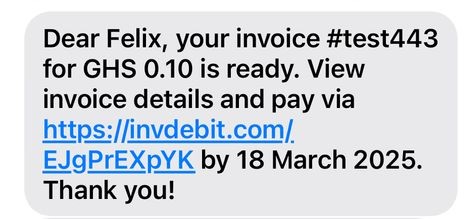
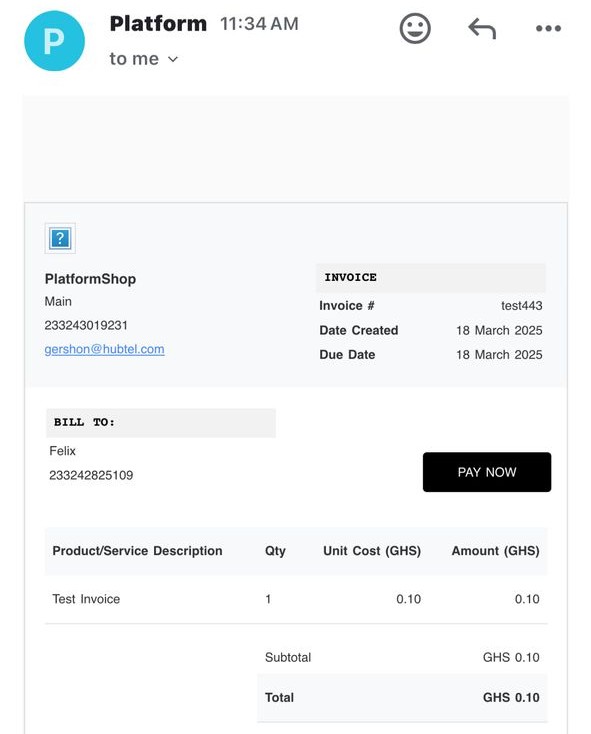
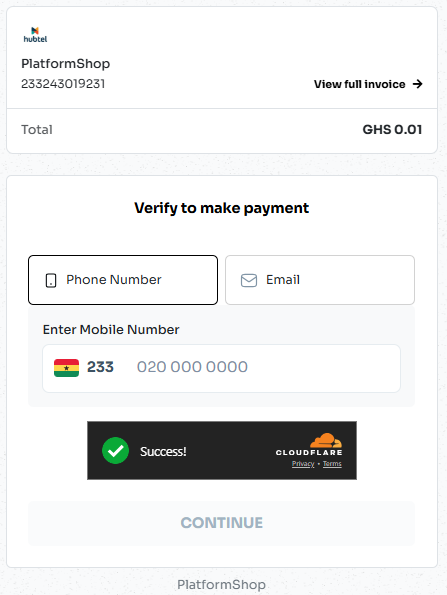
With a single integration, you can accept one-time, installment, and automated debit payments on your application. Provide the customer's debit details and Hubtel will manage the scheduling and processing of payments.
The following provides an overview of the REST API endpoints for interacting programmatically with the Hubtel Invoicing API within your application.
Getting Started
Understanding the Service Flow
The Hubtel Invoicing API includes two main API endpoints which can be used to create an invoice. They are:
- Simple Invoice: This endpoint allows you to create an invoice for your customer to make a full one-time payment. Available payment channels include mobile money, debit/credit card and G-Money.
- Pay In Installments: This endpoint allows you to create an invoice for your customer to make payment for the total amount, either in full or through partial payments.
- Repeat Invoice: This endpoint allows you to create an invoice for your customer to make repeat payments until the specified due date.
API Reference
Simple Invoice
To initiate a Simple Invoice request, send an HTTP POST request to the below URL with the required parameters. It’s also mandatory to pass your Collection Account Number for Simple Invoice requests in the endpoint. Find your Collection Account Number here.
https://invoicing.hubtel.com/api/v2.0/invoice/{Collection_Account_Number}/simpleREQUEST PARAMETERS
| Parameter | Type | Requirement | Description |
|---|---|---|---|
| invoiceNumber | String | Mandatory | The invoice number associated with the invoice. It must not be empty and should be a maximum of 20 characters in length. |
| dueDate | DateTime | Mandatory | This refers to the due date for payment in ISO 8601 format. E.g. "2027-12-31T23:59:59Z" |
| createdBy | String | Mandatory | This refers to the person or staff creating the invoice. |
| customerName | String | Optional | The name of the customer. |
| customerPhoneNumber | String | Mandatory | The phone number of the customer. Customer will receive invoice via this number. |
| customerEmail | String | Optional | This refers to the email of the customer. Customer will receive invoice via this email. |
| note | String | Optional | This is a brief description of the invoice. |
| items | ArrayOfObjects | Mandatory | This helps create the invoice. |
| discounts | ArrayOfObjects | Optional | Discounts to apply to the invoice. |
| fees | ArrayOfObjects | Optional | Fees to apply to the invoice. |
| appliedTaxes | ArrayOfObjects | Optional | Taxes to apply to the invoice. |
| callbackUrl | String | Mandatory | The callback URL expected to receive the final status of the payment. |
Items Object
| Parameter | Type | Requirement | Description |
|---|---|---|---|
| description | String | Optional | Item description. |
| quantity | Number | Mandatory | Item quantity. Must be at least 1. |
| unitPrice | Number | Mandatory | Item unit price. Must be at least 0.01. |
Discounts Object
| Parameter | Type | Requirement | Description |
|---|---|---|---|
| name | String | Mandatory | Discount name. |
| value | Number | Mandatory | Discount value. Must be at least 0.01. Flat discounts must not exceed the invoice subtotal. Percentage discounts must not exceed 100. |
| isFlat | Boolean | Mandatory | true when value is a fixed amount. false when value is a percentage. |
Fees Object
| Parameter | Type | Requirement | Description |
|---|---|---|---|
| name | String | Mandatory | Fee name. |
| value | Number | Mandatory | Fee value. Must be greater than 0. Percentage fees must be between 0.01 and 100. |
| isFlat | Boolean | Mandatory | true when value is a fixed amount. false when value is a percentage. |
Applied Taxes Object
| Parameter | Type | Requirement | Description |
|---|---|---|---|
| name | String | Mandatory | Tax name. |
| value | Number | Mandatory | Tax value. Must be greater than 0. Percentage taxes must be between 0.01 and 100. |
| isFlat | Boolean | Mandatory | true when value is a fixed amount. false when value is a percentage. |
RESPONSE PARAMETERS
| Parameter | Type | Description |
|---|---|---|
| message | String | A brief message indicating the success or failure of the invoice creation. |
| code | Number | The status code |
| Data | ArrayOfObject | An object containing the required data response from the Invoicing API. |
| InvoiceId | String | A unique identifier for the generated invoice |
| paymentUrl | String | Payments can be made via this URL. |
SAMPLE REQUEST
POST /api/v2.0/invoice/11684/simple HTTP/1.1
Host: invoicing.hubtel.com
Accept: application/json
Content-Type: application/json
Authorization: Basic endjeOBiZHhza24==
Cache-Control: no-cache

{
    "invoiceNumber": "12345",
    "dueDate": "2026-06-02T23:59:59Z",
    "createdBy": "John",
    "customerName": "John",
    "customerPhoneNumber": "233555654321",
    "customerEmail": "[email protected]",
    "note": "Test simple invoice",
    "items": [
        {
            "description": "Item",
            "quantity": 1,
            "unitPrice": 1
        }
    ],
    "discounts": [
        {
            "name": "Discount",
            "value": 1,
            "isFlat": false
        }
    ],
    "fees": [
        {
            "name": "Fee",
            "value": 2.00,
            "isFlat": true
        }
    ],
    "appliedTaxes": [
        {
            "name": "Tax",
            "value": 1,
            "isFlat": false
        }
    ],
    "callbackUrl": "https://webhook.site/4636d303-1234-440f-9920-68e34f43ebf9"
}
SAMPLE RESPONSE
{
    "message": "Invoice has been created.",
    "code": 201,
    "data": {
        "invoiceId": "pY3HfCTXZb",
        "paymentUrl": "https://approval.biz/pY3HfCTXZb"
    }
}
Callback
You will need to implement a callback endpoint on your server to receive payment and order notification statuses.
SAMPLE CALLBACK (successful)
{
    "Status": "Successful",
    "ResponseCode": "0000",
    "Data": {
        "AmountPaid": 1,
        "InvoiceId": "pY3HfCTXZb",
        "ReceiptNumber": "748f4a9f0d664369899a74c820d95c21",
        "Description": "The MTN Mobile Money payment has been approved and processed successfully.",
        "PaymentMethod": "mobilemoney",
        "PaymentChannel": "mtn-gh",
        "PayeePhoneNumber": "233555654321",
        "PaymentDetailId": "f41ce50e-a966-4bf6-87b6-869065736f01"
    }
}
SAMPLE CALLBACK (failed)
{
    "Status": "Failed",
    "ResponseCode": "0001",
    "Data": {
        "AmountPaid": 1,
        "InvoiceId": "CddHP6ze87",
        "ReceiptNumber": "0bf49eede470421985e079e22aee43d4",
        "Description": "The MTN Mobile Money user has reached counter or balance limits, has insufficient funds or is missing permissions",
        "PaymentMethod": "mobilemoney",
        "PaymentChannel": "mtn-gh",
        "PayeePhoneNumber": "233555654321",
        "PaymentDetailId": "529f61a2-cdad-42bc-87fb-12d919f048be"
    }
}
Note
Businesses that want to add an extra layer of security to ensure callbacks reach their endpoint securely can whitelist Hubtel’s callback IP addresses: 18.202.122.131
Repeat Invoice
To initiate a Repeat Invoice request, send an HTTP POST request to the below URL with the required parameters. It's also mandatory to pass your Collection Account Number in the endpoint. Find your Collection Account Number here.
https://invoicing.hubtel.com/api/v2.0/invoice/{Collection_Account_Number}/repeatREQUEST PARAMETERS
| Parameter | Type | Requirement | Description |
|---|---|---|---|
| invoiceNumber | String | Mandatory | The invoice number associated with the invoice. It must not be empty and should be a maximum of 20 characters in length. |
| dueDate | DateTime | Mandatory | This refers to the due date for payment in ISO 8601 format. E.g. "2027-12-31T23:59:59Z" |
| createdBy | String | Mandatory | This refers to the person or staff creating the invoice. |
| customerName | String | Optional | The name of the customer. |
| customerPhoneNumber | String | Mandatory | The phone number of the customer. Customer will receive invoice via this number. |
| customerEmail | String | Optional | This refers to the email of the customer. Customer will receive invoice via this email. |
| note | String | Optional | This is a brief description of the invoice. |
| items | ArrayOfObjects | Mandatory | This helps create the invoice. |
| frequency | String | Mandatory | Repeat frequency. Allowed values are Daily, Weekly, Monthly, and Yearly. |
| shouldBeAutoDebited | Boolean | Mandatory | Set to true for auto-debit repeat invoices. Set to false for non-auto-debit repeat invoices. |
| discounts | ArrayOfObjects | Optional | Discounts to apply to the invoice. |
| fees | ArrayOfObjects | Optional | Fees to apply to the invoice. |
| appliedTaxes | ArrayOfObjects | Optional | Taxes to apply to the invoice. |
| callbackUrl | String | Mandatory | The callback URL expected to receive the final status of the payment. |
Items Object
| Parameter | Type | Requirement | Description |
|---|---|---|---|
| description | String | Optional | Item description. |
| quantity | Number | Mandatory | Item quantity. Must be at least 1. |
| unitPrice | Number | Mandatory | Item unit price. Must be at least 0.01. |
Discounts Object
| Parameter | Type | Requirement | Description |
|---|---|---|---|
| name | String | Mandatory | Discount name. |
| value | Number | Mandatory | Discount value. Must be at least 0.01. Flat discounts must not exceed the invoice subtotal. Percentage discounts must not exceed 100. |
| isFlat | Boolean | Mandatory | true when value is a fixed amount. false when value is a percentage. |
Fees Object
| Parameter | Type | Requirement | Description |
|---|---|---|---|
| name | String | Mandatory | Fee name. |
| value | Number | Mandatory | Fee value. Must be greater than 0. Percentage fees must be between 0.01 and 100. |
| isFlat | Boolean | Mandatory | true when value is a fixed amount. false when value is a percentage. |
Applied Taxes Object
| Parameter | Type | Requirement | Description |
|---|---|---|---|
| name | String | Mandatory | Tax name. |
| value | Number | Mandatory | Tax value. Must be greater than 0. Percentage taxes must be between 0.01 and 100. |
| isFlat | Boolean | Mandatory | true when value is a fixed amount. false when value is a percentage. |
RESPONSE PARAMETERS
| Parameter | Type | Description |
|---|---|---|
| message | String | A brief message indicating the success or failure of the invoice creation. |
| code | Number | The status code |
| Data | ArrayOfObject | An object containing the required data response from the Invoicing API. |
| InvoiceId | String | A unique identifier for the generated invoice |
| paymentUrl | String | Payments can be made via this URL. |
SAMPLE REQUEST
POST /api/v2.0/invoice/11684/repeat HTTP/1.1
Host: invoicing.hubtel.com
Accept: application/json
Content-Type: application/json
Authorization: Basic endjeOBiZHhza24==
Cache-Control: no-cache

{
    "invoiceNumber": "12345",
    "dueDate": "2026-06-02T23:59:59Z",
    "createdBy": "John",
    "customerName": "John",
    "customerPhoneNumber": "233555654321",
    "customerEmail": "[email protected]",
    "note": "Test repeat invoice",
    "items": [
        {
            "description": "Item",
            "quantity": 1,
            "unitPrice": 1
        }
    ],
    "frequency": "Daily",
    "shouldBeAutoDebited": false,
    "discounts": [
        {
            "name": "Discount",
            "value": 1,
            "isFlat": false
        }
    ],
    "fees": [
        {
            "name": "Fee",
            "value": 2.00,
            "isFlat": true
        }
    ],
    "appliedTaxes": [
        {
            "name": "Tax",
            "value": 1,
            "isFlat": false
        }
    ],
    "callbackUrl": "https://webhook.site/4636d303-1234-440f-9920-68e34f43ebf9"
}
SAMPLE RESPONSE
{
    "message": "Invoice has been created.",
    "code": 201,
    "data": {
        "invoiceId": "pY3HfCTXZb",
        "paymentUrl": "https://approval.biz/pY3HfCTXZb"
    }
}
Callback
You will need to implement a callback endpoint on your server to receive payment and order notification statuses.
SAMPLE CALLBACK (successful)
{
    "Status": "Successful",
    "ResponseCode": "0000",
    "Data": {
        "AmountPaid": 1,
        "InvoiceId": "pY3HfCTXZb",
        "ReceiptNumber": "748f4a9f0d664369899a74c820d95c21",
        "Description": "The MTN Mobile Money payment has been approved and processed successfully.",
        "PaymentMethod": "mobilemoney",
        "PaymentChannel": "mtn-gh",
        "PayeePhoneNumber": "233555654321",
        "PaymentDetailId": "f41ce50e-a966-4bf6-87b6-869065736f01"
    }
}
SAMPLE CALLBACK (failed)
{
    "Status": "Failed",
    "ResponseCode": "0001",
    "Data": {
        "AmountPaid": 1,
        "InvoiceId": "CddHP6ze87",
        "ReceiptNumber": "0bf49eede470421985e079e22aee43d4",
        "Description": "The MTN Mobile Money user has reached counter or balance limits, has insufficient funds or is missing permissions",
        "PaymentMethod": "mobilemoney",
        "PaymentChannel": "mtn-gh",
        "PayeePhoneNumber": "233555654321",
        "PaymentDetailId": "529f61a2-cdad-42bc-87fb-12d919f048be"
    }
}
Note
Businesses that want to add an extra layer of security to ensure callbacks reach their endpoint securely can whitelist Hubtel’s callback IP addresses: 18.202.122.131
Transaction Status Check
It is mandatory to implement the Transaction Status Check API as it allows merchants to check for the status of a transaction in rare instances where a merchant does not receive the final status of the transaction from Hubtel after five (5) minutes.
To check the status of a transaction, send an HTTP GET request to the below URL, with the invoiceID as a parameters.
It’s also mandatory to pass your Collection Account Number for Status Check requests in the endpoint. Find your Collection Account Number here.
https://invoicing.hubtel.com/api/v2.0/invoice/{Collection_Account_Number}/{invoiceId}/status-checkSAMPLE REQUEST
GET api/v2.0/invoice/11684/CddHP6ze87/status-check HTTP/1.1
Host: invoicing.hubtel.com
Authorization: Basic endjeOBiZHhza24==
RESPONSE PARAMETERS
| Parameter | Type | Description |
|---|---|---|
| message | String | The description of response received from the API that is related to the response code. |
| code | String | The response code of the API after the request. |
| data | Object | An object containing the required data response from the API. |
| status | String | Status of the transaction i.e.: Fully Paid, Partially Paid or Not Paid. |
| payments | ArrayOfObject | Provides details about individual transactions. |
| id | String | The unique ID used to identify a Hubtel transaction. |
| amountPaid | Float | The amount paid. |
| amountDue | Float | The total amount the customer is expected to pay. |
| paymentMethod | String | This refers to the payment method used. |
| status | String | Indicates whether a particular transaction is Paid, Pending or Failed. |
| paymentDate | DateTime | This refers to the date the payment was made. |
| orderId | Float | Another identifier for the payment. It can be null. |
| receiptNumber | String | The receipt Number associated with the payment. It can be null. |
SAMPLE RESPONSE (Paid)
{
    "message": "Success",
    "code": 200,
    "data": {
        "status": "Fully Paid",
        "payments": [
            {
                "id": "f41ce50e-a966-4bf6-87b6-869065736f01",
                "amountPaid": 1.00,
                "amountDue": 1,
                "paymentMethod": "mobilemoney",
                "status": "Paid",
                "paymentDate": "2026-06-01T13:28:49.456255",
                "orderId": "6cf9a542-7fff-459f-afcf-a4b42207e7d2",
                "receiptNumber": "748f4a9f0d664369899a74c820d95c21"
            }
        ]
    }
}
SAMPLE RESPONSE (Unpaid)
 {
    "message": "Success",
    "code": 200,
    "data": {
        "status": "Not Paid",
        "paymentDetails": [
            {
                "id": "53243fca-64e1-4525-9861-2998d4d65f7f",
                "amountPaid": 0,
                "amountDue": 1,
                "paymentMethod": null,
                "status": "Pending",
                "paymentDate": "0001-01-01T00:00:00",
                "orderId": null,
                "receiptNumber": null
            },
            {
                "id": "e75511bc-bfeb-48d5-8376-478dc81dea9b",
                "amountPaid": 1.0,
                "amountDue": 1,
                "paymentMethod": "mobilemoney",
                "status": "Failed",
                "paymentDate": "2026-06-01T13:27:15.342735",
                "orderId": "91695f47-d3d6-4ab5-bb21-97f63d5b35c1",
                "receiptNumber": "b9ab09a04ec54cdd87e75f9409149c54"
            }
        ]
    }
}
Response Codes
The Hubtel Sales API uses standard HTTP error reporting. Successful requests return HTTP status codes in the 2xx. Failed requests return status codes in 4xx and 5xx. Response codes are included in the JSON response body, which contain information about the response.
| Response Code | Description | Required Action |
|---|---|---|
| 0000 | The transaction has been processed successfully. | None |
| 0001 | The transaction failed. | None |
| 0005 | There was an HTTP failure/exception when reaching the payment partner | The transaction state is not known. Please contact your Retail Systems Engineer to confirm the status of this transaction. |
| 2001 | Transaction failed due to an error with the Payment Processor. Please review your request or retry in a few minutes | • Customer either entered no or invalid PIN • Mobile network not able to parse your request • USSD session timeout • Having strange characters (&*!%@) in your description |
| 2100 | The request failed as the customer's phone is switched off. | None |
| 2101 | The transaction failed as the PIN entered by the Airtel Money customer is invalid | None |
| 2102 | The Airtel Money user has insufficient funds in wallet to make this payment | None |
| 2103 | The mobile number specified is not registered on Airtel Money | None |
| 2050 | The MTN Mobile Money user has insufficient funds in wallet to make this payment. | Customer has to top up mobile money wallet with funds more than the amount being charged. |
| 2051 | The mobile number provided is not registered on MTN Mobile Money | Ensure that the mobile number is registered on the MTN channel. |
| 2152 | The mobile number specified is not registered on Tigo cash. | None |
| 2153 | The amount specified is more than the maximum allowed by Tigo Cash | None |
| 2154 | The amount specified is more than the maximum daily limit allowed by Tigo Cash. | None |
| 2200 | The recipient specified is not registered on Vodafone Cash. | None |
| 2201 | The customer specified is not registered on Vodafone Cash. | None |
| 3008 | The customer specified is not registered on Vodafone Cash. | The payment channel has been disabled on your account. Ensure you have uploaded your business registration documents for your account to be duly verified. Contact your Retail Systems Engineer with your Merchant Account Number if you are receiving this error even though you have provided the necessary documents. |
| 3009 | Merchant account is not available. | Check to confirm if your merchant account number is valid. |
| 3012 | You have insufficient funds in your Merchant Account | Amount is less than funds in merchant account. |
| 3013 | Amount specified is less than the fees. | The amount you are charging is less than the fee. |
| 3022 | Merchant account has been registered on this channel, but the channel has not been activated. | None |
| 3024 | Specified Channel Provider is invalid | The selected payment channel is invalid. |
| 4000 | Validation errors | Validation errors. Something is not quite right with this request. Please check again. |
| 4075 | Insufficient prepaid balance | You don't have enough funds in your Disbursement Account to send money to your customers. You can top-up your Disbursement Account by transferring funds from your available balance or bank deposit. |
| 4080 | Insufficient available balance | None |
| 4101 | Authorization for request is denied | Ensure that you're providing the correct Basic Auth key for the Authorization header. Also ensure you’re passing your Collection Account Number in the endpoint. |
| 4103 | Permission denied | You are not allowed to perform this transaction. Kindly ensure your API keys are accurate. |
| 4105 | Authenticated Hubtel organization is not owner of specified account number. | There's a mismatch of the Merchant Account number and the Basic Authorization key. Ensure your API keys are from the same Unity account as the Merchant Account. |
| 4505 | Transaction has already been refunded | None |